
I began to design the main menu for the game by following the design pipeline with an iteration of thumbnails.
I made six variants of the main menu, but they all included references to the gameplay and key buttons in the interface: Start, options, credits and exit.
I asked my team for feedback to help me pick the best one, and the majority preferred the top-left. Therefore, I decided to continue and develop this choice.
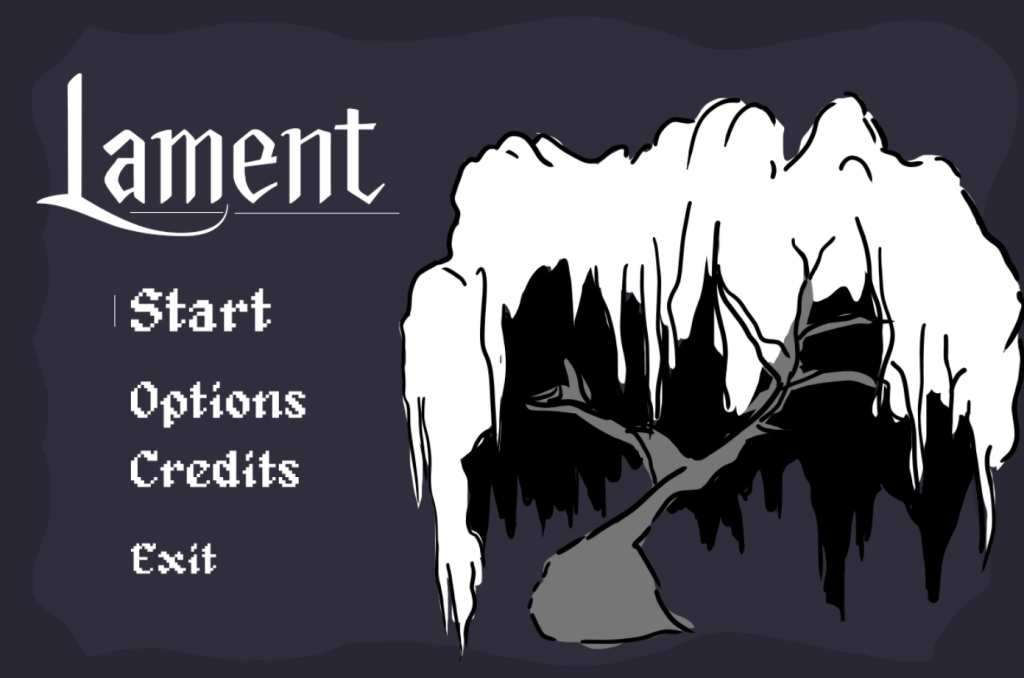
The thumbnail that I chose to develop had these key visual details to add: the title text, a willow tree from the hub.
I started with the logo as it was the quickest thing to do. I acquired the font face ‘Anger styles’ from the original GDD writer, Anna and implemented it into the file. I then found a placeholder pixel text ‘Psygen’ to work with and added in all the buttons I wanted the menu to include. I also added a little line to the start button as I want my GUI to have reactivity to the player’s hovering. Finally, I made a simplistic willow tree and background for the design. The background is a cooler tone to fit the thematics of the game.
Feedback on Initial Design
The team liked the design but thought that the willow tree is too big and bushy for the menu screen. We had a tree asset that didn’t fit within the gameplay, therefore, I suggested repurposing it for the main menu, so as not to waste the efforts of my team.
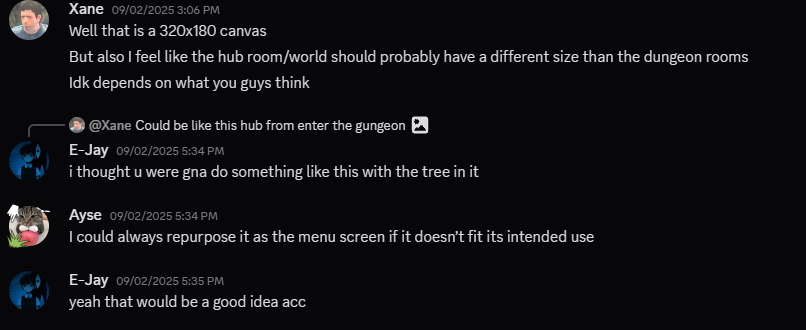

Continuing with Design

Working the design more, I made the font for the buttons thinner, this makes the GUI feel sleek. I then added in the repurposed tree Xane made instead of my willow tree.
I changed the original highlight line to a sparkle to add flair to the design.
I made the hierarchy of the buttons distinguishable by adding an extra line under the start button and indenting the rest. I also made the exit button the smallest to subconsciously deter the player from choosing it.

Receiving more feedback from my team, they liked the new design so much more than the other one. It feels put together in comparison. However, they didn’t like the new warm colour choice as the gameplay has muted cooler tones. Therefore, I changed the background back to the original colour palette.

Production of Assets
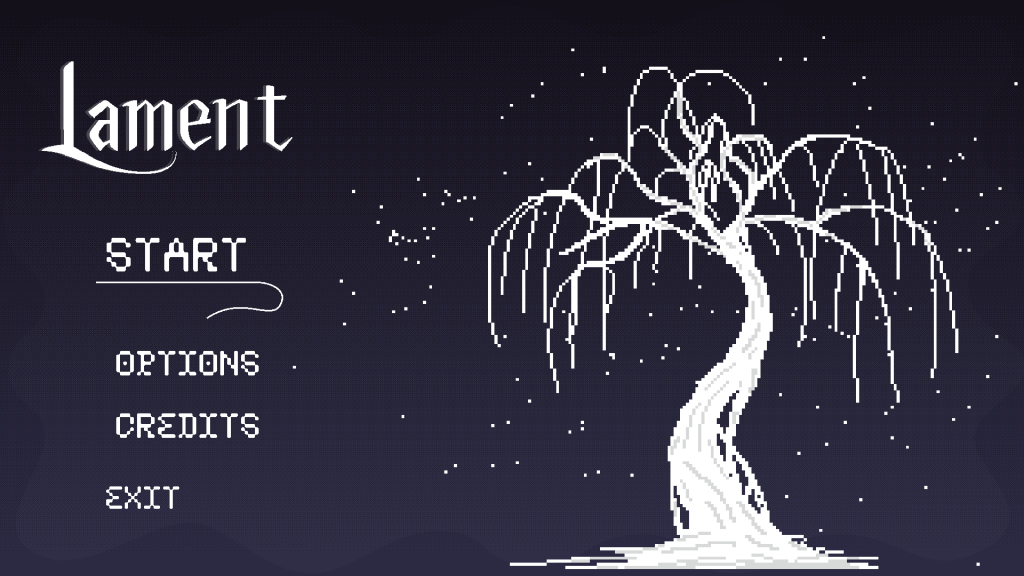
I made the final design in Aseprite. I added dithering to the background and a gradient to make it dynamic and not flat. This made the colour bug, so I imported it to Photoshop and added a screen layer to change the colour, which made it look more blended and put together.
I then started to add the text onto the background with separate layers in Aseprite.
The title text was around 250 size, and the smaller text sizes were between 75-65-60.
Personal Review
I really liked the outcome of the main menu, and I am really proud of it. Many of my teammates liked it too and really thought it fit the design of the game. I left the implementation of this to E-Jay due to time constraints with the first playtest. As he is so much more experienced than I in Unity, he would take less time than I to get it done for the playtest. This was a compromise I was okay with, as I know that after the playtest, I will have time to tweak it and other opportunities to make more with the other GUIs, but with time for me to learn.