

DOG APOCALYPSE
My first prototype was a fully 3D game, so I decided to use Unity as my chosen game engine. It’s the game engine I understand best, after all, and I can use our resident Unity specialist Ross to help if need be.
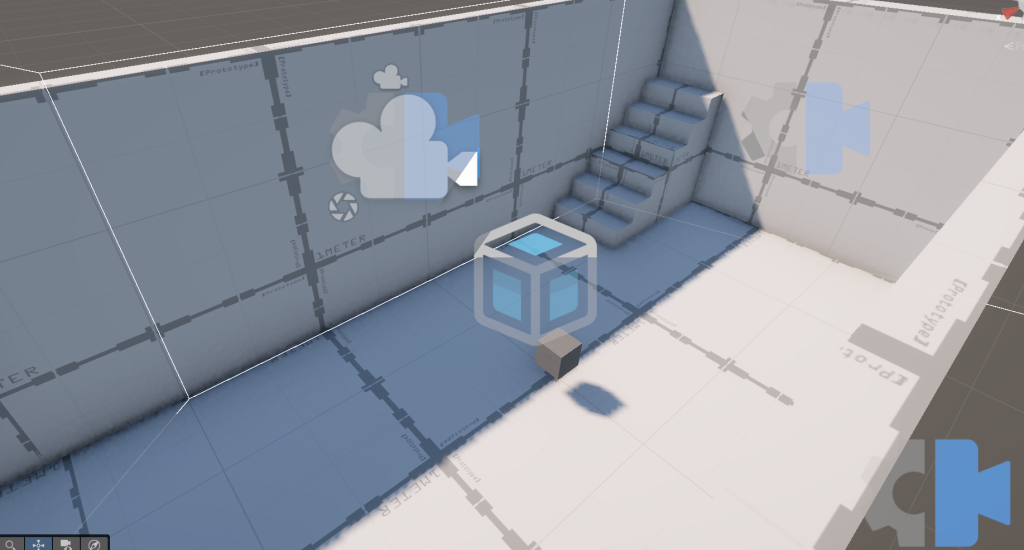
GREYBOXING
I first set up a greybox that would serve as my initial first puzzle room. It was just going to be a simple room of a house, with a floor, four walls, and a staircase using Unity’s ProBuilder feature. This would be my playground for experimentation, for I had two objectives this week:
- To get a basic player movement functioning
- To create a specific camera set up that would allow the player to rotate around the four walls of the room with the C and X keys
BASIC MOVEMENT
Next was a basic player movement. Unity recently I used a cube for the dog for now, and gave it basic directional movement based on the WASD keys.
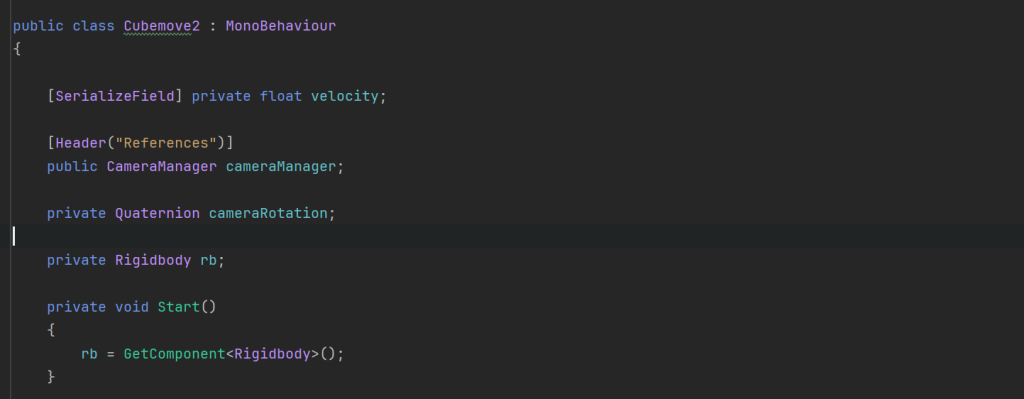
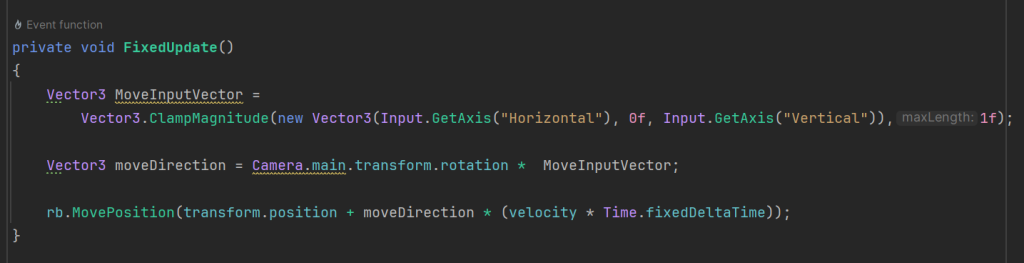


CAMERA MOVEMENT
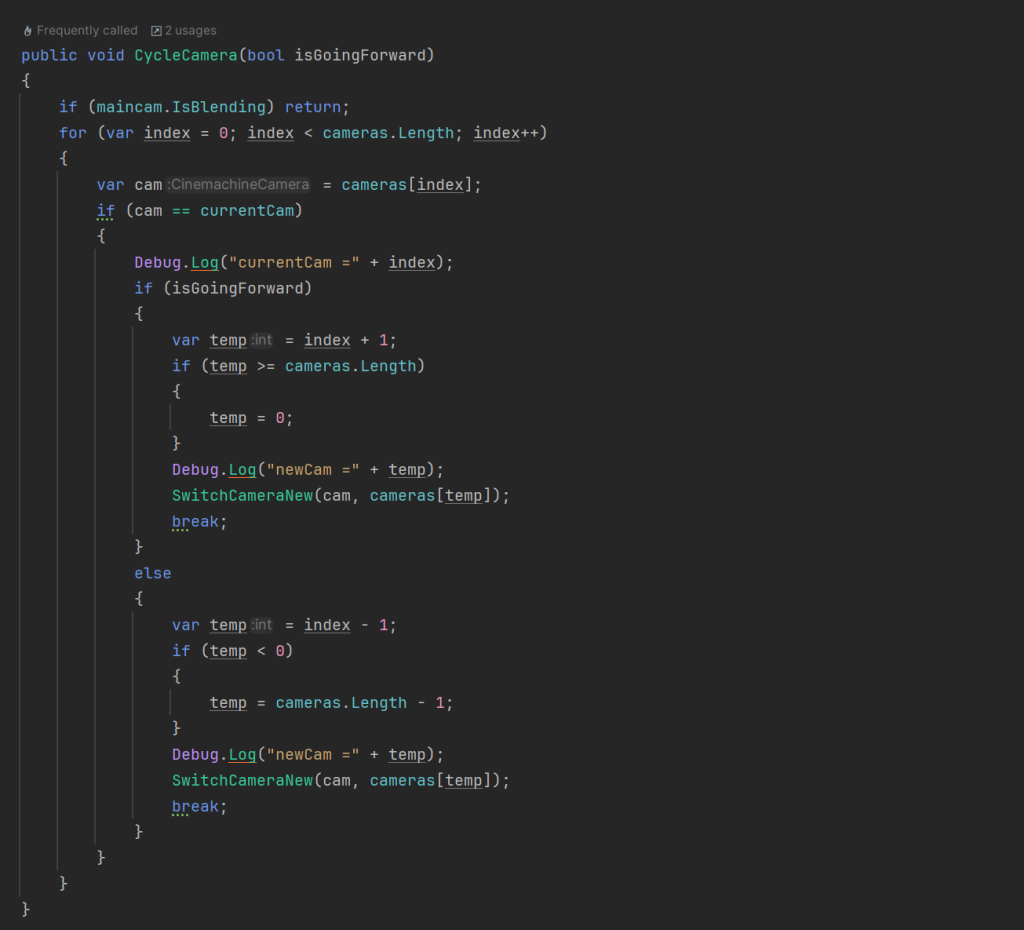
Next was the tricky bit. I wanted to have a specific camera movement to enhance the puzzle-solving aspect of the game. Specifically, I wanted to be able to rotate perspective by pressing the X and C keys. I did this using a mixture of Cinemachine and C# scripting.
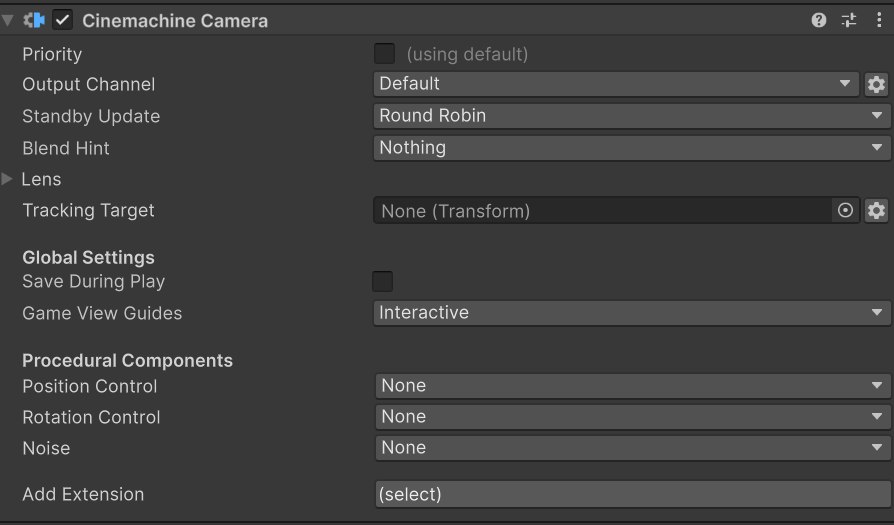
Firstly, the Cinemachine cameras. I tweaked with the lenses until I could see the whole room without being obscured by anything, and set the transition so they would rotate cleanly between each other, and tested this by assigning the cameras values in the Inspector during Game mode.
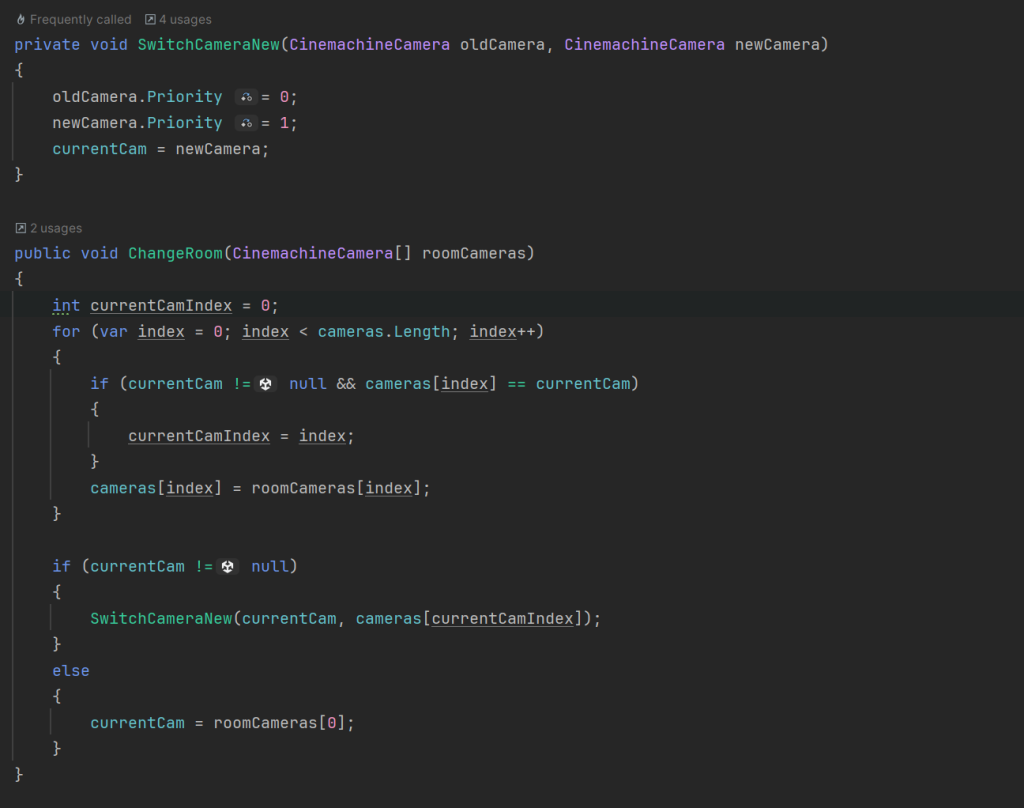
This was done by assigning each camera an “element” in a CameraManager gameobject, and listing them in an array. The “currentcam” would have a value of 1. When the X or C keys are pressed, the next camera in the array gets a value of +1, while the old camera gets a value of -1, which tells the program to switch cameras (we called this SwitchCameraNew). Then running an “if” statement in public void, we told it that if the current variable in the index has its value reassigned, then the current value would be 0 – thereby the camera would no longer be used.
This did create problem when you got to the end of the “list”, so a check was added before increasing or decreasing the value, which reverts to 0 if it reaches the min, and vice-versa.
Now what I wanted was to enable this for multiple rooms, with multiple sets of cameras, so I could have a multi-room puzzle (I had the vague idea of having two downstairs room and an upstairs room). For this, I created new cameras, and a new set of elements in a seperate parent Gameobject called “Second Room” (and put all my first rooms in a parent called FirstRoom). Then under a new public void called ChangeRoom, if CurrentCam’s value is less than or equal to the cameras in a specific index, then CurrentCam should be a camera in that index – else it needs to be in a different index (the other room of cameras).

COLLIDER TRIGGER
Then all I had to do was make a trigger for switching rooms. Using a box collider over the span of an entire room, touching this would act at the “trigger” between rooms.Then if the player character contacts it, the ChangeRoom public void is called on.


Final Result:
PLAYER CHARACTER
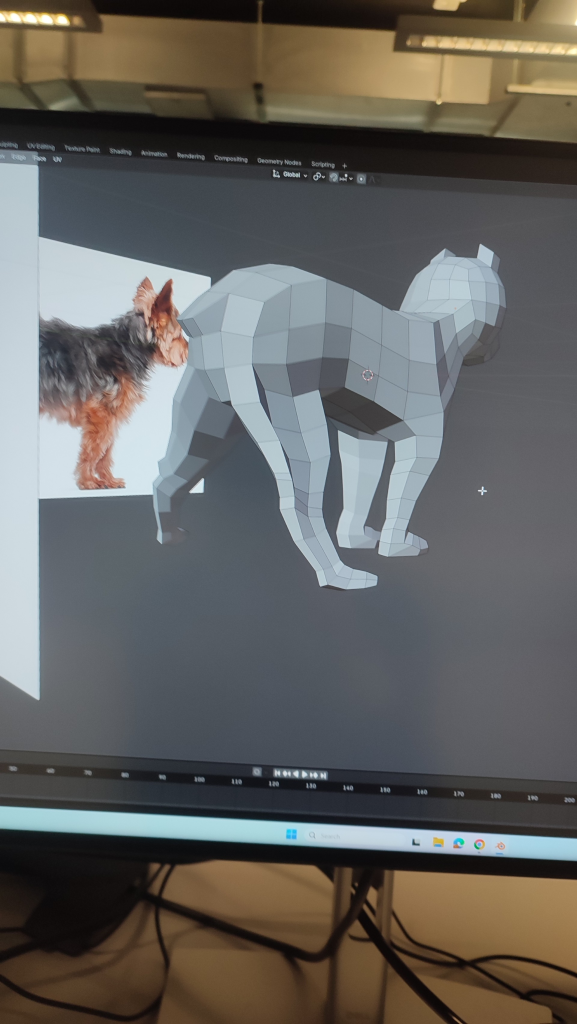
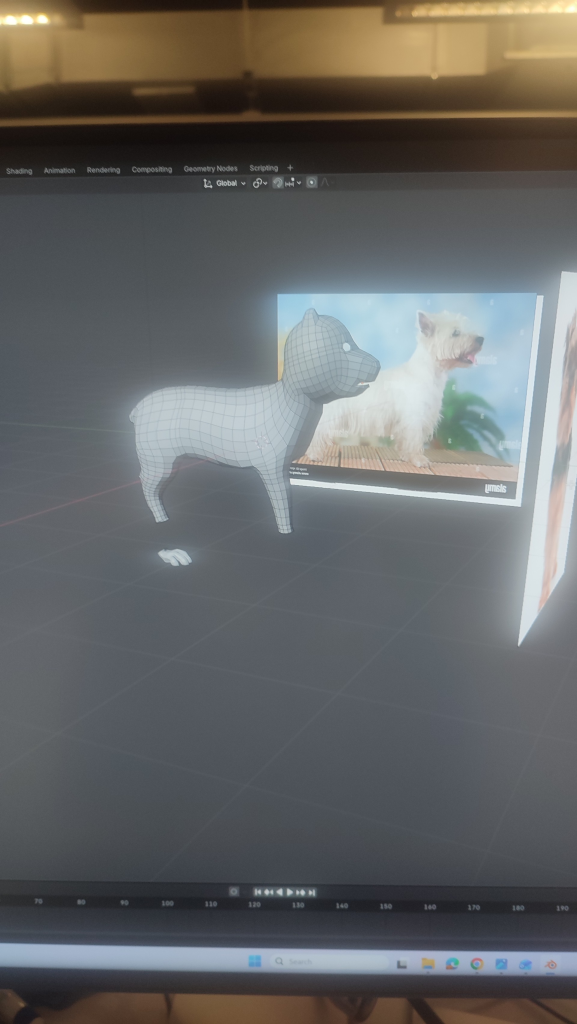
I also started on the 3D model of the player character, which would be a dog. I went back and forth between a Yorkshire and a West Highland terrier, but in the end Westie won out. While I didn’t get to completely finish this, I’m overall happy with the body shape – but I will need to redo the head.
Leave a Reply