
Tile sets and Tile maps are a method used to quickly iterate and design levels, which is particularly important for a platformer where these levels will constantly be changing.
I did further research on this in the following post, last semester:
Testing Unity’s Tile map feature
Unity has a built-in tile map feature which is a lot simpler than a third party software called Tiled. This software allows for much more complex rules than Unity’s built-in feature but is in-turn a lot harder to use and understand. So for now, I will use Unity’s Tile Map feature.
Using a free tile set I found on itch (For a temporary placeholder), I created a new Tile Map Rule gameobject in Unity:
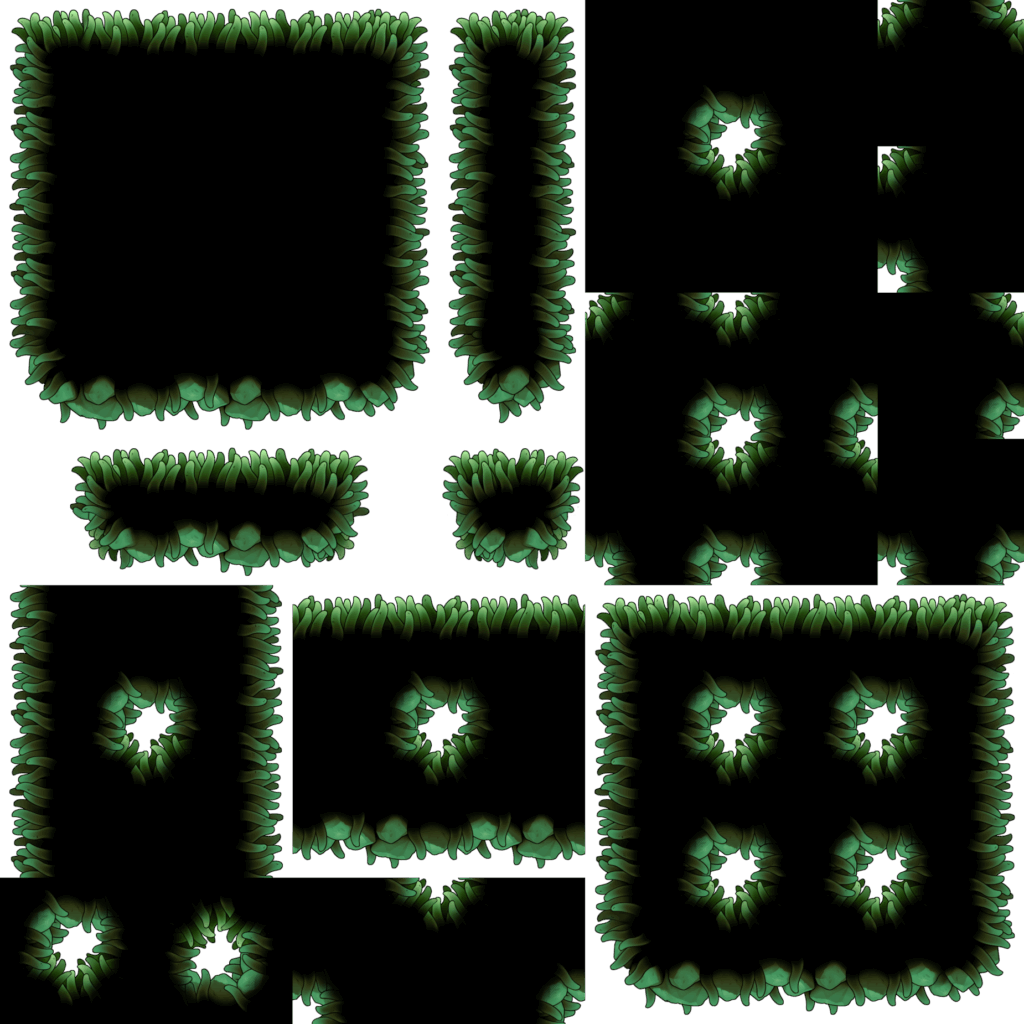
Implementing this into my game
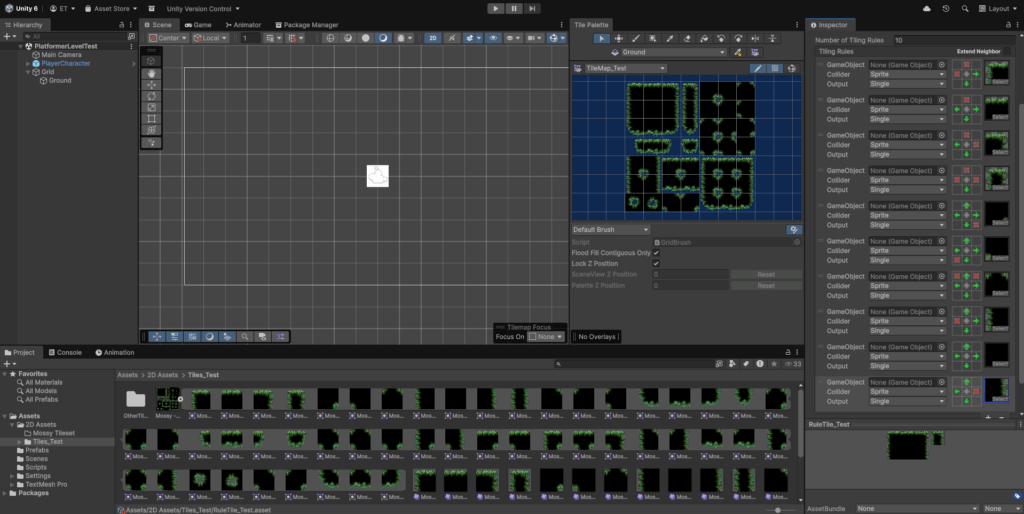
With this gameobject, I created rules for the tile map to follow (As seen on the right side on the screen) so I can auto-tile the levels as I design them. The rules that Unity allow me to create are based on immediate proximity, which are notated as ticks or crosses. Ticks being where there must be a tile and crosses where there must not be a tile. I must create a rule for each tile on the tile set so that the tile map knows what tile to place when I create a level.
However, at first there were definitely some bugs:
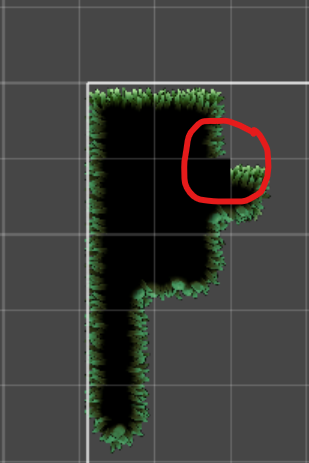
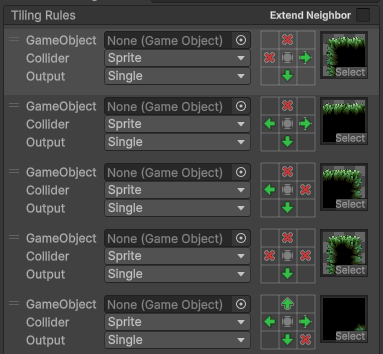
This was due to the fact that rules would override one-another depending on how high they were in the Tiling Rules list (As these rules were checked for first) , so I also had to think about the order of the rules and how they would effect one another.
A general rule of thumb that I found was that the more complex the rules are, the higher they should be in the list (So that these rules were checked for before others)
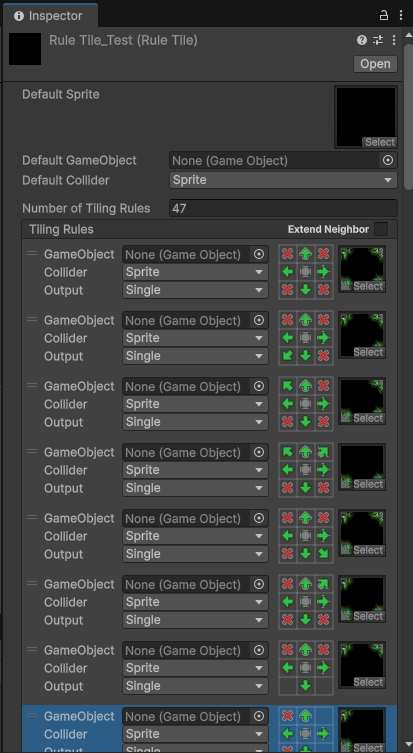
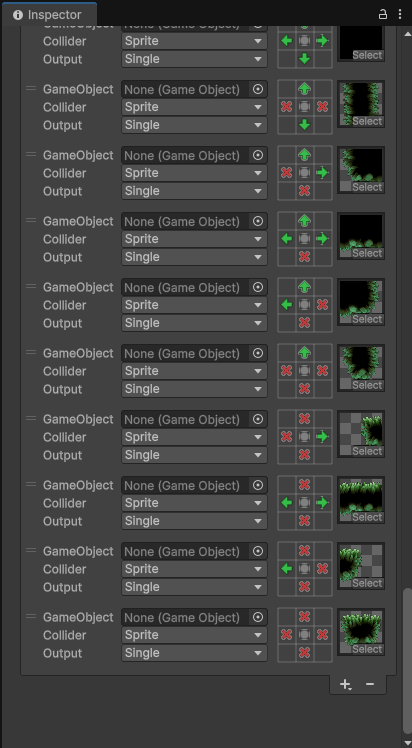
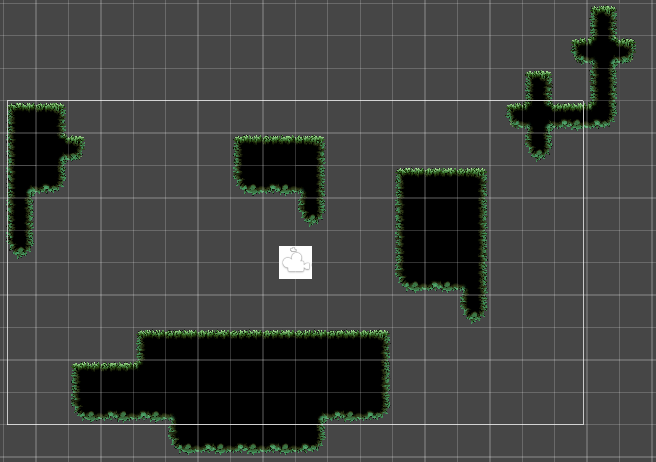
After implementing these changes, the level now looks like this:
Potential Issues I Found
One issue that I found is the tiles’ collision, these tiles’ geometry isn’t straight and will effect the player. The tile gameobject also doesn’t accept a boxcollider2D to make the collision straight.
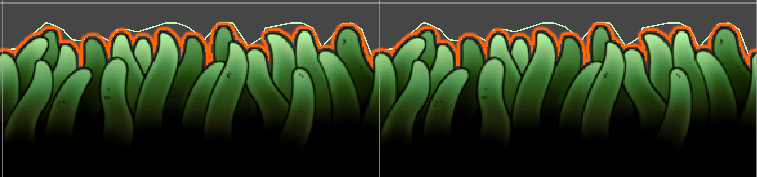
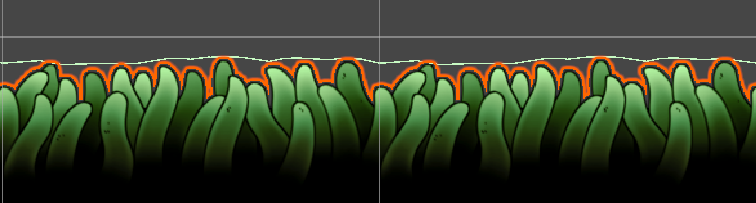
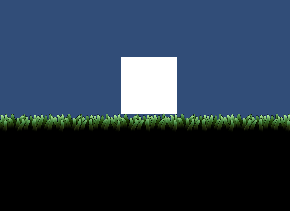
This caused the player collision to look like this, where the player would sit on top of the tile entirely, instead of there being a small natural overlap.
The only way I found to fix this was to have two separate tiles, one for the visuals and one for the collision:


Leave a Reply