In this prototype, I focused on three essential mechanics in first-person horror games: the player’s basic movement behaviours,the door interactionsystem and the enemy chase logic.
This prototype aims to understand how interaction timing and enemy behaviour shape tension and pacing in a horror experience.
This prototype focuses on functionality only – no final animations, sound, or polished visuals. The goal is to validate the logic before integrating it into the full game.
Player Movement Prototype
Goal: Validate core movement responsiveness and pacing through walking and sprinting mechanics.
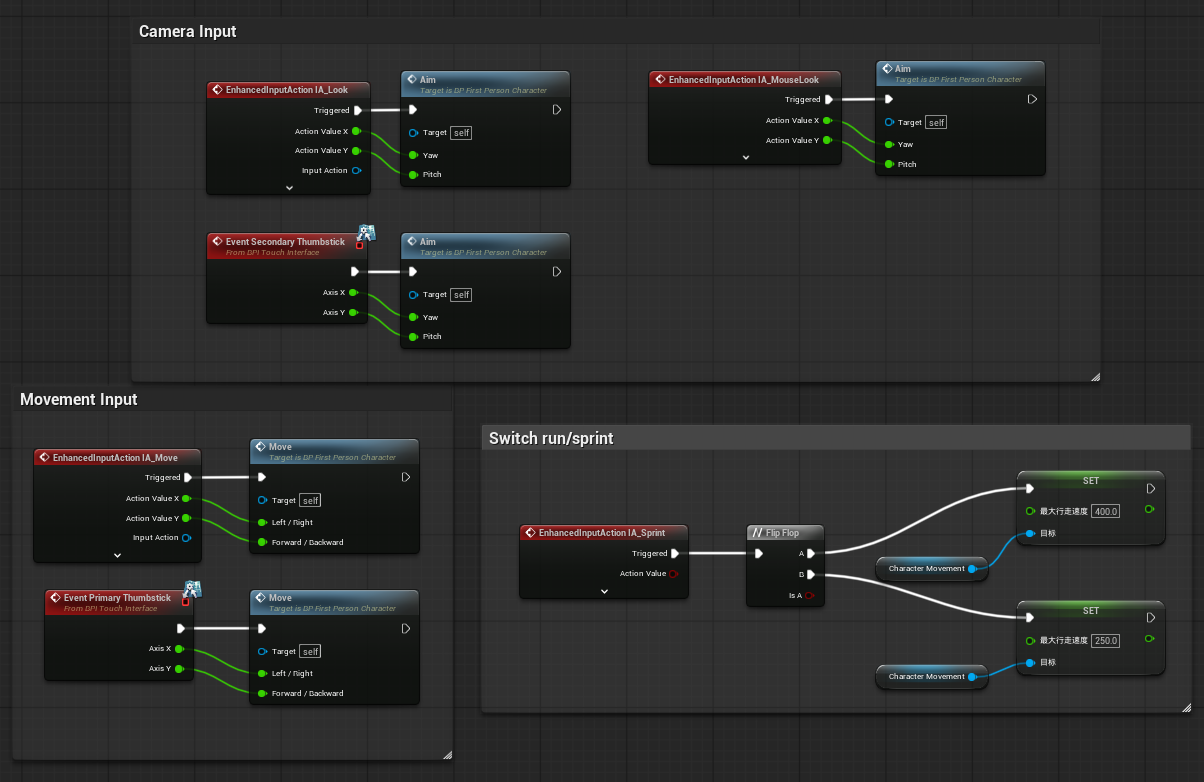
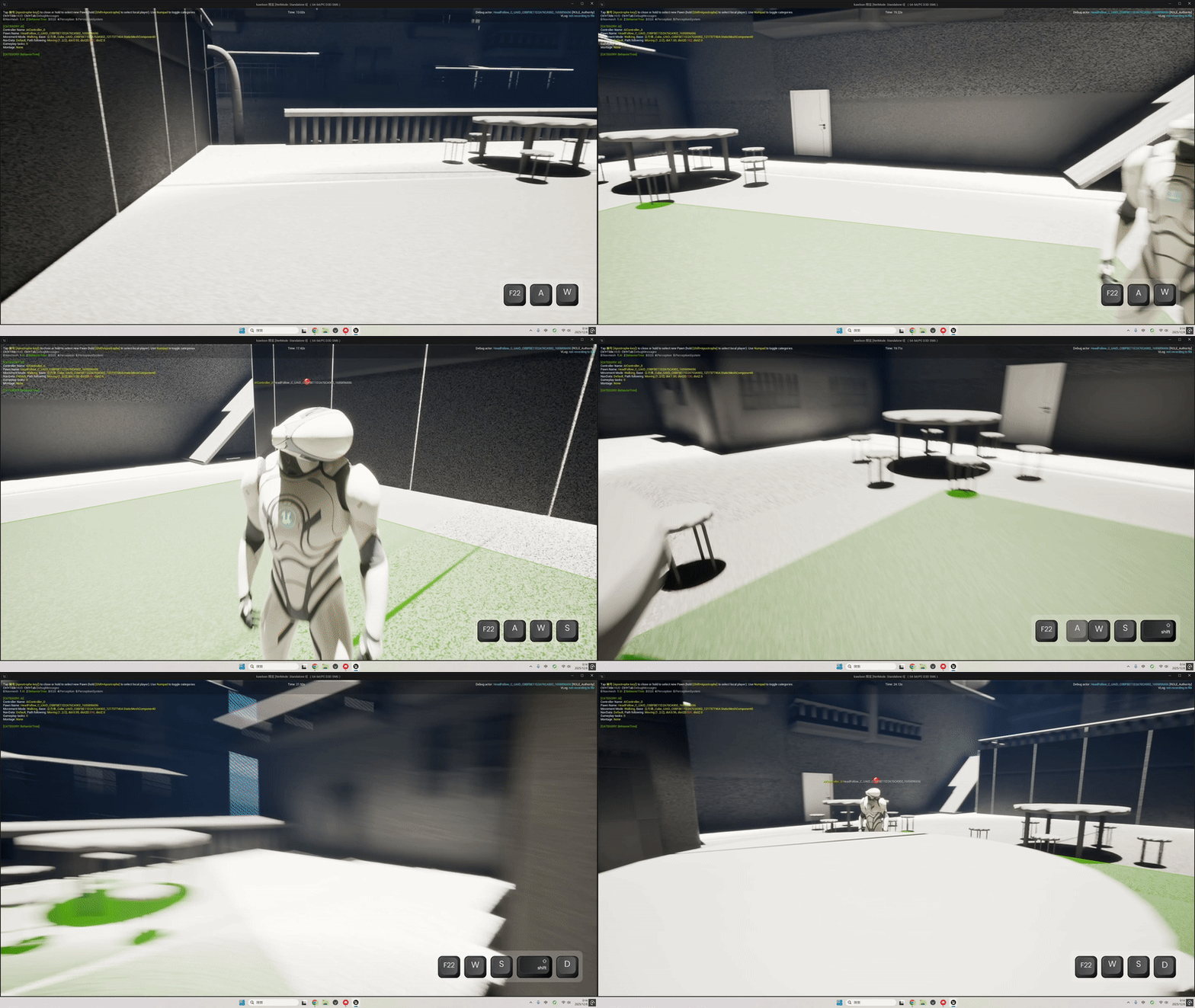
As this is my first time working with the UE5 engine, I started by using the First-Person Template, which already includes basic walking and jumping functionality. This allowed me to quickly set up a testable movement framework. Building on top of that, I added a sprinting mechanic that lets the player switch between walking and running speeds. This addition helps me explore how different movement speeds influence pacing and tension in a horror gameplay context.
Blueprint of the basic movement
GIF showing the difference between walking and sprinting after pressing Shift.
Door Interaction Prototype
Goal: Establish interaction timing and feedback that supports tension pacing in enclosed spaces.
In horror games, doors are not just physical barriers — they act as rhythm controllers that shape the intensity of the player’s tension.
If it opens too quickly, it weakens the sense of fear. If opens too slowly, players may feel stuck
For this reason, I began by developing a basic door interaction system to test interaction distance, trigger logic, on-screen prompts, and door-opening speed.
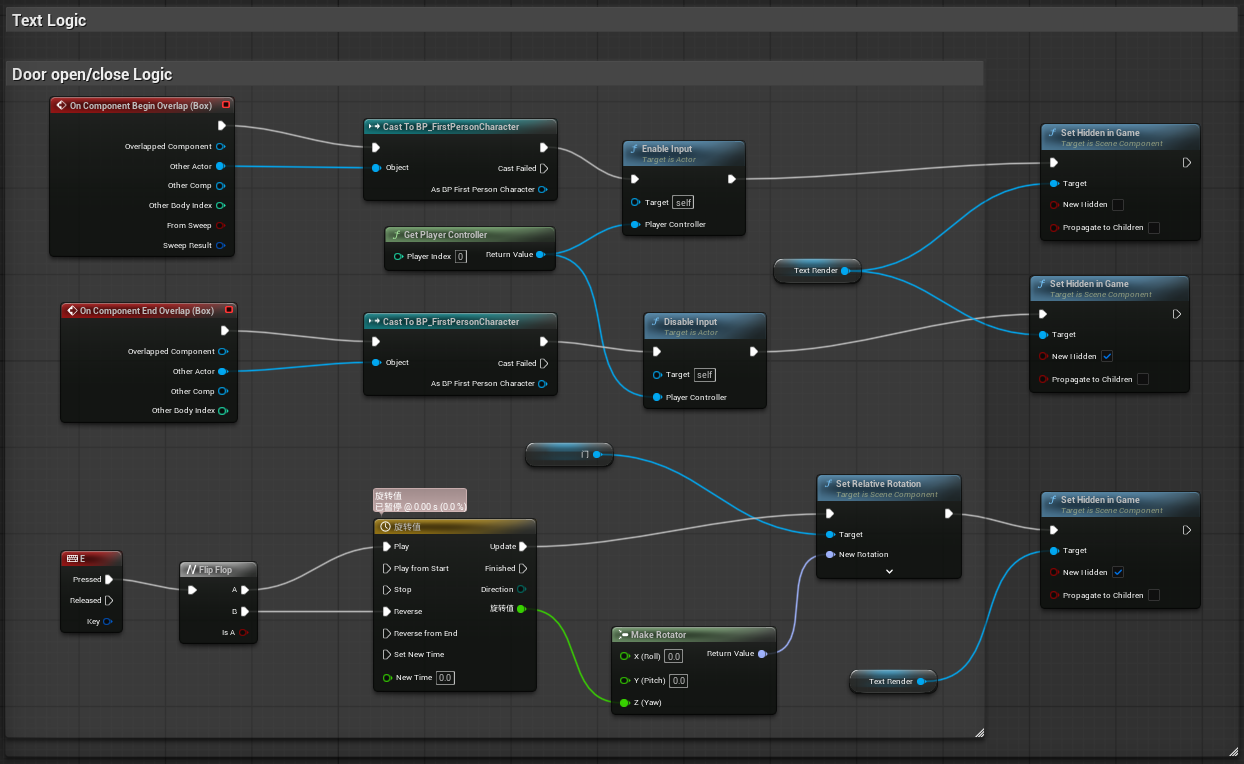
Blueprint visualizing the door interaction logic
This graph handles the player’s overlap detection, input enabling, on-screen prompt visibility, and the timeline-driven rotation used to open and close the door.
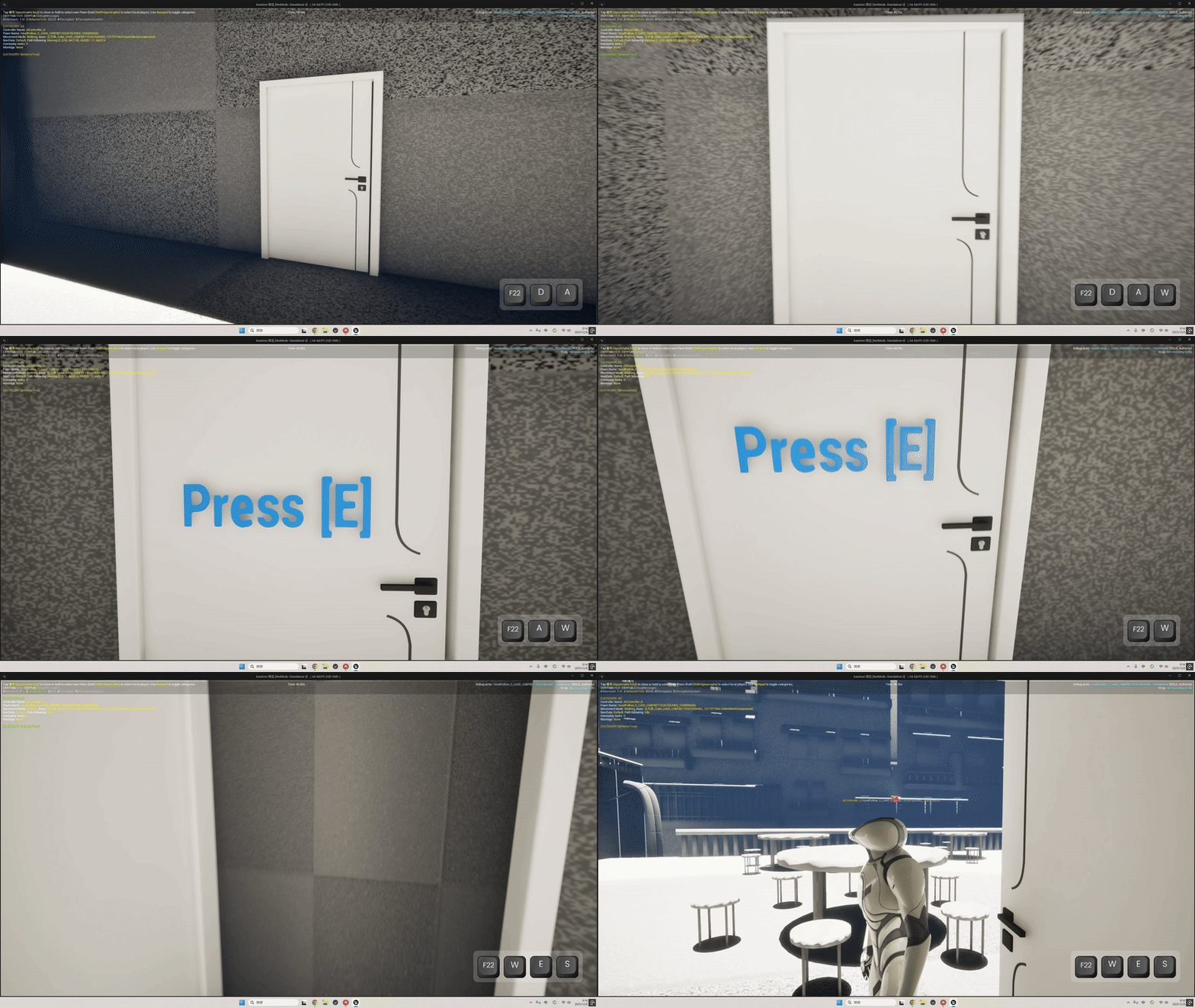
In-engine GIF showing the door interaction in action.
This GIF demonstrates how the interaction prompt appears when entering range and how the door opens after pressing E.
Enemy Perception & Chase Prototype
Goal: Enable perception-driven AI response to player presence, ensuring chase behaviour is triggered only on visual confirmation.
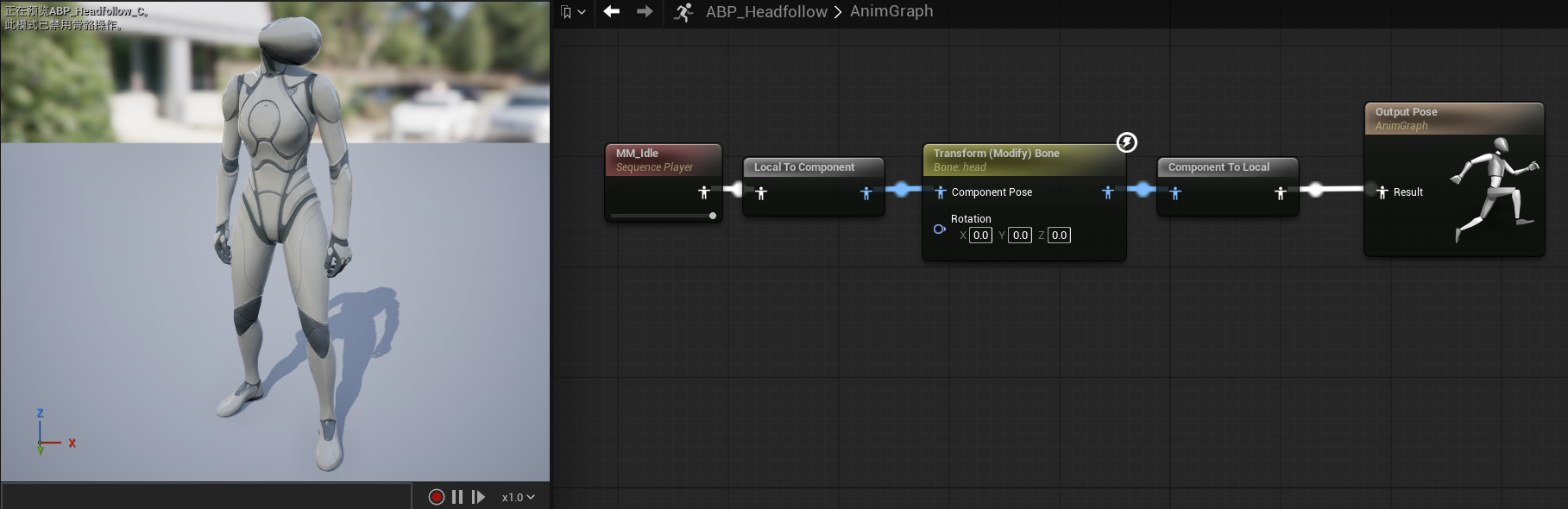
Most horror games include some form of chase sequence, so I began experimenting with this core mechanic to understand how it shapes tension and player behaviour. While testing the early chase logic, I accidentally modified the character’s pose, which resulted in a very strange and unexpected posture.
Animation Blueprint setup that caused the unexpected pose during early chase-system testing.
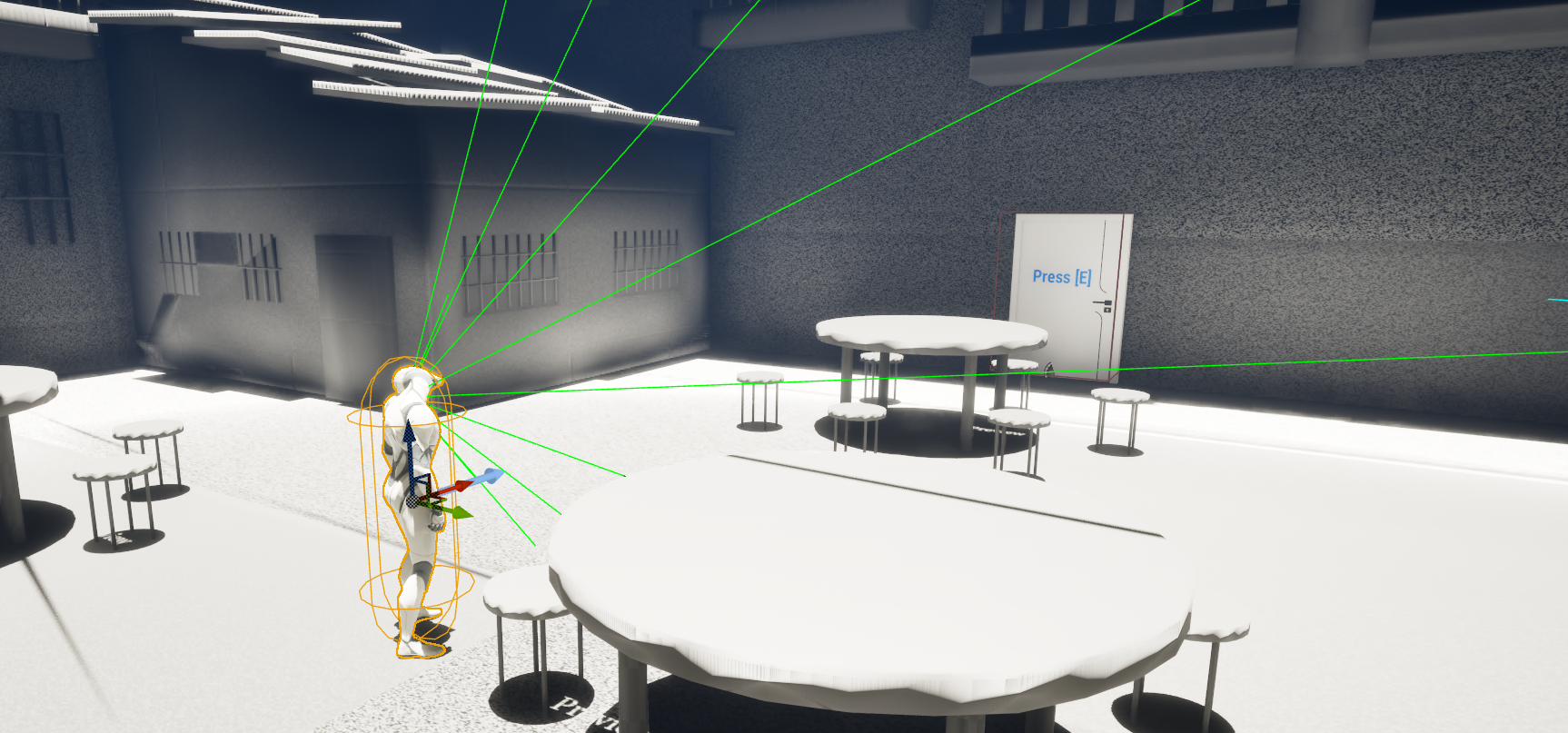
After that, I began exploring the enemy’s vision system. I wanted the AI to enter a chase state only when the player is actually within its line of sight. To achieve this, I experimented with defining a field-of-view radius and angle, allowing the enemy to detect the player only when they appear inside that visual cone.
Visualization of the enemy’s field-of-view setup, showing the detection cone used to identify the player when they enter the visible range.
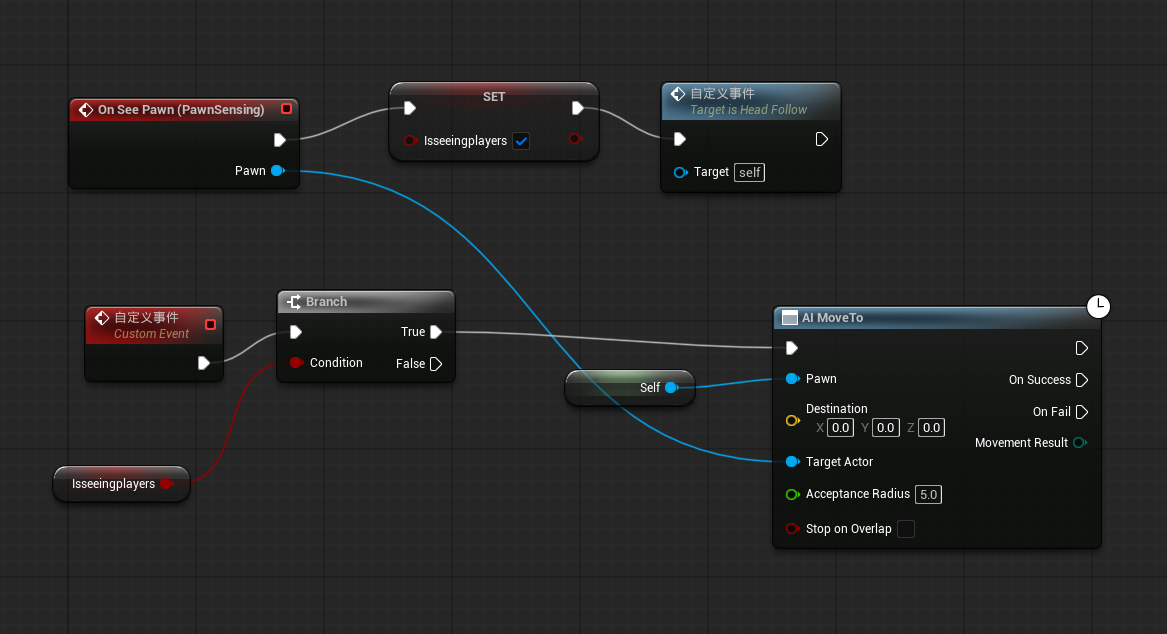
AI chase blueprint using PawnSensing to detect the player and move toward them.
GIF demonstrating the enemy chasing the player after detection.
Prototype Demo Video
Reflection & Possible Improvements
Building these small systems helped me clarify the kind of experience I want to create, but they are still in a very early stage and many features feel incomplete.
For example, in the basic movement system, I would like to add a crouch action (using C or Ctrl). The door interaction could also be expanded with a key-based unlocking system to support puzzle elements. The enemy AI needs further optimisation, especially in terms of smoother behaviour transitions and more reliable perception.
Looking ahead, I also want to develop more puzzle mechanics to enrich the overall gameplay structure and make the environment feel more interactive and meaningful.