Joe and I will be working on my handler game. The first thing we did was set up a discord server where we could all communicate and share files. We also created a shared document where we could fill with notes for the game. I filled in the parts I already had from the idea like the overview, inspiration and mechanics.
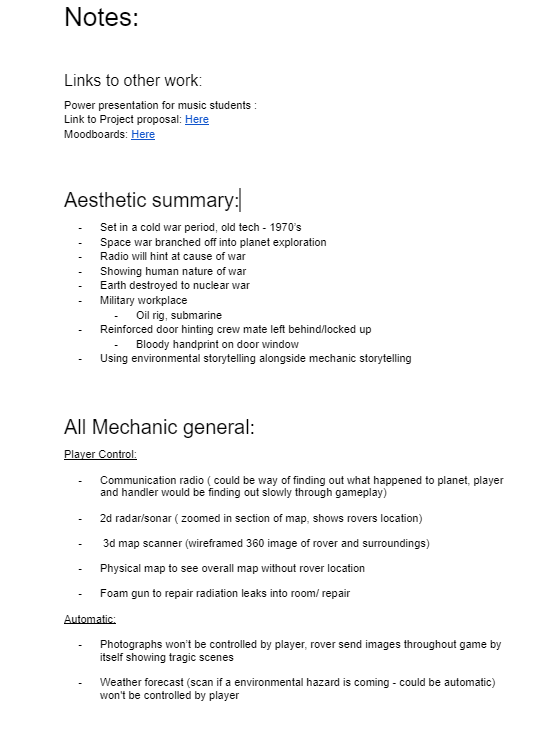

The notes cover mostly what me and Joe want to solidfy first, like the aesthetic and core mechanics. Right now the idea is to come up with numerous ideas for a movement mechanic so that we can single them out and prototype are favourite ones. I came up with three ideas which i think have potential.
Art Style:
We started a shared Canva where we could create some mood boards for the main aspects of the game. We are going to use these mood boards to showcase the game to the music students that we will be presenting to soon.

Most of these mood boards are just so the music student can picture the game we are envisioning, however the art style mood board was also a way for me to decide the art direction of the game. At the moment we are thinking of either a stylised oil based look, or a stylised pixel art style.
Prototype:
I plan on doing a prototype by texturing a model with these different assets and seeing which one we are most happy with. Hopefully with this we can find a good texture/ art style with a good workflow. This is also something I could present to the music students, giving them an idea of what the textures will look like in the game.

I did prevously talk to Joe on a time setting we could build are game on and we came to the conclusion of a cold war scenario that branched off into space exploration. This justifies the retro CRT displays and cold war technology.
I did also do some research on the technology in 1945 leaving me with CRT’s and ENIAC.
CRT stands for Cathode-Ray Tube it is the old technology used in the glass screen of old televisions and computer monitors. A CRT works by firing a beam of electrons from an “electron gun” at a phosphorescent screen inside a vacuum tube, causing the phosphor to glow and create an image.
ENIAC (Electronic Numerical Integrator and Computer) was the first programmable, electronic, general-purpose digital computer, completed in 1945. Other computers had some of these features, but ENIAC was the first to have them all. It was able to solve a large class of numerical problems through reprogramming. ENIACs first practical use was calculating artillery firing tables to determine the trajectory of explosive shells.

I thought this would be interesting to include along the wall of the bunker, it doesnt need to have any interactive use, but aesthetically and theoretically it makes sense.
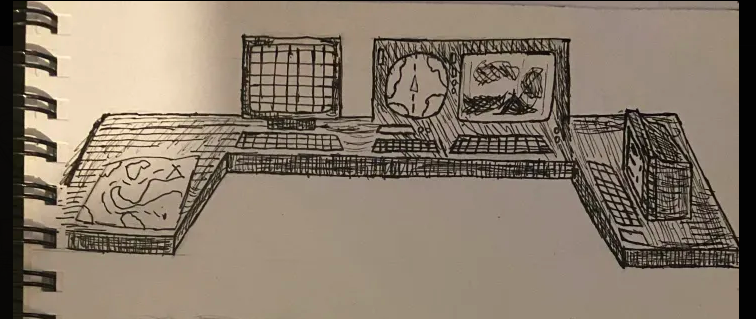

Before Xane left the team he did do some monitor designs. I liked them and feel like they could get included later on when I’m modelling the interior.


Modelled a simple computer to test out different textures on it.
Painterly:


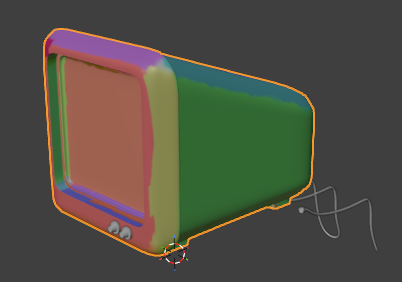
I baked the normal maps to paint over them and create a painterly effect.

This was my initial attempt at painting over the normal using a oil brush in photoshop, this created the uneven painted look on the model.

This was the end result, its not that good since I baked the textures and then smoothed the rough areas with the smudge tool in blender.

I also tried out substance designer to procedurally create the brush strokes, but it didn’t come out well and it took too long.
Pixel Voxel:
Pixel voxel look is a certain look that I thought looked really good in shadows of doubt.

Minecraft is also voxel, its just low poly cubic models, and the style i thought would look good is also pixilated.
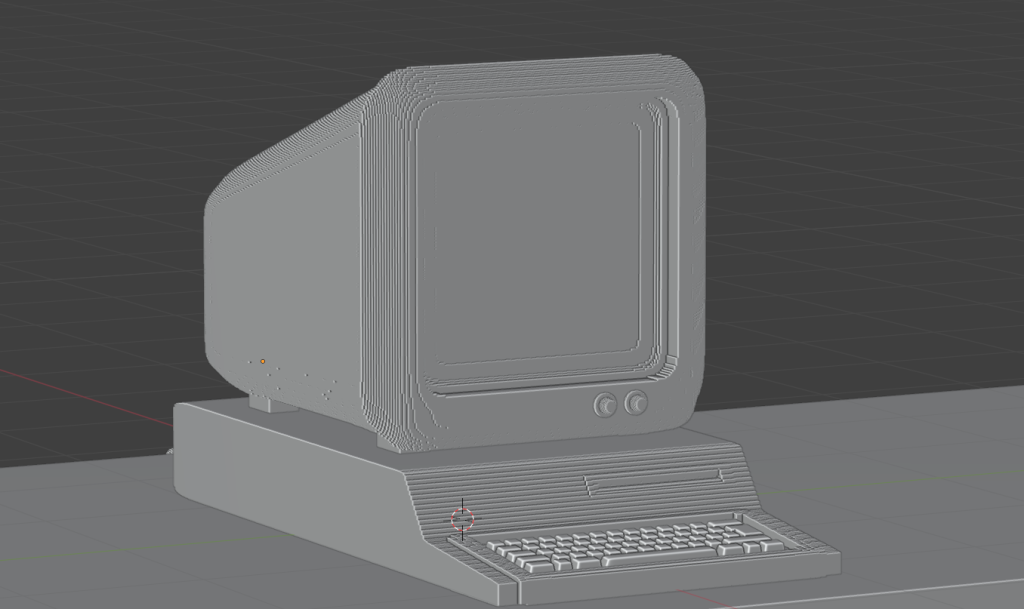
I used a remesh modifier which basically just made my previous models cubic.

For the pixilated texture I just used the previous texture and added some nodes that pixilated them.
Painterly Toon:
Revisited the oil painting art style since I believed I could improve it.
I found this YouTube video on creating oil based painting in photoshop completely unrelated to blender, but I used it to blur and add the brush effect to my normal maps.


Combined two different methods of painterly and a toon shader to get my texture, everything balances everything out, the toon shader smoothens the rough areas.

Happy with final render. The use of experimenting and combining these different methods of painterly and toon has created a very nice texture/ art style.
The next step was to get this model and texture into unity. I new that the texture would behave differently since the blender nodes are not compatible with unity. To work around this I baked the textures onto image maps and exported them to unity separately, I made a diffuse map and a normal map.

I’m happy with how it came out, I’m using a toon shader in unity to make the nice cel shaded lighting.
Leave a Reply