

This was our first week of prototyping! Last week I’d already brainstormed all my ideas, so now all I had to do was make a rough version. Easy… right?
MONDAY:
Lecture by Jordan Magnusson
What are the fundamental basic things underlying games? How can you break them down? How can game mechanics function metaphorically?
How can the basic building blocks of videogames be used to:
- Tackle difficult topics and subjective experiences
- Expore unexpected themes and emotions
- Craft meaning and impact
Bring an unusual lens to a game – it will make the game design and function more unique. Eg; poetry.
- Narrative – telling a good story
- Gameplay – crafting fun, balanced gameplay
What about tiny games that explore the loose ends of life?
The Gametrekking Omnibus
Game poems can be an accessible and inviting form of creation.
Why care about game poems?
– To become a poet whose medium is videogames
Lessons from poetry:
- Get rid of the inessential
- Leverage poetic devices
- Rhythm
- Rhyme
- Line breaks/stanza breaks
- Symbolism
- How can we translate this to games?
- Embrace ambiguity
Purpose of a poetic device:
- Draw attention
- Prompt reflection
TUESDAY
On Tuesday I began work on my first prototype – my “dog in the apocalypse” idea. By the end of the week, I wanted to set up camera movement, basic player movement, and have a strong puzzle idea or set of puzzle ideas in mind. Additionally, it would be nice to have a 3D model of the dog as well.
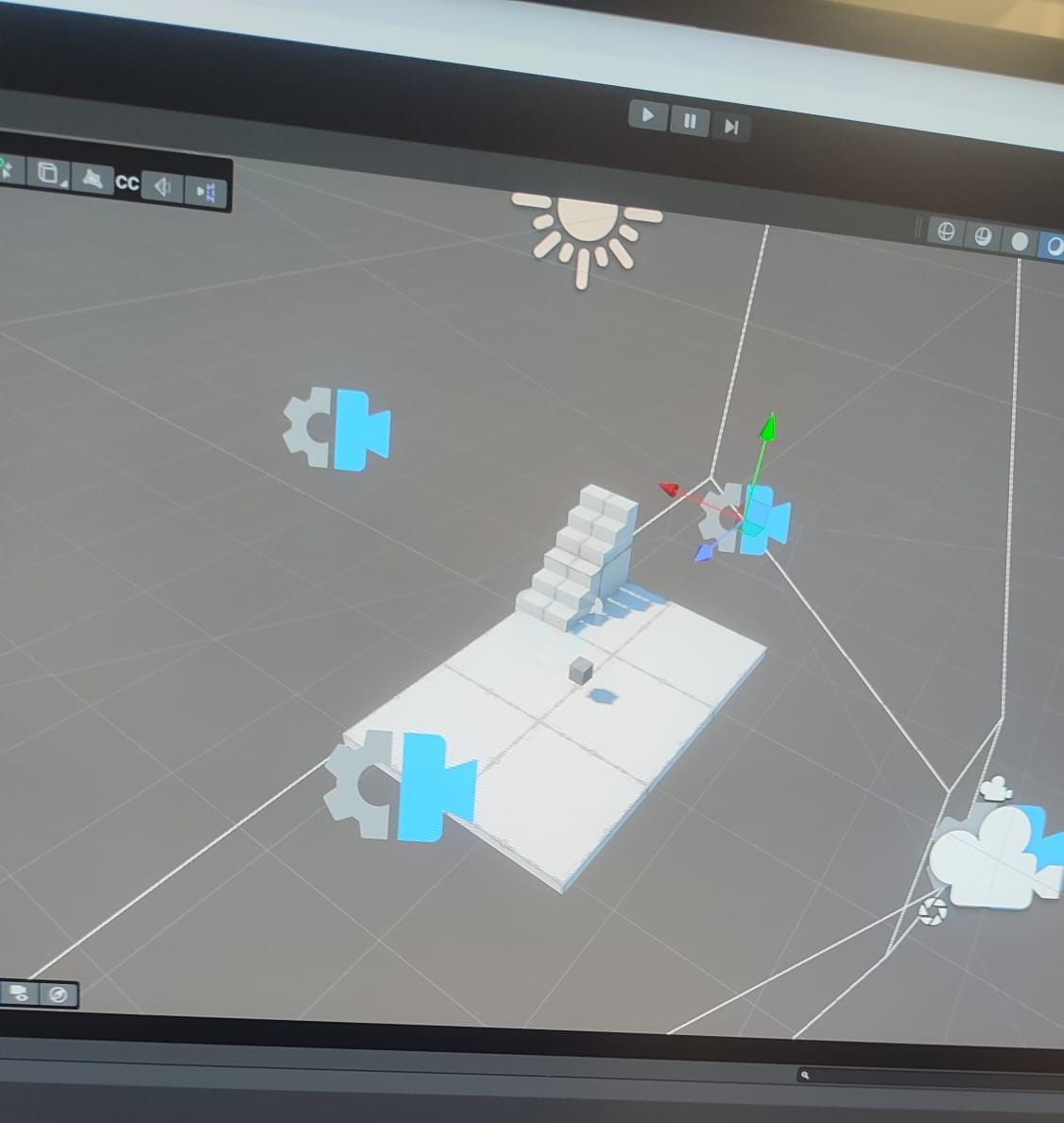
In Unity, I created a basic greybox and added a cube for the player character. As the original plan was to have a third person fixed camera on a single axis, I also began to set up basic camera zooming/tracking. But after a little while of… not being very successful, I began to form another idea: multiple camera points that the player could switch to.
THURSDAY
Our Thursday guest lecturer was Rhys Shepard, and my notes can be found here.
I also dedicated this day to getting the camera to work with my new idea; I wanted the player to press a button and re-angle the camera embedded on the four walls to get a different perspective of the room. This would give the player an extra mechanic to play with, as well as obscure puzzle pieces/help with puzzle views.
However, this posed a few different problems. I didn’t know how to get the cameras to switch smoothly to each other, and I would also have to re-orient player movement based on which camera you were looking through – otherwise the inputs would be backwards.
It took some struggling, and a lot of help from Parker, but in the end we managed it!
FRIDAY
Friday was the final day to work on this prototype, so I wanted to be as ambitious as possible. Parker and I added a second room to the prototype, along with a new set of cameras to code in to the Camera Manager. Then we had to make sure when switching rooms back, the camera would change to the right directionality it was already aligned to.
It took a couple hours, but we got it working in a way that I could theoretically set up as many rooms as I want, and all I would need to do is add new triggers to a certain script, rather than adding a new array of cameras every time. Huge thank you to Parker for this, as without their aide I likely wouldn’t have been able to manage this.
A full breakdown of the prototype can be found here.
Leave a Reply