
At the beginning of the project, we used Miro as our main planning and organisation tool. This allowed the whole team to work together in one shared space where we could brainstorm ideas, map out mechanics, organise tasks, and plan the overall structure of the game. Using Miro was especially useful because it gave us a clear visual representation of the project, helping everyone understand what needed to be completed and how different areas of development connected together.
During the early planning stages, we used the board to explore ideas for gameplay mechanics, level design, puzzle concepts, art direction, and the overall player experience. Because our project focused heavily on puzzle gameplay and unique movement mechanics, being able to visually organise these ideas helped us decide which concepts were realistic and achievable within our timeframe. We also used the board to break larger tasks into smaller, more manageable goals, which made the development process feel far less overwhelming.
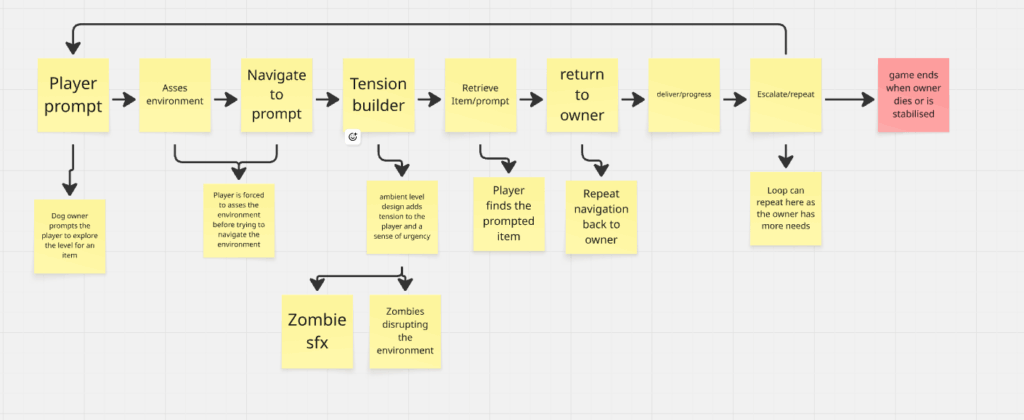
As development continued, we worked using an agile sprint workflow. This meant we divided the project into shorter development periods, or “sprints,” where specific tasks and goals were prioritised for completion. At the start of each sprint, we would return to our Miro board to review what had already been completed, what still needed improving, and which features were the most important to focus on next. This helped us maintain a clear direction throughout development and ensured the team stayed organised and productive.
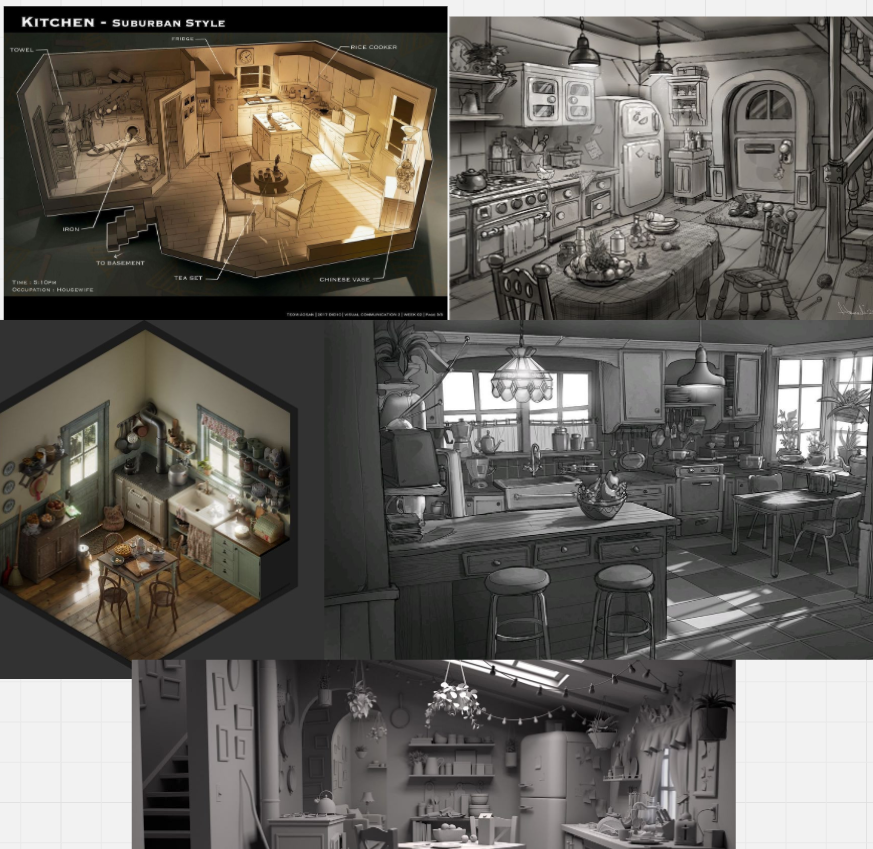
The use of agile sprints worked particularly well for our game because development was constantly evolving. As we tested mechanics and gathered feedback, some ideas worked better than expected while others needed adjusting or removing completely. By referring back to our plans regularly, we were able to adapt quickly without losing track of the overall vision for the game. Miro acted almost like a live development roadmap, allowing us to update plans in real time and communicate changes clearly across the team.
We also used the board to track progress visually. Tasks could be moved between sections depending on whether they were planned, in progress, or completed. This made it much easier to manage workloads and see how much progress had been made during each sprint. Having this structure helped us stay motivated because we could clearly see the game gradually coming together over time.

Another important benefit of using Miro alongside agile workflows was communication. Because all planning documents, references, and development ideas were stored in one place, it was easier for team members to collaborate and stay informed. If changes were made to mechanics, art assets, or level layouts, these updates could quickly be reflected on the board so everybody remained aligned with the current version of the project.
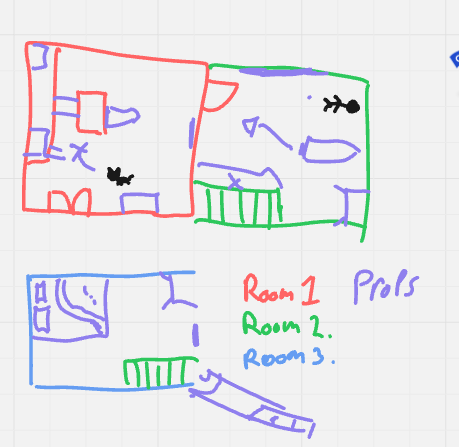
Overall, using Miro alongside an agile sprint workflow was an extremely effective way of planning and managing the project. It allowed us to stay flexible during development while still working towards clear goals and deadlines. Regularly referring back to our plans ensured we stayed focused on completing the game while also giving us the freedom to improve ideas as the project evolved.
Leave a Reply