Today’s goal was adding the UI click sound. The setup steps before that were all fine, but when I ran the project, the sound did not play in the way I expected. So I checked the hierarchy during runtime, and found that the cloned button showed that the corresponding event was not connected.
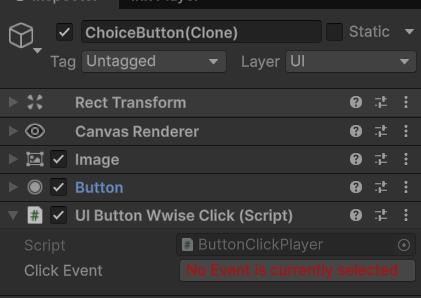
But on the original prefab, it was connected, which was very strange.
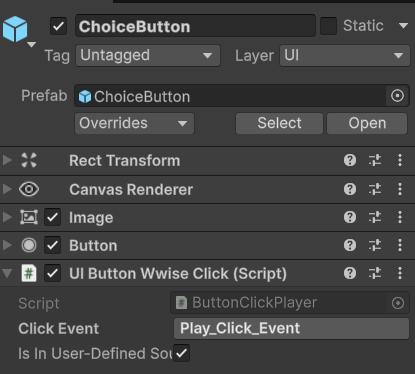
But anyway, I suddenly remembered a situation that happened when I was working on the footstep sound before: the soundbank had not been loaded. So I decided to first add the code for loading the soundbank.
(I also thought that if many buttons all use this script, and each button calls Load() on the same bank once in Start(), it may not necessarily break anything, but it would be a bit heavy, so later I might need an AudioManager, so that the bank is only loaded once… but that is for later.)
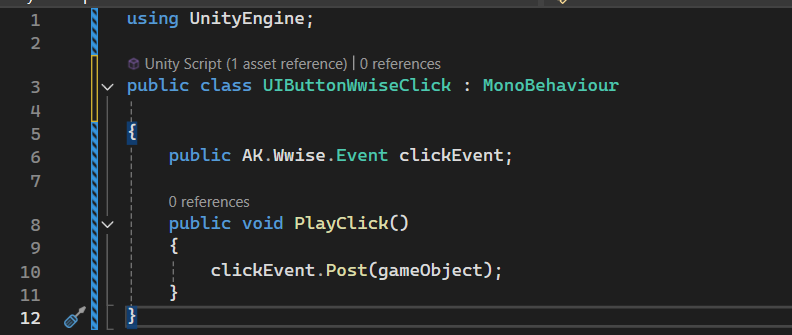
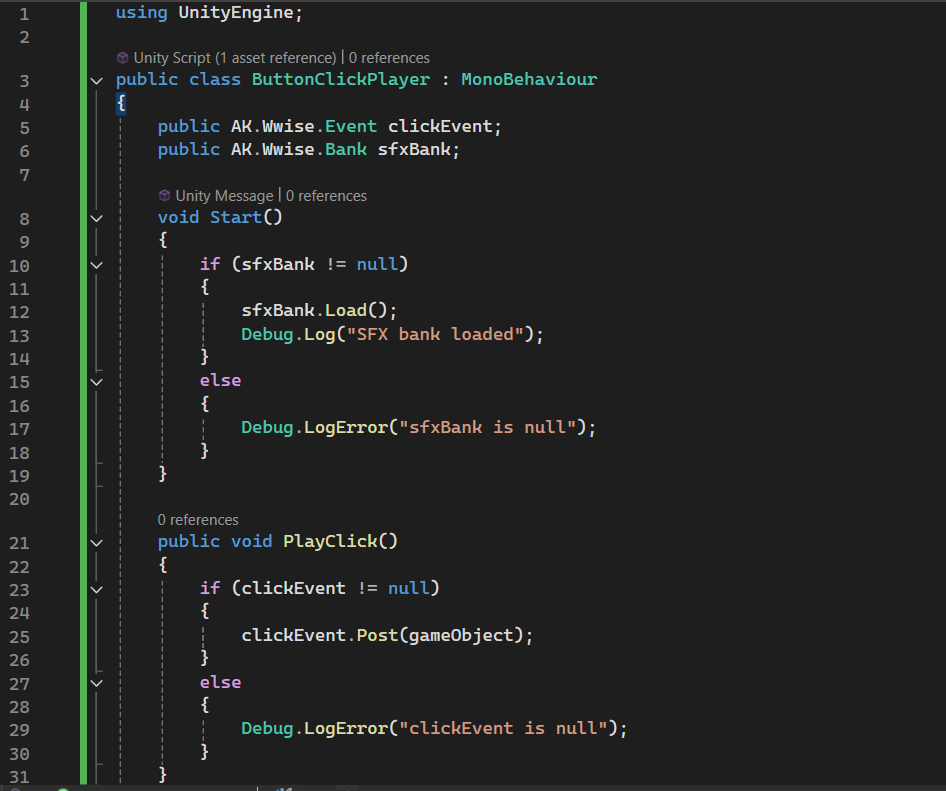
After running it again, it became like this:
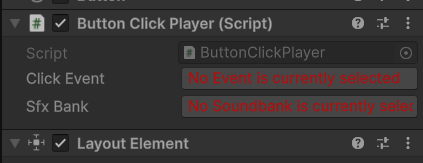
Now both of them were missing! But inside the prefab it was still normal.
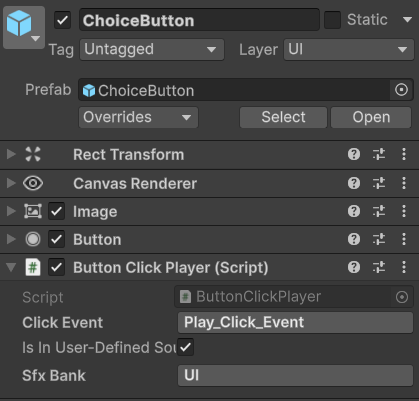
After that I checked various script issues again, and even changed the implementation logic once, but the problem still was not solved.
To confirm whether the click event was actually being executed, I even added a Debug.Log inside PlayClick(). However, after running it, nothing appeared in the Console, not even an error.
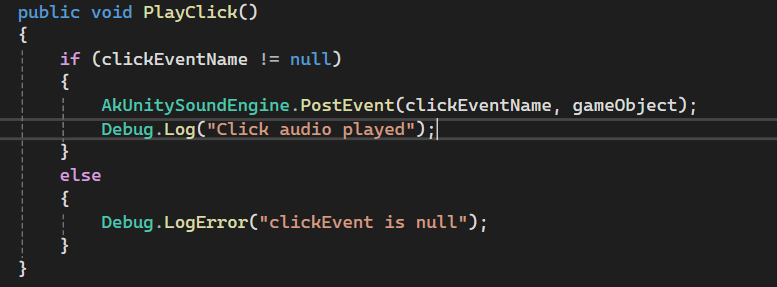
This suggested that the problem was probably not in Wwise or the playback logic itself, but in an earlier calling stage: this method was simply never triggered.
So I began to suspect that there was a problem with the button’s On Click() binding. I then went to the ChoiceButton that was generated in the Hierarchy during runtime, rechecked it, and manually assigned the target object and method in the Inspector, trying to make the button directly call ButtonClickPlayer.PlayClick().
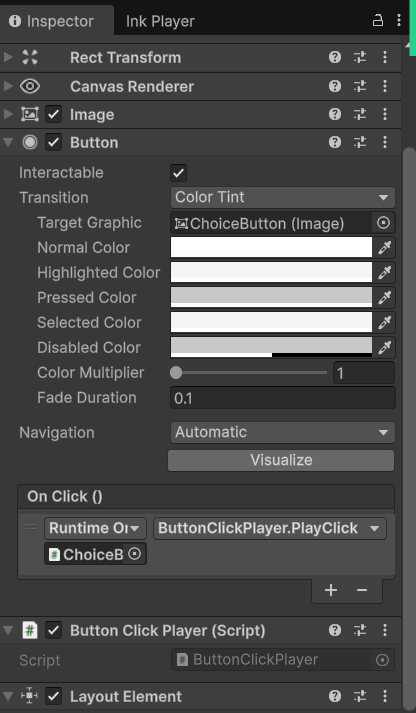
But even so, the runtime result still did not change. The cloned button still did not actually call this script.
Finally, when I kept checking further, I discovered that the problem was not in the script logic itself, but in the mounting position. This script needed to be attached to the prefab itself (the one opened by double-clicking), rather than the instance object inside the Hierarchy.
Leave a Reply