The inspiration for this game mechanic came from an offline mini-game collection I had downloaded on my phone. Whenever my phone was without internet, I would open this collection, and among the many games, I played the Block Fill game the most.
By contrast, other games like Water Sort quickly became boring after a few plays, while some puzzle games, such as Cross Sums and Sudoku, makes me feel mentally exhausting.
lock Fill stands out because I can play it repeatedly without losing interest. Its simple, repetitive mechanic is balanced by varied block layouts for each level, along with rewarding sound effects and satisfying level completion animations.
Block fill game example in my phone.
Moreover, the gameplay of Block Fill reminds me of maze games. The blocks can be seen as a maze, where the player must trace a continuous, non-repeating line to escape. This is conceptually similar to escaping a fairy ring, which also requires a specific method to get out. For this reason, it would be a suitable gameplay element to combine with the fairy ring concept.
Based on this game mechanic, I designed several levels. However, after testing with classmates, I realized that the difficulty might be a bit too high. I will adjust the difficulty in future updates.
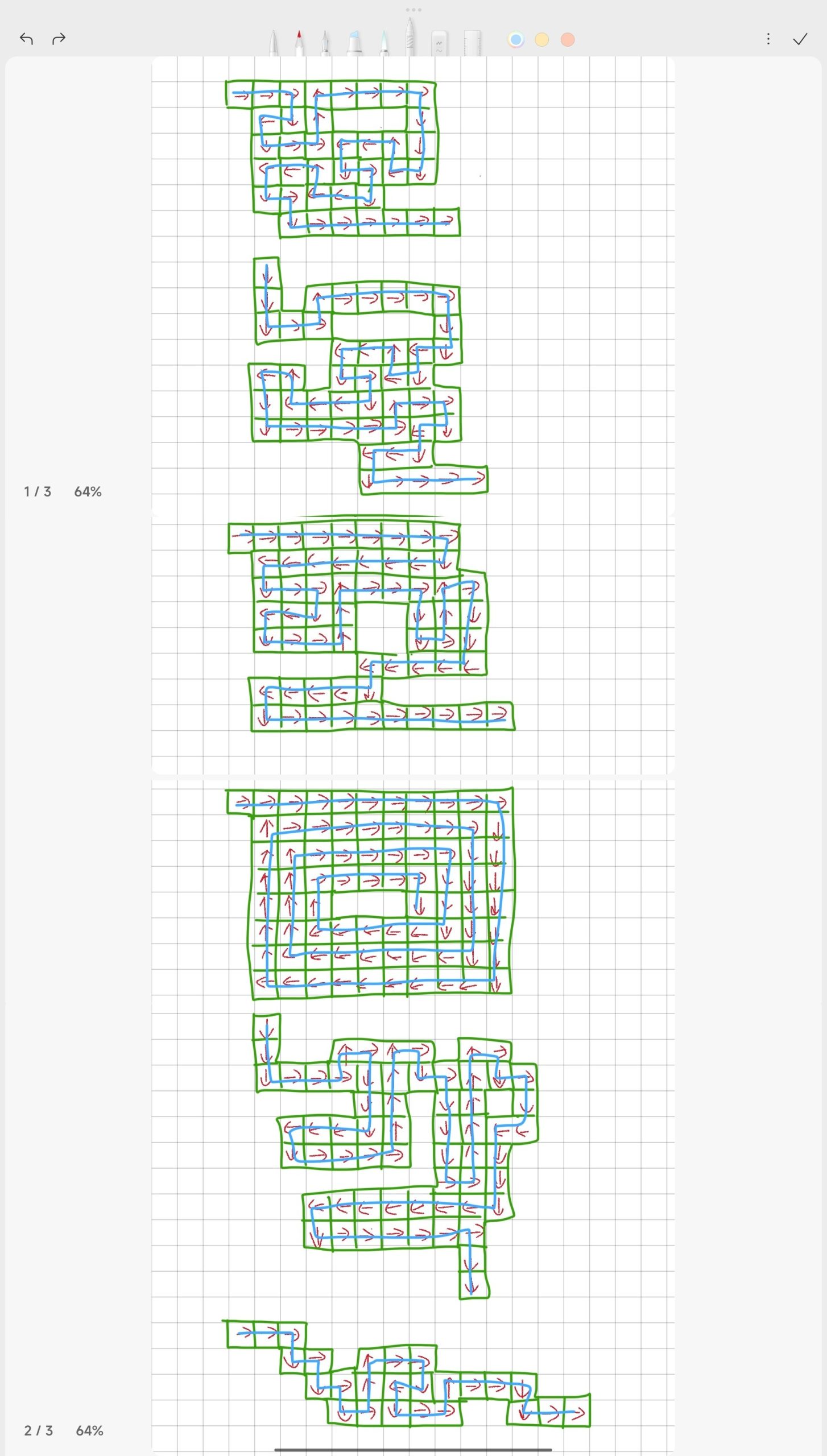
Mechanics prototype
Building on the block fill concept, I explored two interaction approaches: movement achieved through dragging objects with the Fungus plugin, and movement controlled via WASD keyboard input.
Using Fungus
For the Fungus plugin, implementing drag-and-drop interactions is relatively straightforward. By attaching Fungus’s built-in scripts to an object and selecting the desired actions in the Flowchart, basic dragging behaviour can be achieved. However, the main challenge lies in handling feedback after the drag interaction.
In the prototype level, I used 36 individual blocks. If each block is meant to trigger a change when entered, a separate Fungus Block would need to be created for every single one. Additionally, resetting all blocks to their original state after the mouse is released would require toggling 36 separate variables within the mouse-release Fungus Block.
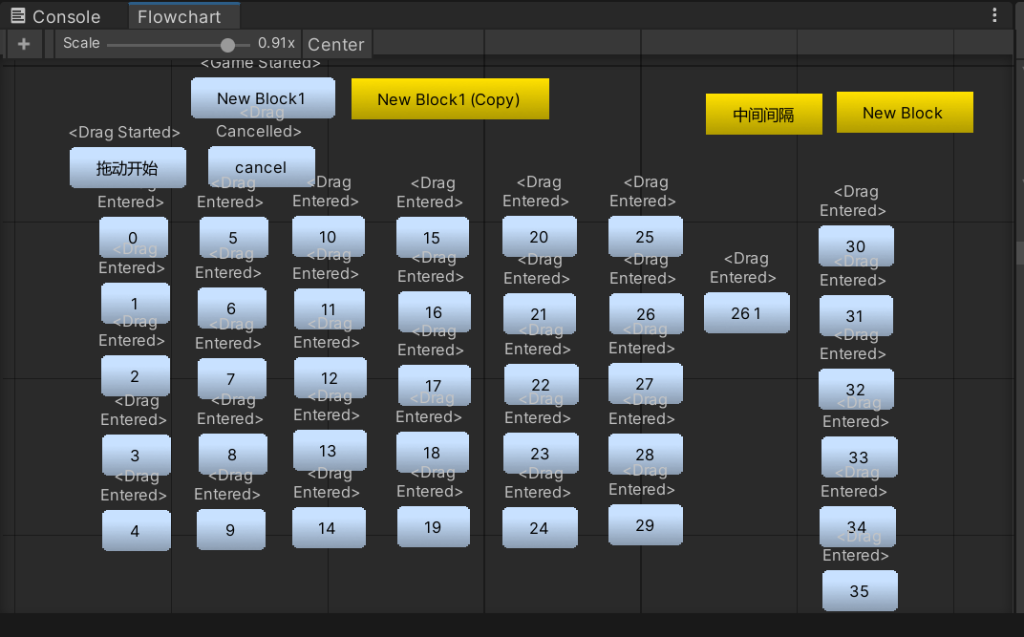
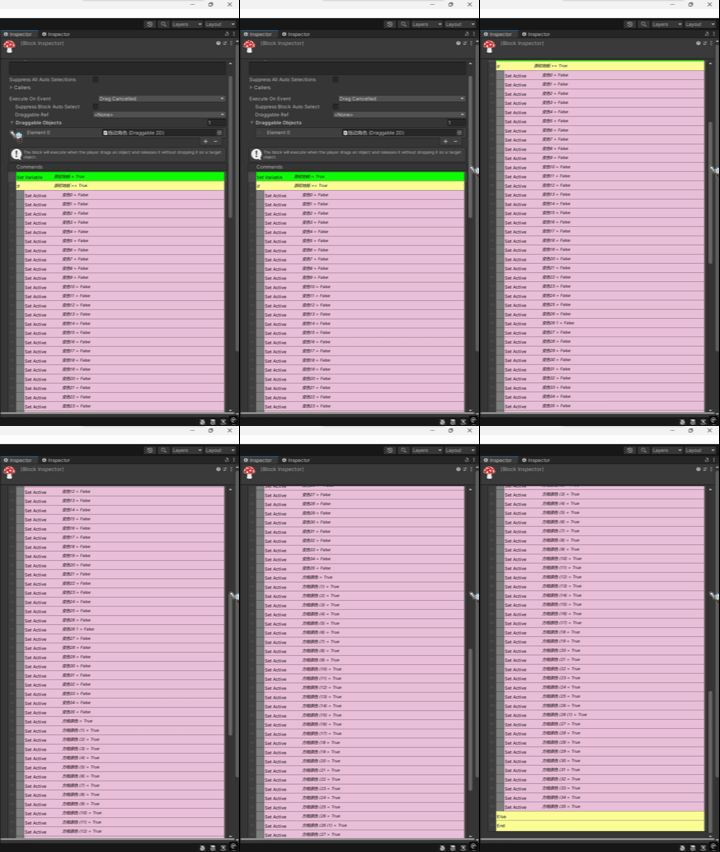
When the drag interaction ends and the logic is executed, the length of the command is kind of terrifying. Each variable needs to be manually specified, resulting in a highly repetitive and inefficient workflow.
Reducing the number of tiles in later levels could help lower the workload to some extent. However, a more fundamental issue still remains.
In the video, I deliberately constrained the dragging direction. In practice, the drag direction can be changed freely, meaning that players can move diagonally. This breaks the core rule of having a single, non-repeating path.
At present, I have not identified an effective solution. Nevertheless, the strength of Fungus as a tool is evident. For a designer without programming experience, it offers valuable support and lowers the technical barrier significantly.
If I choose to continue using Fungus, further exploration will be necessary in order to address the issues mentioned above and find a workable approach.
Keyboard input
After discovering the limitations of the Fungus plugin, I started to investigate other possible solutions. Through a tutorial video I found on YouTube, I managed to implement directional constraints, allowing the player to move only along horizontal and vertical axes.
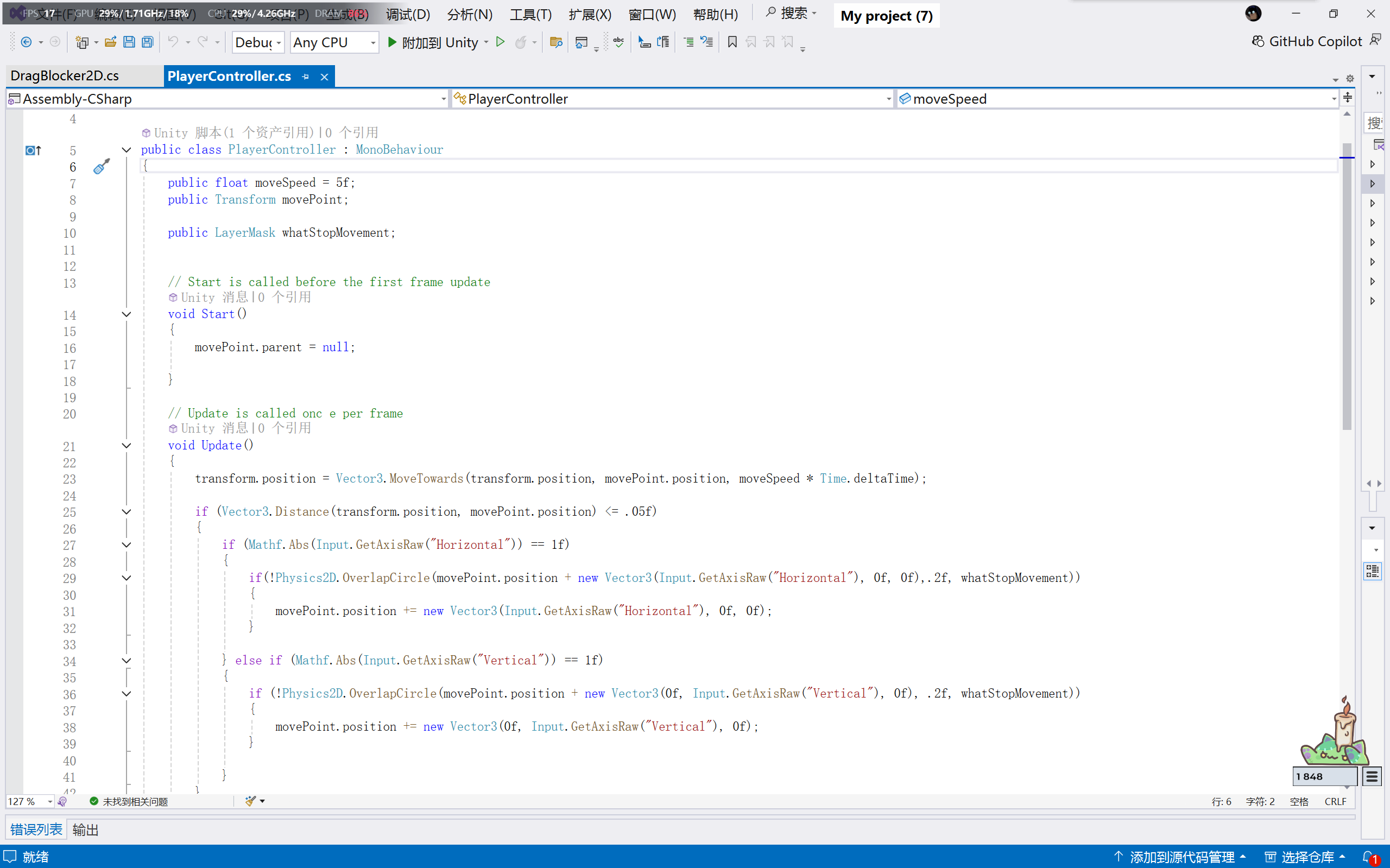
Although this solution addressed one issue, it also introduced new problems. Character movement driven by code could not be triggered through Fungus commands, and achieving similar feedback would require traditional coding, which I found extremely challenging.
Although I could ask my tutor for help, I have almost no programming background and was unable to find similar tutorials. As a result, I lacked a clear starting point for seeking guidance, which became a serious issue for the project.
Based on these results, if I want to continue developing this mechanic, I will need to conduct further in-depth exploration within Fungus.
Leave a Reply