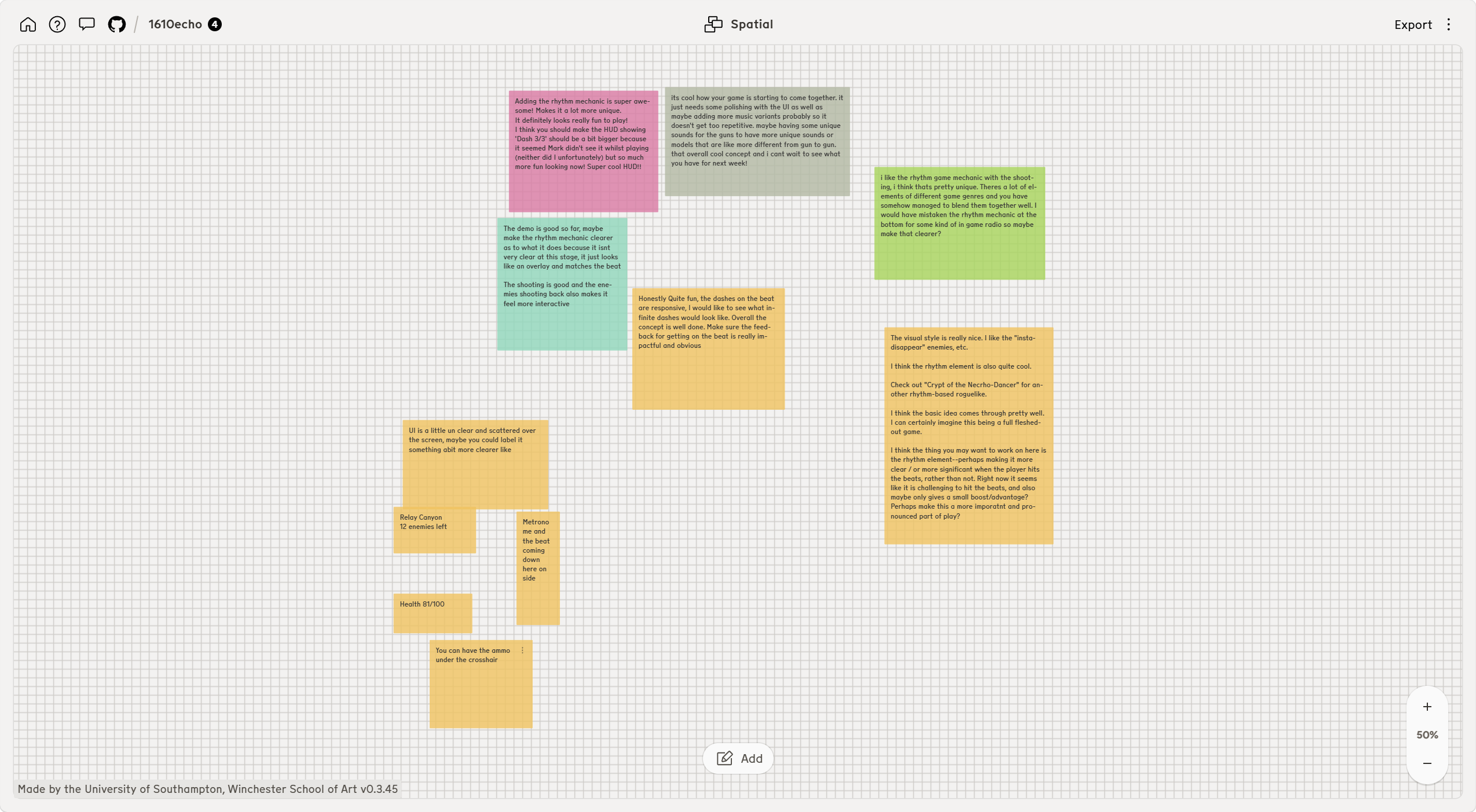
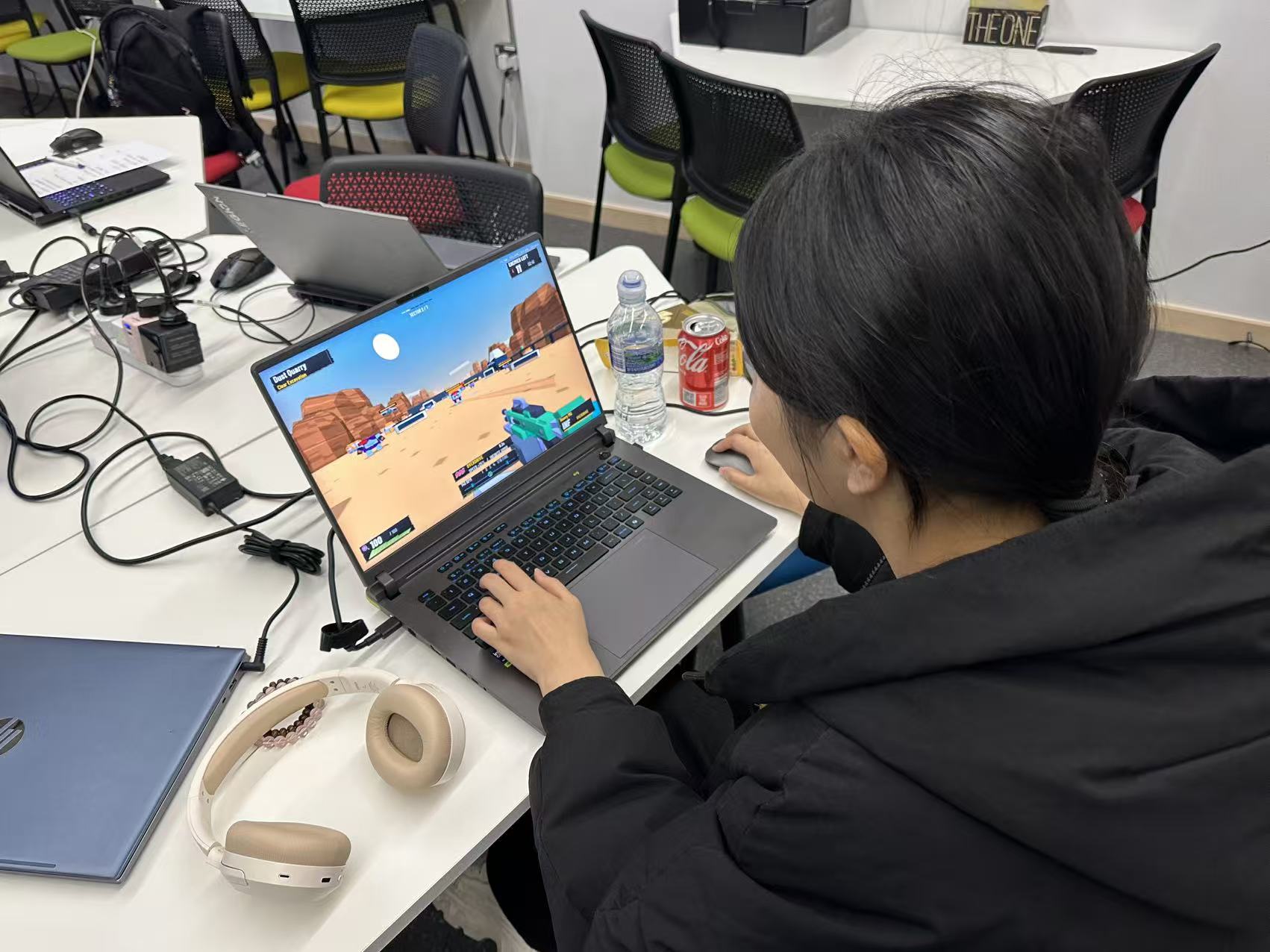
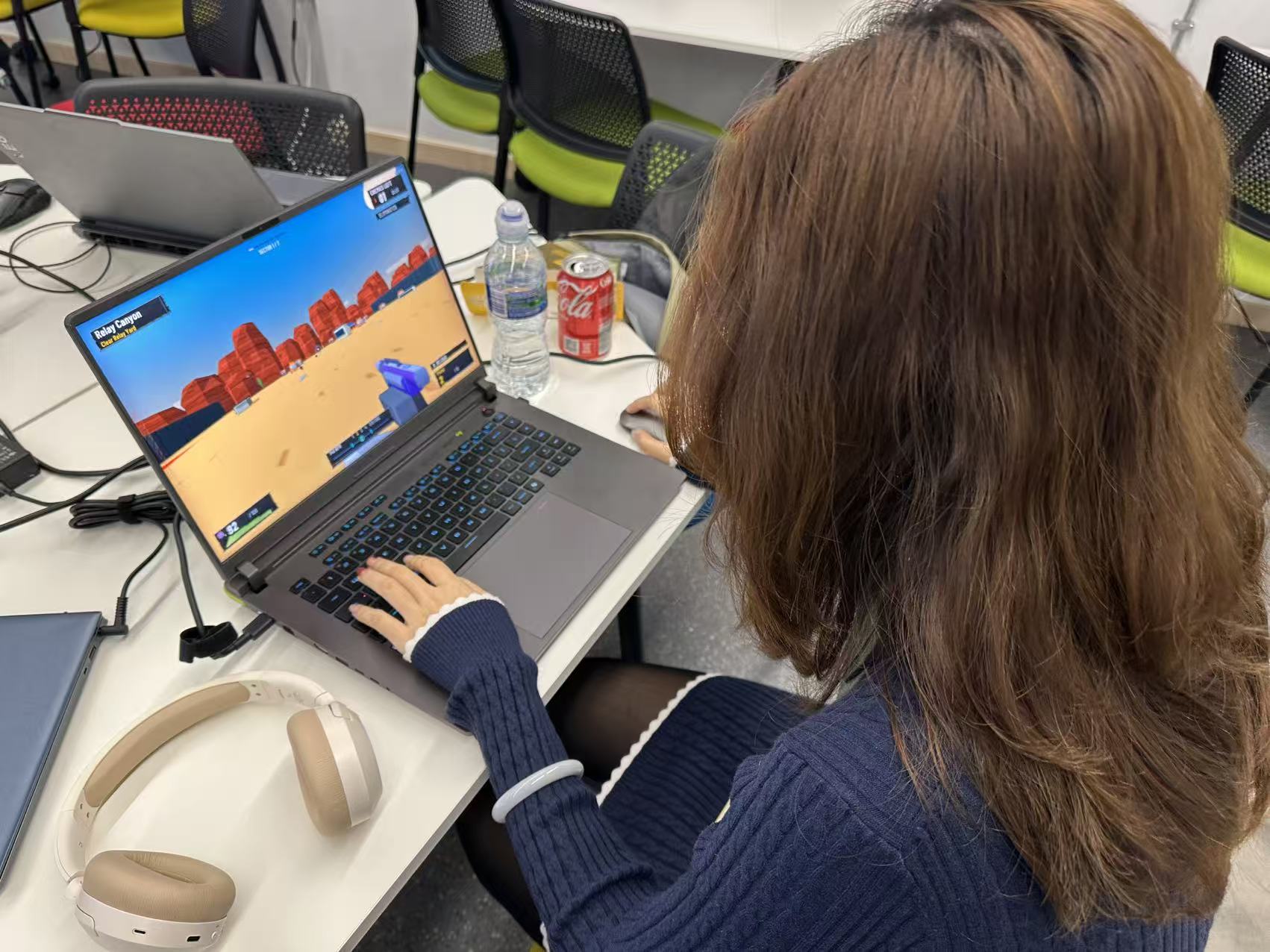
I showed Rift Runner at this week’s class test and collected comments on Nodenoggin. People liked the movement and the look of the game, but a few could not tell what the rhythm system was doing while they played.
That was useful to hear, because rhythm is now the main thing I use to explain the game.
Peer feedback from the Week 5 playtest on Nodenoggin.
Guest lecture notes: 19 October 2026
Ricky’s talk discussed how his teams make games through collaboration and experiments. Blackboard places Ricky Winchester Talk.pptx in Week 5, Making Unique Games. The recording includes examples from Hohokum and Wilmot’s Warehouse.
Design ideas can come from different people on the team. Art and technical experiments can develop together, with each changing the direction of the other. Someone still needs to make decisions and keep the project manageable.
The advice on scope was to choose limits that help shape the game. A small team can build around one useful tool or interaction. Leaving some things unexplained can also give the player room to imagine them.
Ricky encouraged showing unfinished work early. Feedback needs to be read in context: some comments describe unfinished parts, while others reveal a problem with the idea itself. Playing classmates’ games can also help develop critical judgement.
For a pitch, he suggested describing a particular moment that makes the game interesting. A long introduction to the setting can delay the part that makes someone want to play.
The talk also covered calm communication, giving people time to think and keeping documentation useful for the team. Near-term work can be specific while later plans stay more flexible.
Ricky explained why his team avoids generative AI, including concerns about losing practical skills, control over small design decisions and its environmental and ethical effects. This was his account of the team’s approach.
My response to the 19 October talk
The advice about testing unfinished work fits the comments on my HUD. Alice and Maggie could see that rhythm was part of the game, but the reward was still difficult to read. That is a problem I need to address through the game’s feedback.
For the pitch, I can show one timed dash building a reward and what the player can do with it. That gives the viewer a specific example before I explain the rest of the run.
I also need to keep the scope manageable. Clear instructions and readable rewards are more useful at this point than adding another system. The playtest comments give me a reason to prioritise those changes.
The discussion about practical skills is something I need to consider in my own process. I should be able to explain the timing and HUD decisions, and keep records of the changes I make.
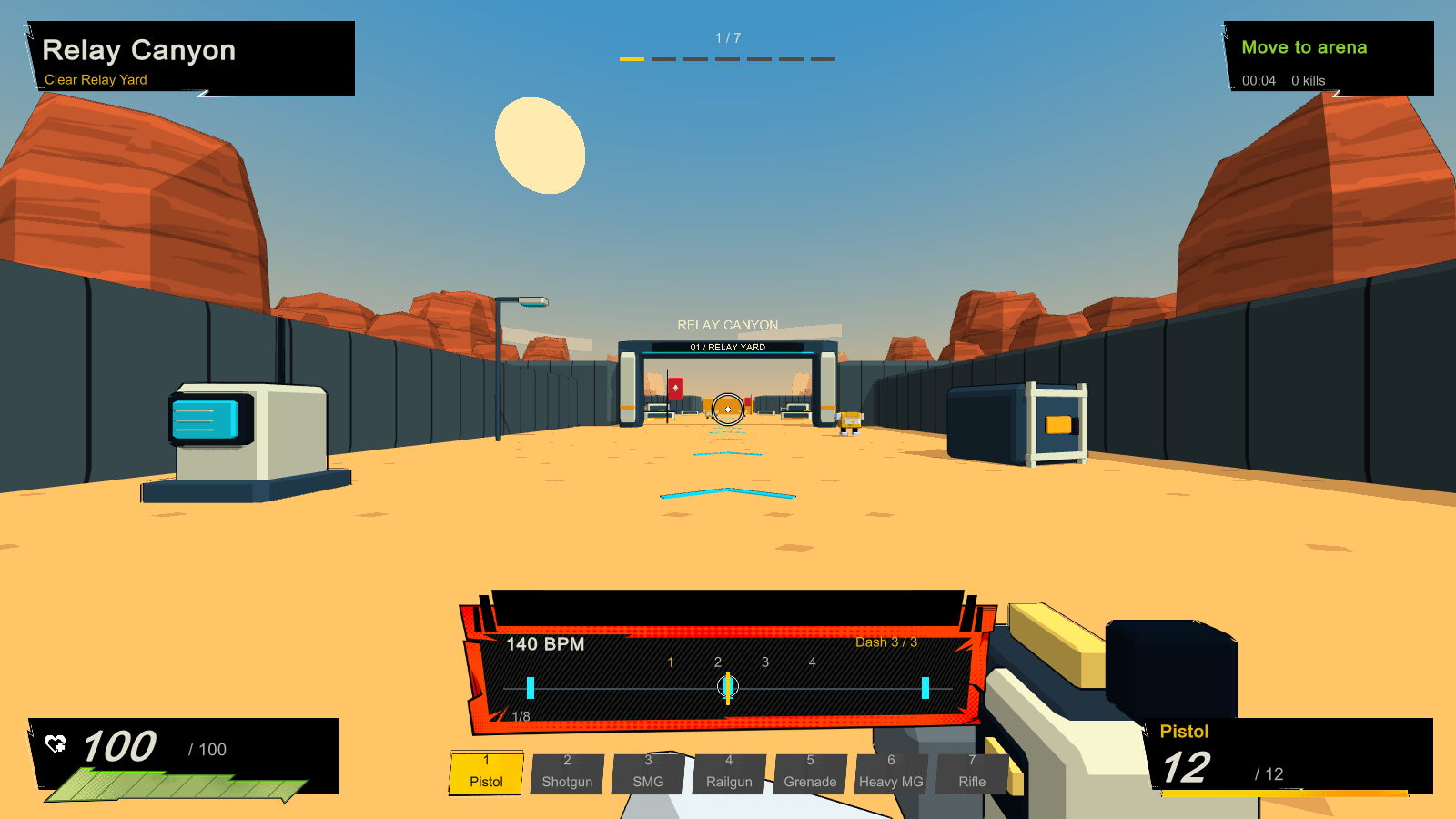
In Week 3, several classmates asked what made this more than another fast FPS. At that point the rhythm idea was still mostly a plan. The v0.11 build shown here has a 140 BPM beat that affects shooting and dashing.
A well-timed manual shot earns extra damage, and an accurate dash travels further. Missing the beat does not stop either action. Beat assist is optional. My pitch uses BPM: Bullets Per Minute as a comparison and explains the difference I am aiming for.
The Week 3 comments also asked for a clearer goal and a world worth moving through. The prototype now has seven connected regions on one map, starting in Relay Canyon and leading through more industrial spaces towards the core.
The HUD shows the current area and objective. In the pitch I describe the intended audience as players who like quick FPS movement and are curious about rhythm, without wanting every missed beat to halt the fight. I still need to develop the story.
At this stage, the upgrades mostly improved stats.
A developer capture of the HUD at this stage in Relay Canyon.
What classmates noticed this week
Several people liked shooting and dashing with the beat, and one said the dashes felt responsive. Another liked that enemies fire back, which made combat feel more interactive. The art and sound also made a good impression.
In Week 3 people had liked the movement but struggled to see a clear hook; this time some noticed the rhythm idea straight away.
The difficult part is making the rhythm reward obvious during a fight. One classmate thought the indicator near the bottom was a radio. Another said it looked like an overlay that matched the music without showing what it changed.
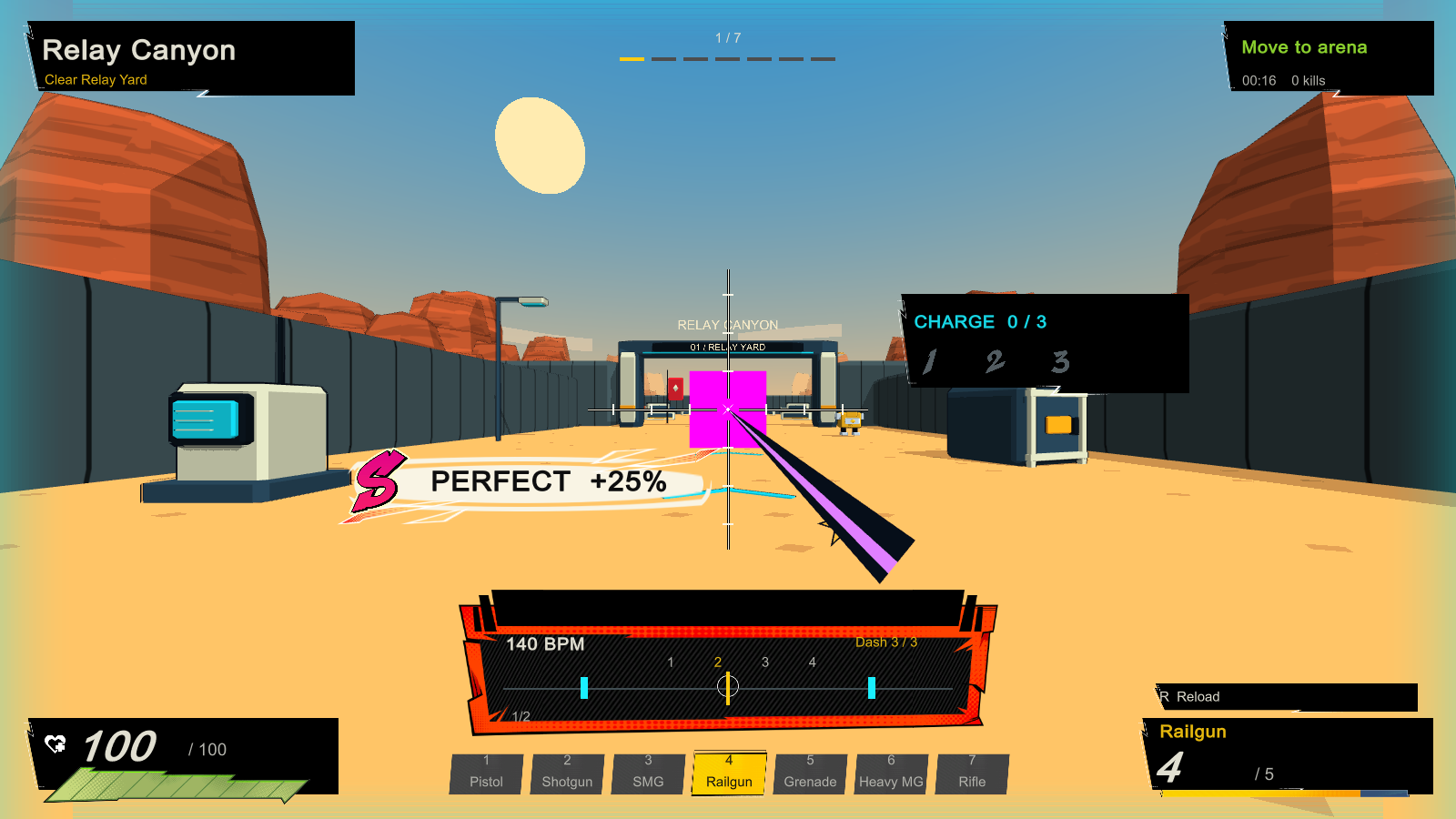
There is a Perfect shot bonus and feedback banner in the build, but these comments suggest that the connection between timing and damage still gets lost in play. Someone also asked for a stronger reward when hitting the beat.
I want to test that before increasing the bonus, since a larger number alone might not make the rule easier to understand.
The v0.11 build shows a Perfect shot reward, although classmates still struggled to read its effect during play.
The HUD needs another pass. A player missed the Dash 3/3 counter because it was small. Others found information scattered around the screen and suggested clearer labels, a better placed metronome and ammunition nearer the crosshair.
There were requests for more variety in music, gun sounds and weapon models as well. One person suggested unlimited dashes.
What I planned after the first test
I want the next test to show whether players understand what an accurate shot or dash gives them without my explanation. I will make the beat indicator and reward feedback easier to notice, then see if players can read them while moving and aiming.
I also need to revisit the dash limit and the spread of HUD information. The suggestion about more varied sound and weapon shapes is worth keeping, but I would rather check readability and the core rhythm rule first.
The build at this stage had a working loop of fighting, choosing an upgrade and moving on. The harder question from Week 3 remains: can an upgrade change a player’s next decision instead of only raising a stat. This is the next part I need to prototype and put in front of players.
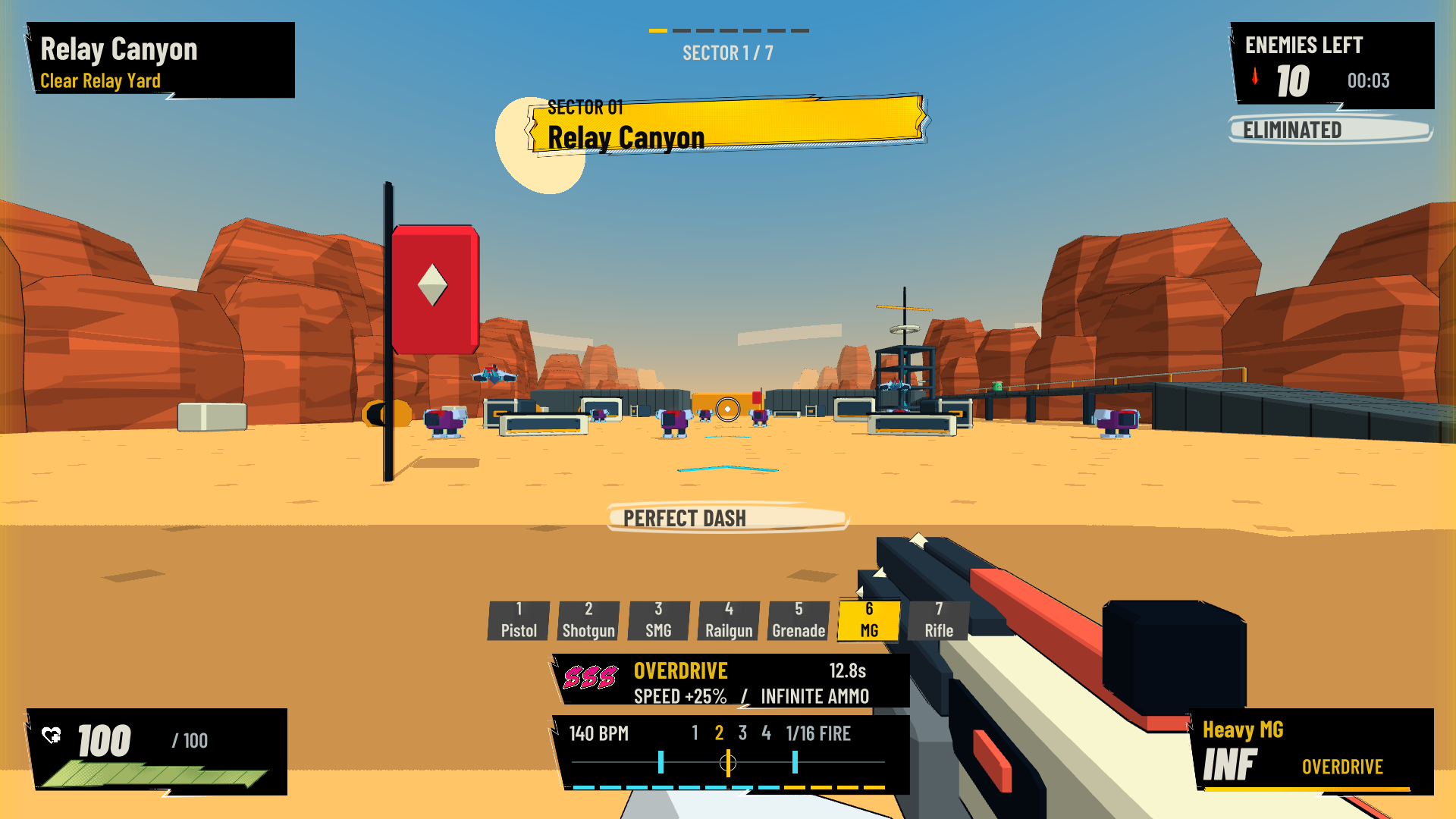
The Week 5 comments gave me a clearer idea of what was getting lost during combat. Dashing no longer has a three-charge limit. Accurate dashes now build S, SS and SSS ratings at four, eight and twelve successful beats.
Reaching SSS gives a short speed boost and unlimited ammunition. I have made the beat guide smaller and put the reward next to it, while moving the Perfect and kill messages away from the crosshair.
An optional aim magnet helps when the reticle is close to a visible enemy. The enemies also have red weakpoints that pulse with the music, giving me another way to make timing and targets easier to read.
The v0.15 build places the SSS reward above a smaller beat guide and moves feedback away from the crosshair.
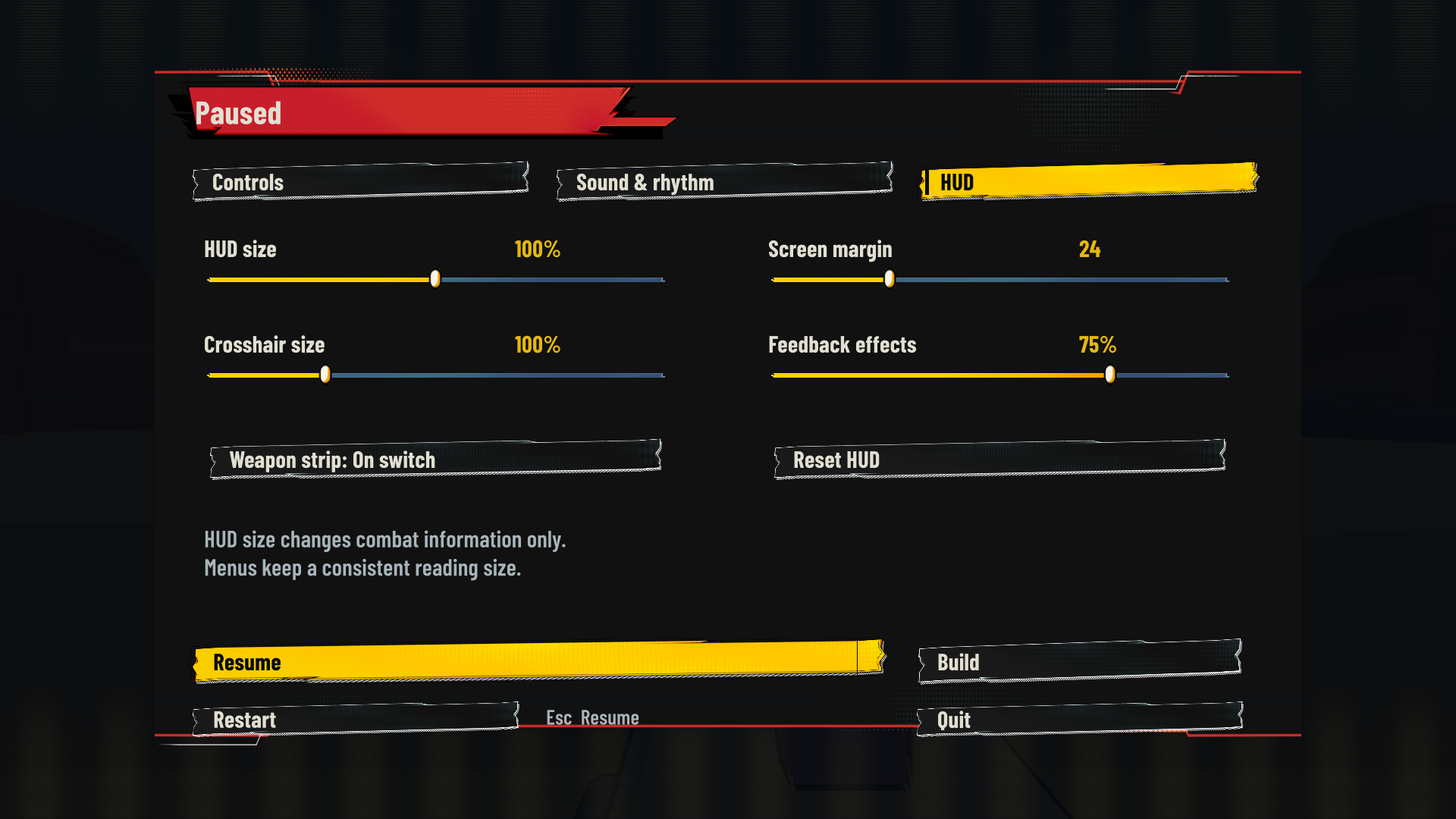
The HUD was another repeated point in the feedback. The v0.15 update uses larger type, keeps health and ammunition in the lower corners, and puts the enemy count at the top right. The weapon list now appears briefly after switching instead of staying on screen.
I can change the HUD size, screen margin and crosshair size in the settings. Tab opens the current build sheet and pauses the fight, so I can read my choices without getting shot.
The new HUD settings let me change the size and spacing of combat information.
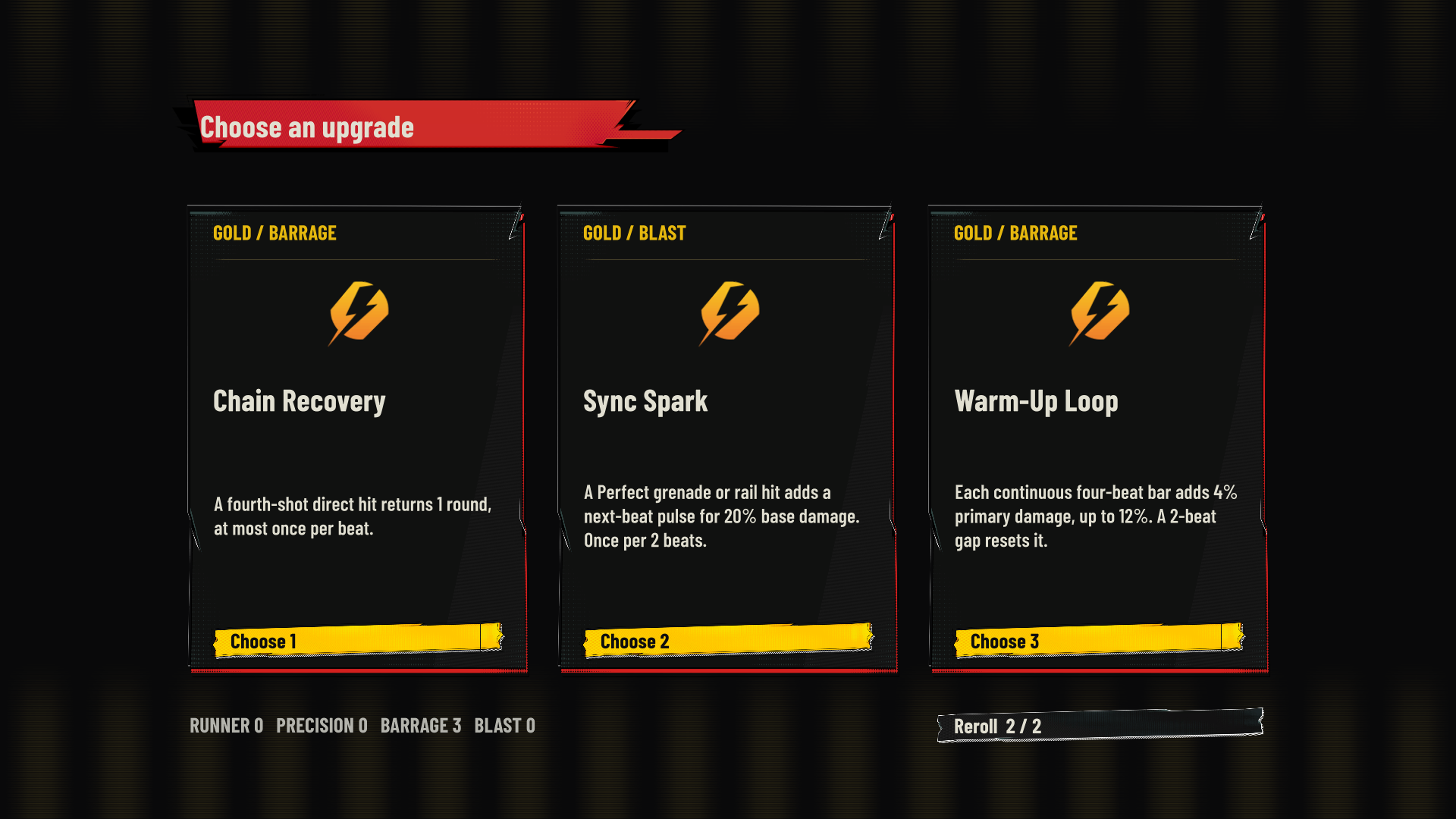
The older question about upgrades has moved on as well. The build now offers six choices from a pool of 26 upgrades, grouped into Runner, Precision, Barrage and Blast. There are two rerolls.
Some cards alter what I do in combat: Dash Capacitor charges the next attack after a Perfect dash, while Marked Target rewards repeated weakpoint hits. The image below shows an actual gold-tier choice screen.
I also corrected enemy spawn overlaps and the entrance triggers that could interrupt progress through the second area.
An in-game gold-tier choice between Chain Recovery, Sync Spark and Warm-Up Loop.
I have updated the pitch to match v0.15. It now shows the current rhythm system, upgrades and HUD, along with the Week 5 comments that prompted these changes. The 14 October PDF above remains as a record of the earlier version.
I wanted to see whether players could follow the rhythm rewards, manage the first encounter and find the way to the next level.
Mason
Suggested trying closer enemy placement, or reducing how many things the player has to focus on at once.
Asked for a short tutorial and clearer instructions.
Mason playing the first level of Rift Runner.
Alice
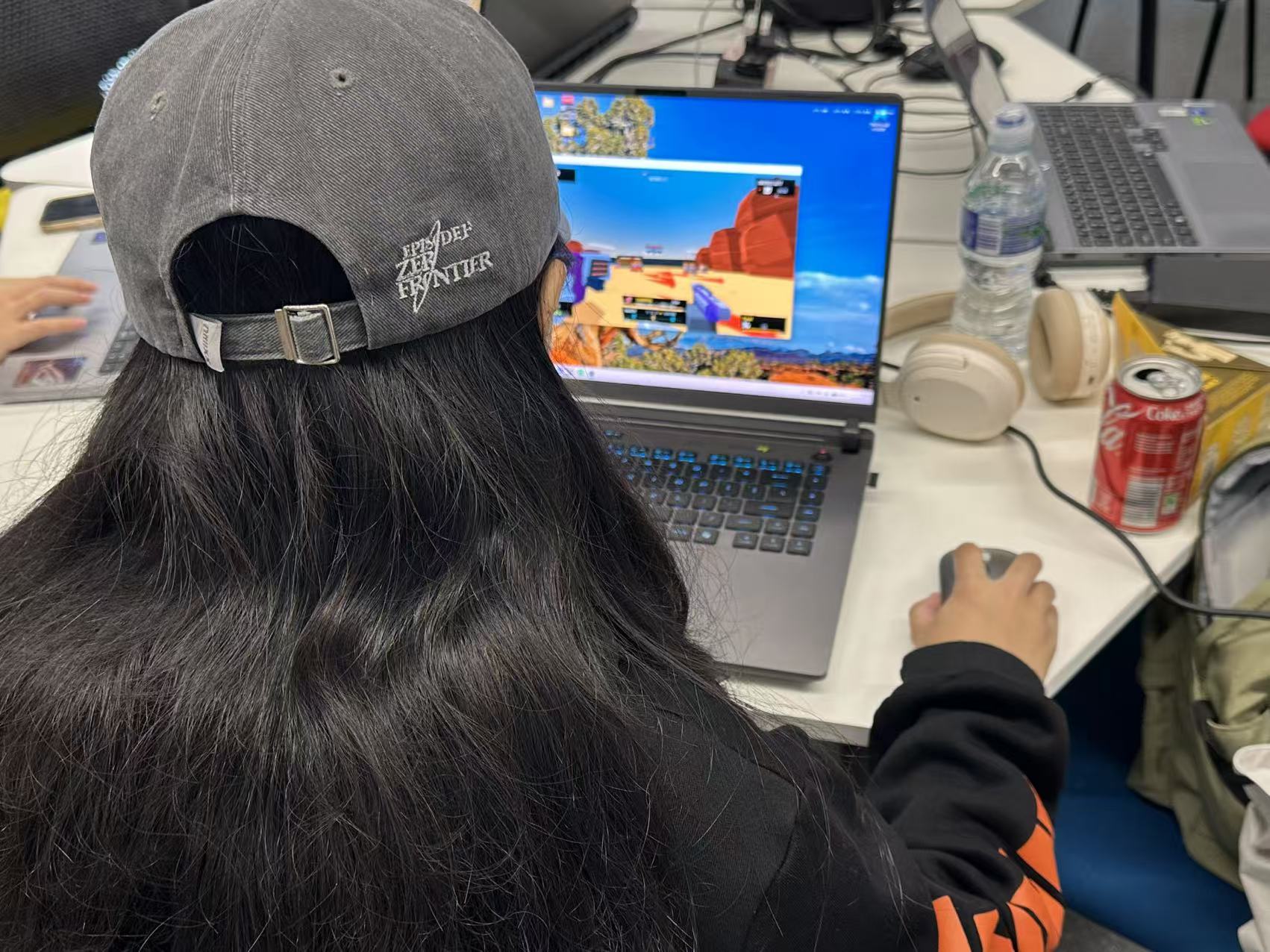
The bonus effects were hard to understand, with too many things competing for attention on screen.
Hit effects need clearer feedback.
Enemies in the first level attack too often; she suggested lowering their attack frequency.
A short story or introduction would help establish the setting.
Alice trying the first level of Rift Runner.
Shirley
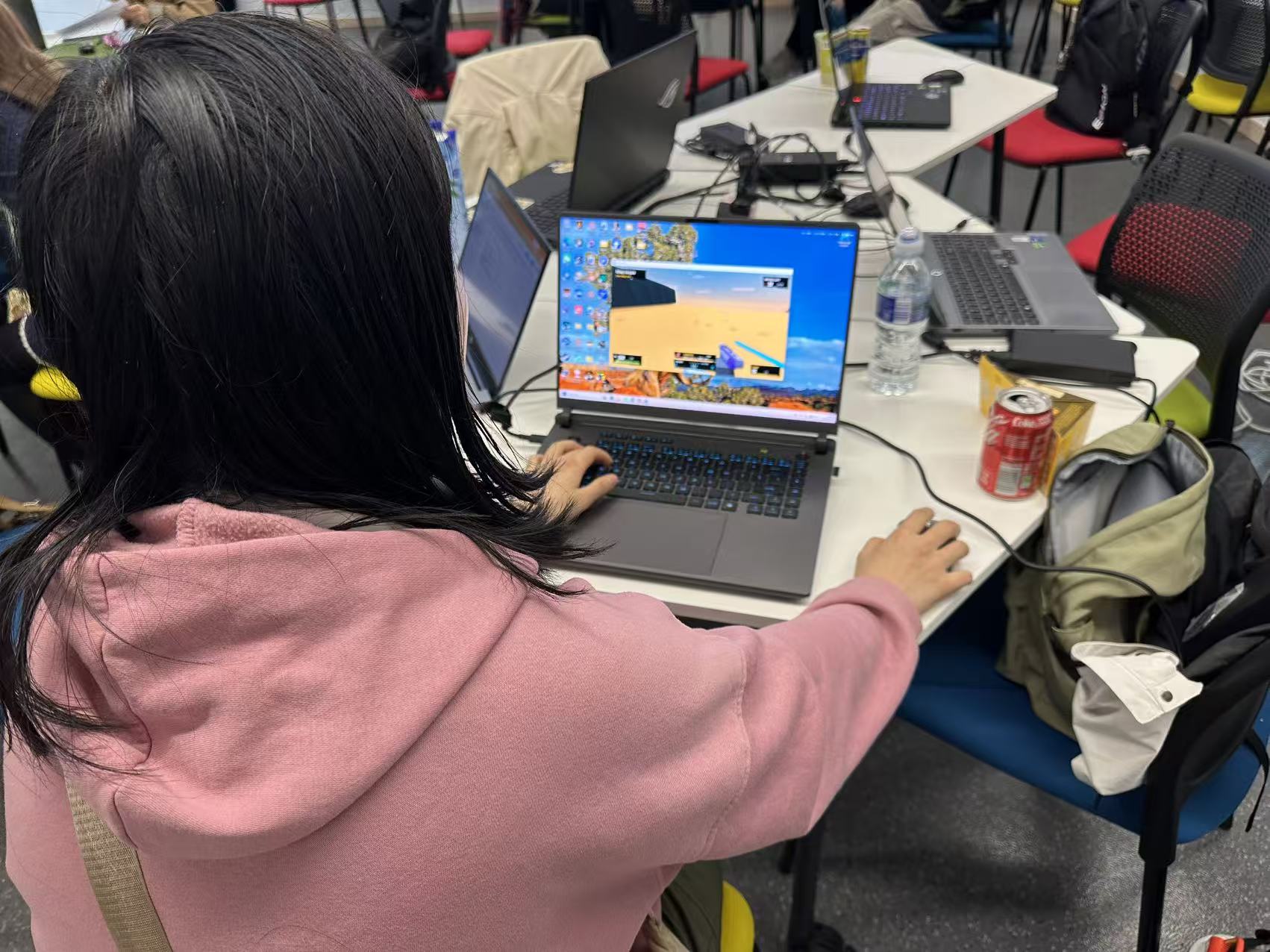
She enjoyed the game, but found the first level too difficult.
Suggested giving the player more ammunition.
After clearing the area, she could not tell which way to go next.
Shirley testing the first level of Rift Runner.
Maggie
The screen that appears after clearing a level is abrupt and looks like a death screen. She suggested a distinct completion and reward screen.
Well-timed shots and dashes need more positive feedback, such as a brief screen-edge effect or an encouraging prompt above the action.
She noticed a floor bug on the way to level two.
She suggested more aim assistance in Focus mode and asked about a Chinese language option.
Maggie testing Rift Runner and the route towards the second level.
What I took from the test
The beat system has rewards, but Alice and Maggie still found those rewards difficult to read during combat.
Shirley and Alice both found the opening difficult. Ammunition, enemy pressure and the timing of instructions all need another look.
I did not expect the level-clear screen to look like failure. Success and the route forward need to be much clearer.
Changes proposed after this test
Review first-level enemy attacks and ammunition capacity. Try Mason’s enemy-placement idea without making the scene busier.
Add a short control tutorial and a brief introduction before the first fight.
Improve beat and hit feedback, then give the level-clear moment its own reward screen and clearer direction to level two.
Fix the floor on the way to level two. Explore optional Focus-mode aim assistance and a Chinese language option.
Later development
The tutorial, opening-difficulty adjustment, supply rooms, clearer routes, bridge-floor repair and Chinese interface developed after these comments are recorded in Week 6.
The Pitch page holds the latest full deck and gameplay video. The v0.11 and v0.15 material above remains part of the development history.