
Now with the abilities and obstacles for each island planned out (In this post). It was time for me to start planning each level.
Taking a lost of inspiration from Celeste, I wanted the majority of the ‘rooms’ in the platforming sections of the game to fit entirely on the screen at once. That way players could try to figure out what they had to do before attempting the levels.
Before I began greyboxing levels in Unity, I decided to ‘draw out’ level ideas in Miro by colouring shapes and arrows with a key. This way I could picture how the player would approach a level and its intended outcome.
Unfortunately I began this process on a drawing software but I lost the plans for Level 1:
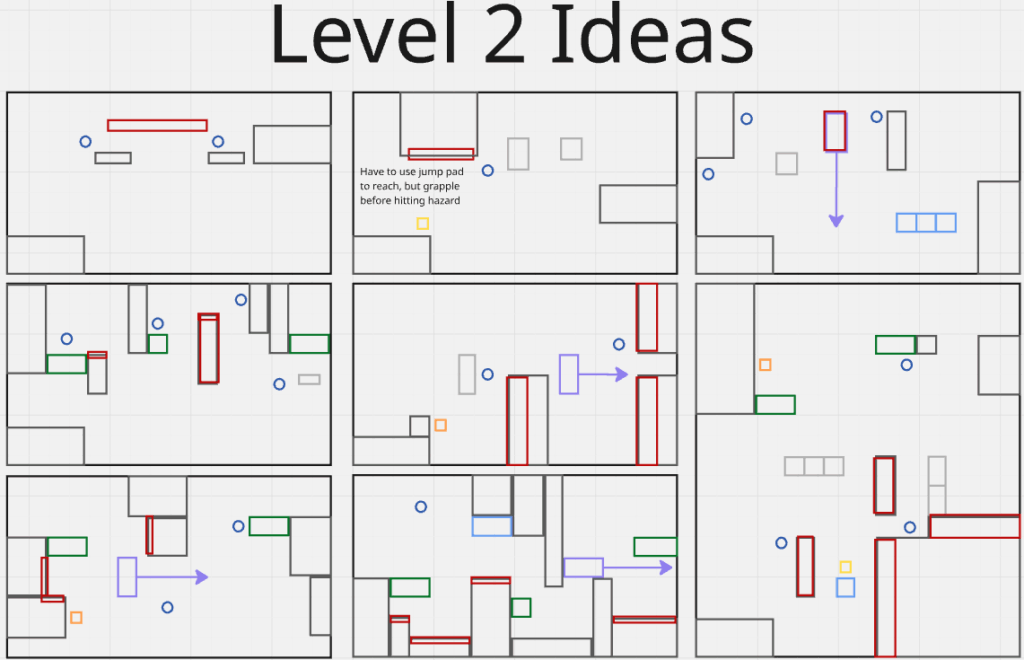
- Blue circle – Grapple object
- Yellow square – Upwards bounce pad
- Orange square – Sideways bounce pad
- Purple square + arrow – Moving platforms
- Green square – One-way platform, player can jump up on to it from beneath but can’t fall through it
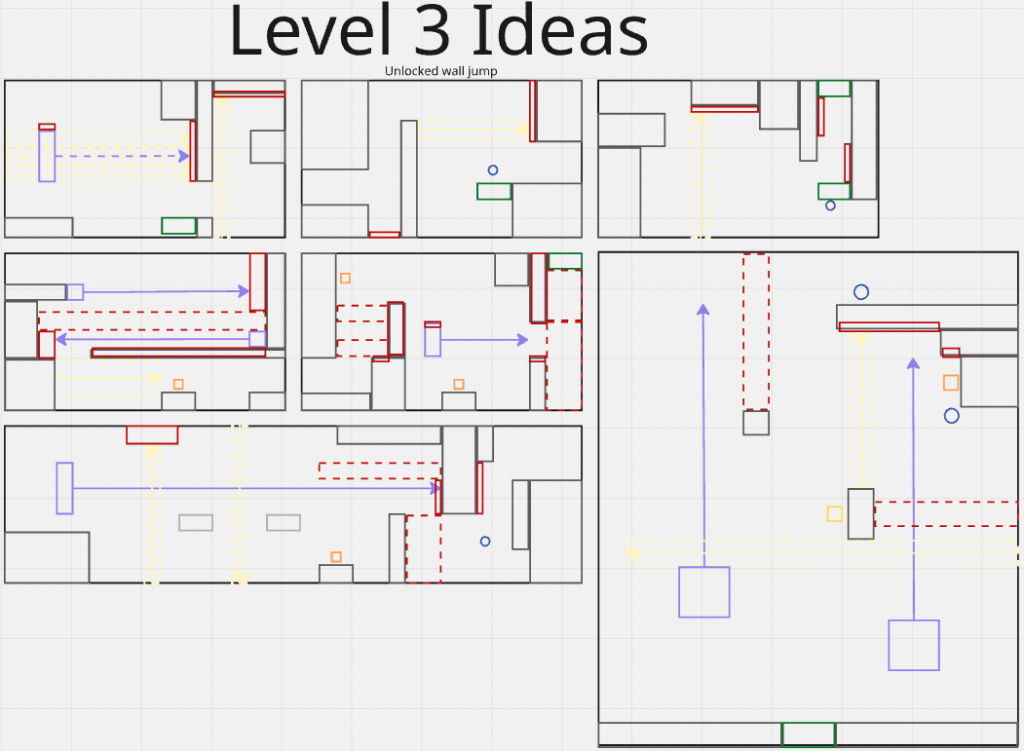
- Dotted Yellow Square + Arrow – Bubble Column, boosts the player in a direction (Turns on and off periodically)
- Dotteded Red Square – Damages the player (Turns on and off periodically)
Post-level planning
Now that I had levels planned I had to create the obstacles that the player would face in each level.
Leave a Reply