
Bubble/Steam column assets
After the development of Level 3, Paula made assets for the Bubble Column and Steam column that I needed to implement:
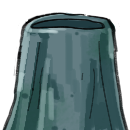

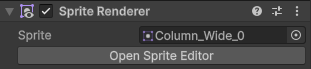
So, depending on the amount of space around the bubble/steam column I replaced it’s sprite in the sprite renderer component with one of the assets above.
However, this meant replacing the ‘square’ that would show whether or not the column was on or off. To fix this issue I used Unity’s particle system for visual feedback.
Particle System
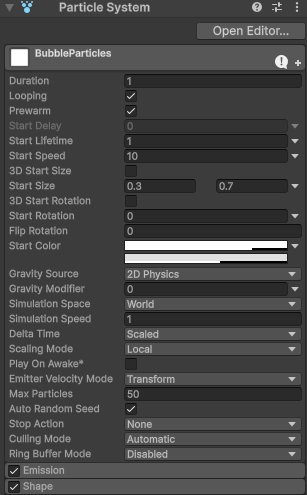
For both column prefabs I added a Particle System child object. These children had the ‘Particle System’ component, which has a lot of customization. Allowing me to adjust the particles’ size, speed, colour etc. Even allowing me to set a range for such properties for some variance.
Emission – Allows me to adjust the rate of the particles, I opted for burst so that multiple particles could spawn at the same time.
Shape – Allows me to adjust where the particles spawn, and the range of the spawn (Position, Rotation and Scale)
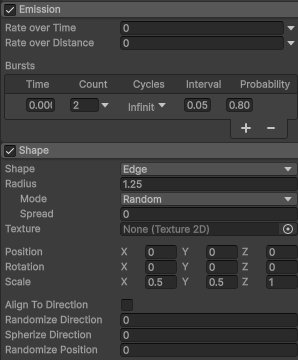
However, to stylize the particle system I asked Paula to create particle assets for both the Bubble and Steam columns, and assigned them using the Texture Sheet Animation property:
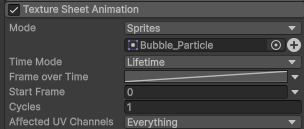


I went through many iterations of tweaking the properties, asking Paula what her opinion was and then going back to change it. (Unfortunately this was a verbal process so there’s no documentation of it)
This was the final result of adding the particle system to the Steam/Bubble columns.

Falling/Crumbling platform assets
After adding the particles to the steam and bubble columns, I felt that I should do the same for the falling and crumbling platforms to give a better visual feedback for their activation:
Once I had the particles working I asked Paula to create an asset for these particles so that I could implement them immediately.


Leave a Reply