
This Village scene will act as a sort of hub for the player, returning here between levels to do various things:
- Return after obtaining new movement abilities, to reach areas of the village that they previously couldn’t
- Obtain new information about the stars
- To navigate to new islands
- Meet NPCs who teach them about the stars and/or provide new movement abilities
Game inspiration
Spiritfarer is a beautiful 2D game that also takes place on a variety of islands, which we’ve researched on our Miro board:
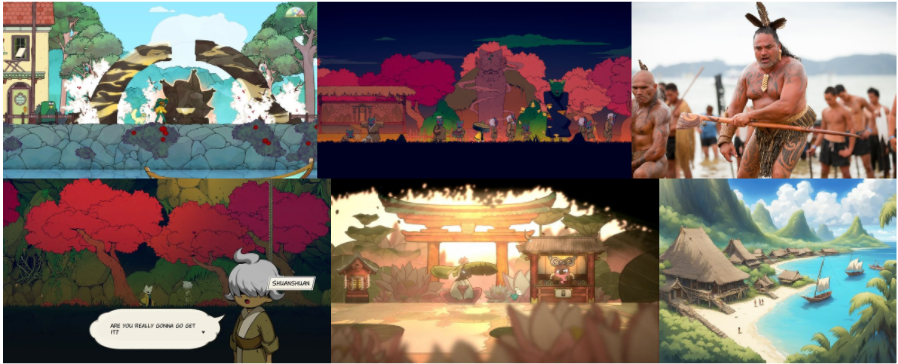
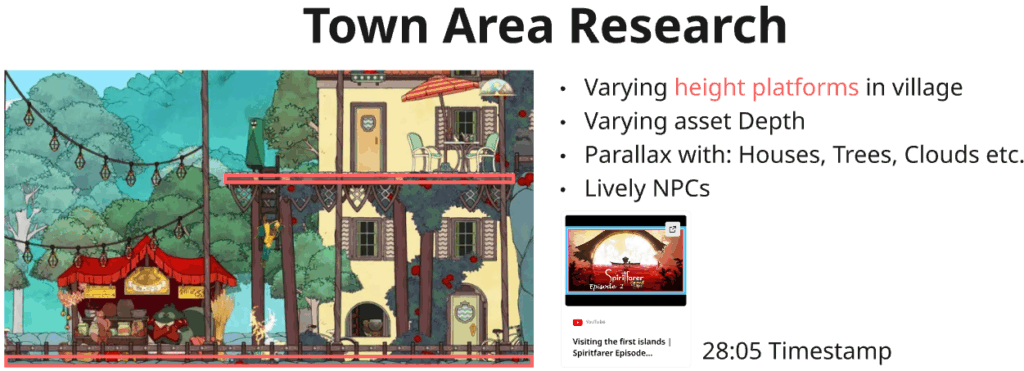
(The video and timestamp in the screenshot – 28:05)
From researching Spiritfarer’s islands there were a few things I took away:
- Certain areas were locked behind certain things like keys, they were shown to players early despite being inaccessible until the player progresses further and returns
- This reminds me of a common trope of metroidvanias, which we could use in Haerenga – as the player unlocks new abilities as the game progresses
- To compliment the side-scrolling camera, these islands had varying levels of parallax
- Layers included:
- Player layer (Would move at the same rate as the player character)
- Background layer 1 (Larger and more faded trees would move slower relative to the camera)
- Background layer 2 (Large mountains and clouds in the distance would move extremely slowly relative to the camera)
- Layers included:
Camera
This scene will differ from the rest of the game quite a bit as the majority of the platform sections take place in a single room that fits entirely on the screen. Whereas the village will have a side-scrolling camera, so I need to create a side-scrolling camera system:
Firstly I created a Cinemachine camera to follow the player:
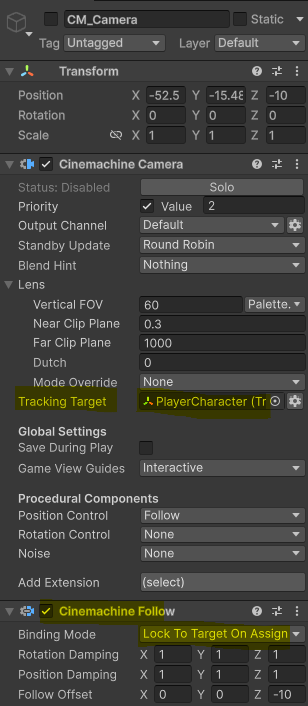
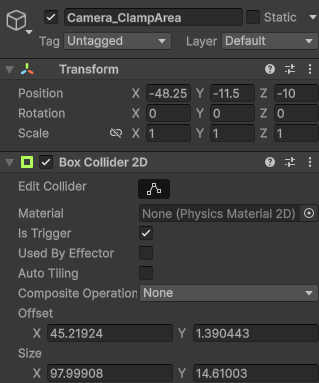
Then, to allow the camera to stay within a fixed box (and prevent it from showing areas that aren’t meant to be seen), I created a clamp area and gave it a box collider 2D. Then, in the Cinemachine camera, I gave it a Confiner 2D component and assigned the clamp area gameobject:
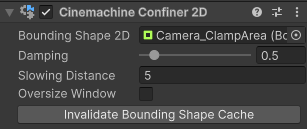
Parallax
Throughout development so far, I’ve used an orthographic camera. But in most 2D games that have parallax, they use a perspective camera and then place their assets at different z axis. Because if this I have to create a script that increase an asset’s offset relative to the camera when the camera moves.
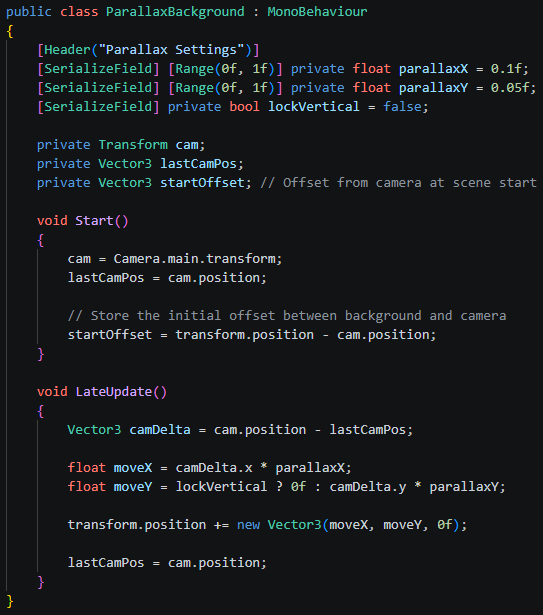
I created two floats ‘parallaxX’ and ‘parallaxY’ and confined them to 0 and 1. These floats dictate how far an asset with this script will move in the X and Y axis relative to the camera. A value of 1 will result in no parallax while 0 means the gameobject will move extremely far relative to the camera.

Planning Village Houses
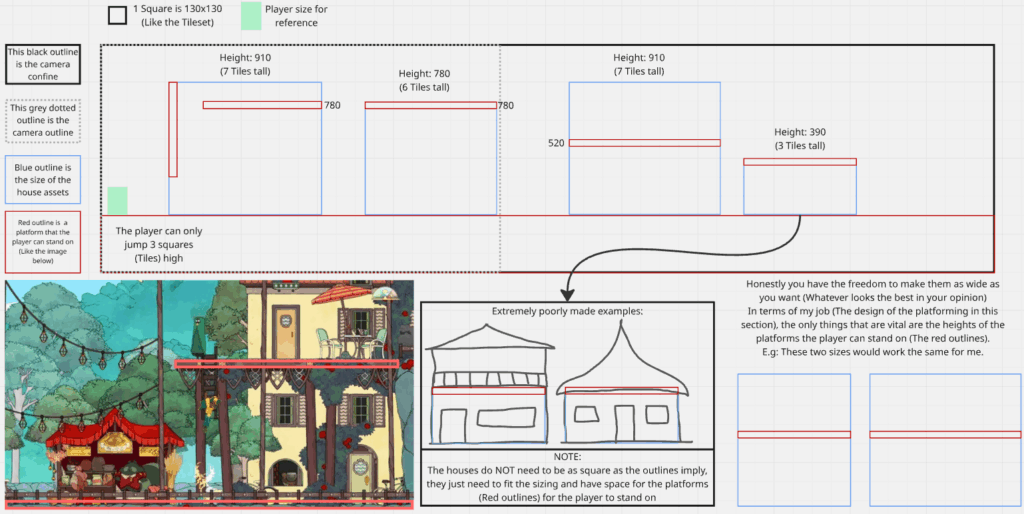
The village houses are meant to act as a sort of barrier to prevent the player from reaching certain paper pieces for star information if the player doesn’t yet have the required movement ability. Because of this, I need the house assets to be certain heights:
- High enough to jump on
- Too high to jump on but able to grapple on
- Too high to jump on or grapple on but can wall climb up to
Because of these restraints, I need to communicate this to Paula so that she can make the correct assets neccessary:
Leave a Reply