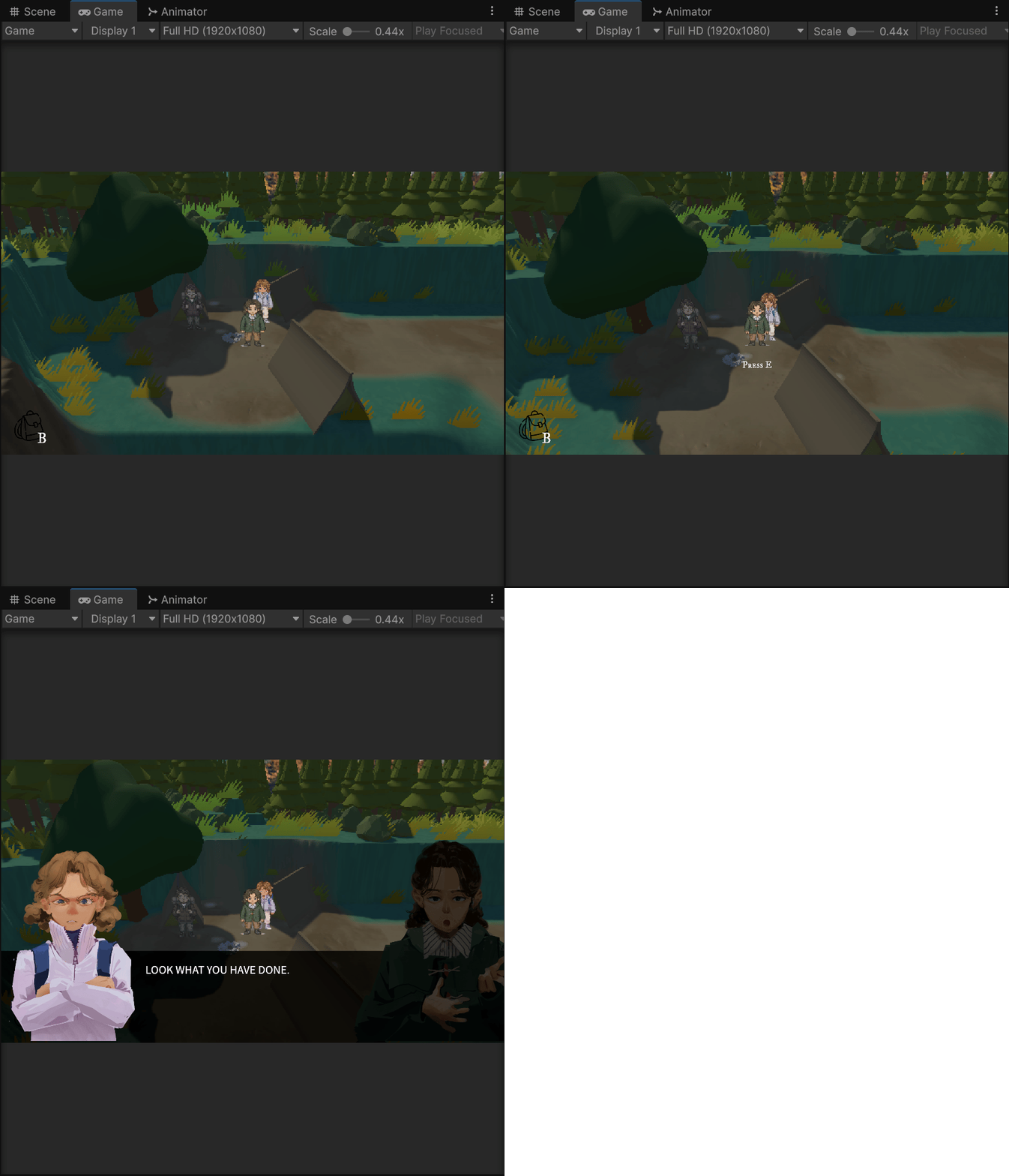
27 Feb Update - Interaction System Refactor

After discovering the problem with the interaction system on February 26, I restructured the system to make its logic more unified and easier to extend and maintain.
Press E Prompt Management
To solve the problem that multiple interactions cannot share the Press E prompt UI, I implemented a PressEPromptCoordinator script to unify the display logic of interactive prompts.
In the new structure, interaction objects no longer directly control the display of the UI, but instead send requests to the manager. For example:
void LateUpdate()
{
    bool shouldShow = playerInRange
        && !OpeningLock.IsLocked
        && GameStateManager.IsNormal
        && (DialogueManager.Instance == null || !DialogueManager.Instance.IsOpen);

    PressEPromptCoordinator.SetRequest(pressEUI, this, shouldShow);
}

void OnDisable()
{
    PressEPromptCoordinator.ClearRequester(this);
}
private static readonly Dictionary<GameObject, HashSet<int>> ActiveRequestersByUI = new Dictionary<GameObject, HashSet<int>>();
public static void SetRequest(GameObject ui, Object requester, bool shouldShow)
{
if (ui == null || requester == null) return;
int requesterId = requester.GetInstanceID();
if (!ActiveRequestersByUI.TryGetValue(ui, out HashSet<int> requesters))
{
requesters = new HashSet<int>();
ActiveRequestersByUI[ui] = requesters;
}
if (shouldShow)
requesters.Add(requesterId);
else
requesters.Remove(requesterId);
if (requesters.Count == 0)
ActiveRequestersByUI.Remove(ui);
bool hasAnyRequester = ActiveRequestersByUI.TryGetValue(ui, out HashSet<int> activeSet) && activeSet.Count > 0;
if (ui.activeSelf != hasAnyRequester)
{
ui.SetActive(hasAnyRequester);
}
}The manager records which objects are currently requesting a prompt. If at least one object requests to be displayed, then the Press E UI remains displayed.
This way, multiple interacting objects can securely share the same Press E prompt UI, avoiding UI conflicts.
Game State Management
In this refactor, I also added a GameStateManager script to manage the current state of the game.
This system works as a simple state machine with three states:
					Normal
Task
Inventory
- Normal
When the player is in the Normal state, they can move freely and trigger interactions. - Task
When the player presses E to open a task UI, the game state switches to Task. - Inventory
When the player presses B to open the inventory, the state switches to Inventory.
By using this state system, the game can restrict player input depending on the current state. For example, when the player is in the Task state, they cannot move using WASD or open the inventory with B.
=====================================================================
26 Feb Update - Interaction System Issue
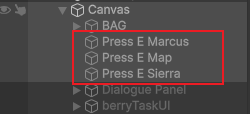
During development, Iris and I discovered an issue while testing the interaction system.
In the current version, each interactive object (such as NPCs, Berry Bushes) requires its own Press E prompt UI (TMP Text) in order to display the interaction hint correctly.
When multiple interactive objects share the same TMP prompt UI, only one interaction script is able to trigger the Press E prompt correctly, while the others fail to display the prompt.
As a result, every interactive object in the scene needs its own separate prompt UI, which significantly increases the complexity of managing interaction UI elements.
After analysing this issue, I decided to centralize the Press E trigger logic by managing the interaction prompt through a single script that controls when the UI should appear.
It is also worth noting that the first version of the Press E interaction system was implemented by Iris. In later development, I modified and expanded the interaction system based on that initial implementation.
=====================================================================
25 Feb Update - Berry Bush Interaction System
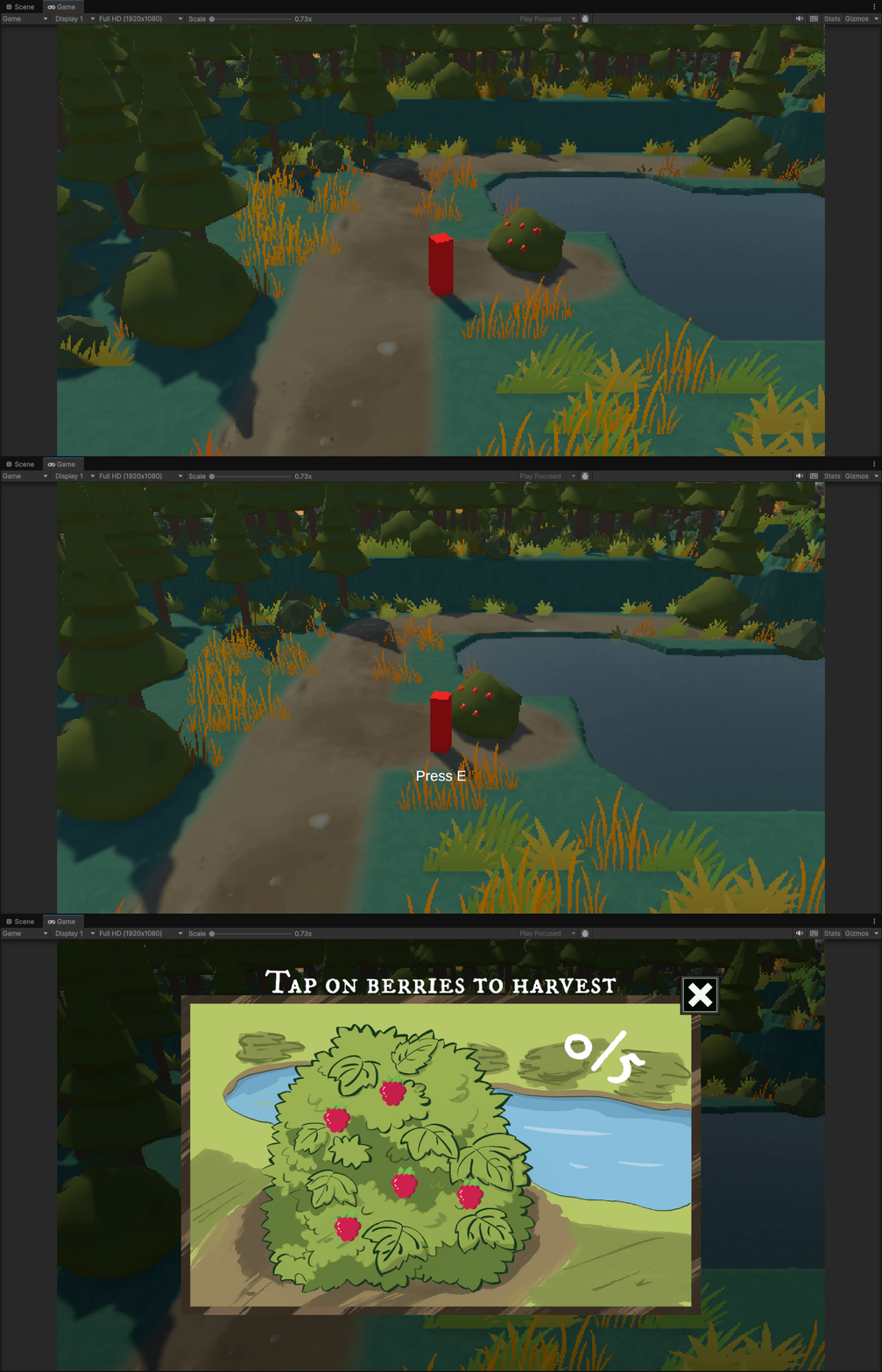
Berry Bush Interaction
In the current version, I implemented an interaction system for the Berry Bush, allowing players to engage in simple minigames within the scene to obtain items that advance the story.
When a player enters the trigger range of a bush, the system will display an interactive prompt: Press E.
					void OnTriggerEnter(Collider other)
{
    if (!other.CompareTag("Player")) return;
    playerInRange = true;
}
This trigger detects whether the player is within the interaction range.
When the player presses the E key, the system opens the berry task UI.
					if (Input.GetKeyDown(KeyCode.E))
{
    OpenTask();
}
=====================================================================
24 Feb Update - Press E Interaction Script
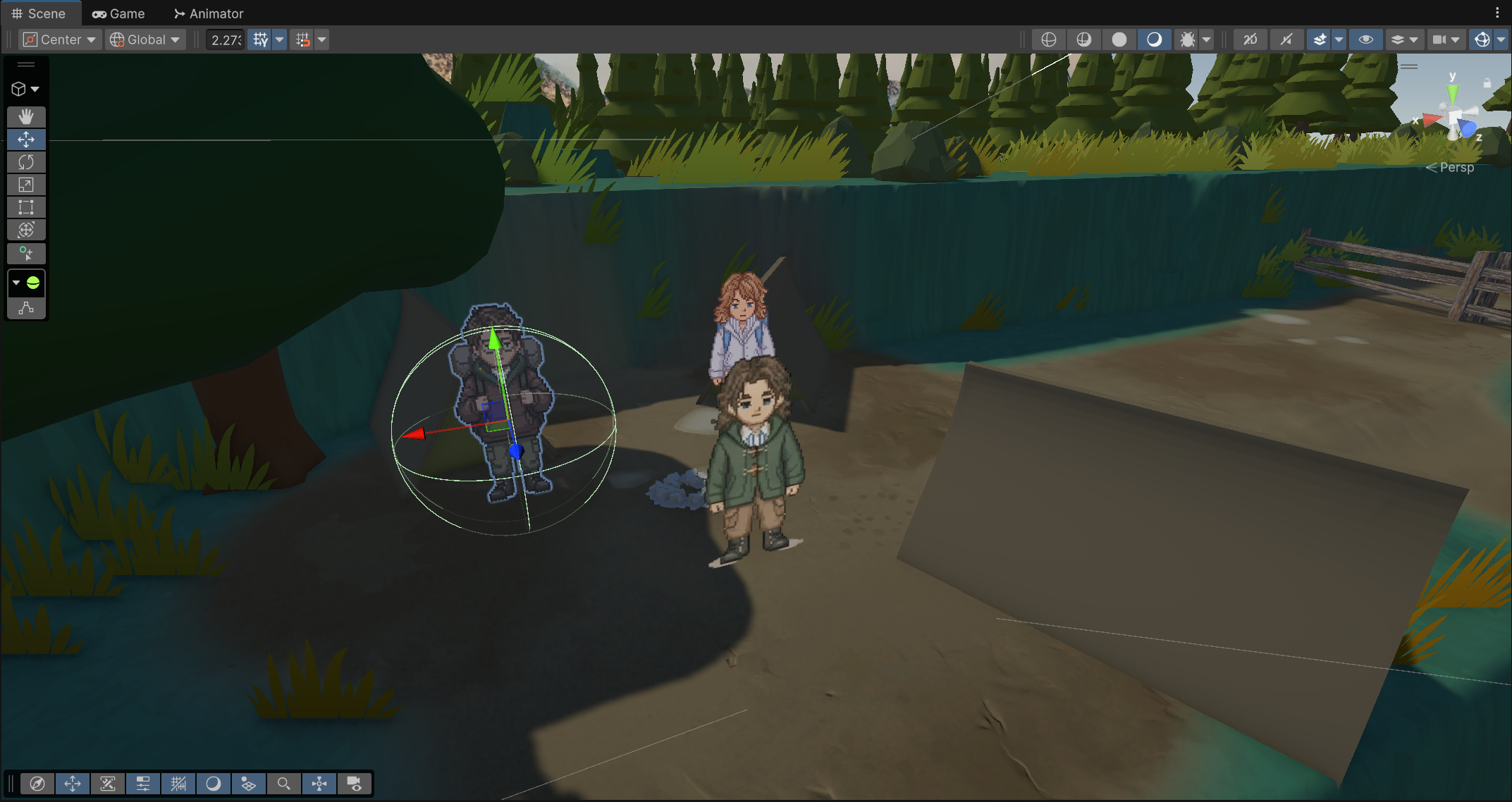
In the current version, I implemented a basic Press E interaction system for NPCs. This allows the player to trigger dialogue when they enter the correct interaction range.
					void OnTriggerEnter(Collider other)
{
    if (!other.CompareTag("Player")) return;
    playerInRange = true;
}
This trigger detects whether the player is close enough to interact with the object.
When the player presses the E key, the system opens the correct dialogue file through the Dialogue Manager.
					if (playerInRange && Input.GetKeyDown(KeyCode.E))
{
    DialogueManager.Instance.StartDialogue(GetDialogueToPlay(), portrait);
}
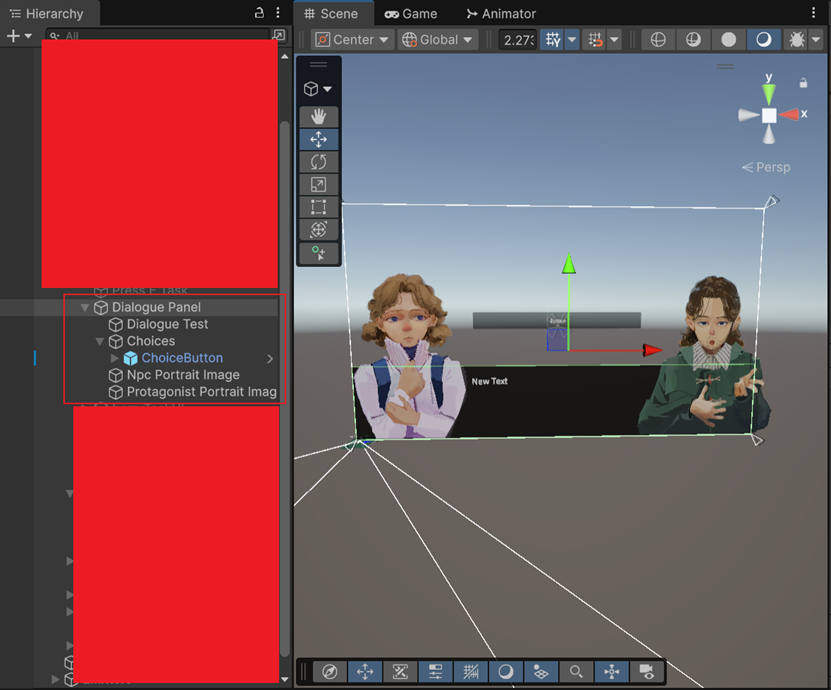
The Dialogue Panel was created inside the Canvas. It contains the dialogue text using TextMeshPro, the NPC portrait image, the protagonist portrait image, and the choice buttons.