DEVELOPMENT JOURNAL · WEEKS 01–06
Enjoy Your Meal, My Friend.
Game soundtrack
↑This is the music I’ve chosen as the background music for my game.
DEVELOPMENT / 01
Week 1–2
Decided on the theme: Grotesque, 2D, Cooking.
(See the detailed approach for Week one(Games Ideas) link above.)
Getting started
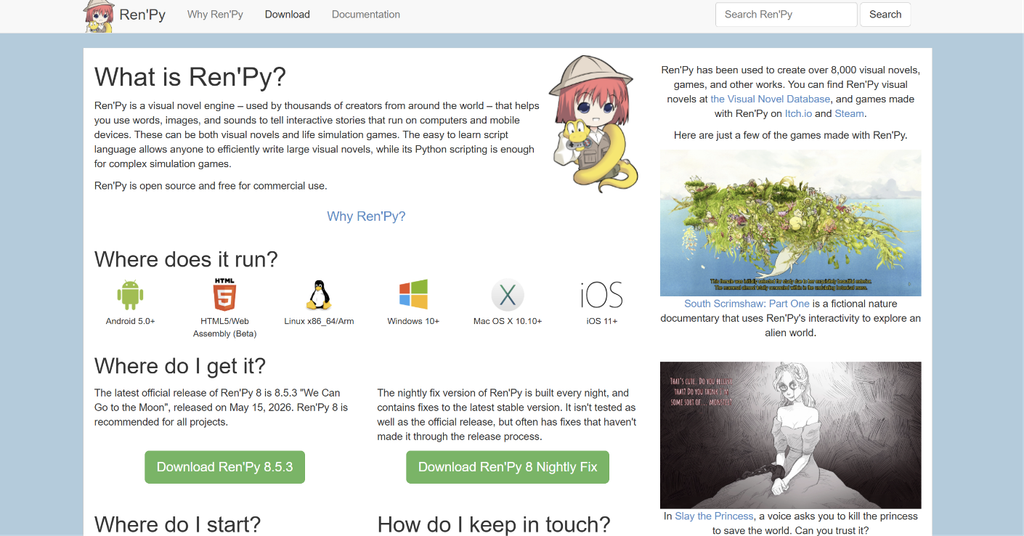
I’ve started thinking about which software to use to create my game. And after I did some research, I decided to use Ren’py to give it a try.
DEVELOPMENT / 02
Week 3
Through VENEZIA G’s presentation, I began to reflect on the game’s “game pillars” and “game loops.”
The origin of the story
(To ensure I could clearly articulate my creative process, I used Google Translate to assist with the translation.)
You are a novice chef. After your grandfather passed away, he told you the address of a mysterious restaurant. You went there to apply for a job and were surprisingly accepted by the manager, officially becoming the chef of this restaurant. Every day—morning, noon, and night—you serve a stream of mysterious guests. There seem to be some unwritten rules at this restaurant—you can’t just say the name of the dish when ordering; instead, you give the chef a vague and ambiguous message.
Game loop
- Nterpret the Customer (The player understand customers through clues, objects and stories.)
- Cook the Stange (The player choose ingredients and turn your interpretation into a dish.)
- Uncover the Mysteries or Stories from the Guests (The player uncover the strange stories and hidden secrets of the restaurant.)
Moving forward, I will use this Game Loop as the standard for my game as I continue with its development.
Starting work in Ren’Py
Coding
When I first started working on the project, I wasn’t particularly familiar with the Ren’Py software. The first time I added a background image, I failed to adjust the dimensions correctly, which resulted in the following:
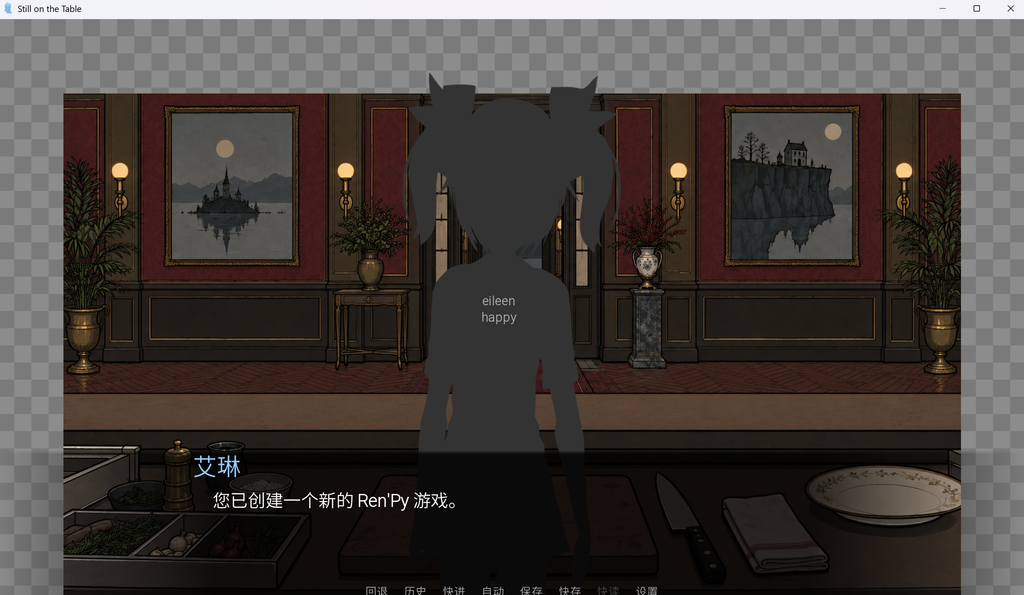

So, I looked up some Ren’Py tutorials and started trying to create something.
A video tutorial found on Bilibili
Characters
Given the limited time, I didn’t have enough to design a full-fledged new character. However, since I wanted to draw inspiration from the overall atmosphere of Rusty Lake—and am already quite familiar with its character backstories—I decided to invite Mr. Aldous from Rusty Lake to visit this mysterious restaurant as a guest for the tutorial level.

Mr. Aldous Vanderboom, from Rusty Lake.
And so, the game’s first character was established.

So, I began designing the dialogues between Mr. Crow and the players. To stay true to the core concept I envisioned for the game—having players figure out for themselves what each customer wants—I decided not to have customers explicitly state what they wish to eat; instead, they provide various descriptions.
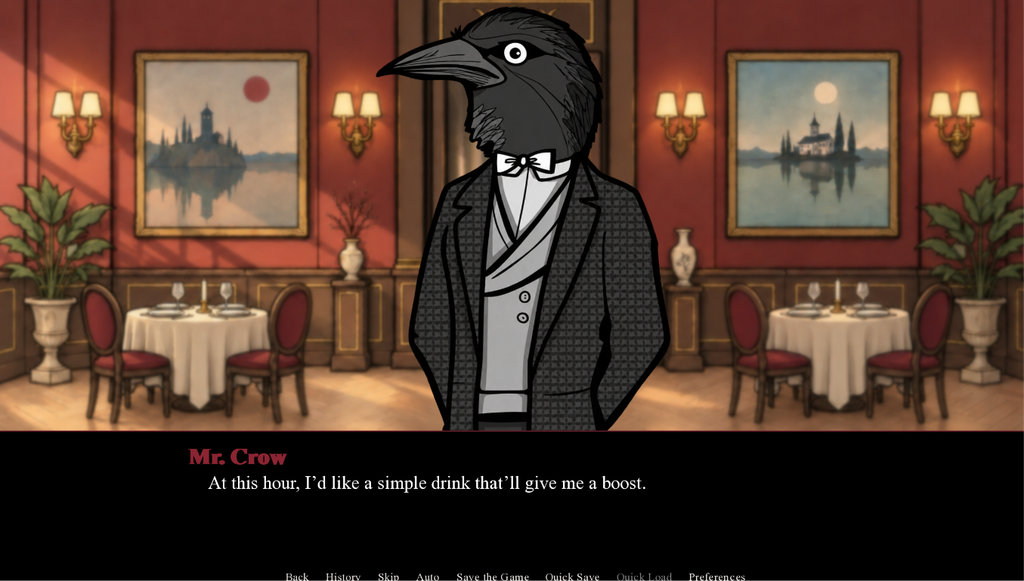
As the image above suggests, leave it to the players to guess.
Character Dialogue · Code
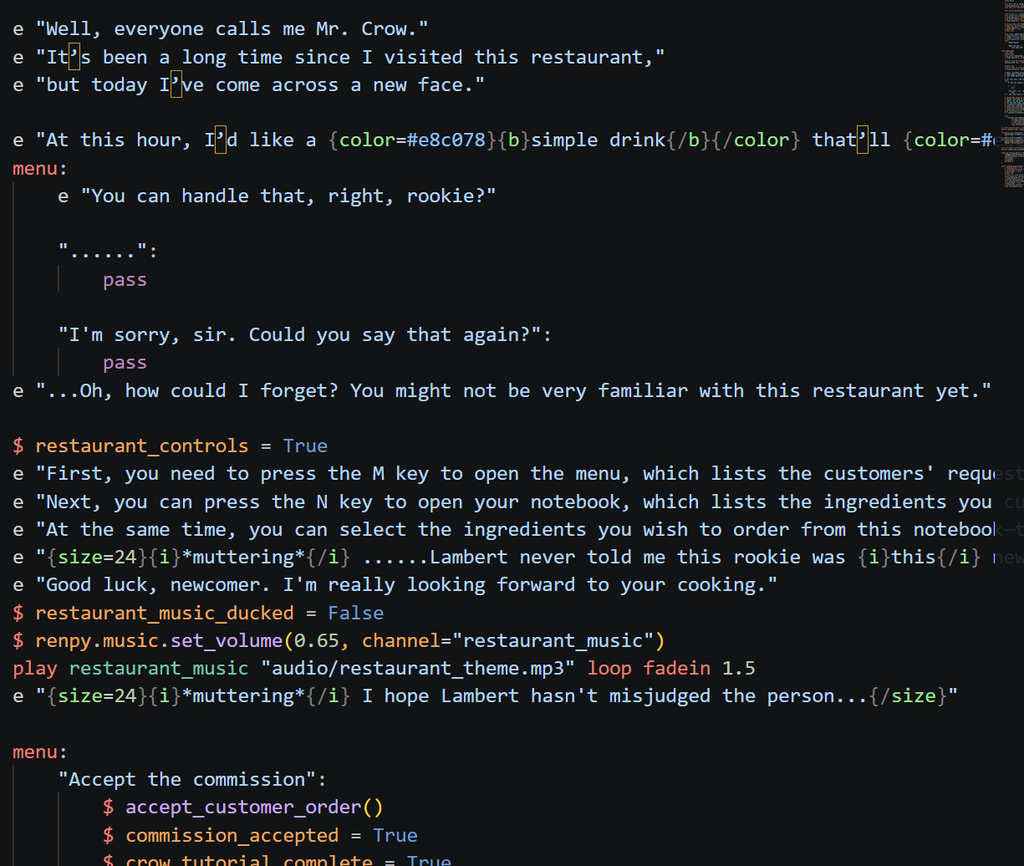
When creating Mr. Crow, I envisioned it as a tutorial level.
Challenge · Cooking interactions
So, how can a cooking mechanic be implemented in Ren’Py? I considered that incorporating a drag-and-drop system for ingredients—much like in dedicated cooking games—would make the experience feel more interactive for the player. With that in mind, I came up with the design shown below.
UI design:
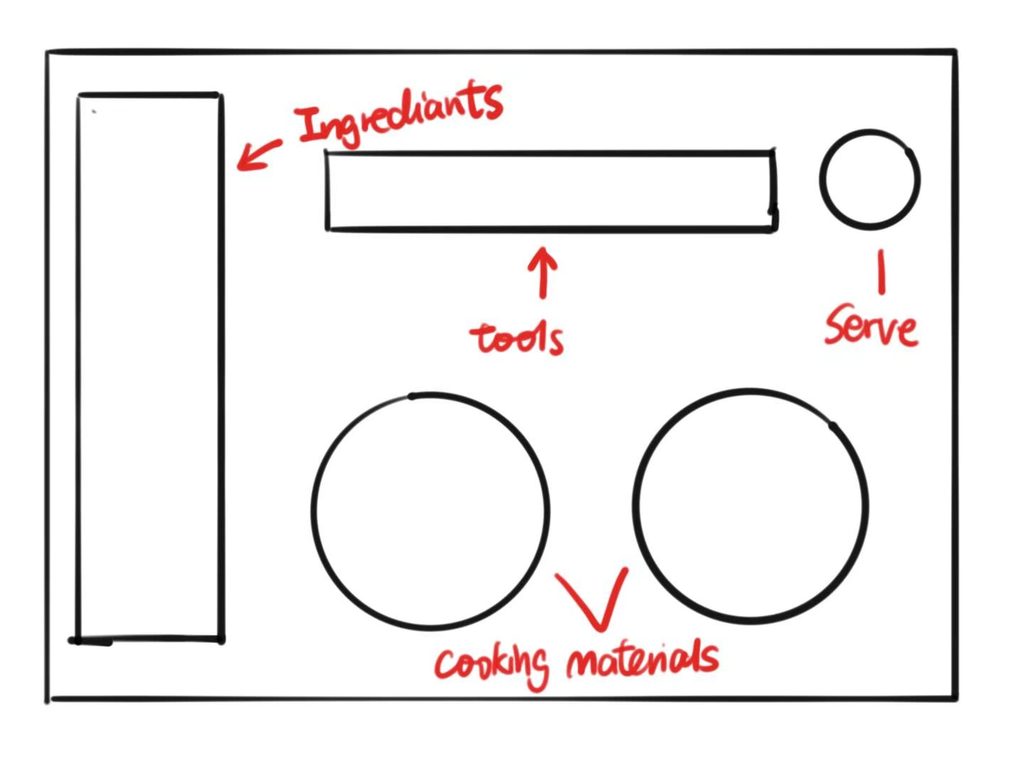
Here is my vision for the desktop layout:
For the overall atmosphere of the game, I wanted to evoke a sense of mystery and elegance; to achieve this, I incorporated a palette dominated by dark and warm tones, such as black, red, and brown.
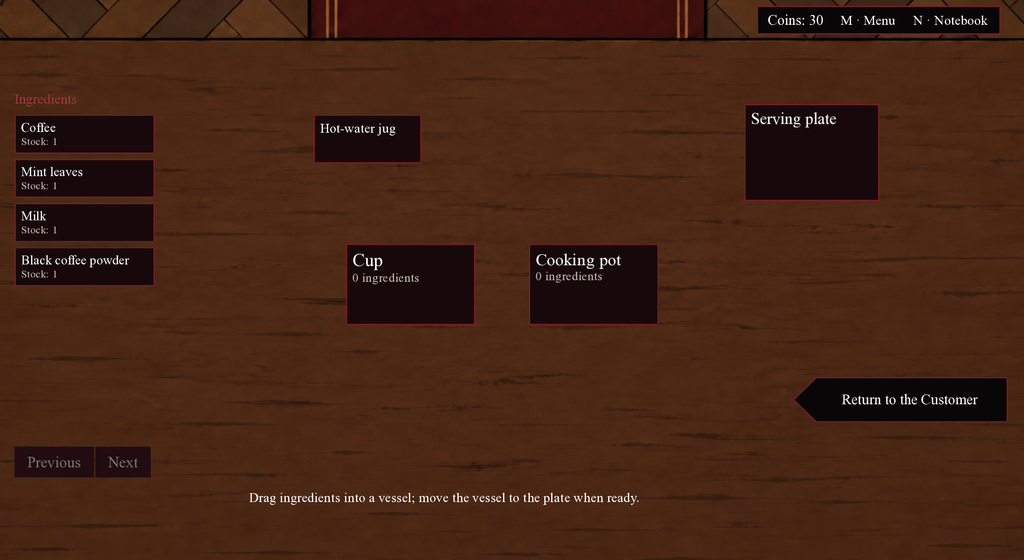
Players simply need to drag the desired ingredients into the slots representing the containers, then drag the cooking tools (such as a hot water jug) over them to prepare food.


Then the player will receive customer reviews and money. It’s worth noting that customers will provide different feedback and tips depending on what you create for them. I’ve designed two types of feedback: the first is a positive, satisfied response, while the second is a more tactful way of saying that the result was just “so-so.”
Presentation & feedback
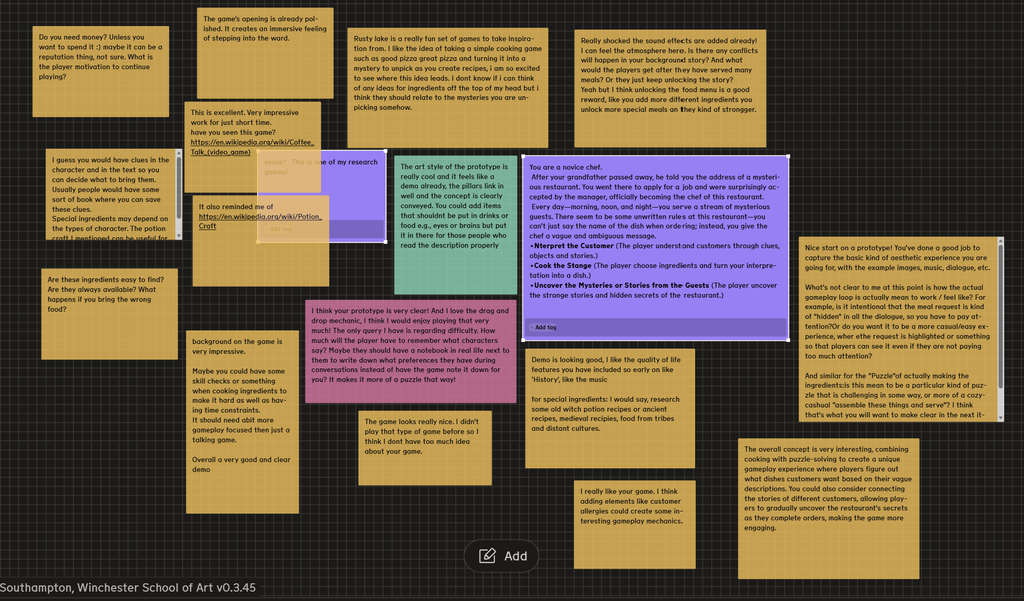
I gained a lot from reading these reviews, so I’ve organized my thoughts:
Coming up next in the game—
- Add small items to the customers to enrich their backstories; interacting with these items will trigger specific dialogue.
- Players might sometimes struggle to remember customer requests, so providing a notebook to record them—which players can open and check at any time—would be helpful.
- Daily customer volume (how many customers are served throughout the day—morning, afternoon, and evening—and what is the total number of visitors?)
- Research:Coffee Talk/ Servant of the Lake/ Rusty Lake Roots
DEVELOPMENT / 03
Week 4
(To ensure I could clearly articulate my creative process, I used Google Translate to assist with the translation.)
Interface & Customer Clues
Continuing with optimizations. I’ve added image assets to the game to help identify which tool is which; I’ll replace these later with my own custom-drawn illustrations.
UI Changes:
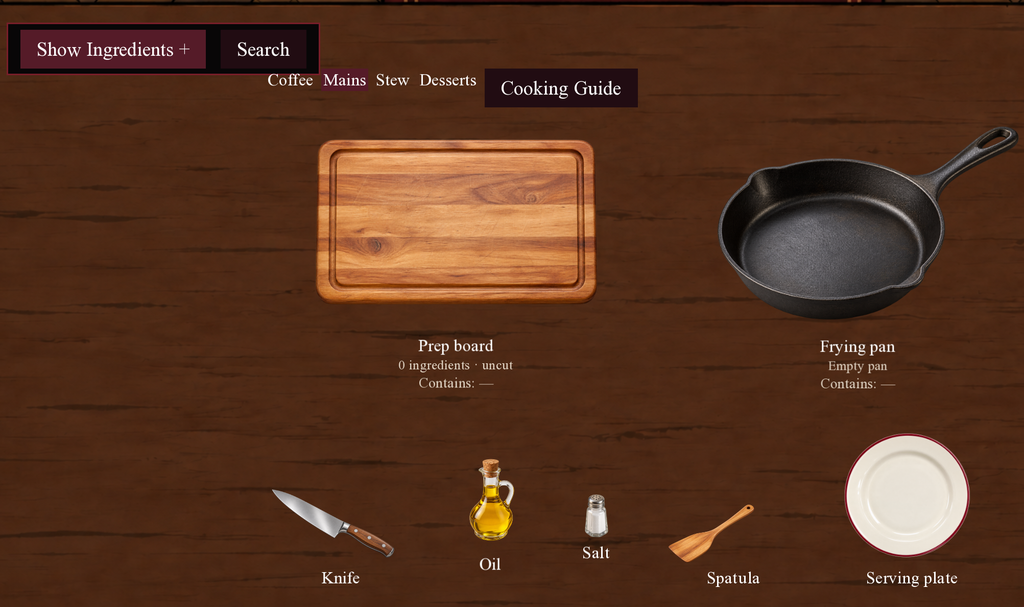
At the same time, I’ve added customer requests that players can check at any time—simply press the M key to view them.

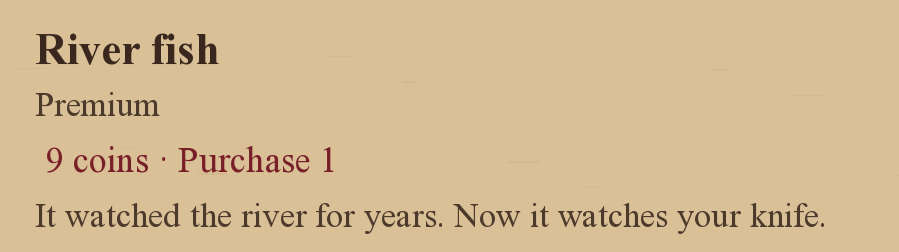
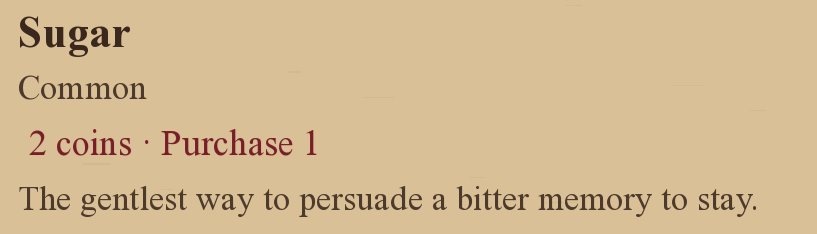
I also added a booklet that allows players to purchase ingredients; and to help players immerse themselves in this grotesque atmosphere, I’ve included a unique description for every single ingredient.
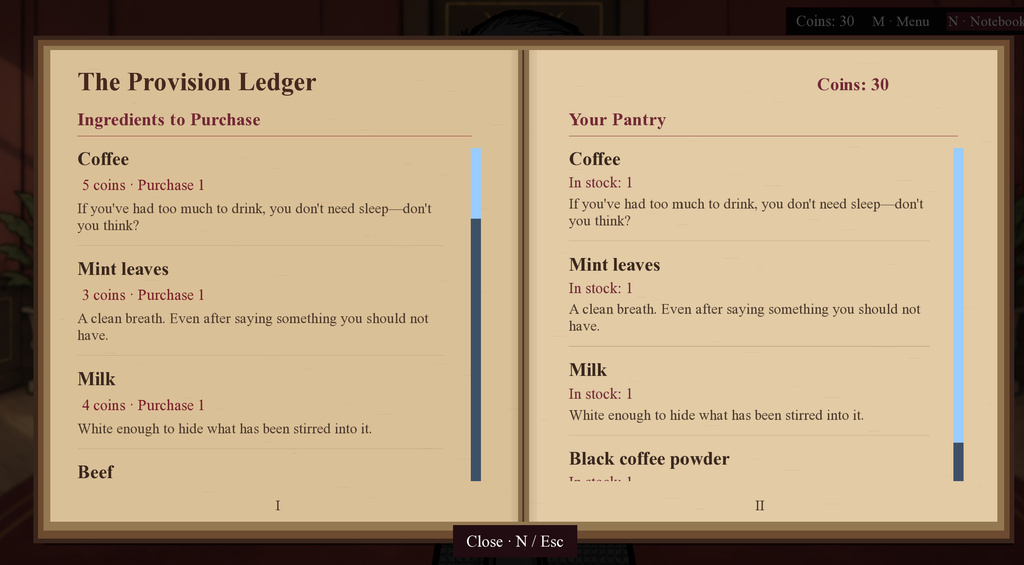
Unique descriptions(Examples)
Also, based on the previous feedback, I’ve added items that allow for interaction with customers; players can initiate a conversation by clicking on the items the customers are holding. Additionally, if a player clicks on a customer, the customer will reveal their taste preferences, which will then be recorded.
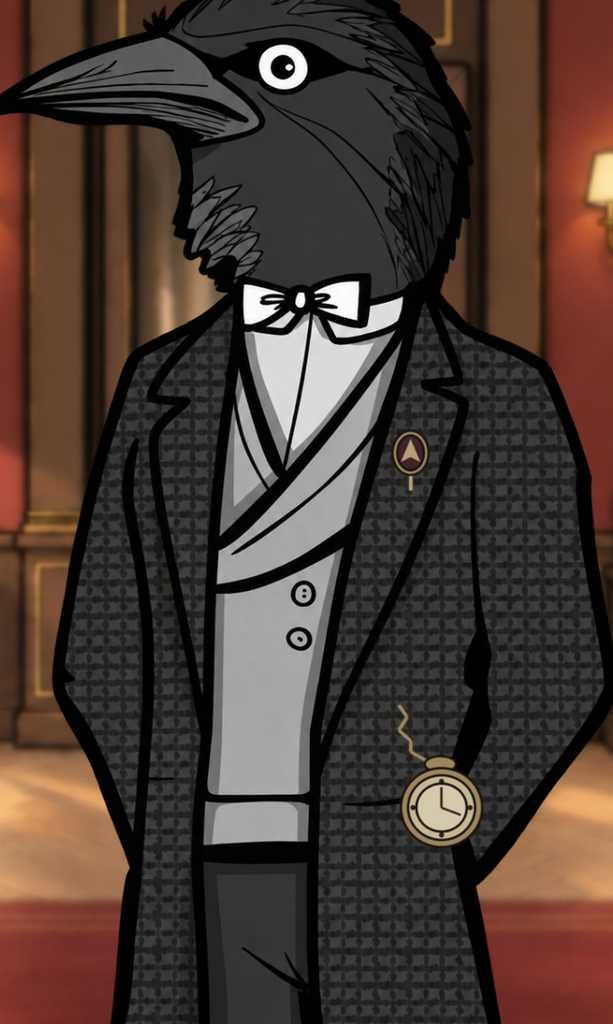
So, I designed a few items that align well with the original backstories of the game characters.
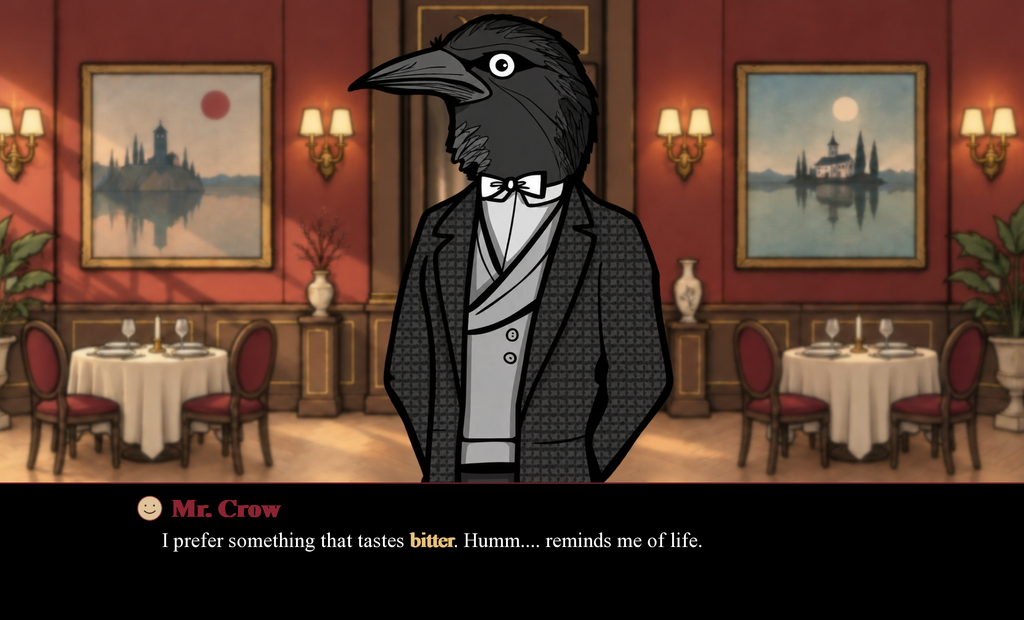
At the same time, I’ve added highlighted text to let players know the customers’ key requirements.
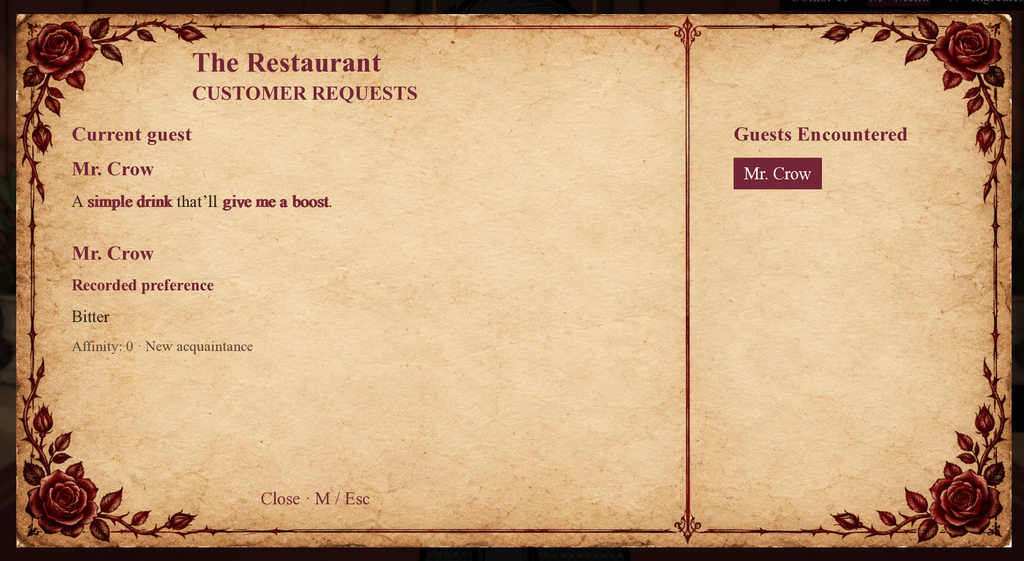
To align with the tone of the story, I also refined the menu format used for recording customer preferences and requests.
Changes in action
I also added a feature where, if a player clicks on a customer more than three times, the customer will no longer chat with the player.
Gameplay feedback
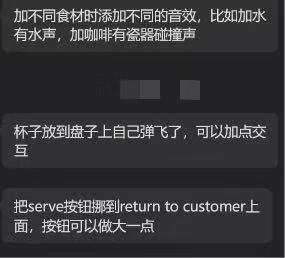
After playing this game, my friend brought up the following three points:
- Could different sound effects be used for different types of food—for example, the sound of adding water or the clinking of porcelain?
- The overall drag-and-drop mechanic doesn’t effectively convey the act of cooking, as there is no visual feedback when ingredients are dragged into a container.
- The “serve” button is not prominent enough.
DEVELOPMENT / 04
Week 5
(To ensure I could clearly articulate my creative process, I used Google Translate to assist with the translation.)
⚠⚠⚠
Based on the previous feedback, I’ve adjusted the controls and optimized the audio. However, I haven’t been able to implement the animation for adding food—it’s just too difficult!
Atmosphere & Screen Effects
1.0 However, I’ve made some optimizations to the game—for instance, enhancing the atmosphere of the opening scene, which now includes some screen-flicker effects.
New Guest · Harvey
2.0 And I’ve added a new guest—Harvey! He’s also from Rusty Lake.
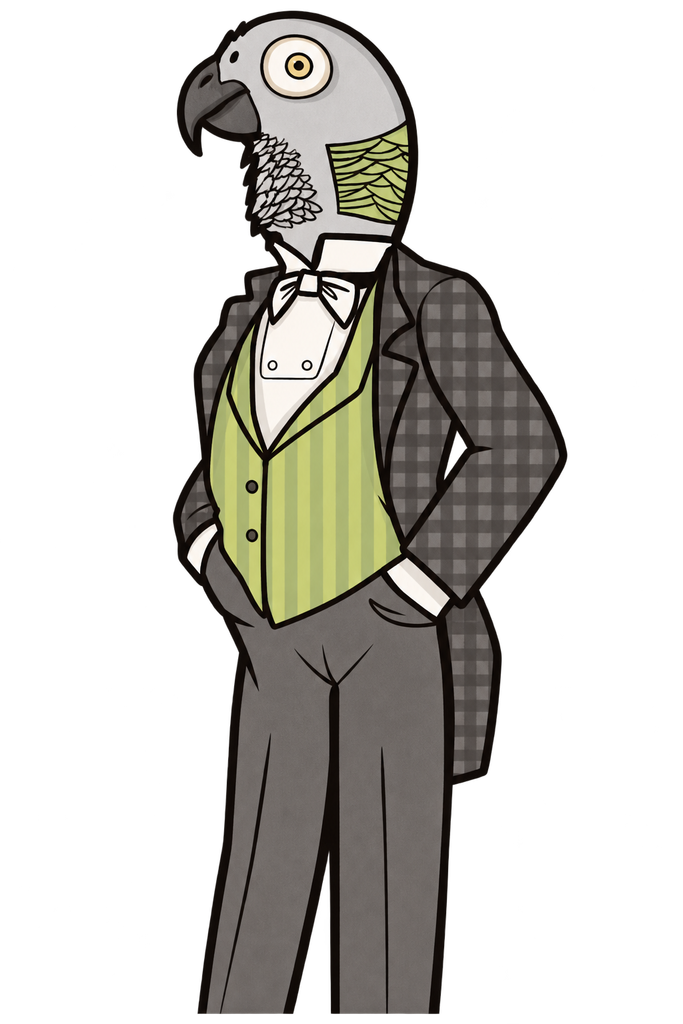
Likewise, based on my research into the character, I also designed specific small items and a backstory for him.
While Mr. Crow serves as a tutorial level, Harvey’s stage represents a proper, full-fledged level.
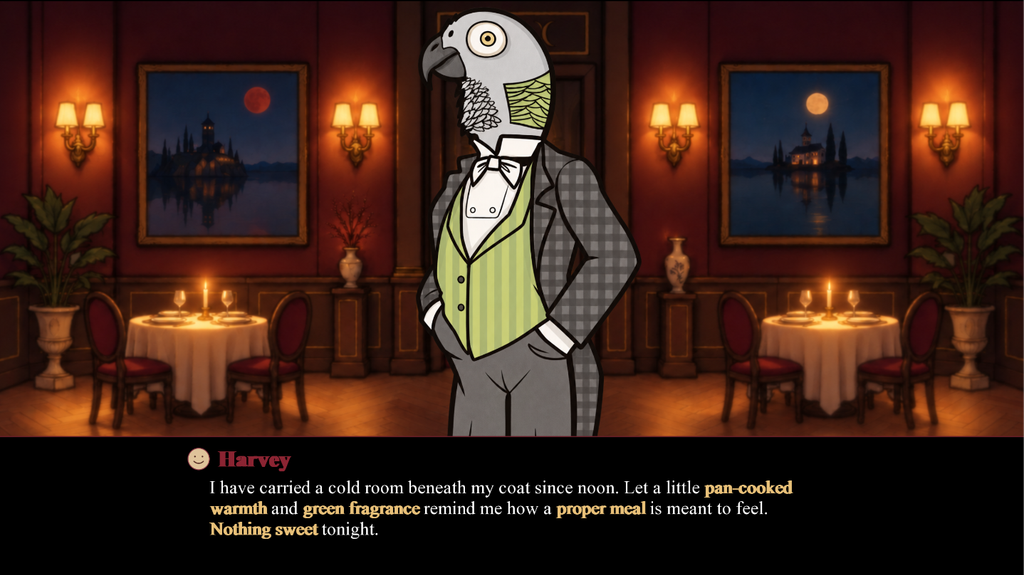
You can see that the number of keywords here has suddenly increased.
Character Dialogue · Code
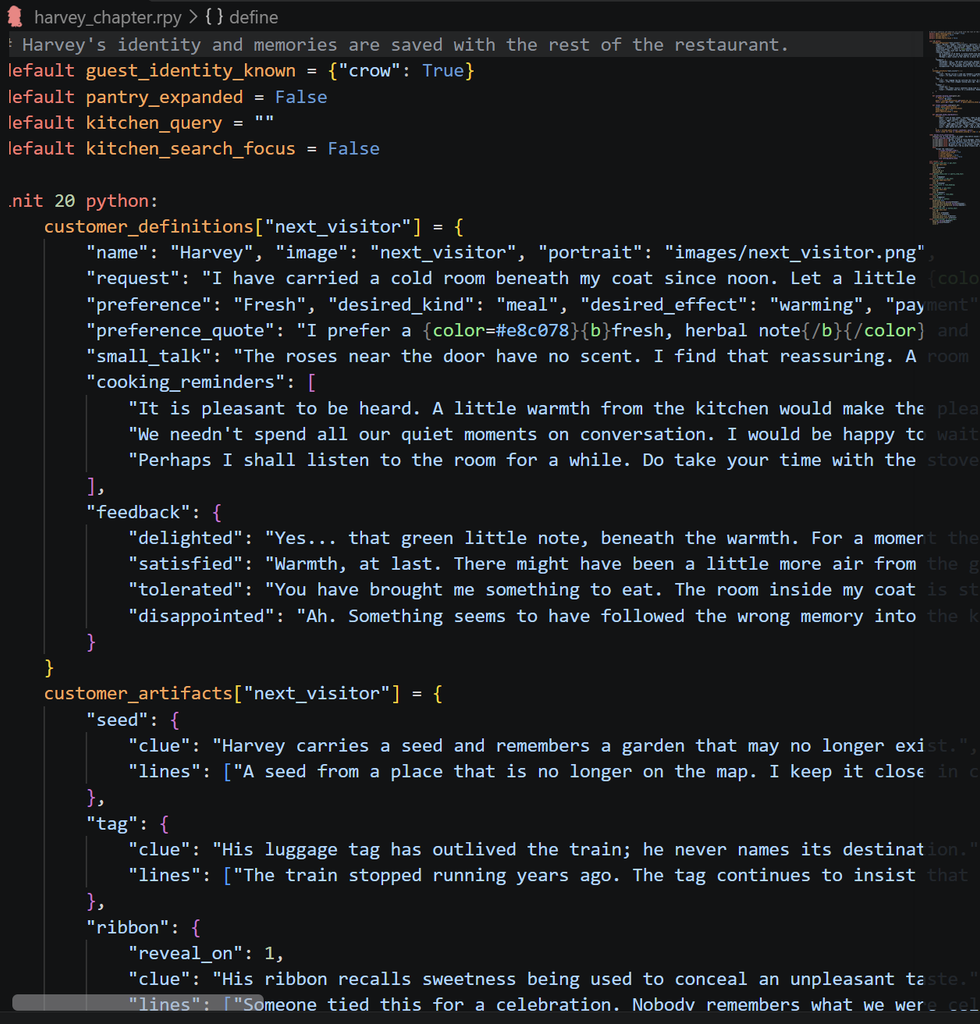
And here is the code and the lines of dialogue I used to create this character.
Gameplay feedback
This week, we also conducted playtesting in the classroom. Once again, I received a lot of useful feedback.
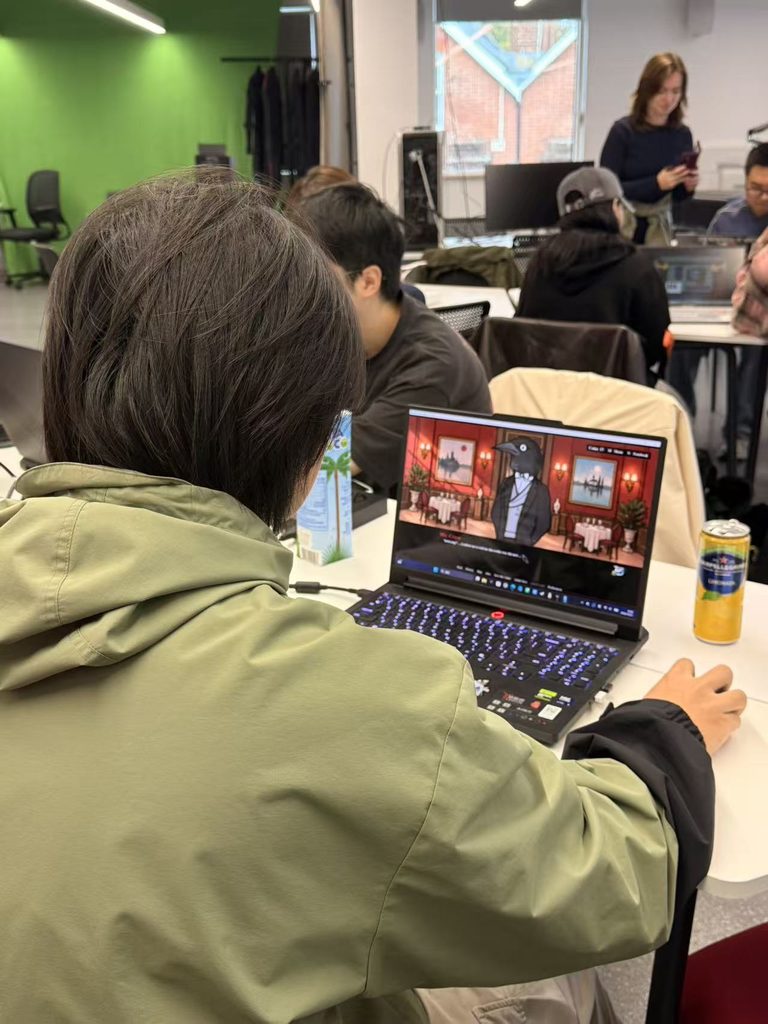
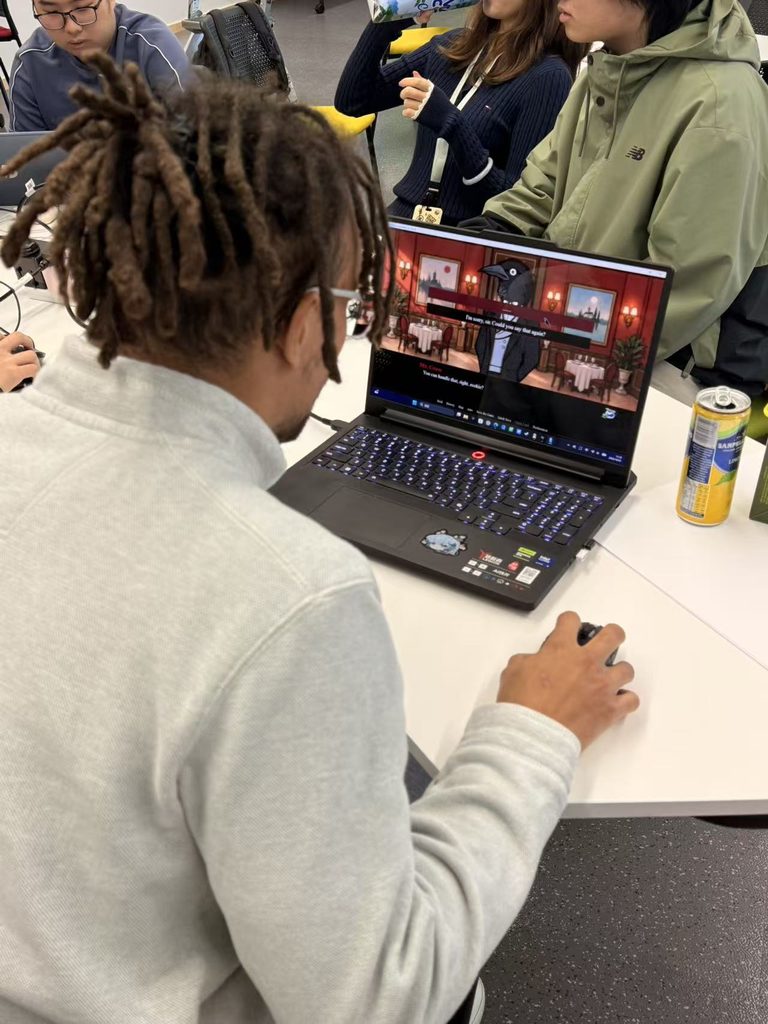
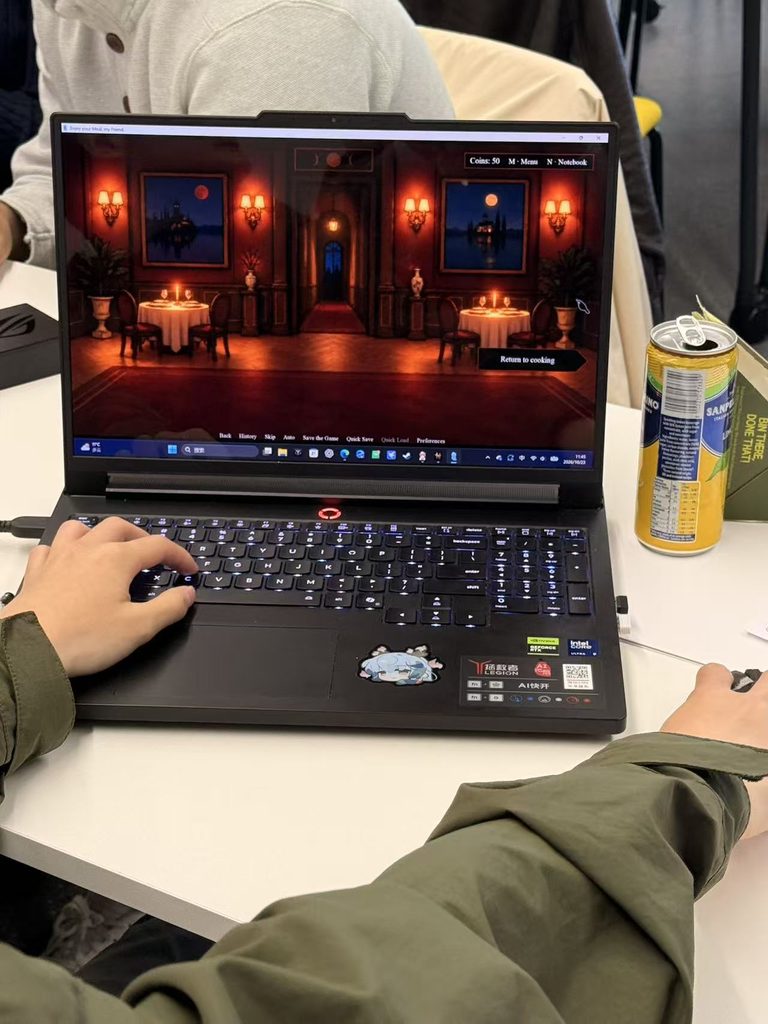
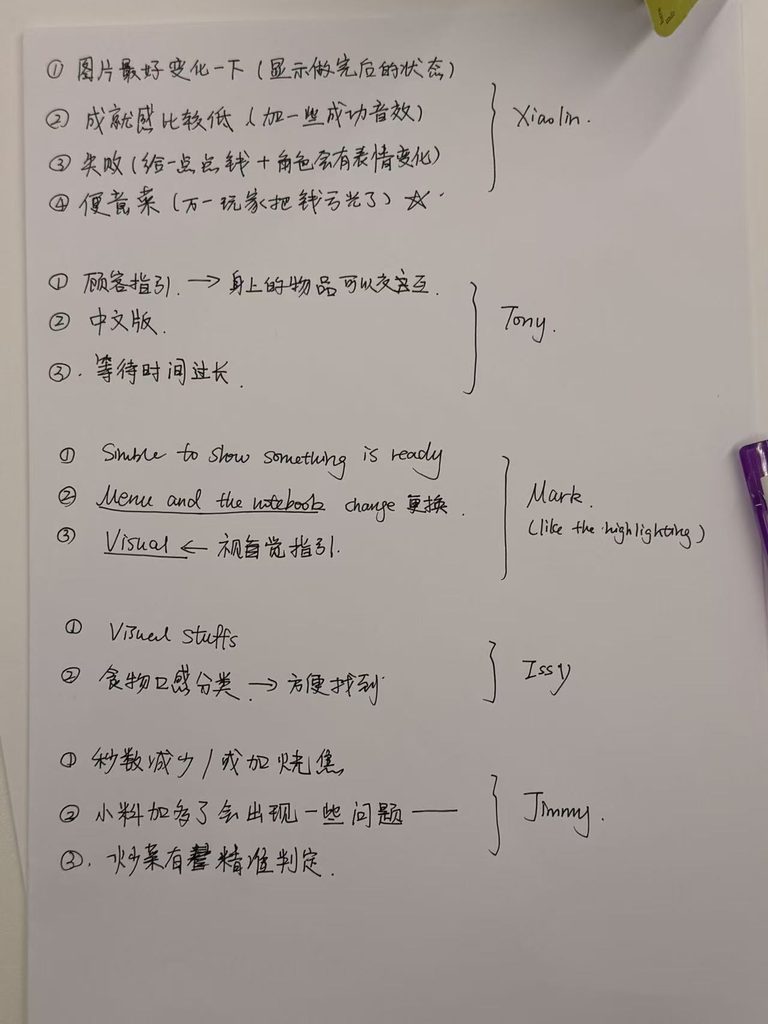
The primary issue remains the lack of an animation for the placement process, which makes it difficult for players to realize—at least initially—that an item has already been put into a container.
Also some other optimization suggestions:
- The food preparation process is too limited, as only one type of item can be made at a time.
- The original 15-second preparation time for food is too long; please reduce the countdown for food preparation.
- Categorizing by food type makes it easier for players to find what they need.
- Customers’ facial expressions change depending on the food they eat (e.g., showing anger, happiness, etc.).
- In case a player runs out of money, they can always prepare some “emergency food”—that way, they’re guaranteed to make at least two bucks.
These suggestions are super helpful and have given me a lot of inspiration!
I changed the name to this more straightforward one because I felt the previous name, “Still on the table,” was too abstract.
DEVELOPMENT / 05
Week 6
(To ensure I could clearly articulate my creative process, I used Google Translate to assist with the translation.)
Visual Assets & Cooking System
I started optimizing the game like crazy.
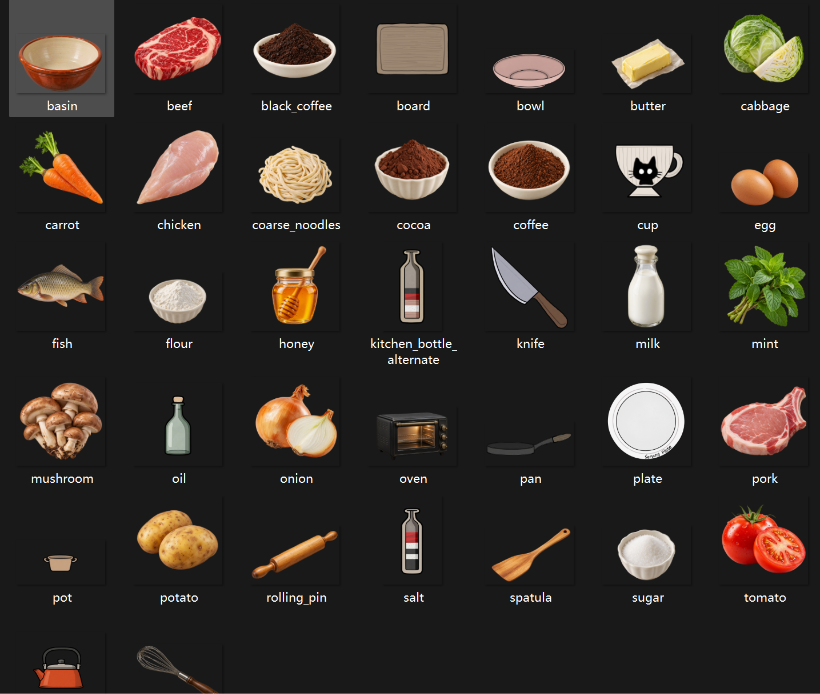
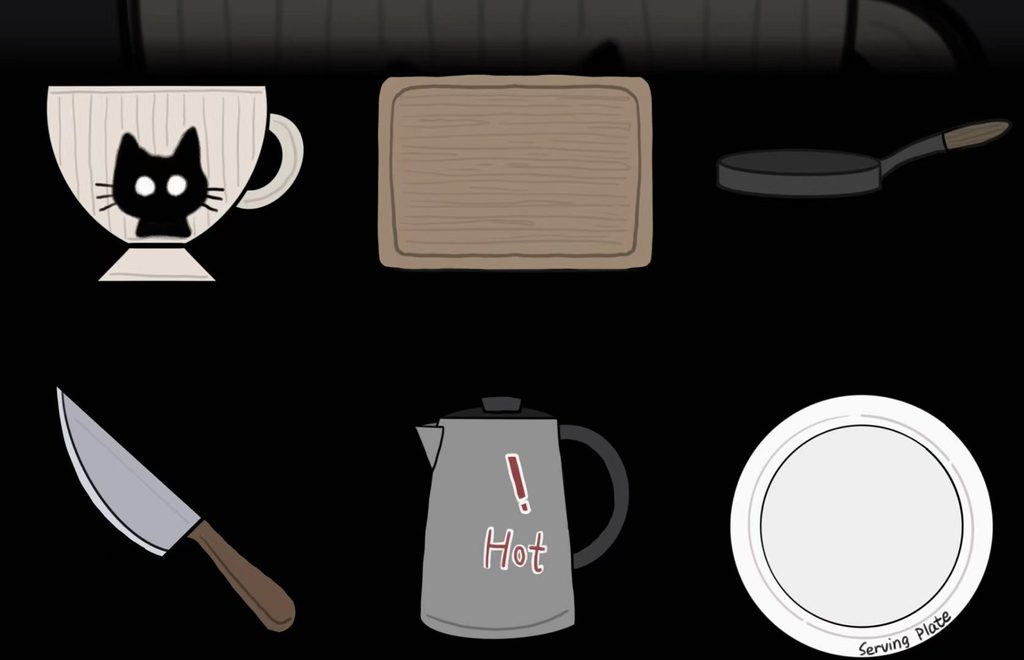
Some students pointed out that the visual elements were not sufficiently clear. However, due to a scarcity of consistent food assets, I turned to ChatGPT to help generate images of food items. Additionally, I sourced key cooking-related objects from the Rusty Lake game series (mostly from Servant of the Lake) and—to ensure a cohesive visual style—I illustrated the essential cooking vessels myself, emulating the Rusty Lake art aesthetic.
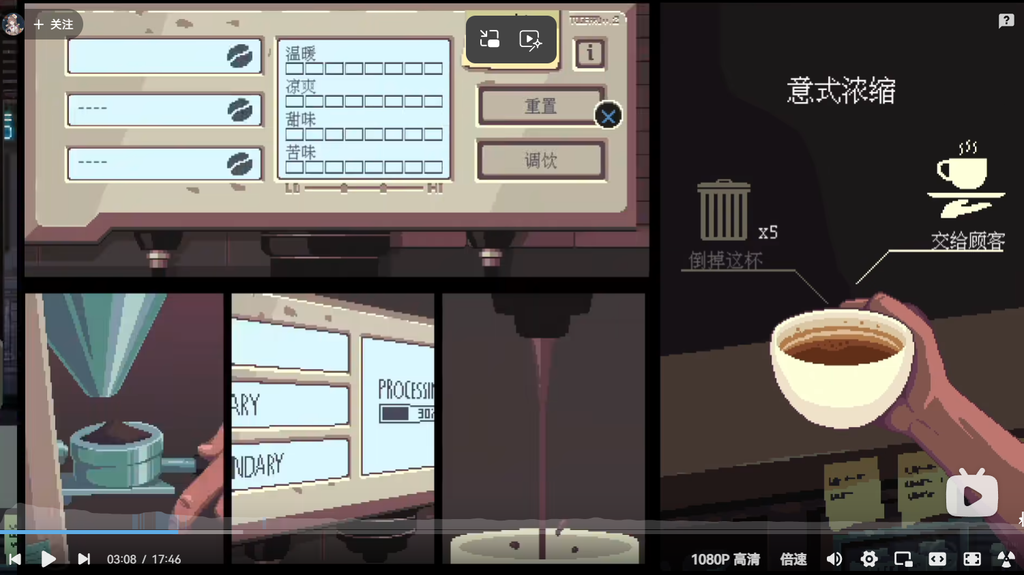
At the same time, Ren’Py really isn’t capable of handling the kind of small-scale animations I had in mind, so I came up with a different approach for the cooking system—inspired by Coffee Talk.
Reimagining the UI:
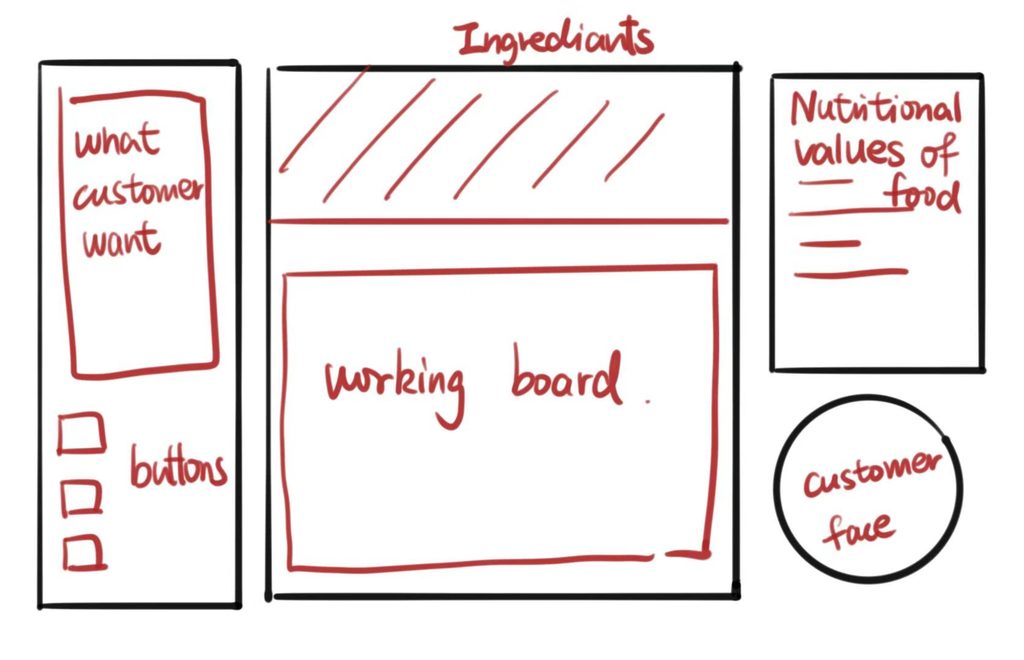
Inspired by Coffee Talk, I’ve reimagined the UI layout. I aimed for a design where the functions are clear and intuitive, and this is the version I’ve come up with.
Inspired by the “warm/cool” and “sweet/bitter” coffee attribute scales in Coffee Talk, and considering the varying taste preferences of customers, I plan to implement a similar set of value indicators on the right-hand side.
Since the drag-and-drop effect doesn’t work well, why not try click-based interactions and a structured layout instead?
So, I changed the cooking system to this.
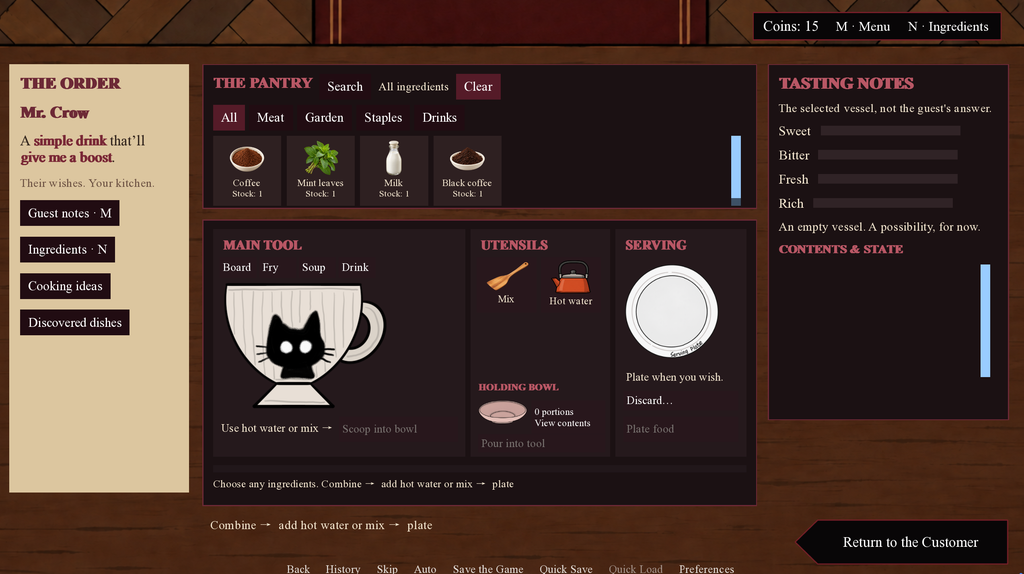
- On the left side, I’ve added a section where players can check customer requests at any time, as well as a button that allows them to purchase ingredients whenever they need to.
- Some classmates who played the game felt that the cooking mechanics were too restrictive, as they could only process one ingredient at a time. To address this, I added a “temporary bowl.” This allows players to set aside an ingredient they’ve finished preparing—for instance, removing cooked noodles from the pot so the pot can then be used to cook vegetables. Furthermore, the addition of this bowl opens up possibilities for more “experimental” (or even bizarre) culinary creations. A player might, for example, get a sudden, whimsical idea to combine a stir-fried dish with coffee grounds and hot water. They could use the temporary bowl to hold the stir-fried food, switch their tool to a cup, toss the food into it, and then add the coffee and hot water.
- At the same time, I’ve categorized the ingredients, making it easier for players to find exactly what they need.
- For the column on the right, I drew inspiration from Coffee Talk: the food items you choose carry specific attributes—such as bitter, sweet, or fresh.
Cooking Demonstration
Since it’s a bit difficult to explain the cooking process in words, please take a look at the video demonstration below!
Ren’Py Project Files
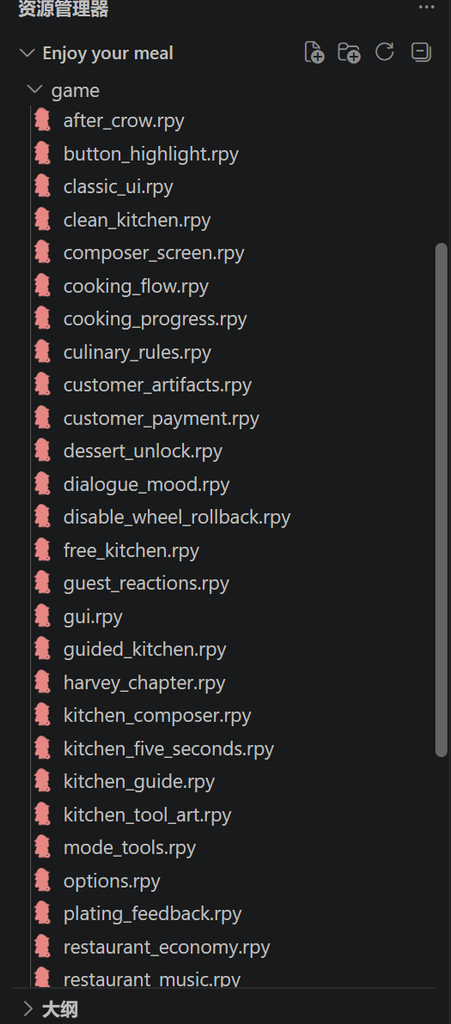
These are the Ren’Py game files for my game. I haven’t had a chance to organize them yet.
Next Steps
That’s what I have for now. As the project progresses, I’ll be adding more characters and gradually making the overall atmosphere of the restaurant increasingly mysterious and eerie. I also plan to illustrate various forms for the ingredients—showing how they might appear in their final, prepared states—and I’ll be creating the designs for the guests myself as well.
Playable Demo
I’ve changed the name once again. I want the game’s title to evoke a sense of mystery at first glance.
Enjoy Your Meal, My Friend. · Windows & macOS · 16+
AI & Translation Tools
Google Translate and Youdao Translate were used to support translation.