This sprint, my main tasks will be looking to get dialogue working for the NPC and implementing more of Hayley’s background sketches so the world feels fuller.
This is the Garntt chart at this stage (by the end of the sprint). The Hands were put off for now, but I set up the scene and Hayley is continuing with the background, she will start the characters soon. My programming is still being continued.

Week 4 & 5 (16/02/2026 – 1/03/2026)
- I added a test dialogue system. It works, but it loads on start, so I decided to make it a message from the “in-game world” like it is talking to you. I feel like this still fits the theme of the game. From there, I need to make the world “freeze” when talking to the world or you will be able to trigger dialogue from the NPC. It is really complicated for me to learn how to do this as I am learning C# from scratch. I was implementing an Inky system in week 4, but it was way too difficult and didn’t work.
- I made a code to show a UI element while hovering over an NPC. I made this base NPC a prefab so I can have the same layout for each doll character (3 in total). After the video above, I messed around with another dialogue system, which might have affected the other code. The UI on hover was bugged; it moved when edge panning, and also triggered immediately when the game started, causing the dialogues to play at once.
To solve the trigger on default, I made it false on start, which forced it to stay false until on mouse enter.
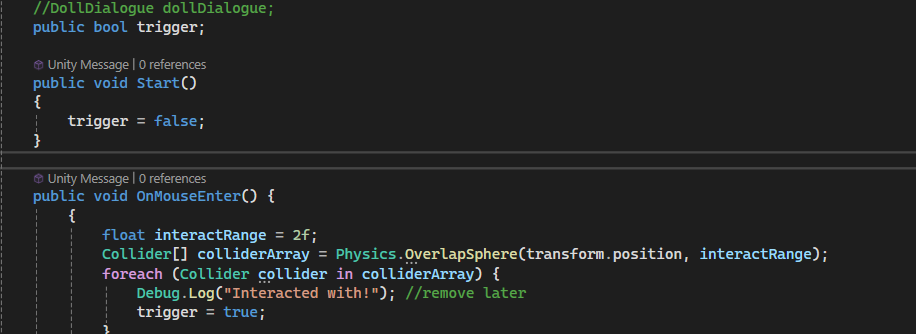
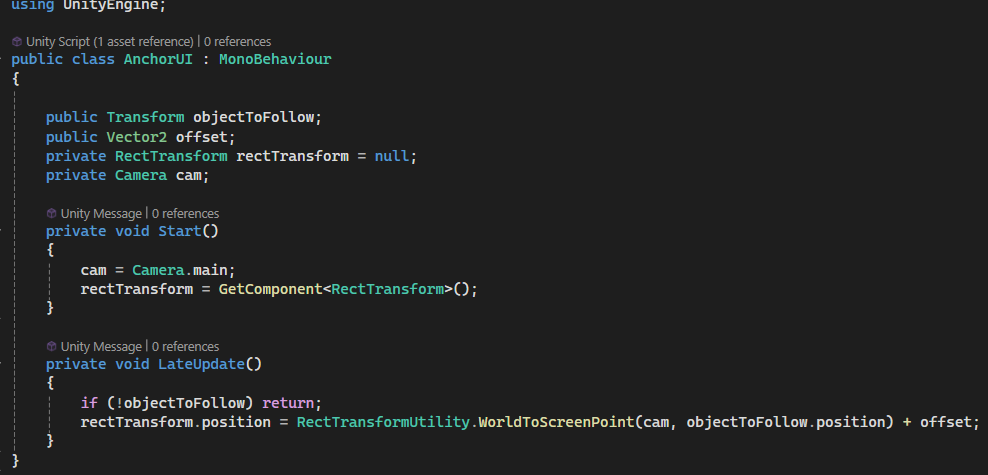
To solve the UI moving when edge panning, I used a UI anchoring code and shifted it to the correct place. Now, when I move the object in edge pan, it stays on top of the main object.

I’ve decided to make it so the NPCs are talking to you instead of the world. It would be cool to do the former, but I feel like it was overcomplicating things. But the main problem is linking E to the NPC; the game loads the dialogue on start, which means every play on start in this scene would load the dialogue, which I don’t want.
Week 6 (2/03/2026 – 8/03/2026)

- I started implementing Hayley’s drawings into the game. I used Photoshop and the transparency tool in Unity.
- New scene rehaul! Added Hayley’s drawings and rehauled
- I added a Hover E button for the Object aswell. It will be given a tool tip with lore hidden. I would like it to trigger a “Found” pop-up when clicked on. I would like at least 5 3D interactable objects to play around with.
Setting up Socials & Posts

- This week is when I also set up a linktree to eventually advertise my game. I will start fully advertising in the third sprint.
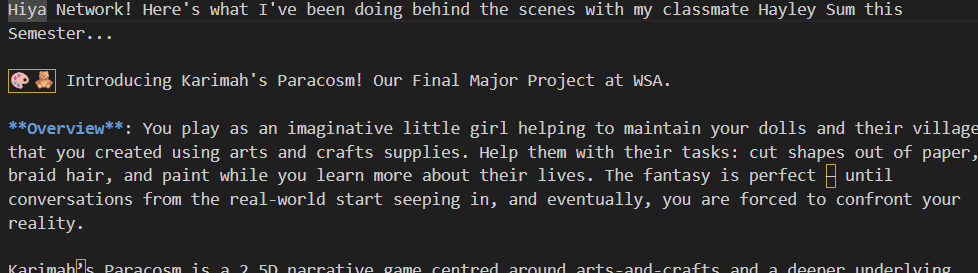
- ^ I also wrote a draft post for LinkedIn for the game. The goal is to invite people to the Discord server and to the linktree. Before I post on LinkedIn: 1) I need my website to say “Check back later!” and look decorated. 2) I need to write in my Discord channels and get everything set up. 3) I need a decent cover picture, either from the game or a mock-up. I will probably use one of Hayley’s drawings with her permission.
2nd Sprint Playtest

This playtest was with another one of my classmates, Gabi. These are her opinions of the game so far.


Conclusion of the playtest – Results Simplified
(Did I have this issue last playtest? = 🟠)
| What I noticed | What do they like? | What can I improve on? |
| – Gabi struggled with moving around; she didn’t know how it worked 🟠 – She noticed objects clipping through the ground 🟠 | – She liked dragging objects around and playing with them – She liked the dialogue of the characters | – I need to fix the dialogue so that you don’t have to hover over the object and press E to continue dialogue |
Reflection of the Sprint
(Done = ✅) | (Preparing = 🟠) | (Not done = 🔴)
● Hand as FBX into Unity, and test the hands. 🟠
● Code the hands to move in sync with the player character. 🔴
● Background and some characters imported. ✅
● Continue with the characters. 🔴
● Unity Scene Set-up. ✅
● Start making music. 🔴
● Continue programming. ✅
This sprint, I am slightly behind on schedule, as I’ve had to fix the dialogue code still, and even then, I am having issues. Nevertheless, the game and its feel have significantly improved since the last sprint, especially because of Hayley’s drawings and my dialogue rehaul. I’ve mostly achieved what I set out to do for this sprint, so I am happy.