Today, I mainly tried to optimise the implementation of the river ambience. My goal was to let the player hear a continuous, natural river sound with a clear sense of spatial positioning when walking along the riverside.
At first, the solution I thought of was placing multiple Wwise emitters along the river. Each emitter would play the same creek ambience, and the overlapping attenuation ranges would simulate a longer river sound source.
This approach looked very straightforward: when the player gets closer to a certain section of the river, the water sound from that position becomes more noticeable. For some point-based or local ambience sounds, this method is workable.
However, in practice, I do not think it fully suits the effect I wanted. A river is not made up of many independent sound points, but is instead one continuous body of water. If each emitter independently plays the same loop, there may be multiple creek loops playing on top of each other, which could sound less coherent and may also create phase issues or a sense of repetition. Still, because of the limited time, I decided to test it first.
However, while testing multiple emitters, I encountered another issue: after I added a new river sound source, the old sound source seemed to stop playing, and only the new emitter produced sound. If I directly duplicated the original emitter, then neither of the two emitters played sound.
I checked the playback limit, event scope in Wwise, and whether the SoundBank should contain the audio/container or the Event, but none of these solved the issue.
At the same time, I found a UE5 tutorial. The idea was to use a spline, allowing the sound source to move along the spline based on the player’s position. In other words, the sound itself should always be one continuous creek ambience, rather than multiple loops playing at the same time; however, the position of the sound needs to change according to the part of the river closest to the player.
The logic of this approach is:
Get the player’s position → Find the closest point on the river path to the player → Move the single Wwise sound source to that point → Keep the creek loop playing continuously.
As a result, there is actually only one river sound source playing in the scene, so there will not be an issue with multiple loops stacking on top of each other. At the same time, because the position of this sound source moves to the section of the river closest to the player, it still keeps 3D positioning, allowing the player to tell which direction the river sound is coming from.
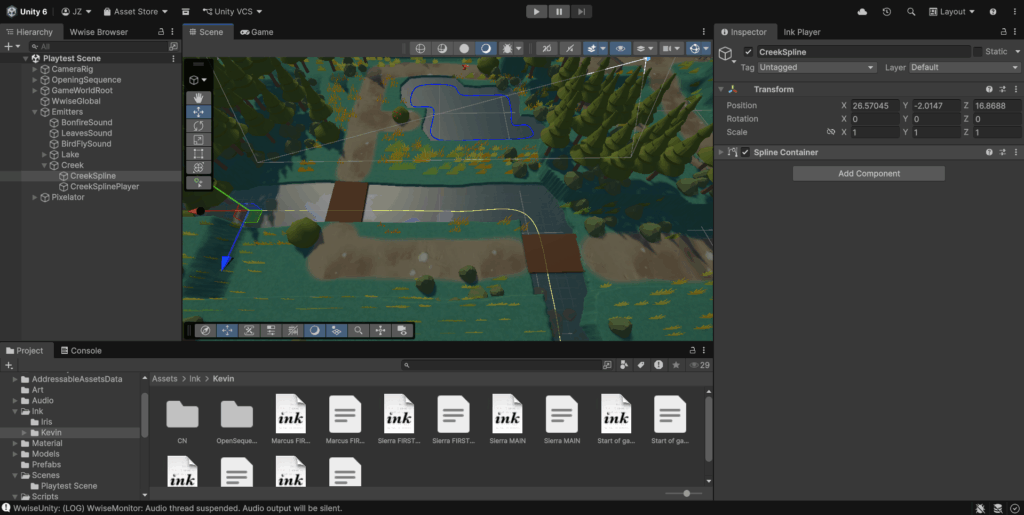
At first, I considered manually placing a series of empty objects along the river as positioning points, which would basically be a simplified handmade version of a spline. Later, when I checked the project, I found that Unity Splines had already been installed as a dependency, so I could directly use a spline to describe the path of the river. By the way, this can also be done in Unity using Cinemachine if you don’t have spline.
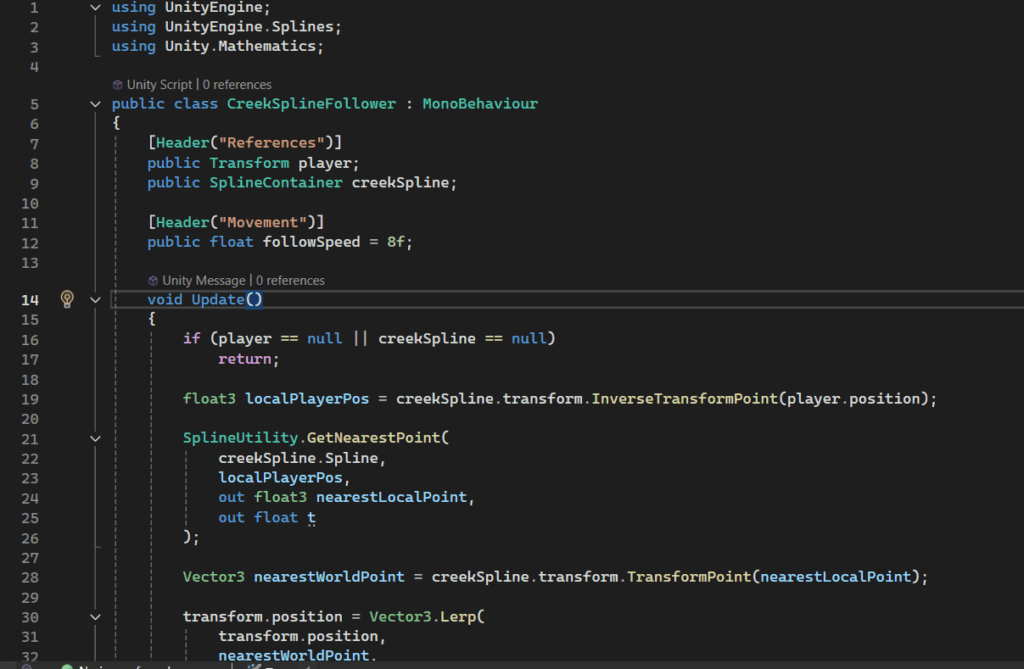
In the end, I created a spline following the shape of the river and wrote a small script that allows the sound source object to automatically find the closest point on the spline to the player, then smoothly move to that point. During testing, I first used a visible small sphere to check whether the movement logic was working correctly. After confirming that it could move along the river with the player, I hid the sphere’s Mesh Renderer, and added Wwise’s AkGameObj and AkAmbient components to the same object to play the river ambience.
This solution fits the effect I wanted better than using multiple emitters. It keeps the river sound continuous, avoids multiple loops stacking on top of each other, and still preserves spatial positioning. When the player moves along the riverside, the sound always comes from the closest section of the river, rather than from one fixed point or several overlapping points.
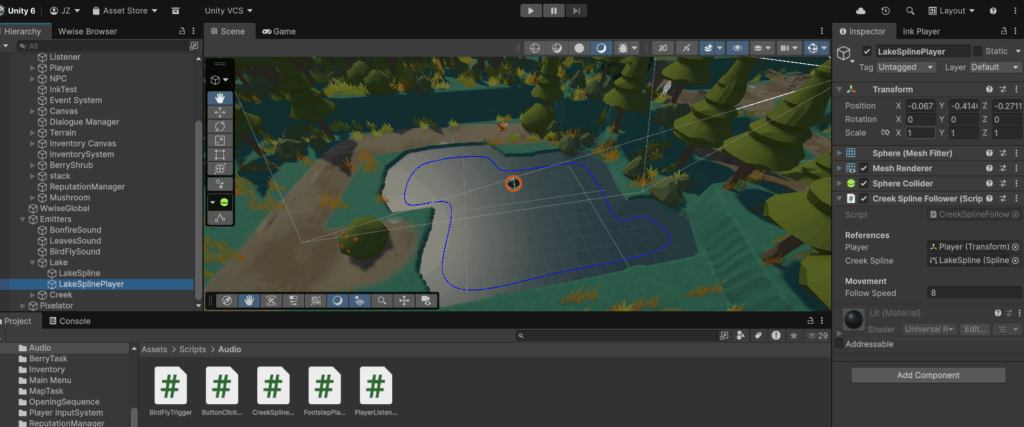
This implementation also gave me an idea for handling lake ambience later. Since the player cannot enter the lake, the lake sound can use a similar method: create a closed spline around the lakeshore, and let the lake sound source always move to the closest point on the shore to the player. In this way, a very lightweight lake water loop can be used to simulate the sound of water along the lakeshore, without needing to place a large number of independent emitters around the lake.
This implementation made me realise that large-scale environmental sounds are not always best solved by using multiple point sound sources. For continuous spatial sounds such as rivers and lakeshores, using a spline to control one moving sound source may be more stable and natural than duplicating multiple emitters, while also making it easier to keep the sound consistent.
This shows the visualised behaviour of the spline during runtime. The small sphere represents the position of the sound source, and it can be seen that it always stays at the point on the spline closest to the player. At this stage, the sound source itself had not yet been changed and was still using the original point-source setup, which made the unnatural result very obvious: even though the player was right next to the river, the sound became quieter as soon as they moved slightly farther away from the emitter.
This is the version after the final implementation. It already sounds much closer to how we would experience it in the real world.
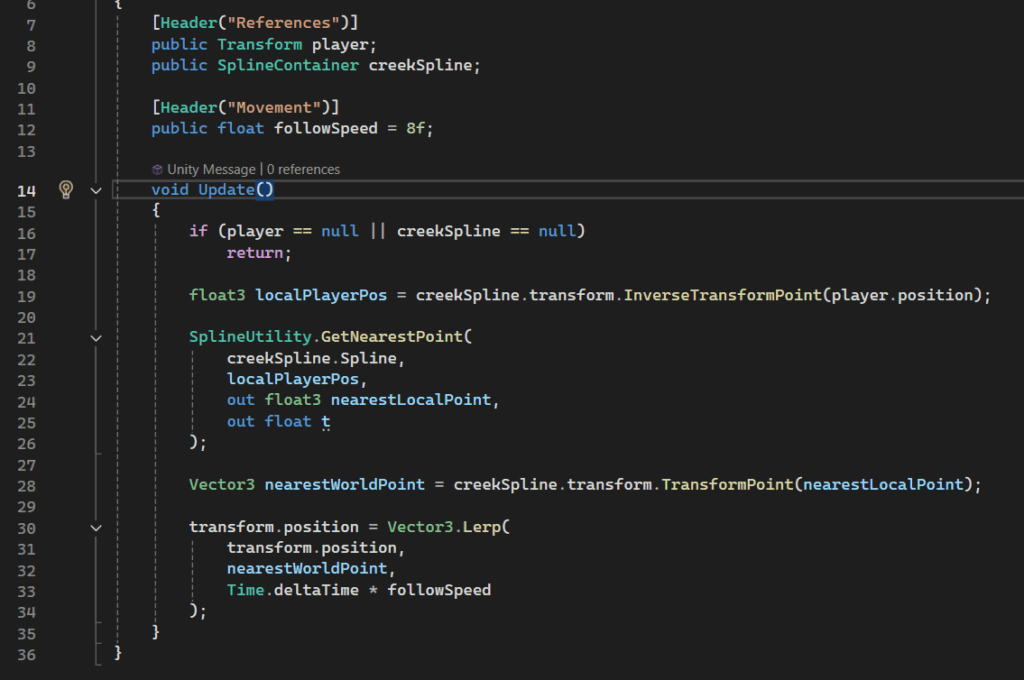
The script of the spline follower
Resource: https://www.bilibili.com/video/BV1BY4y187fB?vd_source=6eceda1d822e2782775f554058837621
Leave a Reply