Dragging and Dropping
After my successful experiments with adding basic rhythm elements to the game, I now wanted to implement a system of dragging the different “blocks” in to make the beat on a sequencer-esque grid as per the idea I had in the previous blog. I used the following video as a guide on how to implement this:
Checking for player clicking and dragging is very simple in Godot as the Area2D node can give off signals whenever the mouse enters or exits it. However, a global variable for whether the player is dragging something must also be set so as to make sure they can’t grab anything else, and that they are allowed to drop items in Droppable areas.

The code above also sets an “offset” based on where the player clicked the DraggableObject, so it doesn’t immediately snap to their cursor.

The code here is responsible for moving the object when it is dragged.
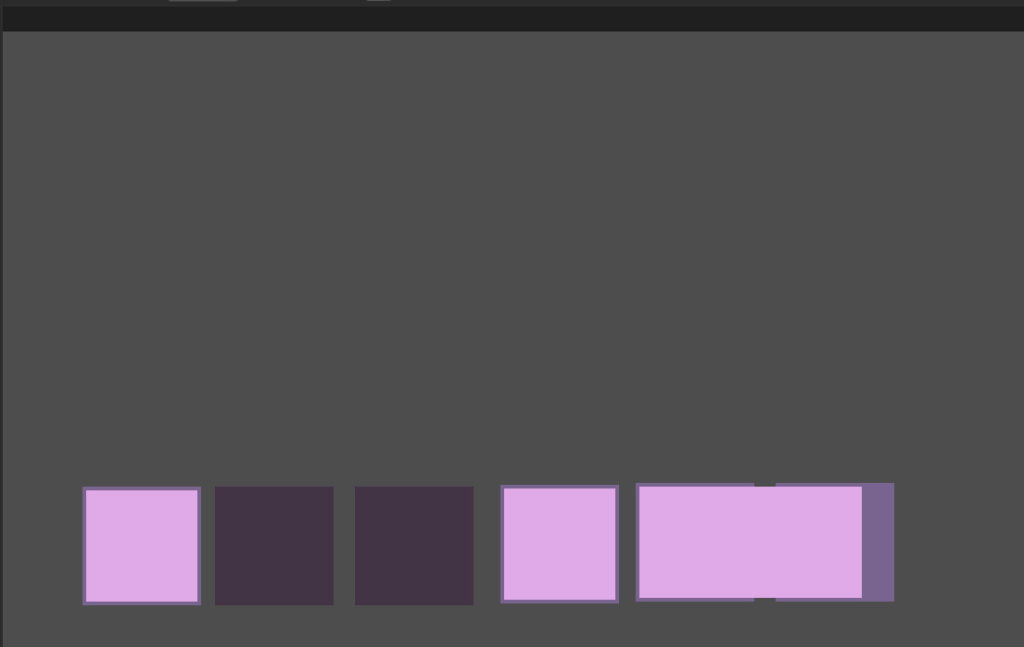
After this I made three DraggableObject objects, with one resized, and six Droppable objects in the main Game scene/object:

This worked fine as a proof of concept for how the blocks would fit together for those unfamiliar with a drum machine or sequencer:
Leave a Reply