
This week we had a guest lecturer on audio, Dave Milln, a composer and music designer for games. Sound is not something that I have much of an interest in but this lecture was very informative and got me thinking more about audio.
Functions of Game Audio
Anchoring – creating a connection for to the player to the game world.
Informing – Can be used to give information to players, especially useful for players that are blind or partially blind. Feedback and reward.
Branding/Identity – Sound that can transcend just the game and become easily recognisable even for people that have not played the game, such as Mario’s jump or Sonic collecting rings.
Categories of Game Audio
Sound
- Ambience
- SFX
- UI
- Silence
Music
- Diegetic/non-diegetic
- Licensed music
- Music made especially for the game
Speech
- Voiceover
- Dialogue
- In some games group chat
After the lecture Dave came around and spoke to all of us about our projects, I got some very useful guidance on how to make a soundboard for my game that can be referenced.
Coding Practise
In the tech workshop we looked at the very basic of coding. This was very helpful as even though I use it a lot of the definitions and terms I was unfamiliar with.
Variable – Like a box to hold information, you must define the information first
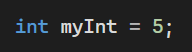
The first part tells it is an integer, the second part is the name the last part assigns the value.
Float – If you wanted a decimal number you would use float. You always use an f at the end.
String – a series of characters, you must use “” to tell the program it is a string and not an undefined variable.
Bool – Can be one of two things, true or false
Conventions and Syntax – A set of rules for how you need to lay things out.
On Thursday we had a workshop on controllers and how these can be used to further the theme of your game. As I am making a point-and-click game my options are mostly limited to a mouse and keyboard, or even just a mouse.
For the activity we were randomly assigned a genre of game then worked in small groups to create the UI for this fictional game. I worked in a pair to make the UI of a farming game.
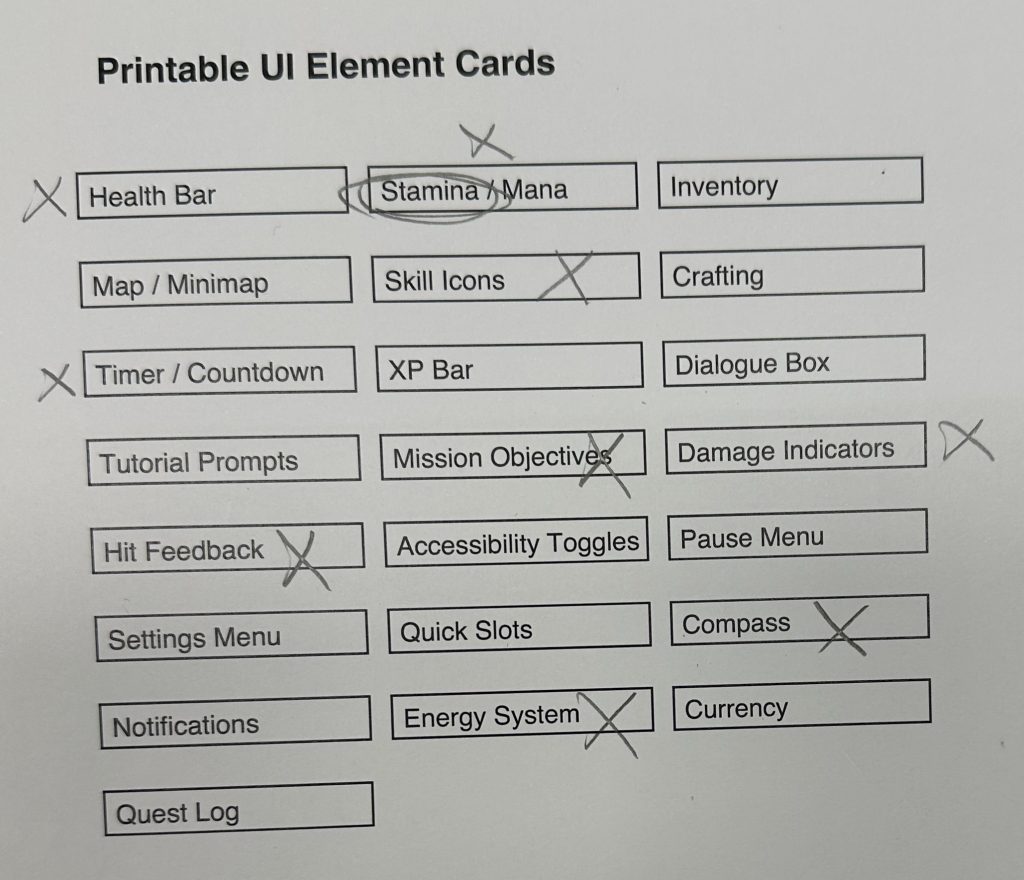
These are the UI elements we were choosing from. We wanted it to be a cozy game so any elements that were connected to fighting we excluded.
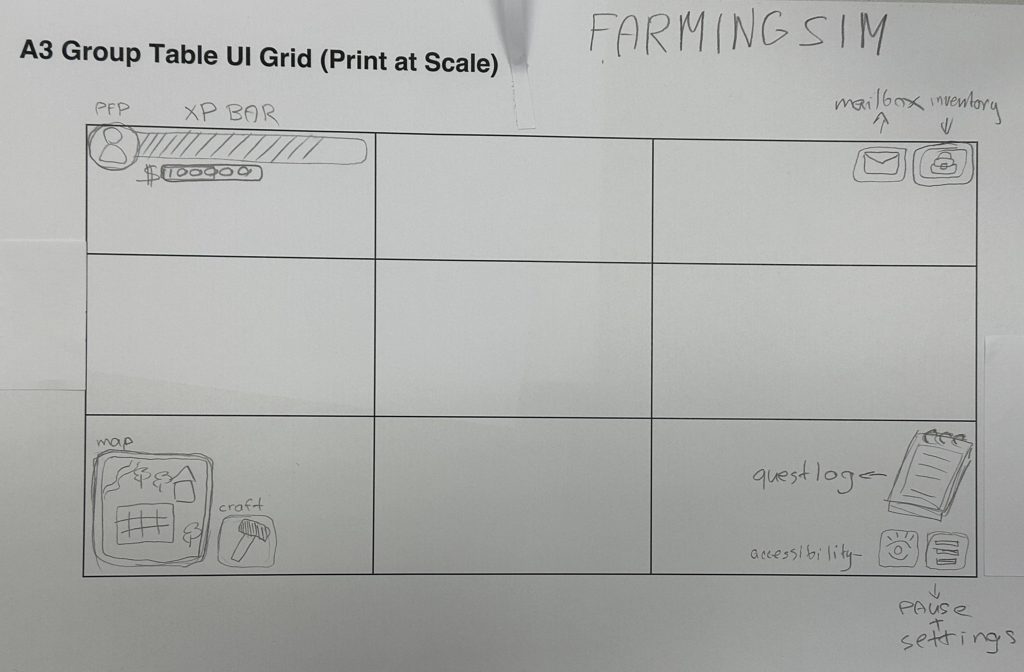
We were given a 3 x 3 grid to put the elements into. We did not want the screen to feel cluttered and overwhelming so a lot of things are pop up. Which we made with bits of folded paper.
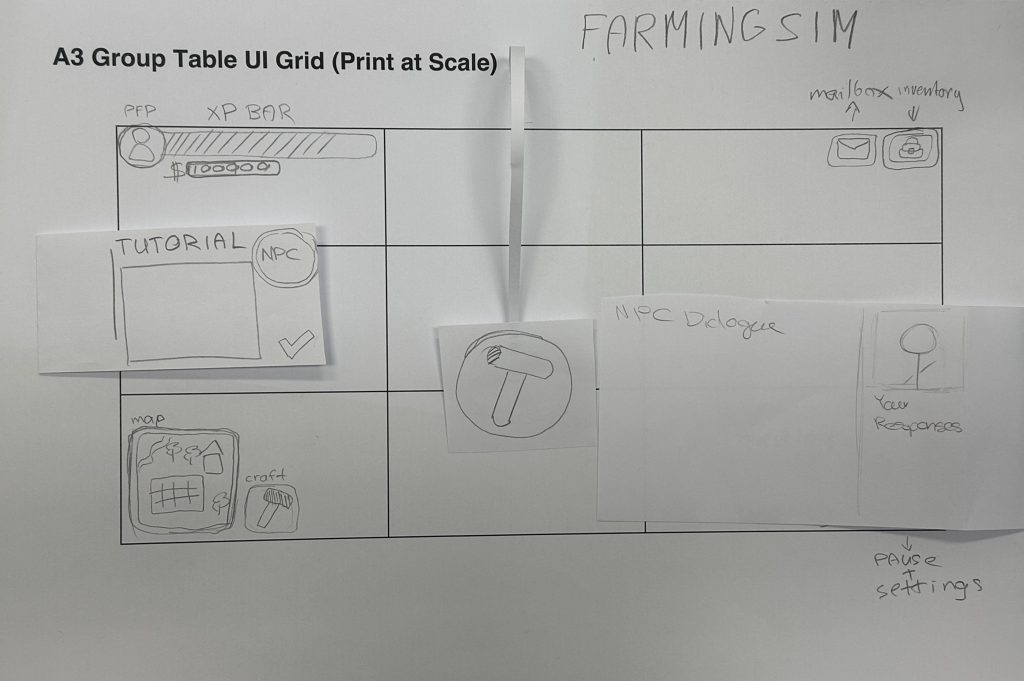
This is the UI with all pop up elements open, there is still lots of white space. The hammer at the top is a pop up interact button that would follow the player around and show up wherever they want on screen.
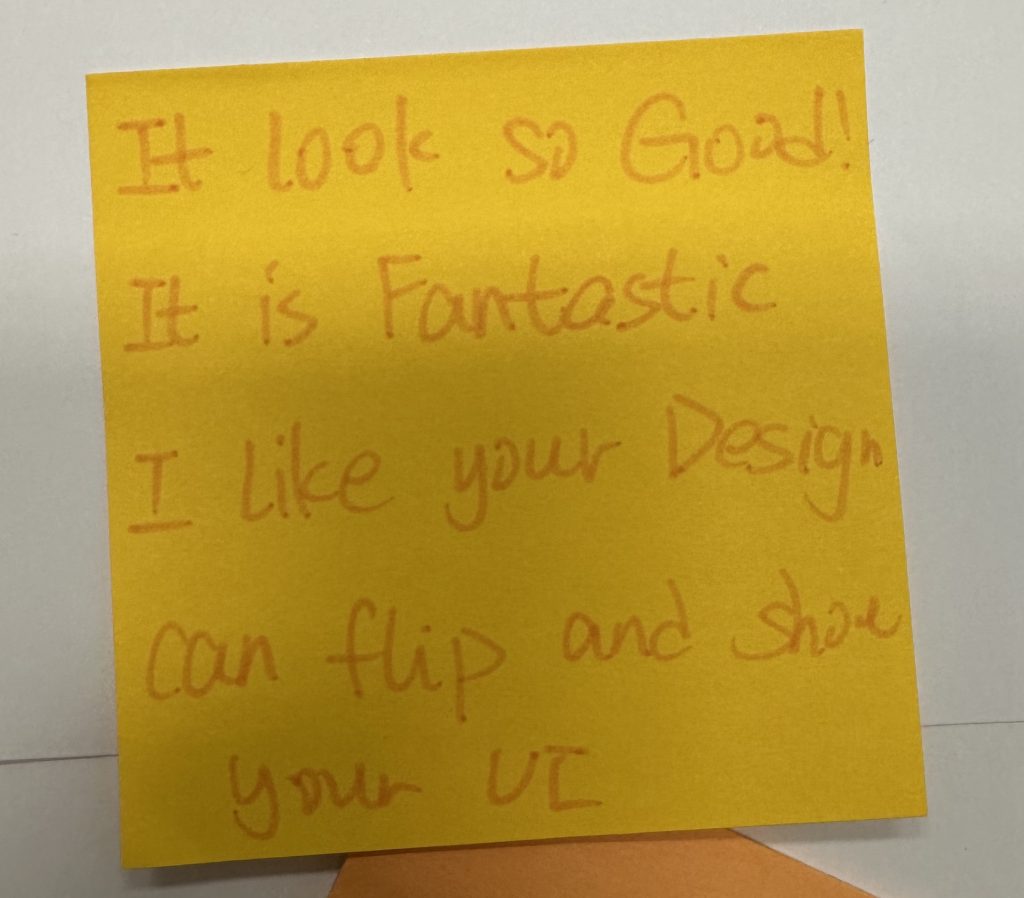
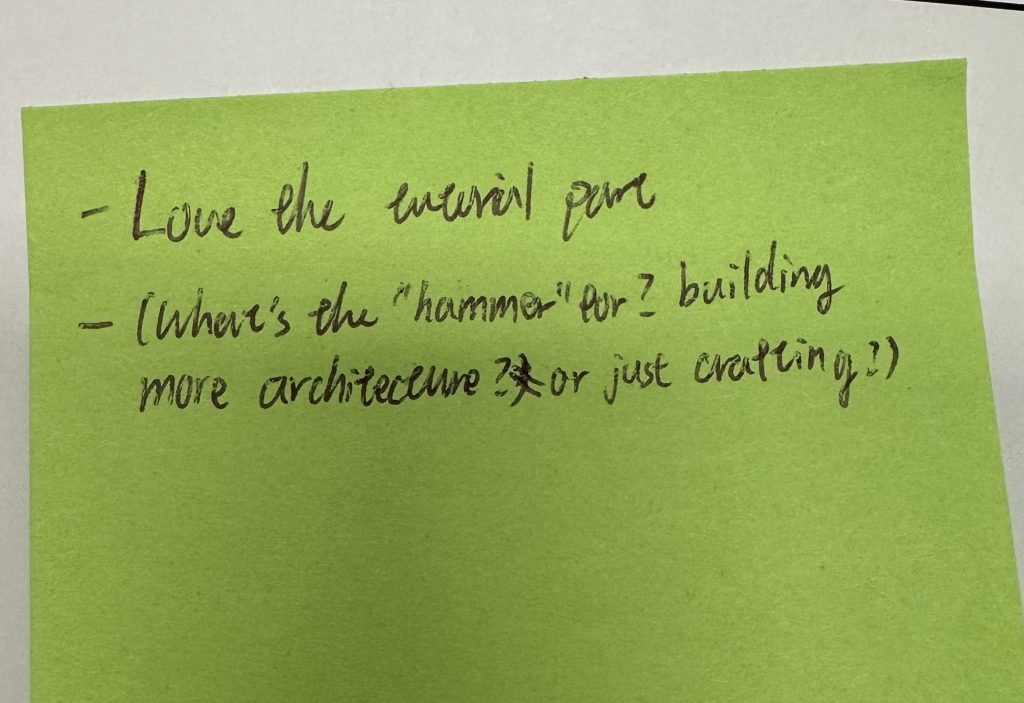
We swapped sheets and gave feedbackl to another group. This is their feedback to us. The pop up elements were liked. There was some confusion over what the symbol on the interact button was, perhaps a hammer was not broad enough of a symbol.
Next Steps –
My next steps are to make a soundboard and decide what kind of soundscape I want my game to have.
Leave a Reply