Reference Research:
From Team Design Ideas to Playable Systems
During the research phase, I used the GDC Festival of Gaming video search page shared by Marie as a general starting point for understanding how gameplay features, player interaction, and feedback can be discussed in game development. However, I did not treat this as evidence that I personally designed the core mechanics of the project. The main gameplay direction and mechanics came from team discussion.
My role was to translate those team design ideas into playable systems inside Unreal Engine 5. Because of this, I focused my research on how players understand interaction, how feedback is presented, how UI supports progression, and how technical systems can make a design idea playable and testable.
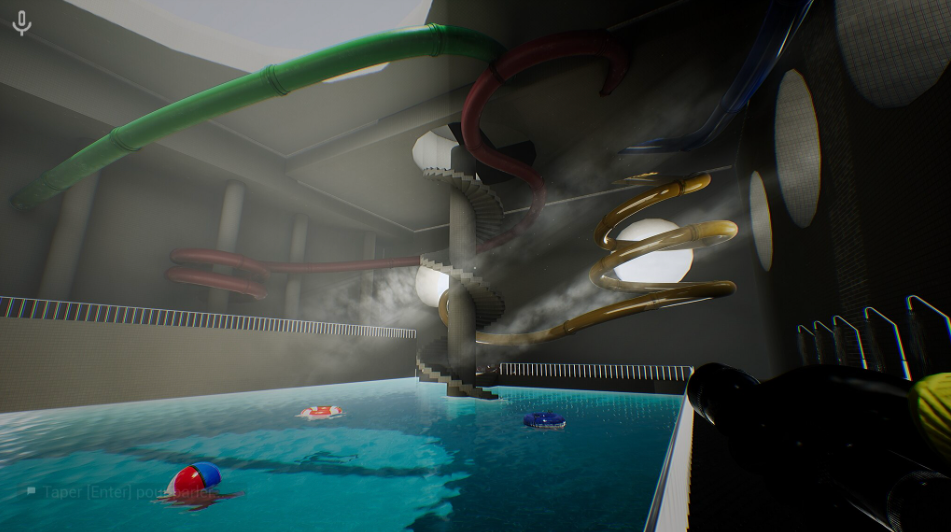
My first focus was on first-person movement mechanics. In backroom games, movement often seems simple, but this “simplicity” is important because it makes players feel more exposed and vulnerable in space. I observed character walking speed, camera control, and a design that minimizes exaggerated animation effects, all of which contribute to a more cautious exploration experience. This type of movement doesn’t make players feel powerful; instead, it reinforces feelings of isolation and insecurity. I paid particular attention to how the player’s perspective is closely tied to the environment, naturally drawing their attention to corridors, corners, walls, and subtle environmental cues. This led me to consider that in our own projects; movement mechanics shouldn’t be geared towards fast-paced action but rather serve spatial awareness and atmosphere building.
The second key focus was on item interaction logic. I specifically studied how players discover items, confirm their intractability, and complete the pickup or use process with simple input. In many backroom-style first-person games, the interaction logic is usually very straightforward: the player approaches an object, aims their view at it, sees a prompt, and presses a button to interact. My focus was on how this design could keep the interaction flow clear: the player first notices an object, determines whether it’s interactive, performs an action, and then receives immediate feedback. This research was crucial for my project because I wanted my item interaction mechanism to remain clear and consistent within a horror atmosphere, without disrupting immersion due to confusing actions.
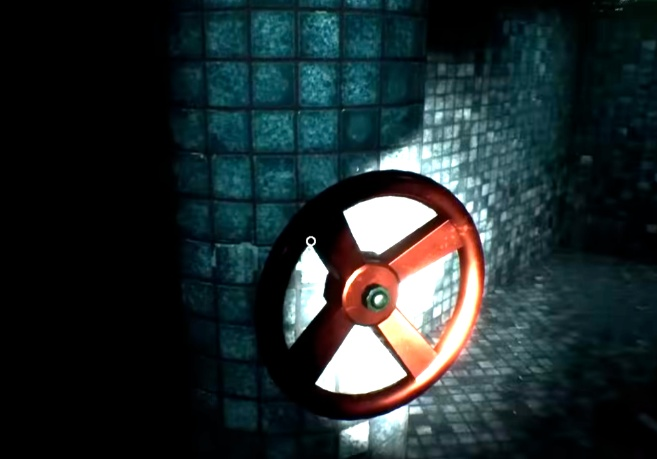
The third key point is the interactive UI and feedback design. Room-based games typically avoid overly complex HUDs because a large, prominent interface diminishes the sense of immersion. Therefore, small interactive cues are crucial in these games. I observed common design elements in these games, such as a crosshair in the center of the screen, brief text prompts when approaching objects, interactive prompts like “Press E,” small labels for item names, and brief notifications that appear only under specific conditions. I also noticed that some games avoid large, persistent UI elements, relying instead on the center of the screen, highlighted objects, or simple pop-up text to indicate when interaction is possible. This made me realize that in this genre, UI isn’t just about functionality; it’s also part of the atmosphere design: overly prominent UI elements disrupt immersion.
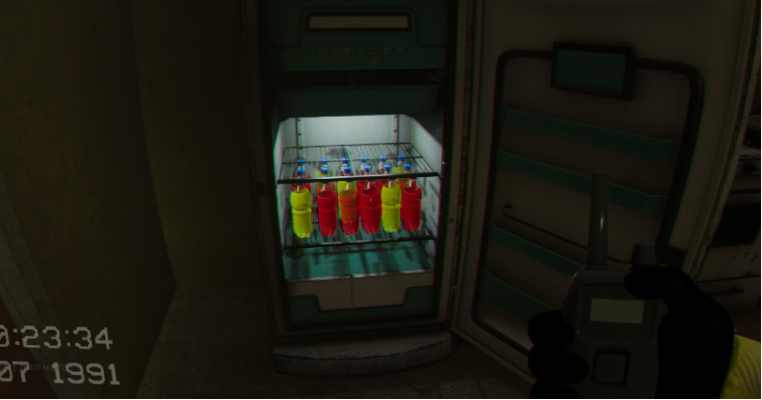
I also researched inventory-related feedback. In some first-person horror games, players don’t see a complex inventory system after picking up items; instead, they confirm they own an item through small icons, brief prompts, or simple, continuous displays. My focus was on how games can clearly let players know what they’ve acquired and what they currently possess without taking up too much screen space. Through my research, I found that inventory feedback needs to strike a balance between clarity and immersion: players must know their current inventory status, but the interface shouldn’t be too over-the-top.
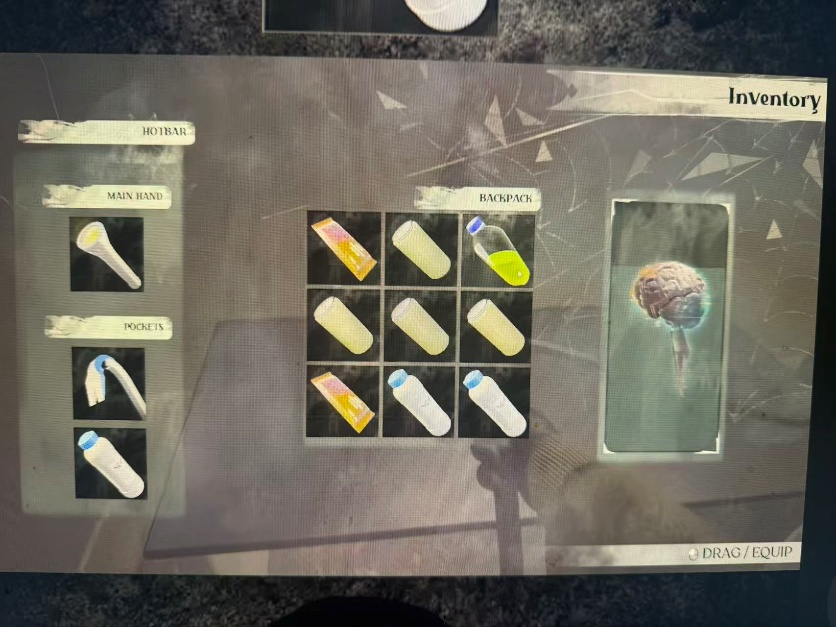
In addition, I also researched special perspectives/special observation mechanisms. These involve players using certain tools or switching to a different way of observing to discover things in the environment that were previously invisible. What interests me is that this mechanism changes the way players “see space”: players no longer simply walk forward, but need to actively scan, compare, and search for hidden information. This design makes the exploration process more proactive and makes the environment itself part of the puzzle.
Overall, this research helped me gain a deeper understanding of how backroom-style first-person games combine simple movement mechanics, minimalist UI, clear item pickup logic, and immersive environments. Subsequently, I translated these observations into practical design choices for my own projects, particularly in areas such as player movement, item pickup, interactive prompts, and visual feedback in the inventory. This process allowed me to truly transform reference analysis into design implementation and gave me a clearer understanding that first-person interaction systems are both a technical and an experience design issue.
| Research Area | What I Observed | How I Applied It |
| First-person movement | Movement should support tension and spatial awareness | Movement should support tension and spatial awareness. |
| Item interaction | Players need clear prompts and immediate feedback | I used overlap detection, pickup prompts, and item state updates. |
| Minimal UI | Heavy HUD can reduce immersion | I used simple UI prompts only at key moments. |
| Inventory feedback | Players need to know what they have collected | I created inventory UI and slot switching logic. |
| Visual item guidance | Important objects need to stand out | I added glowing and rotating feedback to key items. |
| Progression gate | I connected item collection with door unlock logic. | I connected item collection with door unlock logic. |
| Special observation | Hidden information can support investigation | Hidden information can support investigation |
| Puzzle interaction | Puzzle UI needs clear input switching | I created puzzle trigger, UI mode, mouse cursor, and exit logic. |
Applied Research:
Translating References into UE5 Systems
In Daydream, my research was focused on my role as a Technical Designer / Gameplay Interaction Designer. My goal was not to research visual art production, but to understand how the team’s level design ideas could be translated into a playable vertical slice.
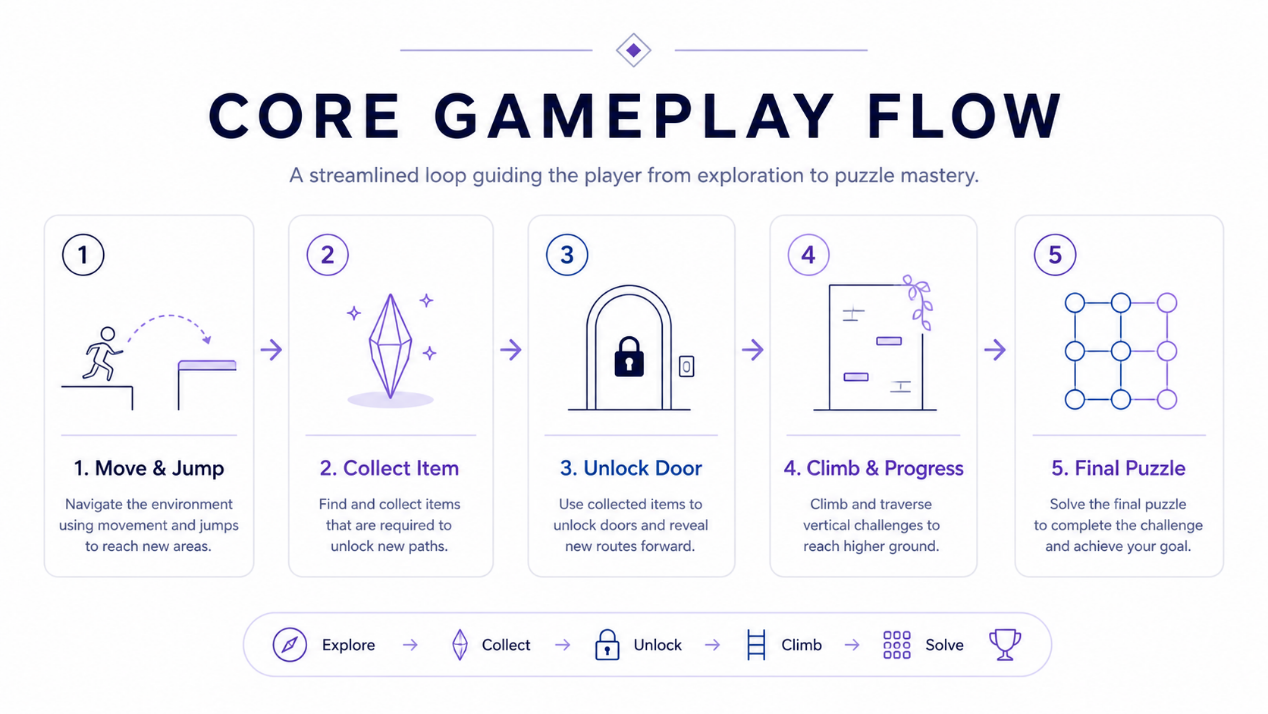
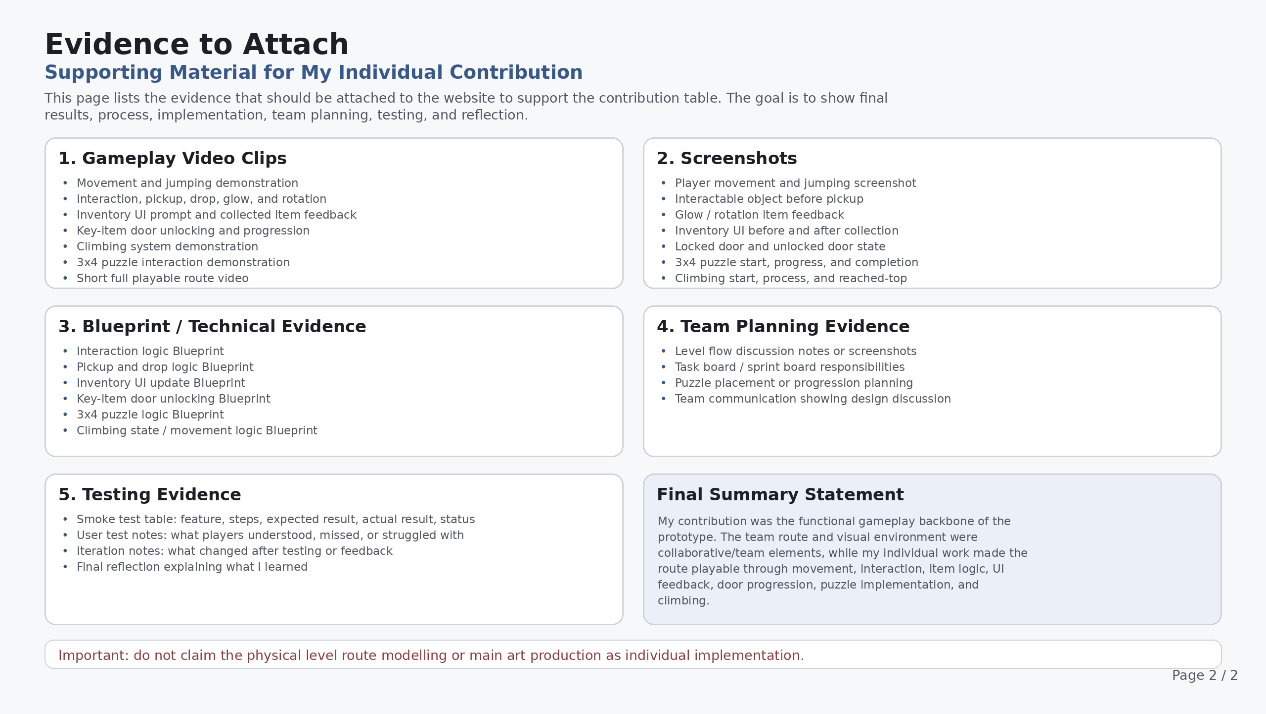
My research focused on UE5 Blueprint interaction systems, item pickup and inventory logic, UI feedback, player guidance, movement and jumping in a platforming route, door-unlocking progression, puzzle interaction, and climbing mechanics.
Technical Designer Role Research
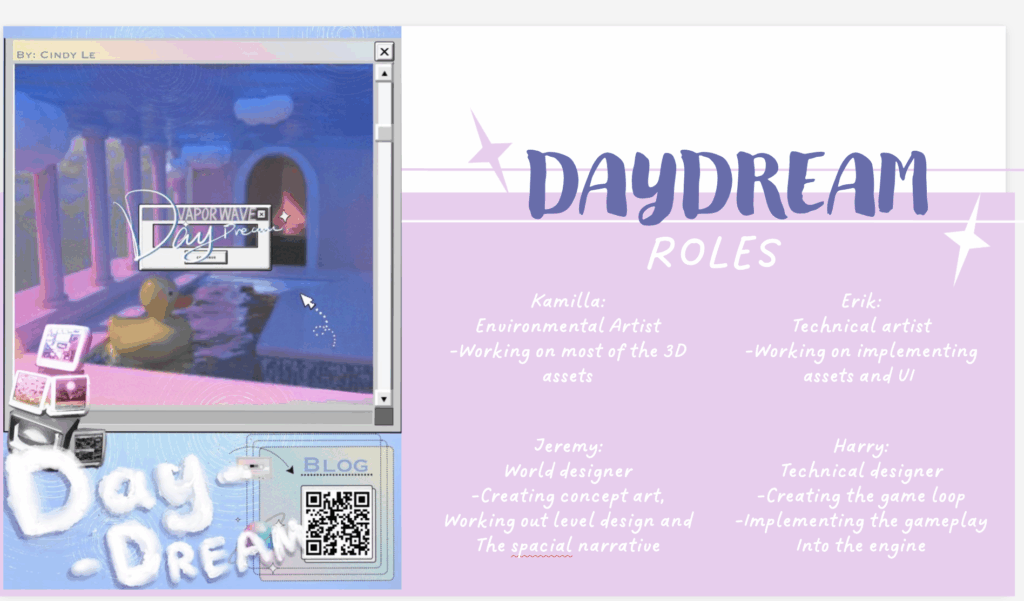
At the beginning of the project, I first defined my role within the team. Since my main responsibility was implementing gameplay functionality in UE5, I positioned myself as a Technical Designer / Gameplay Interaction Designer.
This role is not only about writing logic or building isolated mechanics. It is about turning design ideas into systems that players can control, test, and understand. Because of this, my research focused on how the player moves, how interactable objects are recognized, how item pickup gives feedback, how collected items connect to door progression, and how puzzle and climbing mechanics fit into the overall playable route.
This helped me clarify that my contribution was not focused on final visual production, but on implementing the gameplay systems that supported the playable experience.
UE5 Interaction System Research
To create interaction between the player and scene objects, I researched common UE5 interaction methods such as collision overlap, input events, widget visibility, and actor references. This was influenced by my reference research into first-person horror interaction, where players usually approach an object, receive a small prompt, and press a simple input to interact. I wanted my interaction system to follow the same clear and direct structure.
My goal was to make the system detect when the player entered the interaction range of an object and display a UI prompt. This helped the player understand which objects were interactable and which objects were only part of the environment.
This research was applied to my interactable item pickup system. When the player overlaps with an item, the pickup prompt becomes visible. When the player leaves the area, the prompt is hidden. When the player presses the interaction key, the item is picked up, and the inventory logic is updated.
The purpose of this system was not only to make an item “pickable”, but to help the player understand that the object is important, interactable, and possibly connected to later progression.
Pickup, Drop and Inventory Research
Because the core gameplay flow included “collect item → unlock door → enter the next stage”, I researched how a basic inventory system could support this progression. My focus was to allow the player to pick up items, see what they were holding, and drop or replace items when needed. This was influenced by my research into item interaction and inventory feedback in first-person horror games. Many of these games use simple pickup actions and clear item confirmation to make sure the player understands what they have collected without breaking immersion.
I researched and tested how picked-up items should appear in the UI, how the selected inventory slot should be changed, how an item should be replaced if a slot was already occupied, how dropped items should respawn into the world, and how UI icons should update when the inventory state changes.
This research was applied to my inventory slot switching, item pickup, item drop, and UI update logic.
This system was important because it connected objects in the level with the player’s progression. The player does not only see an object; they can collect it, hold it, and use it to trigger later door unlocking or level progression.
Player Guidance and UI Feedback Research
In a platforming and puzzle-based level, players can easily become stuck if they do not understand their objective. Because of this, I researched how simple visual feedback and UI prompts could guide the player without relying on large amounts of tutorial text. This was influenced by my reference research into minimalist UI design. I observed that first-person horror games often avoid heavy HUD elements and instead use small prompts, highlighted objects, or short text feedback to guide the player.
My research focused on how glow effects could draw attention to important items, how rotation could separate collectible objects from background props, when pickup prompts should appear or disappear, how the inventory UI could confirm that the player had collected a key item, and whether the player could understand the difference between a locked and unlocked progression state.
This research was applied to glowing and rotating item feedback, pickup prompt UI, inventory UI prompts, and door-unlocking logic.
My design goal was to help players understand their next action through visual feedback, rather than depending only on written instructions.
Movement and Jumping Research
Because Daydream includes a platforming route, the feel of player movement and jumping became the foundation of the vertical slice. If movement and jumping were unstable, later systems such as pickup, door unlocking, climbing, and puzzle interaction would also be affected. This was influenced by my reference research into first-person movement in horror and exploration games. Movement should not only let the player travel through space, but also support spatial awareness, tension, and route progression.
I researched and tested basic movement input, jump input, the transition between normal movement and climbing states, whether the player could move through height changes in the route, and whether the controls could support the platforming challenges in the level.
This research was applied to my player movement Blueprint and jump input Blueprint. I also considered climbing states within the jump logic to avoid conflicts between standard jumping and special traversal mechanics.
This helped me understand that the movement system is not an isolated feature. It is the foundation for all later interaction and level progression.
Reference Research: Player Interaction and Feedback
To make the level route more varied than only walking and jumping, I researched and implemented a climbing system. The purpose of the climbing mechanic was to add route variation and give the player a different type of traversal experience within the vertical slice.
My research focused on how to detect whether there was a climbable wall in front of the player, how to use tags to identify climbable surfaces, how gravity and movement direction should change during climbing, how the player should return to normal movement, and how the climbing system could support the level route instead of feeling like an unrelated mechanic.
I applied this research to the Climbing / Wall Traversal Blueprint. This system allowed the player to move along specific walls and added more vertical movement and route variation to the platforming section.
Puzzle Interaction Research
The final stage of the project included a grid-based puzzle, so I researched how to connect the puzzle as a separate UI interaction sequence within the main gameplay flow. This was influenced by my research into puzzle interaction and player clarity. A puzzle should have a clear entry point, understandable interaction rules, and clear feedback when the player completes or exits it.
I considered how the player should trigger the puzzle interface, whether the input mode should change after entering the puzzle, when the mouse cursor should appear, how the puzzle UI should be separated from normal gameplay mode, and how the player should regain normal control after leaving the puzzle.
This research was applied to my puzzle interaction Blueprint. When the player enters the puzzle area, the puzzle UI is displayed and the input mode switches to UI interaction. When the puzzle interaction ends, the widget is removed and normal gameplay input is restored.
The design purpose of this system was to make the final puzzle part of the level progression, rather than a separate screen disconnected from the main route.
Playtesting and Technical Testing Research
In addition to implementing features, I also needed to consider whether players could understand and use these systems. Because of this, I researched basic testing methods, including smoke testing, user testing, bug reporting, and iteration.
During testing, I focused on whether players could notice interactable items, whether the UI clearly confirmed item pickup, whether players understood the relationship between collected items and door unlocking, whether the platforming route was clear, whether the climbing mechanic was understandable, and whether the puzzle interface could be opened and exited smoothly.
This research helped me connect technical implementation with player experience. For me, a system should not only function technically; it should also help the player understand why it exists, how to use it, and how it supports progression through the level.
Research Summary
Through this research, I developed a clearer understanding of my technical design direction within the project. My research was not only about completing individual Blueprints, but about helping Daydream form a complete playable flow:
Player movement and jumping → noticing interactable objects → collecting items → receiving UI feedback → unlocking doors → progressing through climbing or route variation → entering the final puzzle sequence.
This research helped me connect gameplay systems, UI feedback, player guidance, and level progression together. My final goal was to help the player understand their actions clearly and complete a coherent playable sequence through these systems.