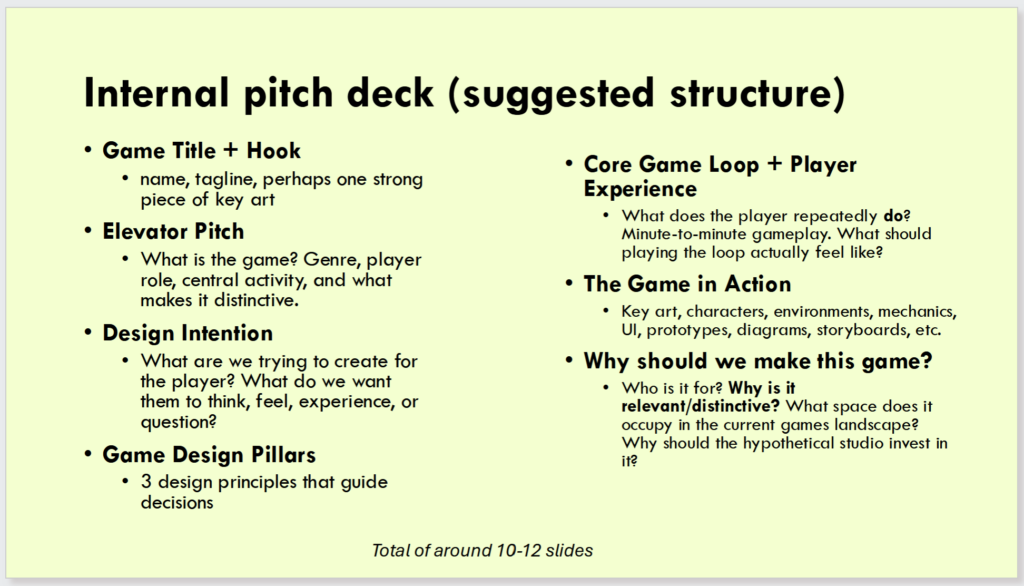
Overall, I am very happy with how my pitch went, and think it was very well interpreted. Both peers and lecturers, some of which have never seen or heard of my game before, seemed to like and understand my game, and most of all, found it funny.
This was thanks to the video I put into slide 8 (made in CapCut), as shown below.
Video in slide 8
If there’s any interest in playing the prototype, the link for it’s itch page is shown below.
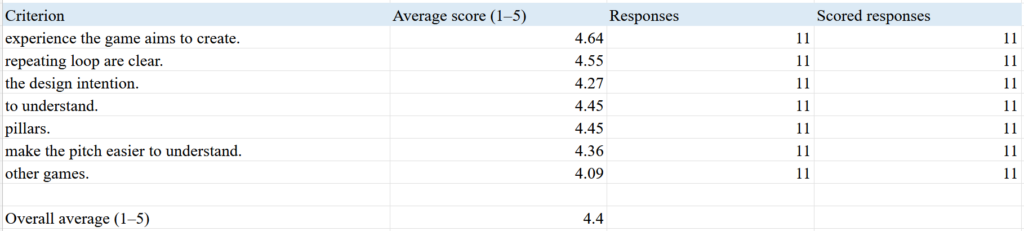
Only one person out of the eleven voted ‘Disagree’ and ‘Neither agree nor disagree’ for some of my sections, but the other 10 all voted ‘Agree’ and ‘Strongly agree’ to understanding my sections, and so I think I did well.
The person who voted ‘Disagree’ also disagreed with my peers pitch decks, and so I think I am safe to disregard their score. This means overall I’m incredibly happy with the results of my pitch deck, and hope that maybe it was memorable enough for people to want to work on making it a game in the future.
This week our class did an exercise in understanding our target audience, and then researching similar games to our own, and seeing how well they were received.
Who is your player?
PC players, maybe mobile as well. Younger audience, preteen. People who don’t have a lot of money (game will be free).
How do they play?
Session length can be relatively short; level-based so maybe game you play between other bigger games downloading, or playing in a little break on your phone.
What motivates them?
People who like scores/getting bigger numbers than other people for bragging rights.
What other games do they play and why?
Other rhythm games, such as Rhythm Heaven and Friday Night Funkin’. People who find it satisfying to press buttons to a beat.
Why would they choose your game?
My game is slightly different, the main game loop consists of not only clicking buttons in time to a beat, but also reaching a goal via movement. I think people may find that interesting, makes it a Rhythm/Puzzle.
What might stop them from playing?
Getting frustrated that they keep losing by bumping into objects or getting caught by spotlights. They may also find it unsatisfying missing beats on purpose to avoid obstacles.
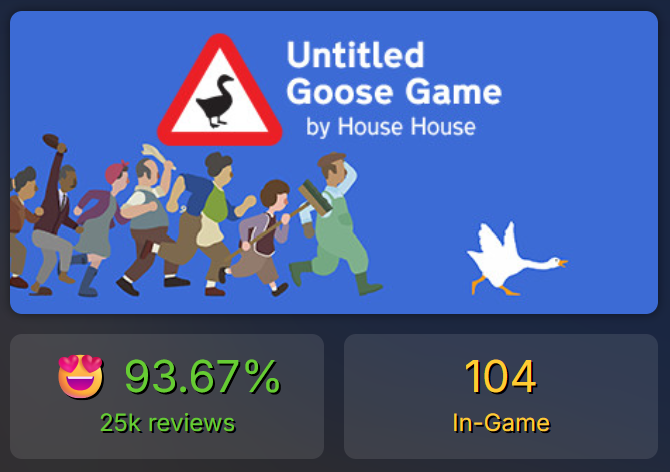
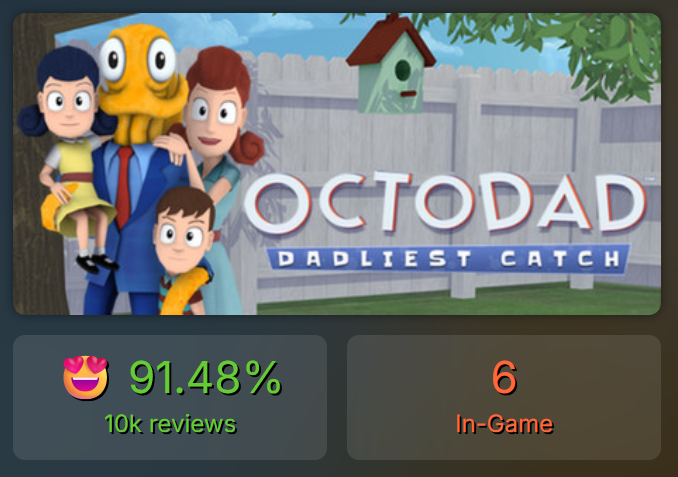
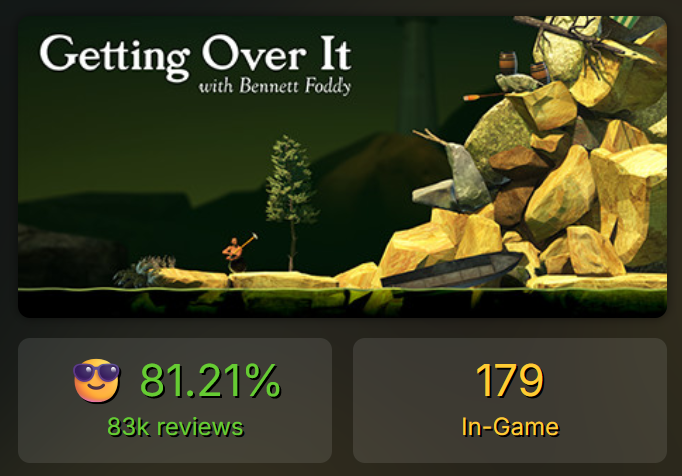
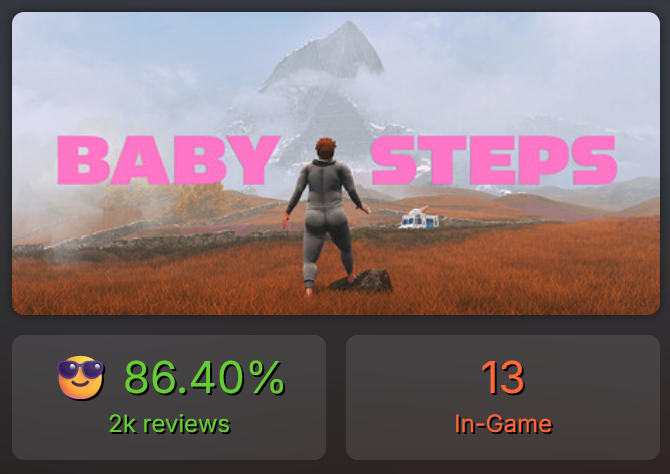
Using Steam Database, I had a look at other comedic indie games (available on PC) with one main mechanic, and had a look at their stats.
Though there are not many people actively playing them unlike AAA or online games, their ratings are all very positive, which gives me hope for my possible game.
Game studio founder Ricky Haggett came in to give us a lecture about his experience with making games. Though he made it clear that he can’t speak for everyone, his advice and insight was incredibly useful.
Unlike many other game studios it seems, his studio (Hollow Ponds) seems to have a very relaxed workflow compared to the stereotypical ‘crunch’ AAA games are well known for.
He put a big emphasis on not forcing ideas, letting everyone chip in with ideas they had, and never putting anyone on a pedestal.
After letting him play my current prototype (see end of Week 4) without telling him any context other than using arrow keys to move, he (to my surprise) had a lot of positive things to say:
Liked the camera angle.
Thinks I should lean in to the sound effects and add even more, for example, adding ‘ouch’ sound randomly to movement to make spamming forward funnier (spamming will be needed to avoid spotlights).
Should change level design slightly to make it clear where players should/can go.
Add shadows to boxes.
Overall found it funny, “I have no notes”.
Before this I was pretty put off and sick of my prototype as I couldn’t get the rhythm mechanic to work, but after giving Ricky the context for my game he told me that he doesn’t think I even need to make it a rhythm game.
Mason agreed, saying that she thinks that the HUD for the rhythm mechanic would actually obscure the players vision and take them out of the funny 3D experience, which would go against what I want for the game.
For sound effects, Ricky recommended looking at Baby Steps, a comedic game in which the main character will moan and complain sometimes when walking.
This is a similar thing I may want to add to my game, adding sound effects that only play every now and then to catch players off guard and hopefully add comedic value.
For pacing of the game, Ricky recommended I have a look at Johann Sebastian Joust, a physical multiplayer game in which players have PS motion controllers, and their goals are to knock each other out whilst listening to music by Johann Sebastian Bach.
As seen in the video below, how fast the players move depends on the music tempo. If the music is slow, they must be slow, if the music is fast, players can be fast too.
I think this will be an incredibly good and funny thing to consider for my game, as it will allow for strategy without worrying about a rhythm mechanic.
Prototype Update
Added more sound effects; turning left and right makes bone cracking noises instead of shoes squeaking, added ‘urgh’ sound effect that has a 15% chance of playing every 10 steps.
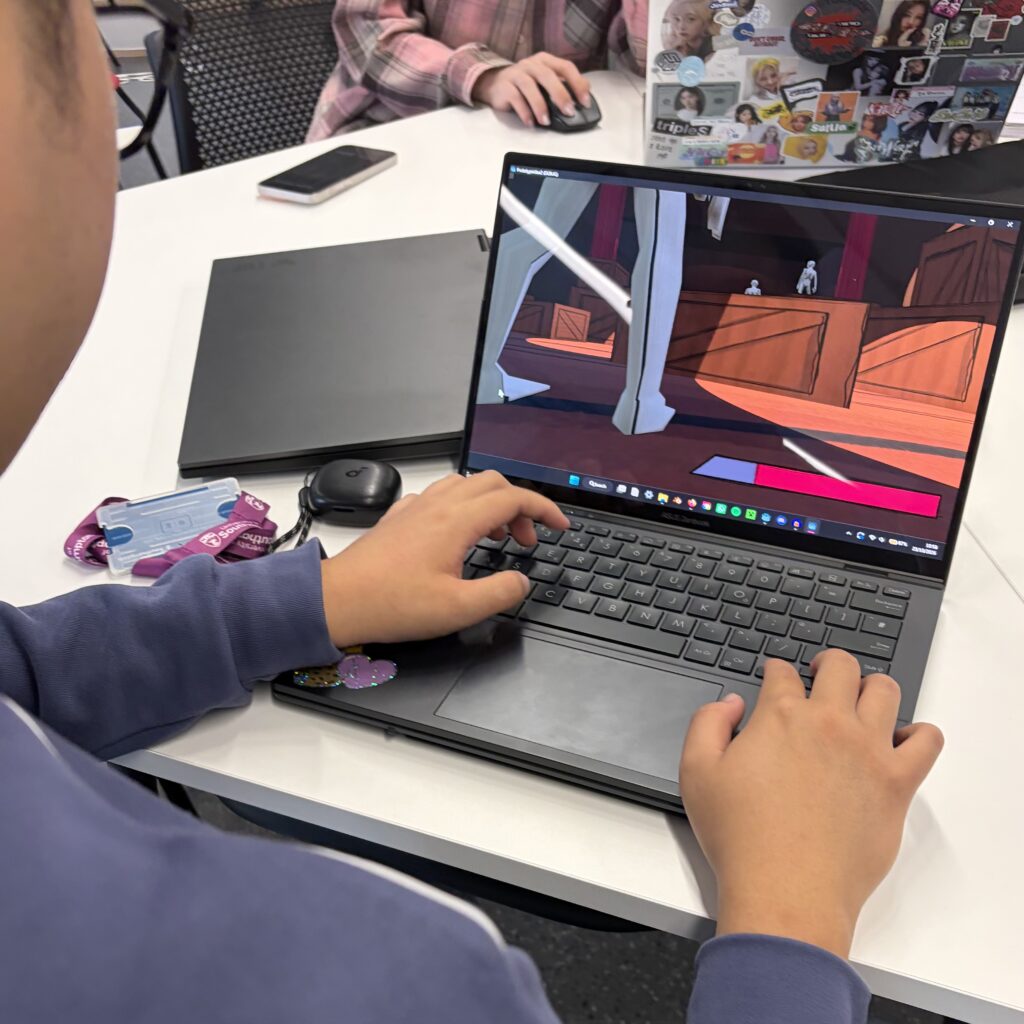
Below are the write-ups of my classmates playtesting my prototype one final time before I make my final adjustments and upload it to itch.io. I watched them play, mode notes of behaviours, patterns, and commentary they made, before asking them two final questions at the end:
Is it funny?
Is movement fun? If not, any suggestions on how to make it more so?
ECHO:
He was laughing, but also thinks the gameplay might become tedious/repetitive. Thinks I should add more safe points. Could also try holding button instead of spamming? Found fingers were going numb. Can also make it a little easier for first time players.
XIAOLIN:
Thinks I should add a map to see birds eye view of stage to judge where lights are. Vary movement speed. Beginning tell player the aim. Make more interesting things happen cause after 5 mins they might get bored after failing many times. For example, maybe add a banana peel, you can press the peel to slide or something.
TONY:
Was also laughing. Liked the movement/spamming but joked about needing bigger keyboard. Thinks it’s slightly too difficult, often didn’t understand why he had been reset/sent to beginning. Was surprised I could complete it.
ISSY:
Admits she is easily irritated, so maybe not target audience. Was trying same path over and over again. Agreed with XiaoLin, thinks it needs a mini-map. Even in frustration she thought it was incredibly funny. Thinks movement is good, but found level slightly too difficult.
MARK:
Laughed. Hurt his finger to spam. Suggested I make the path more clear. Was a few times he didn’t understand why he died. Often thought he couldn’t go the way where you actually could go/is the correct way (he found that the gap where the player is meant to go too narrow). Said the same as Echo, thinks maybe holding forward would be better instead of spamming. Got annoyed that he couldn’t complete it.
In summary, most people thought the game could become repetitive, that I should change/improve the level design, and that the movement controls could be altered.
However, that said, everyone thought is was funny and was laughing at some point during their playthrough, which was my design intention.
Final Prototype Update
Added placeholder mini-map.
Background track now speeds up and slows down.
Given more time, I think I would have liked to play around more with level design, and make it more clear where players are meant to be going (more distinct paths rather than large empty spaces).
This week we had a guest speaker, Sophie Artemigi, who ran a workshop on game loops and pitches.
Game Loop Practice
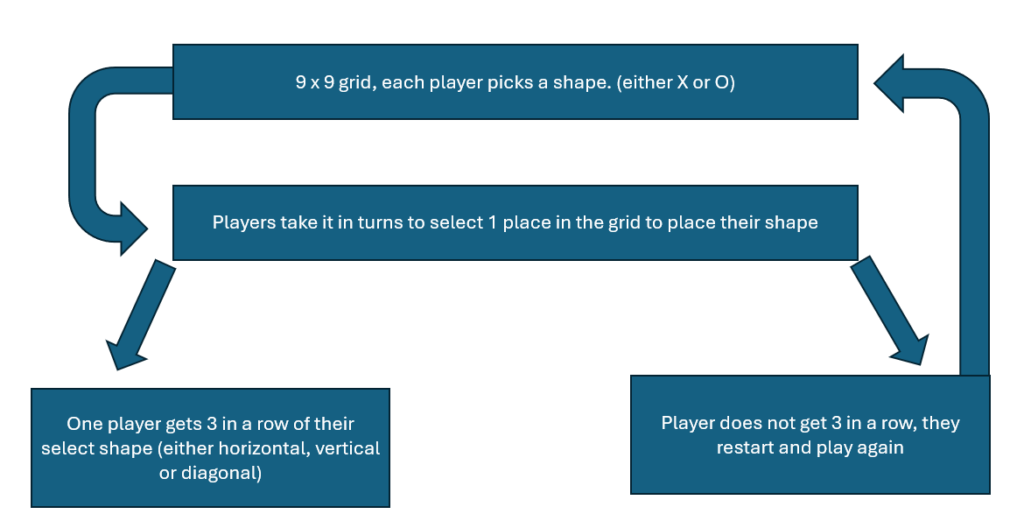
Me and Jess were given Tic Tac Toe and tasked to pitch its game loop to the class to see if we could explain it well enough that the class would be able to guess it.
Thankfully the class was able to guess that it was Tic Tac Toe/Noughts and Crosses, but we made one big mistake in that we said ‘9×9’ grid instead of ‘3×3’, a silly mistake as we were thinking of a grid containing ‘9 sections’, but Sophie made a good example of how important it is to be accurate and very thorough at explaining things, especially if you’re pitching to your team.
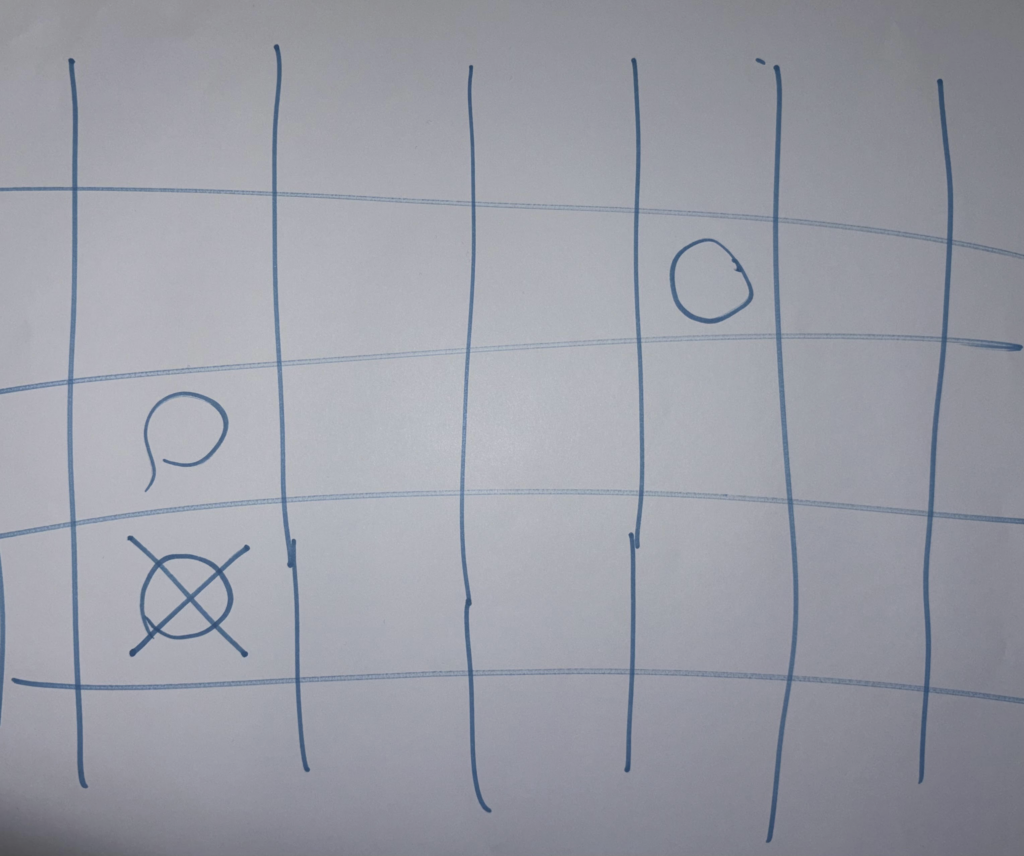
For example, below is an example that Sophie made of how someone who didn’t already know Tic Tac Toe might interpret our game loop as:
She drew (what is meant to be) a 9×9 grid, which me and Jess already knew we got wrong, but also made a point that both her and the other player could both choose ‘O’ or both choose ‘X’, and that they could place shapes on the same section on the grid.
This was an incredibly valuable workshop in which I learnt how important it is to be very clear about your idea and intentions.
Summary of Workshop: When pitching, start with elevator pitch, then gameplay loop.
Summarising our Game Ideas
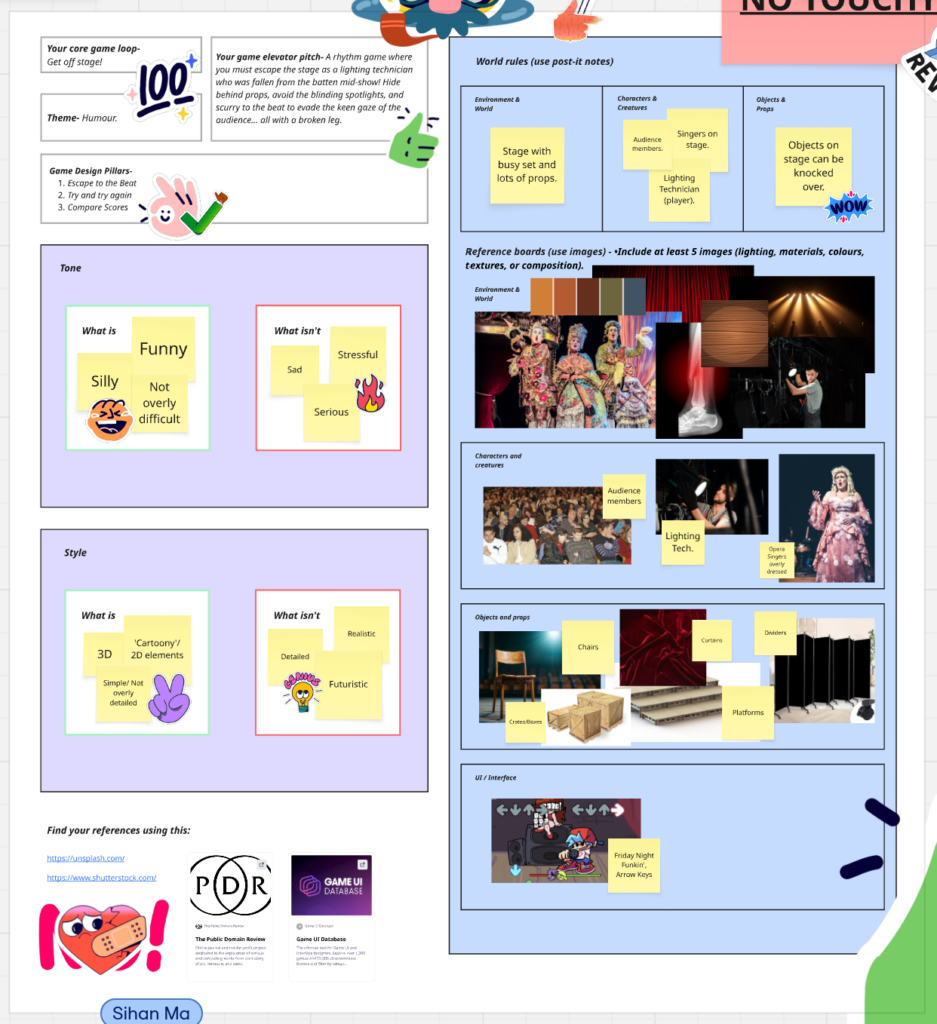
Using Miro, the class made notes and mood boards of our core game loops, themes, elevator pitches, design pillars, tones, styles, etc.
Screenshot of my work from the Miro board
Research: Rhythm Heaven Silver
Someone recommended in the feedback I received last week that I play Rhythm Heaven Groove, and because I don’t have the means to play that specific game, I had a look at a similar game, Rhythm Heaven Silver, which is a free remake of the popular Nintendo release Rhythm Heaven Tengoku from 2006.
Below is a screenshot from the second level of the game, in which players must tweeze the hairs from the onion in time to the beat. Short hairs you must press A, and long curly hairs you must hold A. The game also plays the beat once before you need to press any buttons.
Screenshot of second level in Rhythm Heaven Silver
Things I took away from the game:
Players must be incredibly accurate when pressing the buttons, not a lot of wiggle room for error if the game is to remain satisfying.
Game has very obvious beat.
My main take away from the game is that it’s value is in how satisfying it is, and if my game is to have rhythm mechanics, I will have to have both very good music, and beats that match it perfectly well.
In my game, you will need to miss some beats on purpose to avoid going in to obstacles, which may actually take away from the satisfaction of having rhythm mechanics in the first place. Something to think about…
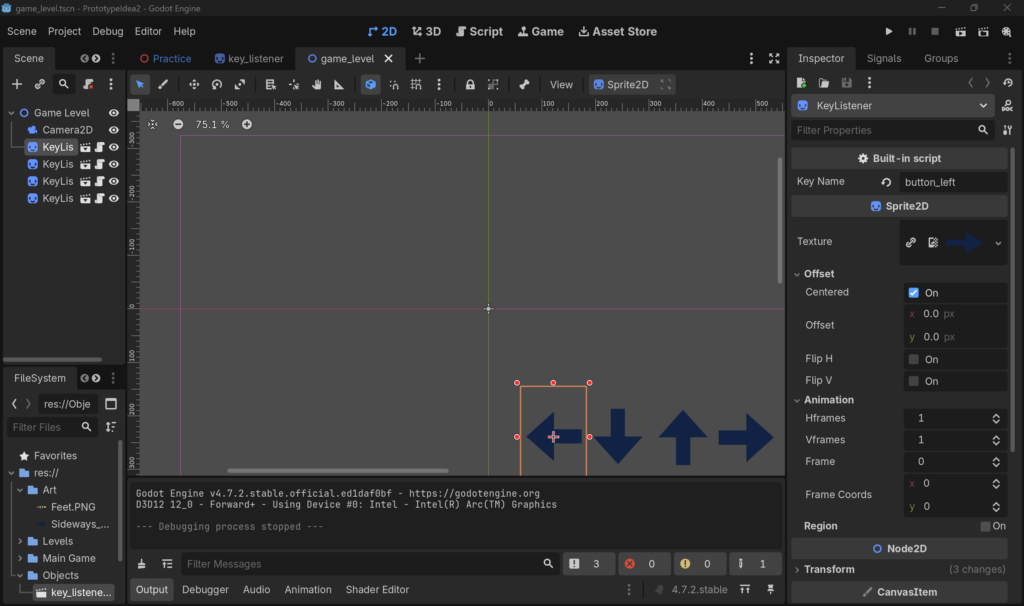
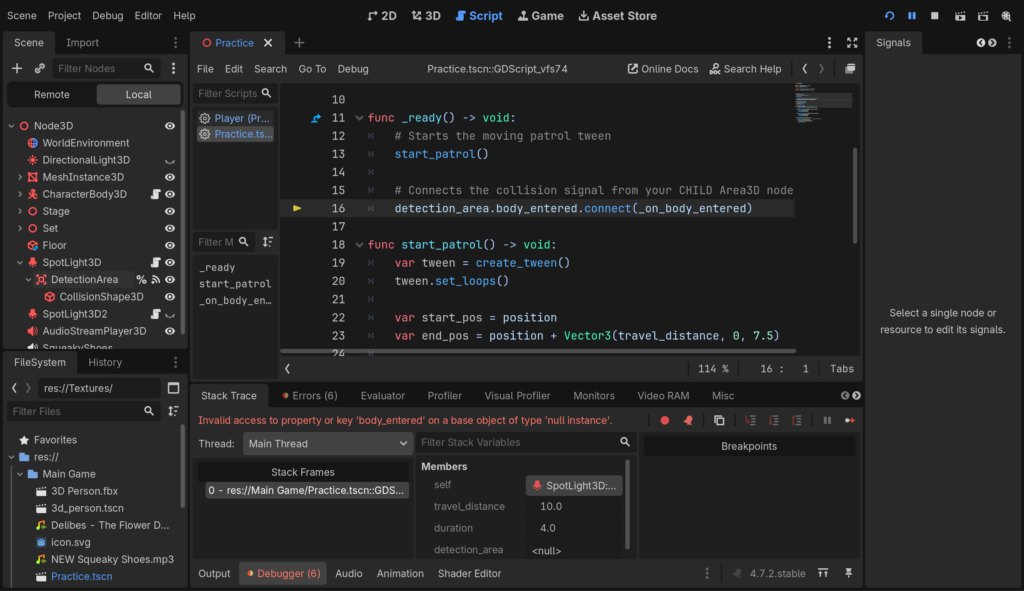
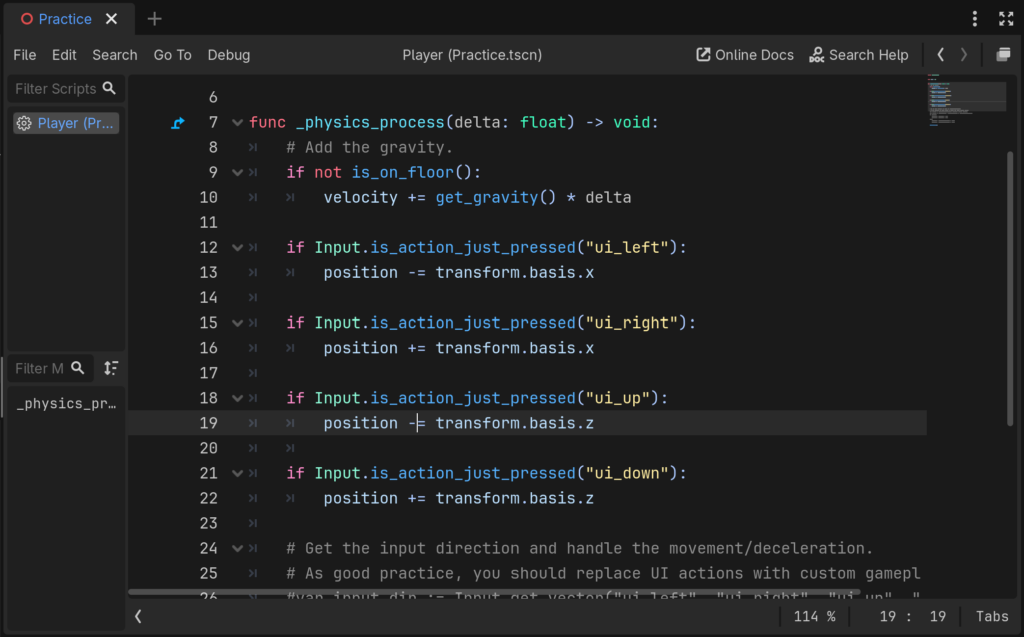
…replaced feet with arrows to not confuse myself whilst following tutorial.…Godot not liking the code.
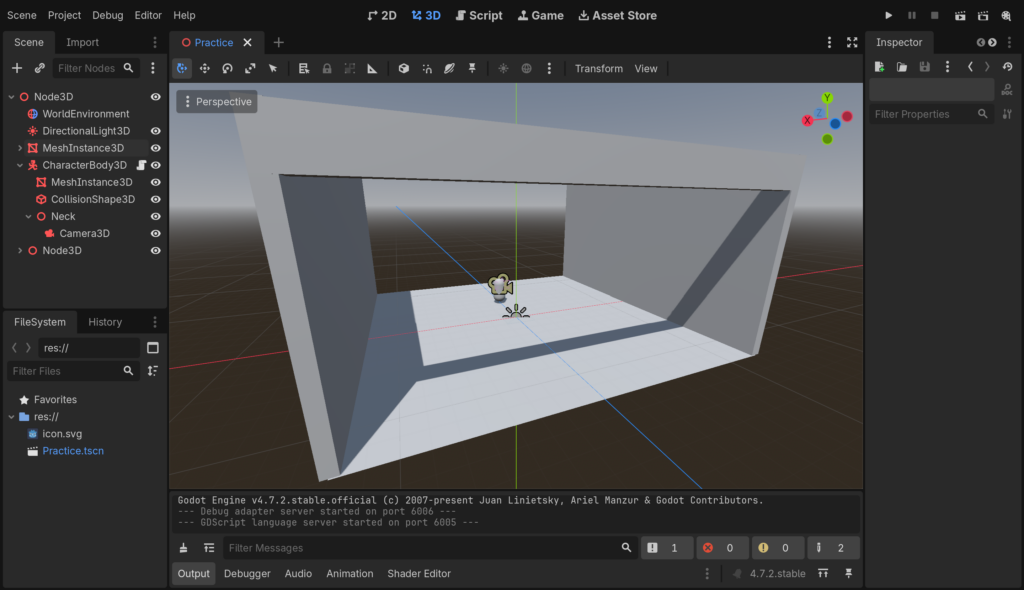
Unfortunately, even with the help of YouTube tutorials, I couldn’t get the HUD to work. The tutorials I used were both for 2D rhythm games, and so when I tried to implement them into my 3D space using a canvas layer, Godot became confused and didn’t know what scripting to follow, and crashed.
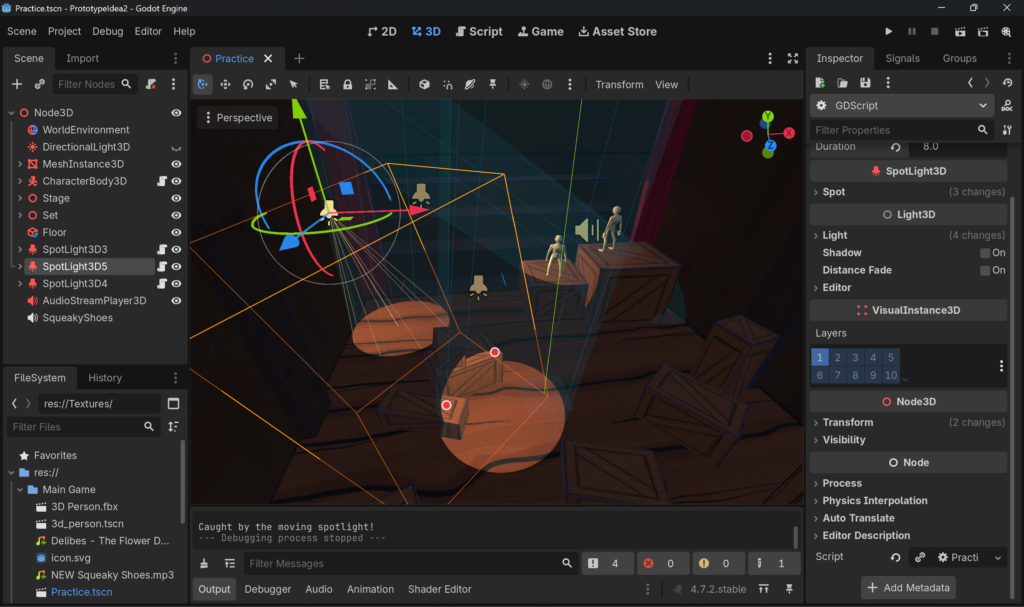
So, whilst I was trying to figure out a different way to show people that mechanic in my final pitch, I worked on making the spotlights reset the player. Thankfully this was a much easier task, and just required collider shapes in a child node and some simple code.
Added cylinder collider shapes to spotlights so player can be reset when spotted.
Below is a video of the prototype with some minor changes. Unfortunately, I just couldn’t get the HUD to work, but I’m still quite happy with the changes I did manage to make:
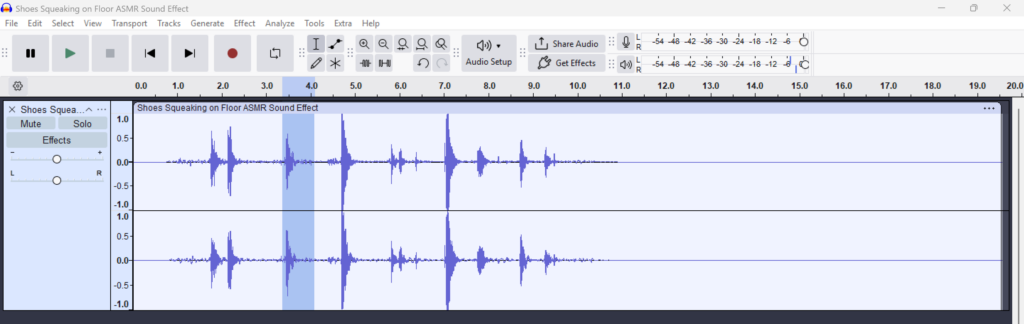
Used Audacity to add ‘Baby Crying’ and ‘Coughing’ sound effects to soundtrack.
Spotlights now have colliders.
Players can now spam buttons to move faster and avoid spotlights.
Screen recording showing spamming and new spotlight colliders.
This week we had a workshop ran by game designer Venezia Georgieva, who was giving us a lecture on game overviews, game pillars, and game loops.
Game Overview
Escape the stage as a lighting technician who was fallen from the batten mid-show! Hide behind props, avoid the blinding spotlights, and scurry to the beat to evade the keen gaze of the audience… all with a broken leg.
Game Pillars for ‘Break a Leg*’
*Name of Idea 2.
Escape to the Beat
Try and Try Again
Compare Scores
To not be noticed by the audience, players must avoid unstable props, bright spotlights, and move in time to the actors roaring voices to keep anyone from seeing them. We wouldn’t want to ruin the play!
Each level the player ends up in will be more tedious than the last. Players will fail many times before they succeed, needing to remember the layout of the stage and know their characters limits to get off in time.
How swiftly, steadily, and healthily the player gets off the stage all matters for points. Compare your scores with friends to see who comes out on top!
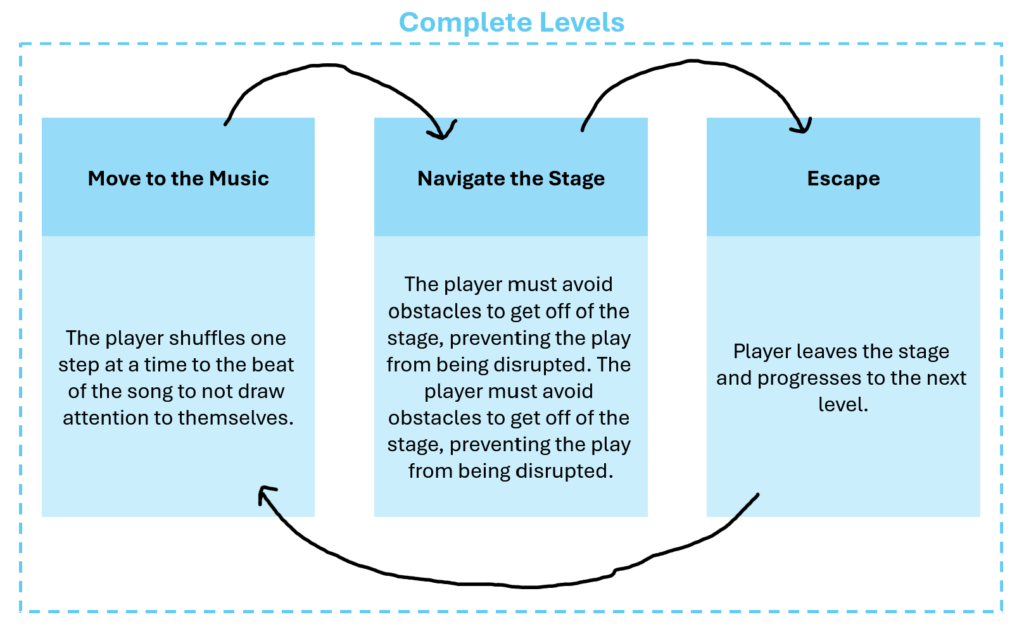
Game Loop, Complete Levels
Move to the Music: The player shuffles one step at a time to the beat of the song to not draw attention to themselves. (+ Points)
Navigate the Stage: The player must avoid obstacles to get off of the stage, preventing the play from being disrupted. (+ Points)
Escape: Player leaves the stage and progresses to the next level.
Game LoopResearch: Friday Night Funkin’
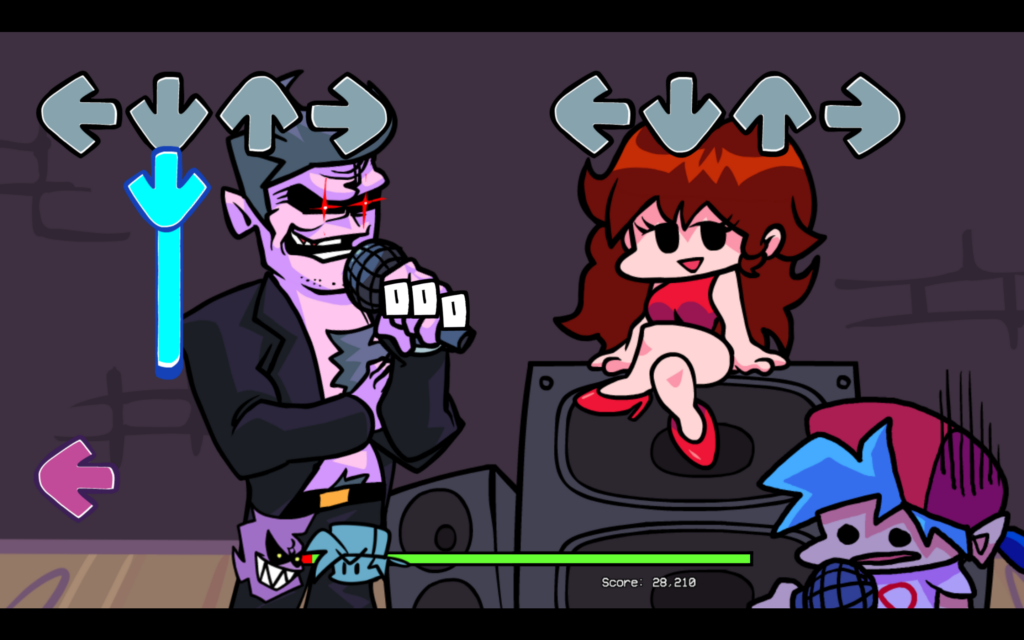
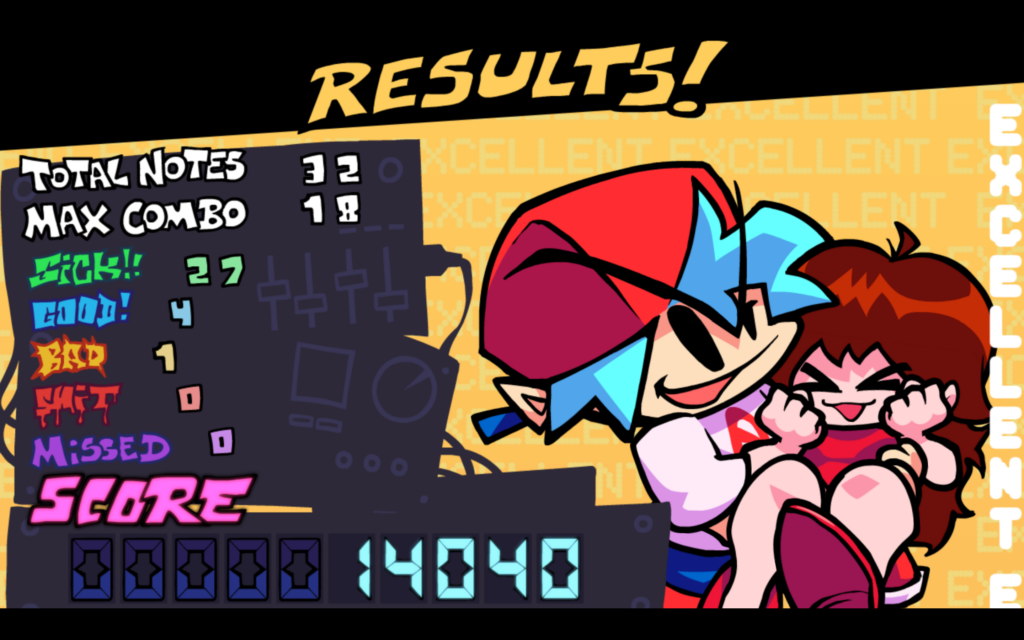
After completing the game loop exercise, I decided to play and analyse Friday Night Funkin’, a rhythm game that uses arrow keys like I plan on doing.
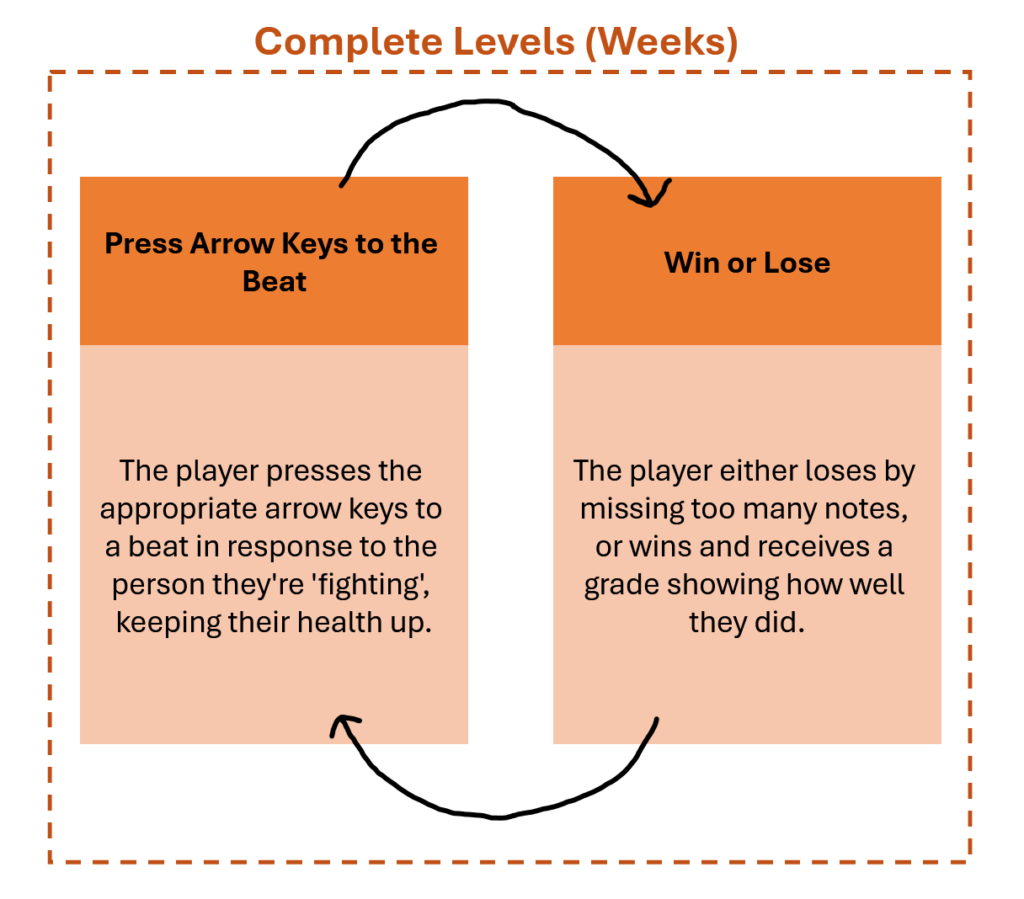
Friday Night Funkin’s game loop is slightly simpler than my own game idea, but it’s a very similar concept. Press the arrow keys in time to win.
Press Arrow Keys to the Beat: The player presses the appropriate arrow keys to a beat in response to the person they’re ‘fighting’, keeping their health up.
Win or Lose: The player either loses by missing too many notes, or wins and receives a grade showing how well they did.
Friday Night Funkin’ is a very popular game in the rhythm gaming community, and so sticking with a similar game loop to them is probably a good idea.
Mason also informed me that it is apparently very common for people to change the key bindingsin more difficult weeks or modded versions of the game, as its easier to spread out the controls so you can play with two hands rather than one. Though, we discussed that perhaps only having the choice to play with one hand (arrow keys if you’re right-handed/WASD if left-handed) adds a challengethat players will have to overcome. With this in mind, I think that the difficulty (speed) will probably have to be lowered throughout the game for it to be fair.
Prototype Progress
Before doing anything else, I added some temporary collider boxes and a capsule (placeholder for ‘actor’), just to decorate the scene slightly. This was also beneficial to test out collision in my scripting.
The main part of my game is the ‘rhythm’ mechanic, and so I felt it urgent that I add some form of HUD to the game, even if it wasn’t working, just to show people what it may look like in future.
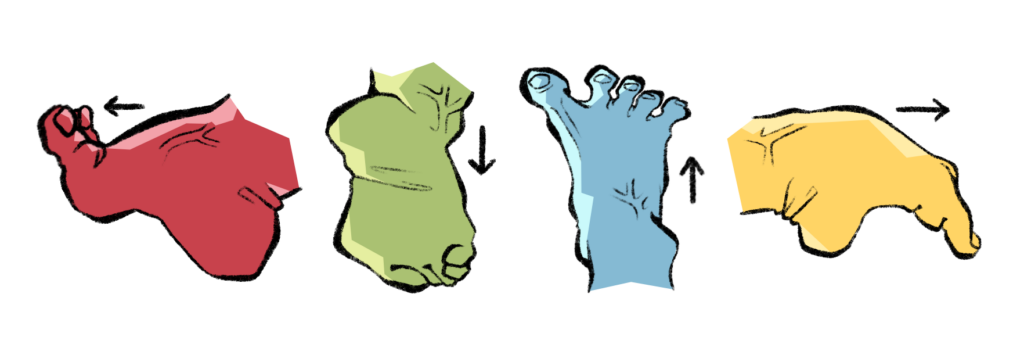
One of the main features of my game is it’s comedic value, and so I leaned into it by tracing pictures of ridiculously-posed feet which would act as the arrow-key buttons.
Feet I made in Procreate.HUD used in Friday Night Funkin’.
After playing around with the placement of the feet, I thought that the camera position being in first-person was quite basic. I also had a conversation with Mark about my prototype and he thought it was strange that my game even was first person, as he imagined my game being in a top-down perspective.
This gave me the idea to change the cameras perspective. I placed the camera near the players feet (player currently a capsule) in hopes that if the game gets picked up, the group working on it would add a scuttling animation of some sort, which I think would add to the comedy.
I also think having the players feet in view frames the HUD quite well.
Below is the feedback I received after showing the demo to the class. Overall I think people were very kind to me considering how bare bones it was, but some very useful feedback was still given to me.
…liked the new perspective, but slightly concerned about how much the player could see.
…think I should add sound.
Audio
I began improving my prototype by adding audio.
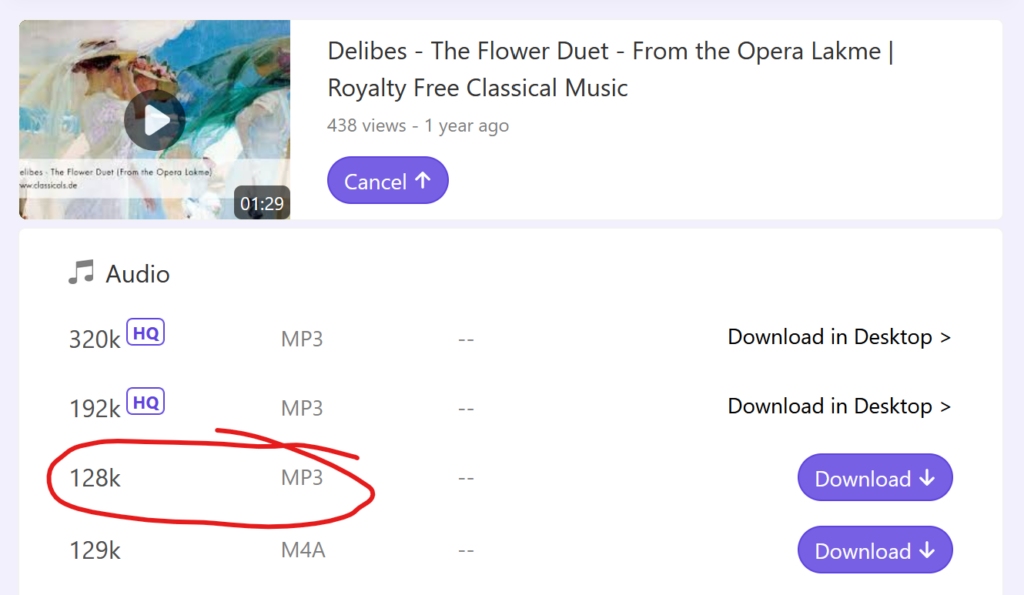
Firstly, I found music (The Flower Duet– part of the public domain) on YouTube that will be what the ‘actors’ are singing, and what I will be matching the arrow keys to for the rhythm part of the game.
I then used a URL to MP3 converter to add the file to Godot.
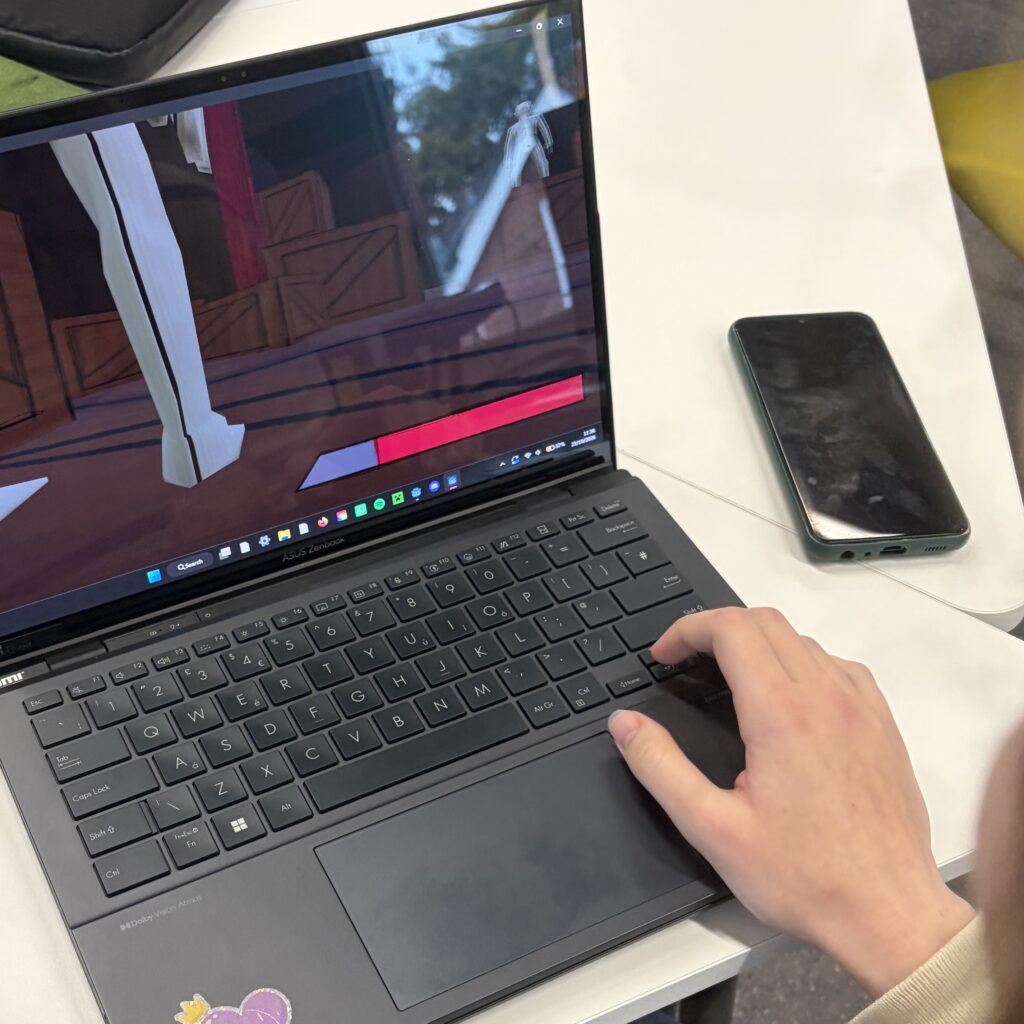
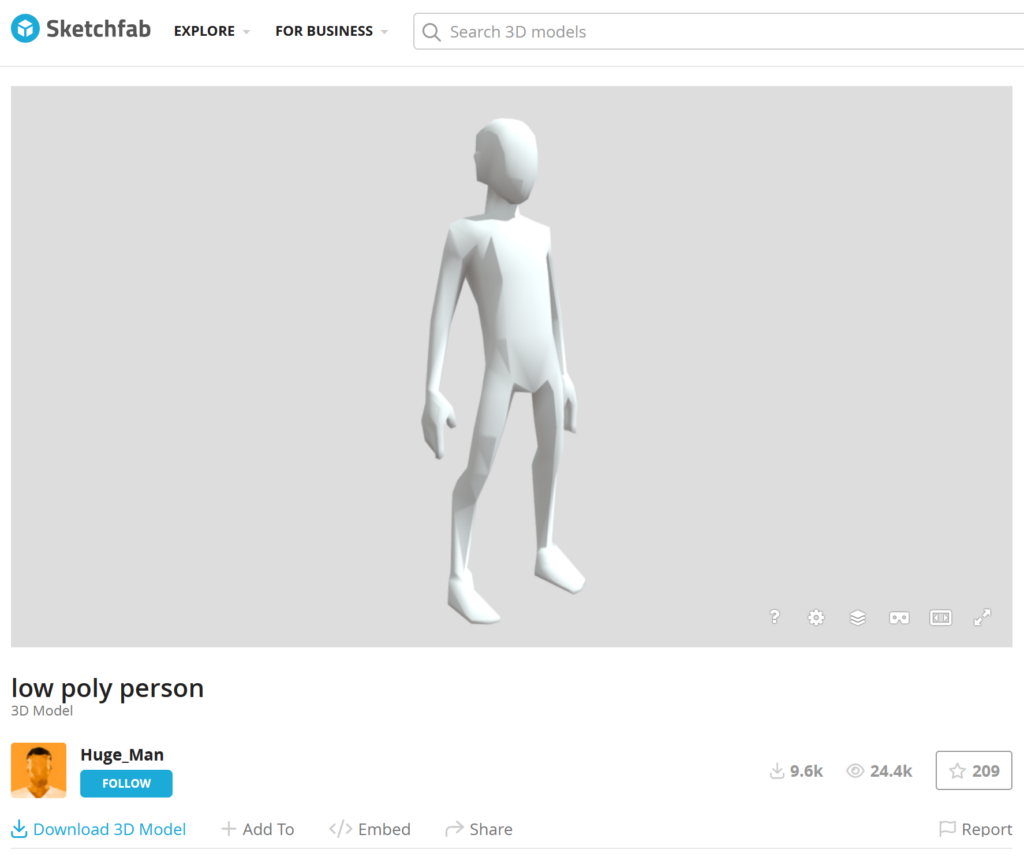
Using the website Sketchfab, I downloaded a free model of a person to import to my game. People playing my prototype were concerned about how much the player could see, and so I think having a persons legs where the capsule was makes it a lot clearer where the player is meant to be going as it doesn’t block the screen as much.
I also thought replacing the ‘actor’ capsules with this model would make it a little more obvious what they were as well.
Below is the updated prototype with both audio and updated character models. Now the level also resets (music file plays from start and player goes back to coordinates they were at the beginning) when the player collides with a wall.
Textures
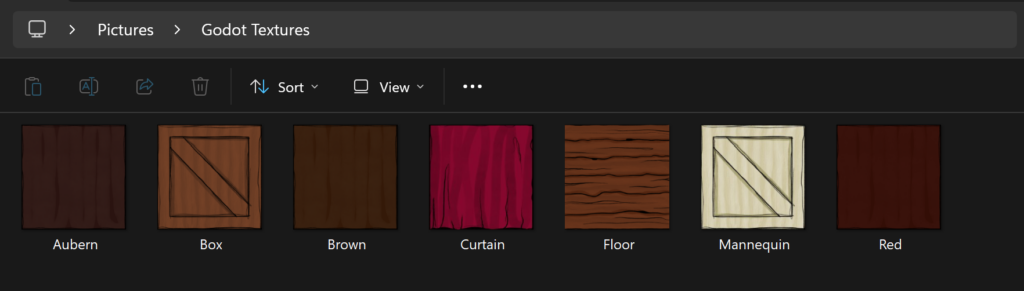
The final touch up to my prototype this week was adding textures. In Procreate, I made a few quick textures to add to the various 3D boxes in my prototype, which just made it look a little more polished.
I also played around with adding textures to the imported 3D person model. It was a little more confusing then dragging a texture onto it as they were a pre-downloaded FBX file and required a new scene, but eventually I figured it out.
It turned out the ‘Box’ Texture I made looked really good on the 3D person model, so all I did was changed its colour to be more creme, and so now the models looked more like mannequins rather than out of place gray figures.
I also completed the scene by adding audience seating and a roof, as shown above, which made the prototype look further polished.
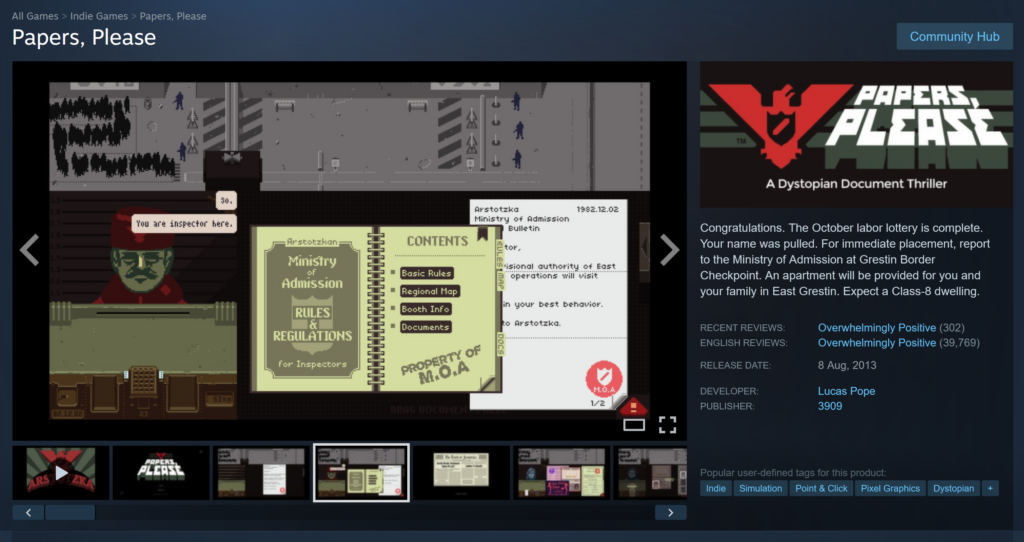
In Papers, Please, the player has been randomly selected to work in border control, and given the important job of checking peoples passports and other important documents.
The game mirrors real life historical events regarding border control and immigration, particularly in the days of the Soviet Union, and puts players in the impossible position of choosing between yourself and your family, or the often innocent person in front of you.
Mechanics:Click and Drag.
Dynamics/Game Loop: Player makes the decision whether to let people into the country or not, stamping passports ‘denied’ or ‘approved’.
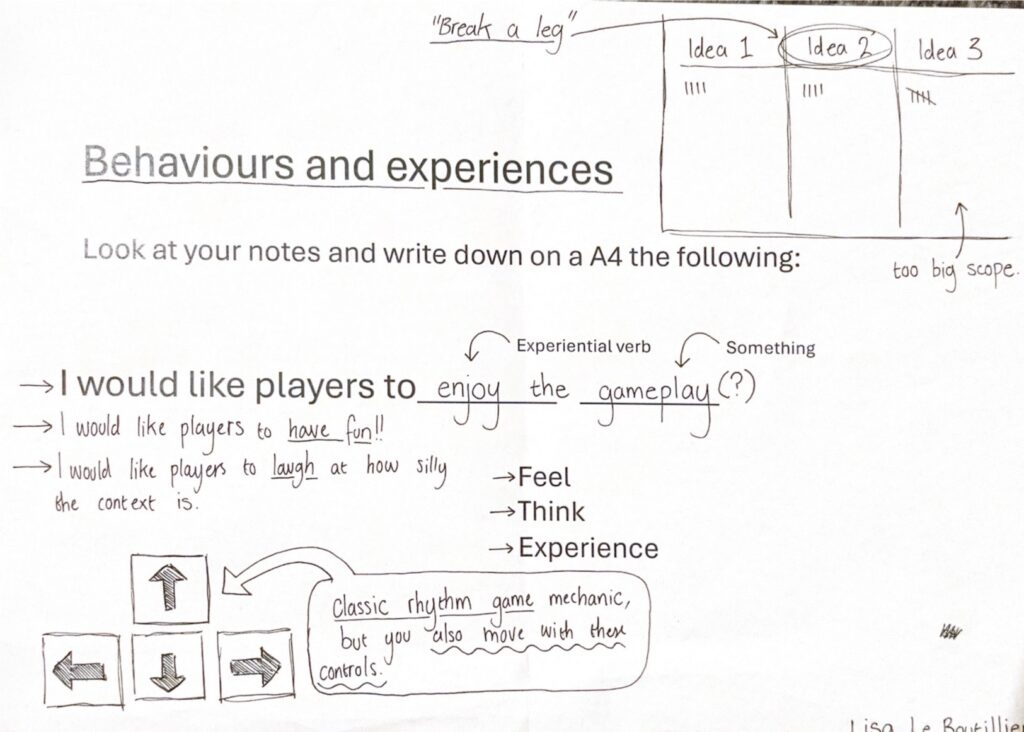
In class we were given instruction to think about what we want the players to feel when playing our games and how.
I really want players to feel enjoyment whilst playing my game, and laugh at how silly the context is. So, I need to think carefully about how best to do that with rhythm game mechanics; I don’t want the game to be stressful, but equally I don’t want it to be boring.
After some thought, I’ve decided to keep the classic rhythm game mechanic, but added a twist…
Mechanics: Use arrow keys to move and hit notes in time.
Dynamics/Gameplay Loop: Player moves across the stage whilst co-actor on stage is singing. Player forced to miss some notes, injuring their leg more, so they don’t move whilst the co-actor isn’t singing (moving results in ruining the show).
Aesthetics: N/A (for now).
I’m hoping by having players focus more on where they’re moving rather than focusing completely on pressing buttons in time to the beat, I can lower the difficulty without it becoming dull and repetitive.
Playing with Possible Mechanics
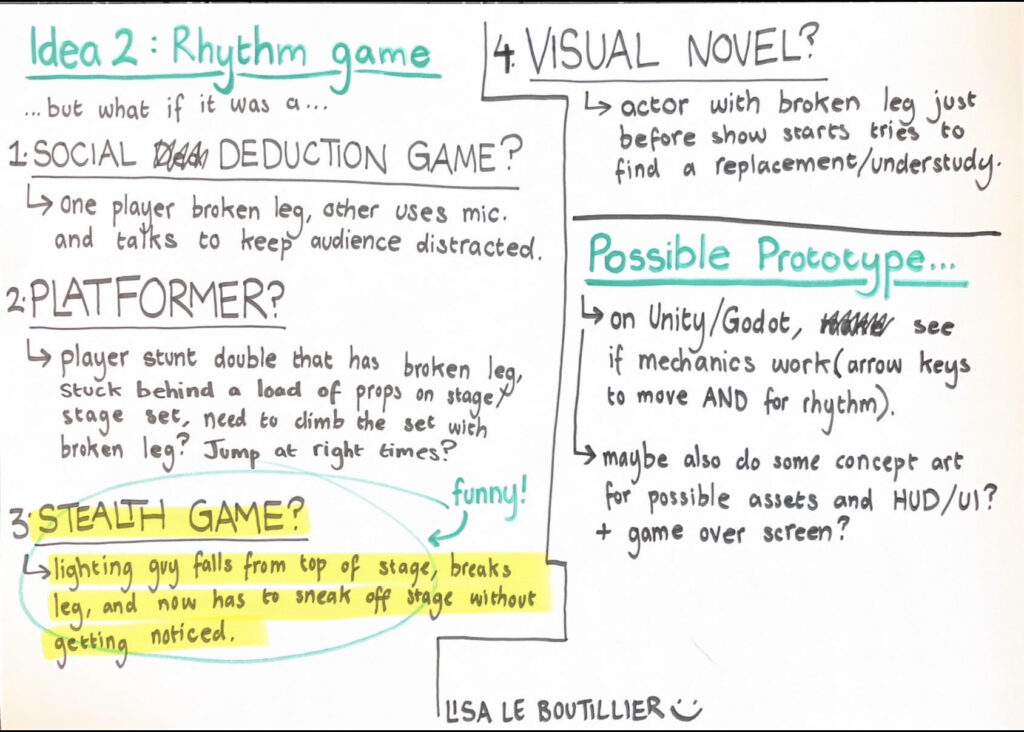
In another workshop we did, we toyed around with making our game ideas a different genre/gameplay mechanic.
I ended up thinking about four different alternatives to a rhythm game; social deduction game, platformer, stealth game, and visual novel.
I ended up really liking the stealth idea for the game, not necessarily the stealth-related mechanics, but instead the funny narrative.
…lighting guy falls from top of stage, breaks leg, and now has to sneak off stage without getting noticed.
I thought this would work well with the games intention, which is trying to get a laugh out of the players.
Making a Prototype
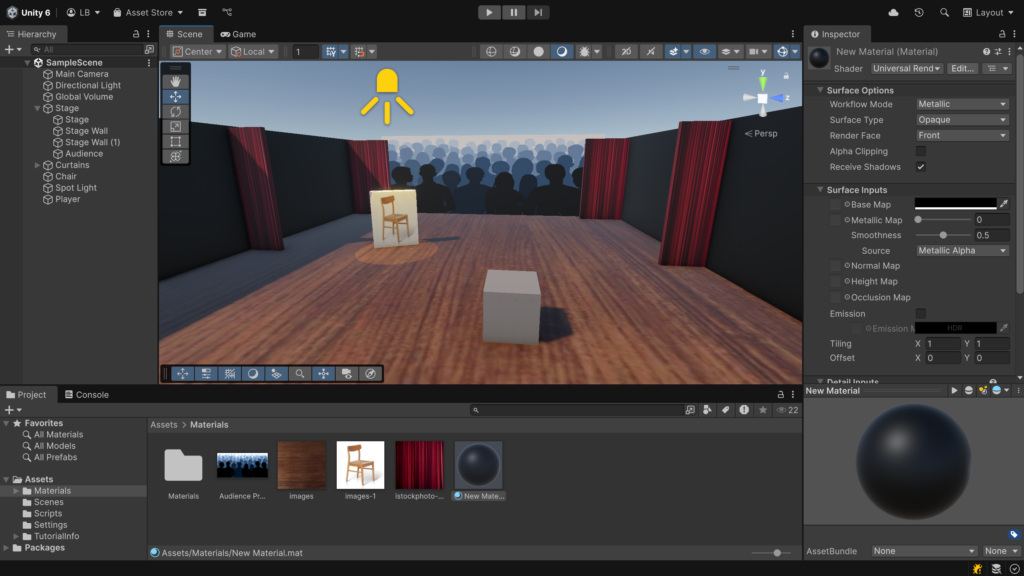
Using Unity, I made a quick mock-up of the stage, and added a chair that I can bump in to during a demonstration to show that the player avoiding obstacles will be an important part of gameplay.
However, after searching for tutorials online of movement in Unity, I stumbled across a lot of Godot tutorials that were half the length of the Unity ones. I’ve heard of Godot before as my friends have said how they preferred it, and that it’s become more popular amongst indie devs.
Originally I chose Unity because it’s the programme I’ve used before, but decided to give Godot a try.
Tutorials and Coding
With no prior knowledge of how to use Godot and very limited knowledge of scripting, I decided to start with the absolute basics. Below is the YouTube tutorials I watched to help me get started with player movement.
Though similar to Unity, I definitely found that Godot was a lot simpler to use, especially as they have some scripts written for you.
After making a very rough stage and adding a movement script, I had my first version of the prototype.
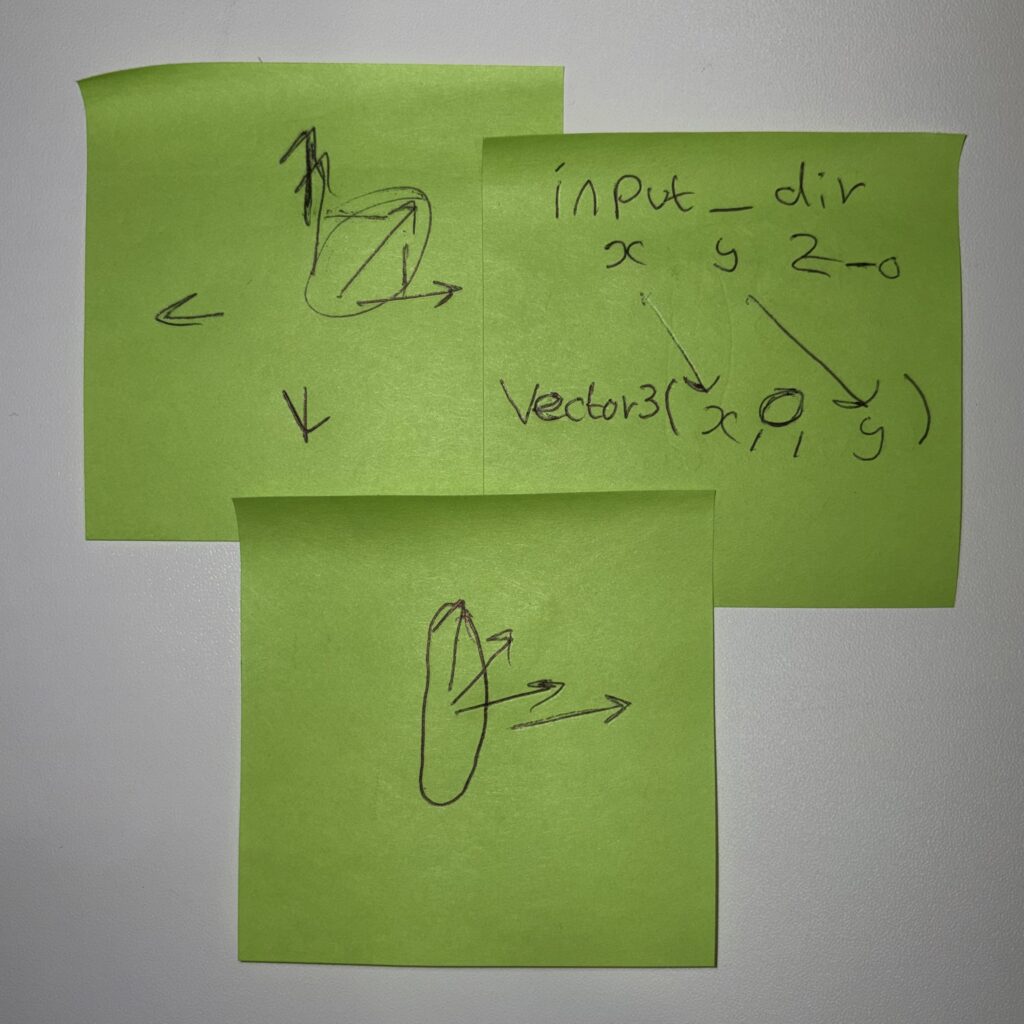
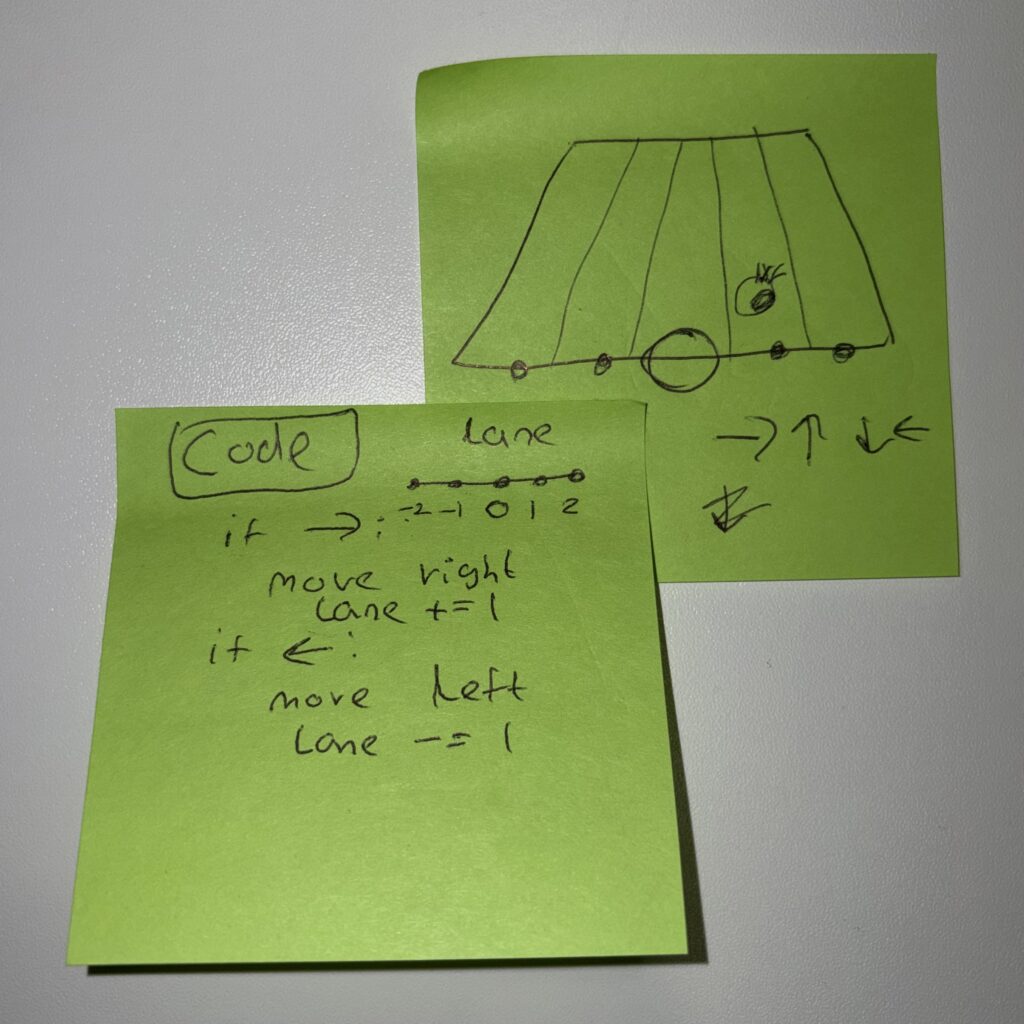
Next was to edit the script so that the play doesn’t move continuously.
With Ross and Issy’s much needed help, I managed to change the movement script so that the player only moved one step after pressing and holding one of the arrow keys.
Below is a clip of the prototype so far.
I’m incredibly pleased with the prototype already, but do think I’ll be making some changes in the weeks to come. If possible, I’d like to add:
Obstacles (props, stage set, etc.).
Moving spotlight.
IF TIME: Tomatoes/Roses being thrown.
IF TIME: HUD.
Reflection and Class Feedback
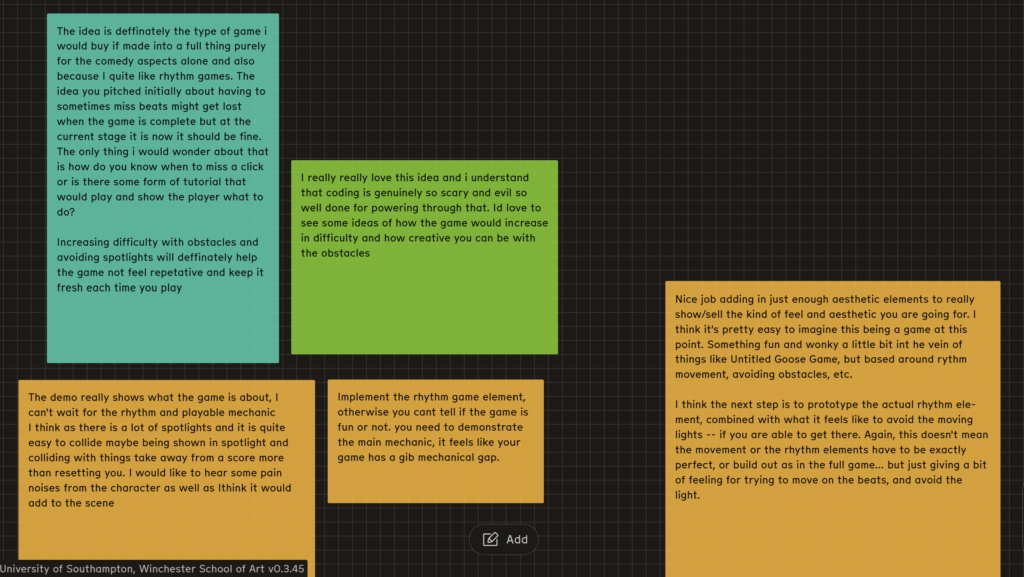
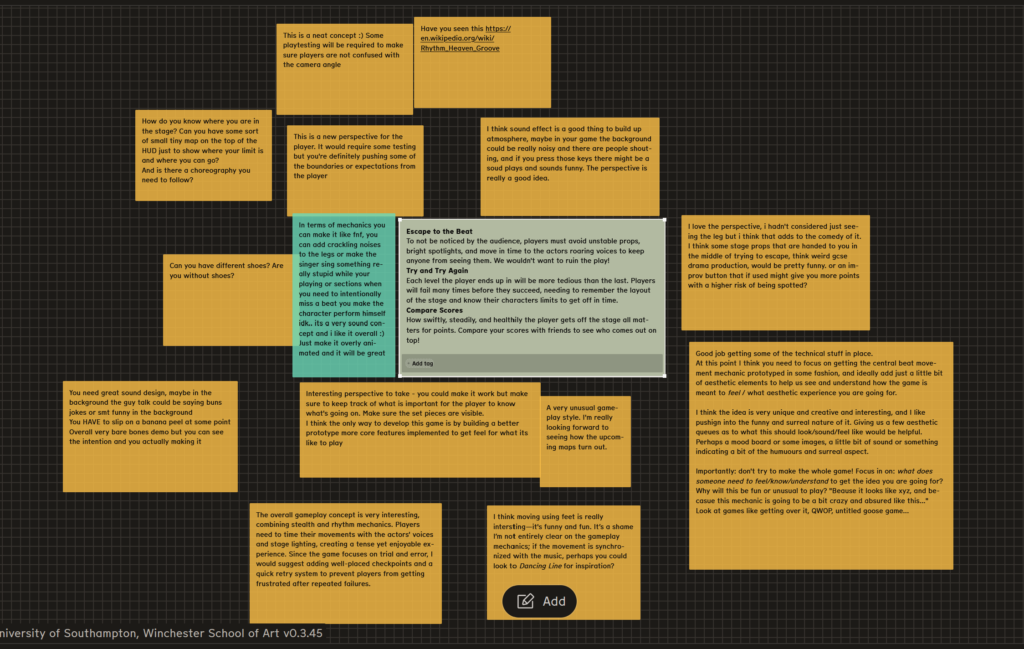
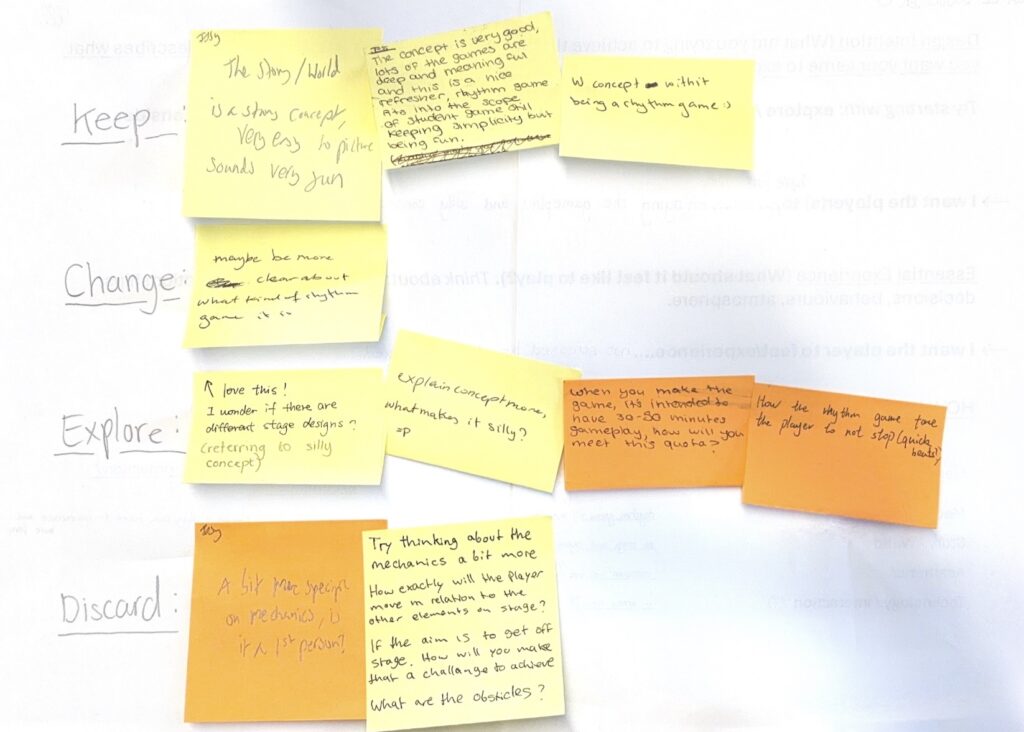
Below is a collection of post-it notes from the class giving me feedback on my idea.
The overall consensus was that the concept was good, but that I should explore the mechanics further. Specifically, what kind of rhythm game is it based off of? How will that work with the movement mechanic? And what’s stopping the player from just staying still the whole game?
This week we were given our first project. In 6 weeks, we need to pitch a game with a matching prototype to try and convince the class that the game is good enough to be developed.
Brainstorming Exercise 1
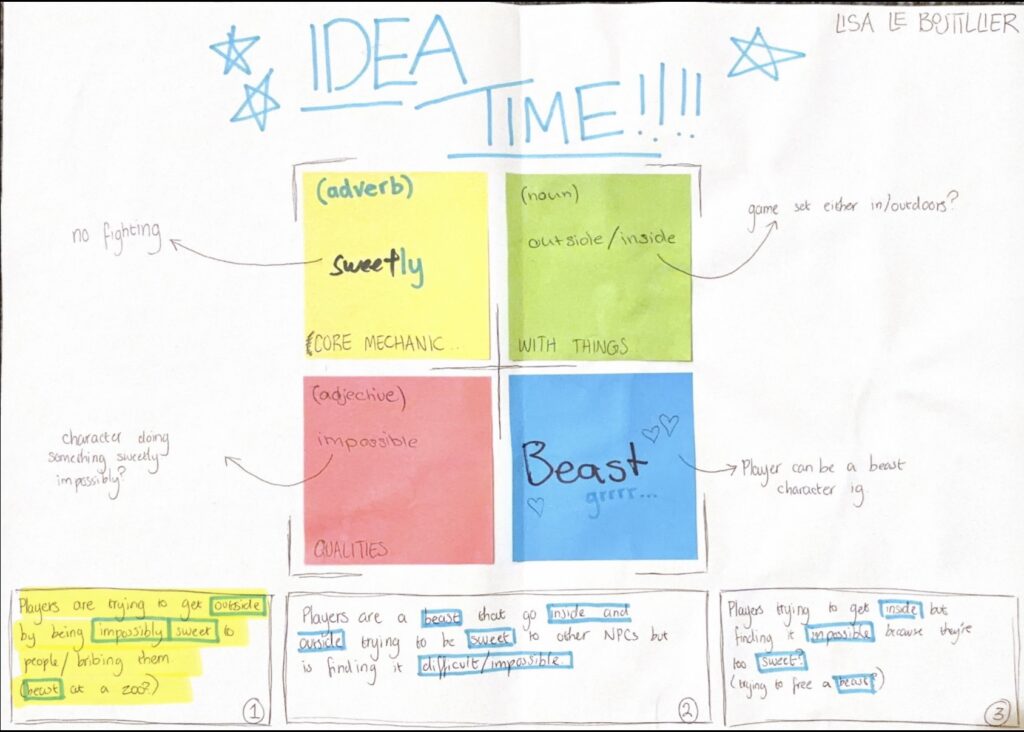
First, we were tasked to get into groups and pick an emotion. On a large piece of paper, we had to write what we thought of when we think of that emotion.
On post-it notes, we wrote verbs, nouns, and adjectives associated with our thoughts/ideas.
The class shared post-it notes with each other, picking the ones we all liked the most (at least one verb, one noun, and one adjective).
I chose the post-it notes Sweetly, Outside/Inside, Impossible, and Beast as an extra.
My favourite idea that came from this brainstorming exercise was:
“Players are trying to get outside by being impossibly sweet to people/bribing them (beast at a zoo).”
Brainstorming Exercise 2
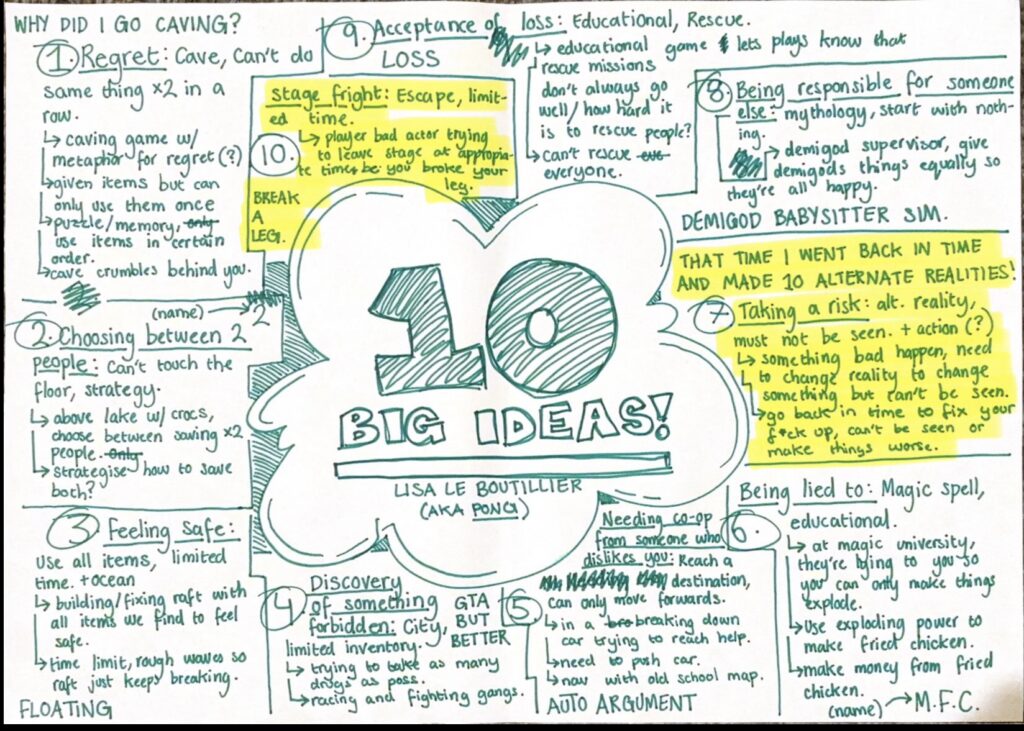
Another brainstorming exercise we did was having 3 minute intervals in randomly associated groups using a random-game-generator, to eventually come up with 10 different ideas.
My two favourite ideas that came from the exercise were:
…player bad actor trying to leave the stage at appropriate times because you broke your leg.
…something bad happens … go back in time to fix your f*** up, can’t be seen or make things worse.
PowerPoint
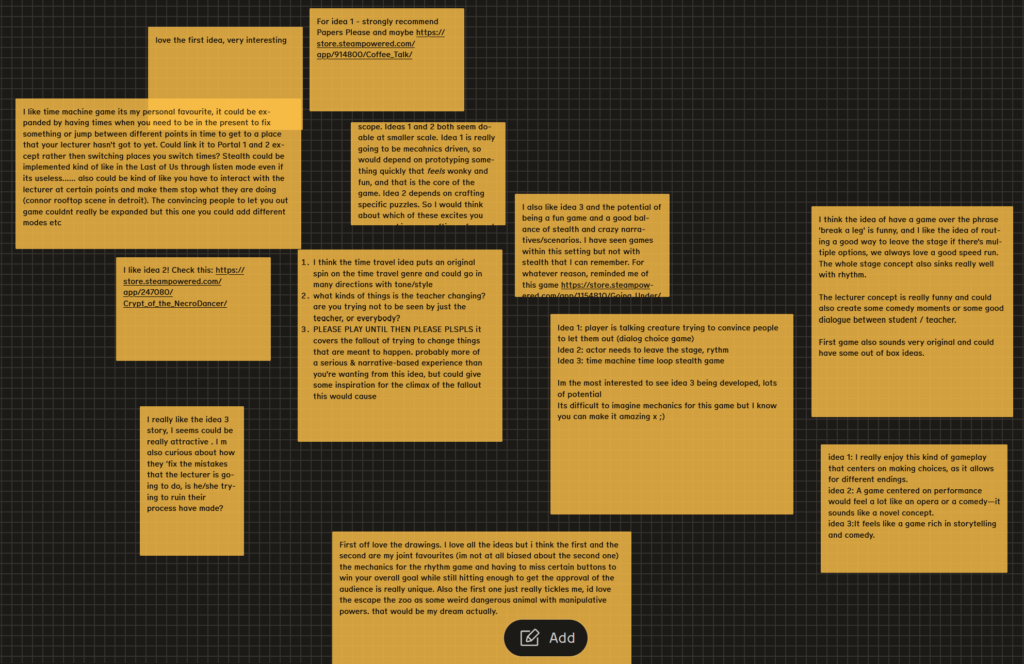
After coming up with 13 different ideas, I ended up picking 3 I liked the best. Below is the PowerPoint I pitched to the class, including the three ideas and matching illustrations.
There was a lot of different opinions that people had, fortunately all positive, but Idea 3 (time travel stealth game) was the idea people were interested in the most.
Idea 1
Idea 2
Idea 3
4
4
5
After reading peoples comments in depth however, one person mentioned the scope of the games. As cool as Idea 3 is, they mentioned that it was a rather large project, and I would agree it would be difficult to finish a game that large in the short amount of time we’re given.
So, I instead chose Idea 2, the rhythm game project in which the player has broken their leg on stage and is trying to get off without ruining the play. I think it’s a really funny idea that’s small enough in scope that it could be finished in time for a project deadline.