To start my first prototype, I first had to create a system for tracking beats and rhythm. The following video gave me some advice for doing so, but the process still seemed quite complicated in Godot:
Another drawback of this implementation is that it gets the current song playback time to calculate beats off of get_playback_position(), which uses an audio file e.g a pre-recorded song. My solution has to be completely dynamic so I would have to find a way to use potentially an in-game timer for this.
As well as this I found a freely available godot plugin on GitHub which includes a modified version of this implementation, so I used this as a basis: https://github.com/skibbl-dev/GodotConductor/
After this I made some adaptations to make it more dynamic.


In these parts of code I changed get_playback_position() to instead use Time.get_ticks_usec(), a function that counts how long the program has been running for in microseconds. All we have to do to get the elapsed time in the song is record the time the song started and take that away from the current time. From there you can divide it by the number of seconds per beat (dictated by our set BPM) to get the position in beats.
If the integer value of that position variable goes up, that means a beat has been hit and we can emit a signal for it.
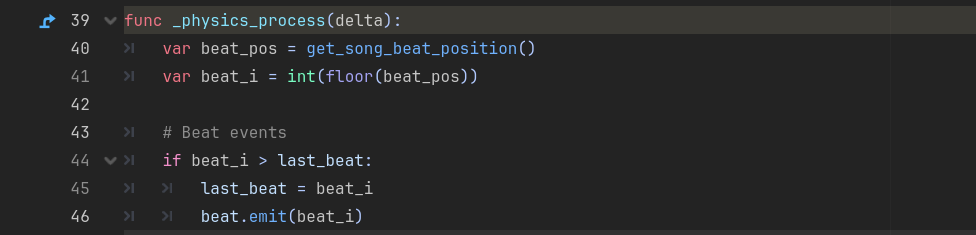
If we make an AudioStreamPlayer node in the game that listens to this signal and plays when it recieves it, we can get a sound on every beat. In this example I downloaded a 909 Kick sound for use.
Leave a Reply