As the Level Designer & main 3D Artist of Scopophobia, I had to keep track & organise a lot of things.
3D Assets
Something I remember from a previous guest lecture talk is the importance of consistent naming & organisation of assets in game developement.
I didn’t follow this advice well until after I realised I had multiple assets sharing a similar description & name, such as the mirror in the Home Apartment & another mirror in the Supermarket Toilet, for example.
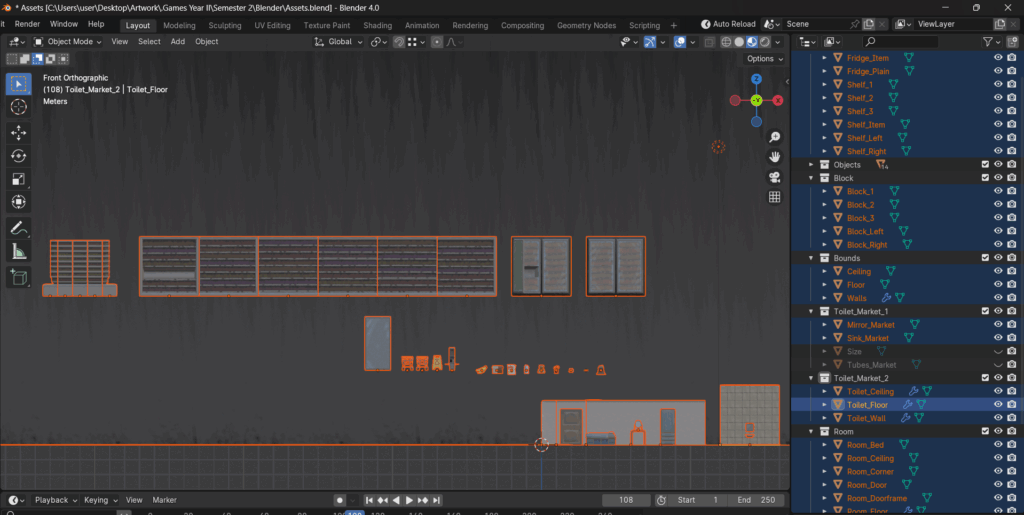
For assets in the Supermarket itself, their names do not reflect their position as Supermarket assets, a mistake which I do not intend to ever repeat. Later on, I decided to organise everything with their location/position, underscore, then their description, underscore again, and finally if needed, their orientation/variation (for ex. left or right, numbered variations etc.)
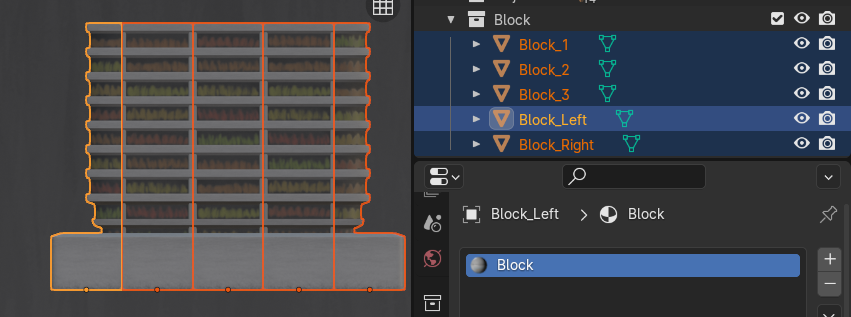
For ‘Block’, since they all share the same material & textures, I simply added “_Colour” and “_Roughness” as an indicator of their status as a base colour/diffuse texture & roughness texture. The material is simply named after the textures without the indicator as it doesn’t need one.

Looking back, I should’ve made an asset sheet too for better organisation & documentation. Here in this project, due to its smaller scale, the number of assets didn’t get out of hand, especially since I was the only one doing 3D modelling, Blender exporting & majority of the UE5 importing. The few assets which were imported by Yushan were highly confusing for both of us.
Leave a Reply