Create prototype
I uploaded my current prototype to itch.io, so I can easily access and test the game at any time and keep track of future updates. This also makes it easier to compare different versions and see how the game develops over time.
Prototype version – bar01
playtest name – Bar1860PT01-pc
Code Layout
As I mentioned before, I am going to use Ren’Py to make my prototype. At this stage, I mainly want to test the basic gameplay and story interactions, so I will first make a simple version in Ren’Py and then make changes based on the development and testing.
Based on my planned game layout, I first divided my code into several simple groups and separated the different functions:
- Story: for the main story and dialogue.
- Bartending System: for the main bartending functions and interactions.
- Bartending UI: for the bartending interface and its interactions.
- Recipes: for storing different drink recipes.
- Notebook: for the notebook content and functions.
- Characters and Main Variables: for managing characters and the main variables in the game.
I think this will make the code structure clearer and easier to change later.

Story Design
Since the story of the game is not fully developed yet, I made a simple temporary story to test the basic functions and dialogue flow. This story is only being used for now, so I can continue making and testing the prototype before replacing it with the final story later.
Detailed code
init -5 python:
    ORDERS = (
        ("Whisky Sour", "A Whisky Sour in a small glass, please. Something sharp and cold."),
        ("Gin Punch", "A Gin Punch in a large glass. Something cool after the coach ride."),
        ("Hot Toddy", "A Hot Toddy in a medium glass. I need to warm my hands."),
    )

    def serving_outcome(name, size, order):
        recipe = recipe_by_name(name)
        if recipe is None:
            return "unknown"
        if name != order:
            return "different_drink"
        if size != recipe["cup"]:
            return "different_cup"
        return "correct"

    def guest_response(name, size, order):
        responses = {
            "unknown": "An unexpected flavour. This evening is full of surprises.",
            "different_cup": "A larger glass than I expected, but the flavour is familiar.",
            "different_drink": "Not quite the taste I had in mind, but an interesting change.",
            "correct": "Exactly what I hoped for. Thank you.",
        }
        outcome = serving_outcome(name, size, order)
        if outcome == "different_drink" and recipe_by_name(name)["hidden"]:
            return "Coffee and spirits... that aroma will stay with me on the road."
        return responses[outcome]


label day01:
    scene expression BAR_BACKGROUND
    "1860. Rain taps the windows of the Lantern. You light the lamps and open the ledger."
    bartender "Three travellers tonight. After their orders, I can experiment."
    $ customer_index = 0

    while True:
        if customer_index < len(ORDERS):
            $ current_order, guest_line = ORDERS[customer_index]
            guest "[guest_line]"
        else:
            $ current_order = "Free mixing - experiment with the keeper's secret"

        call mixing_session
        if _return == "__end__":
            jump bar_end
        call serve_response

        if customer_index < len(ORDERS):
            $ customer_index += 1
            if customer_index == len(ORDERS):
                guest "Thank you. The coach leaves at dawn."
                bartender "The keeper's secret: a small glass, one measure each of brandy, rum, coffee, and sugar. No ice."

label serve_response:
    $ served_recipe = recipe_by_name(served_name)
    $ newly_unlocked = record_drink(served_name, cup_size)
    if customer_index < len(ORDERS):
        $ guest_line = guest_response(served_name, cup_size, current_order)
        guest "[guest_line]"
    else:
        if served_recipe is None:
            "Unknown Drink. A new experiment under the lamplight."
        else:
            "You set a [cup_size] glass of [served_name] on the counter."
    if newly_unlocked:
        "Hidden recipe unlocked. Midnight Lantern has been recorded in your notebook."
    return
Game UI
After that, I focused more on the bartending interaction. I wanted to build the main bartending gameplay first and test whether the player could choose ingredients, make drinks, and get the correct results.
I mainly used these two videos as references:
They helped me understand how to make some of the functions I needed in Ren’Py. So I created my first version of the UI.
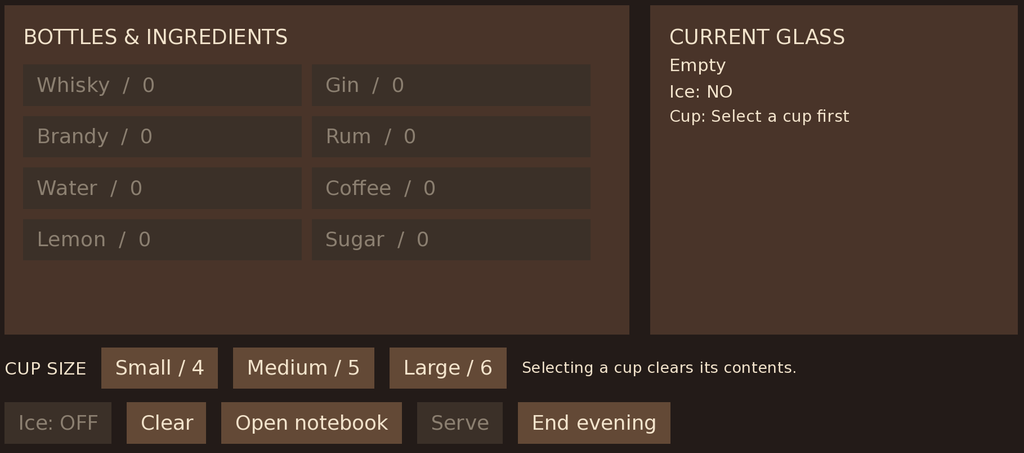
I also had many problems during the development, so I asked a few friends to test my current prototype. They gave me some useful feedback, such as the game not recording what happens when the player serves a drink that does not match the customer’s request, and the player not being able to go back and check what the customer asked for while making a drink. I found this feedback very useful because some of these problems were things I did not notice when testing the game by myself.
After the revisions, the final version looks like this:
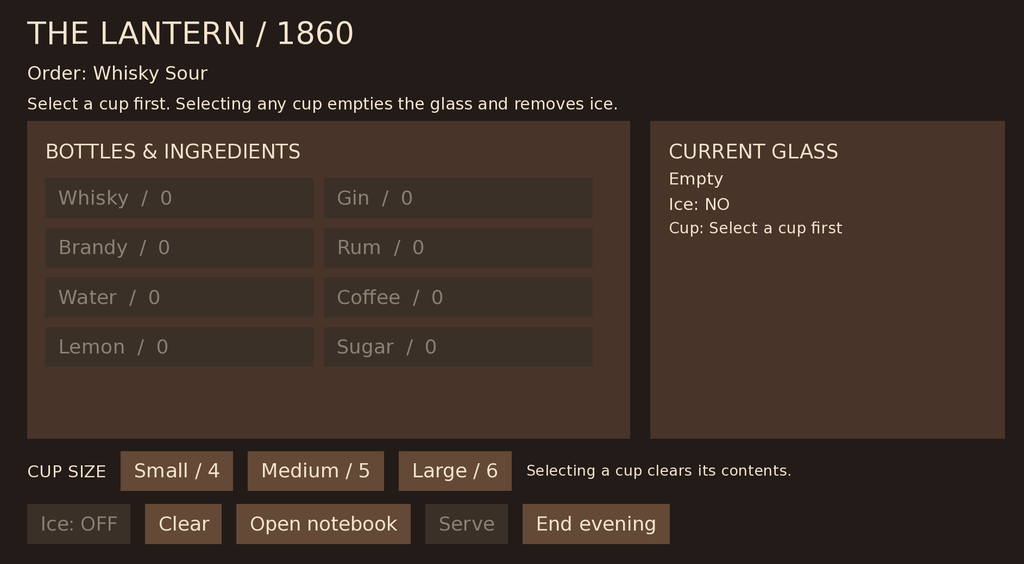
I added clearer instructions to the game. The customer’s request is shown at the top of the screen, so the player can check it while making a drink. Before making a drink, the player must choose a glass size. Each glass size has its own capacity, and the player cannot add more liquid than the glass can hold. If the player chooses a different glass, everything they added before will be cleared and they need to start again. The story section is also running without any problems at the moment.
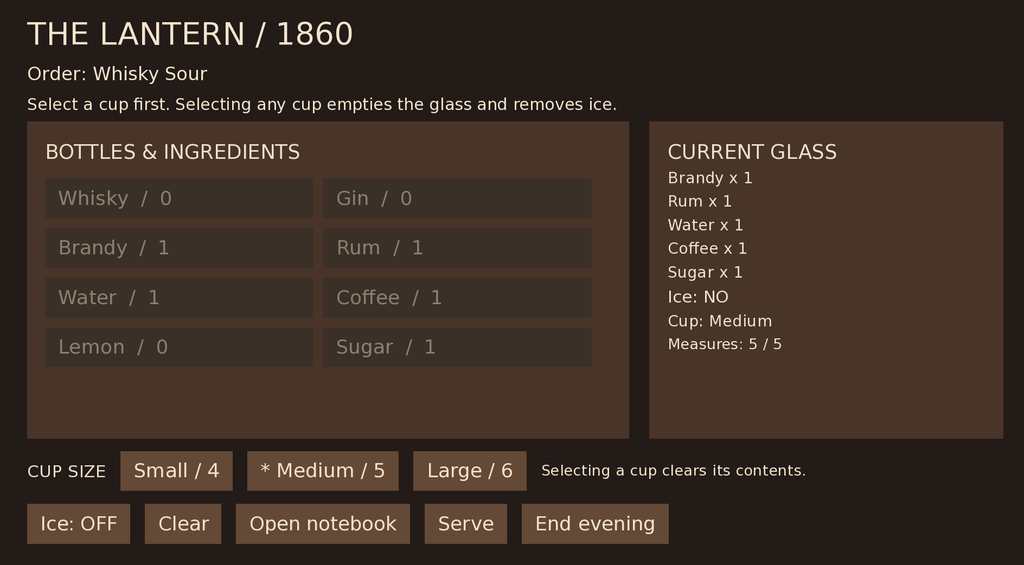
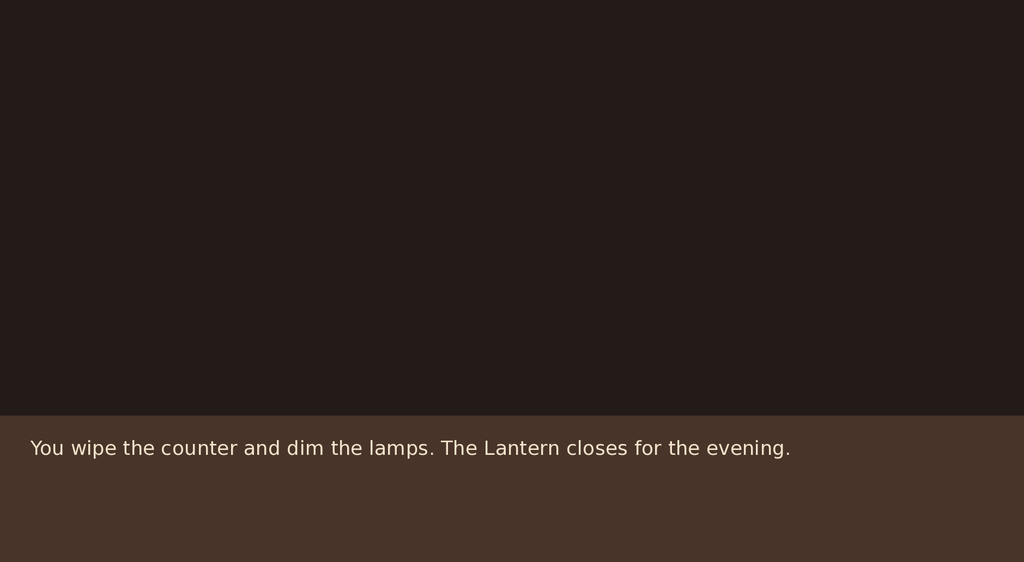
In-game visuals:
Detailed code
init -10 python:
    def identify_drink(parts, ice):
        clean = {key: value for key, value in parts.items() if value != 0}
        for recipe in RECIPES:
            if clean == recipe["parts"] and ice == recipe["ice"]:
                return recipe["name"]
        return None

    def recipe_by_name(name):
        return next((r for r in RECIPES if r["name"] == name), None)

    def add_ingredient(name):
        if cup_size in CUP_CAPACITIES and name in INGREDIENTS and sum(cup.values()) < CUP_CAPACITIES[cup_size]:
            updated = dict(cup)
            updated[name] = updated.get(name, 0) + 1
            store.cup = updated

    def set_cup_size(size):
        if size in CUP_CAPACITIES:
            clear_cup()
            store.cup_size = size
        # Function actions must return None so cup selection never ends the screen.

    def clear_cup():
        store.cup = {}
        store.cup_ice = False

    def begin_mixing():
        clear_cup()
        store.cup_size = None


label mixing_session:
    $ begin_mixing()
    while True:
        call screen bar_mix
        if _return == "__end__":
            return "__end__"
        # Only an explicit Serve action may trigger matching and story progression.
        if _return == "__serve__" and cup_size in CUP_CAPACITIES and bool(cup):
            $ served_name = identify_drink(cup, cup_ice) or "__unknown__"
            return "__served__"
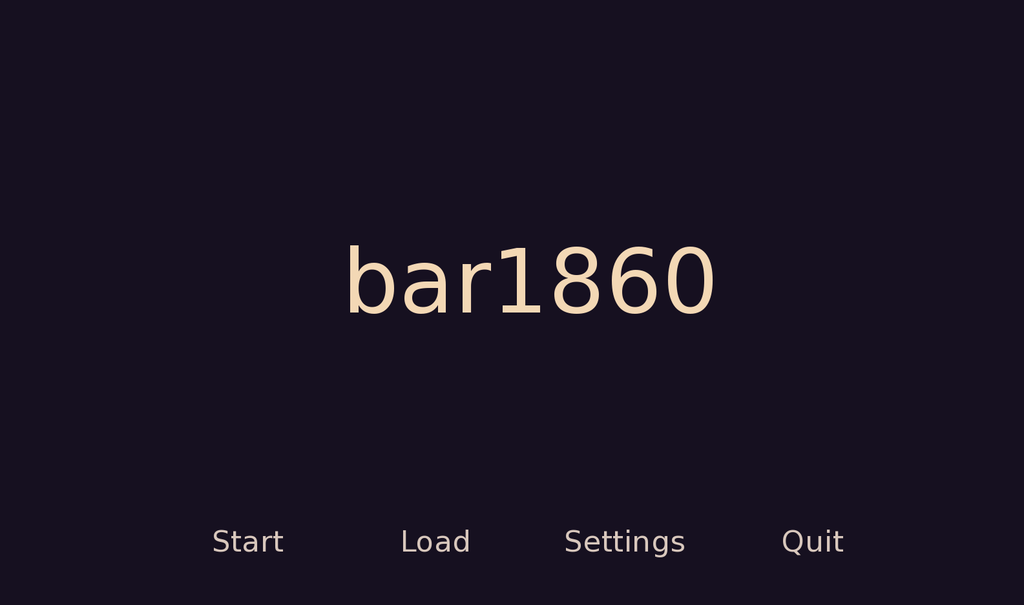
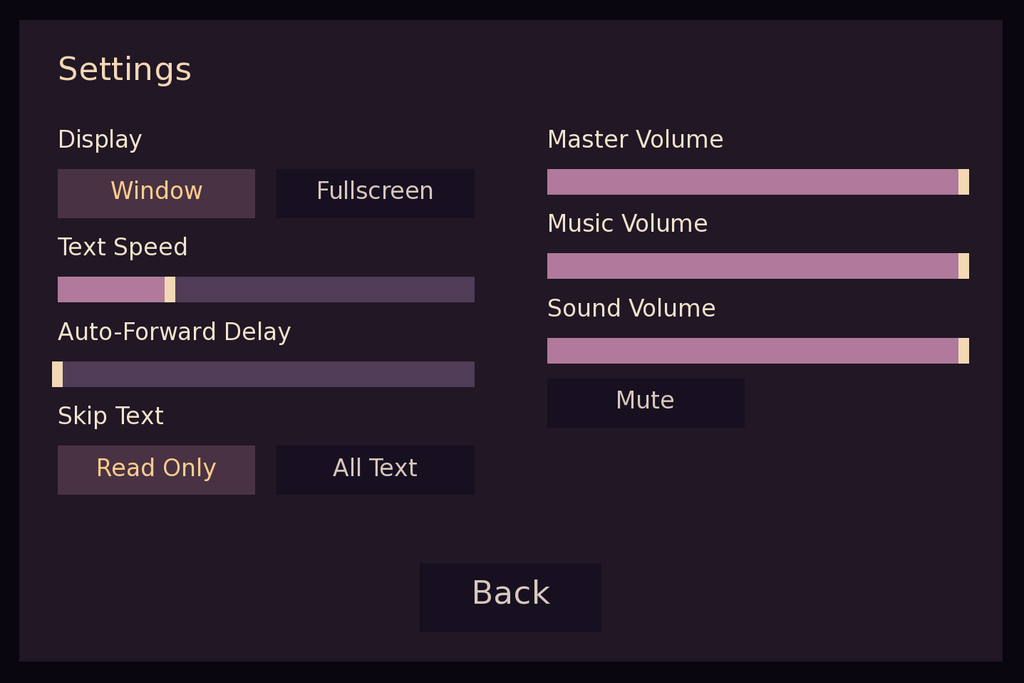
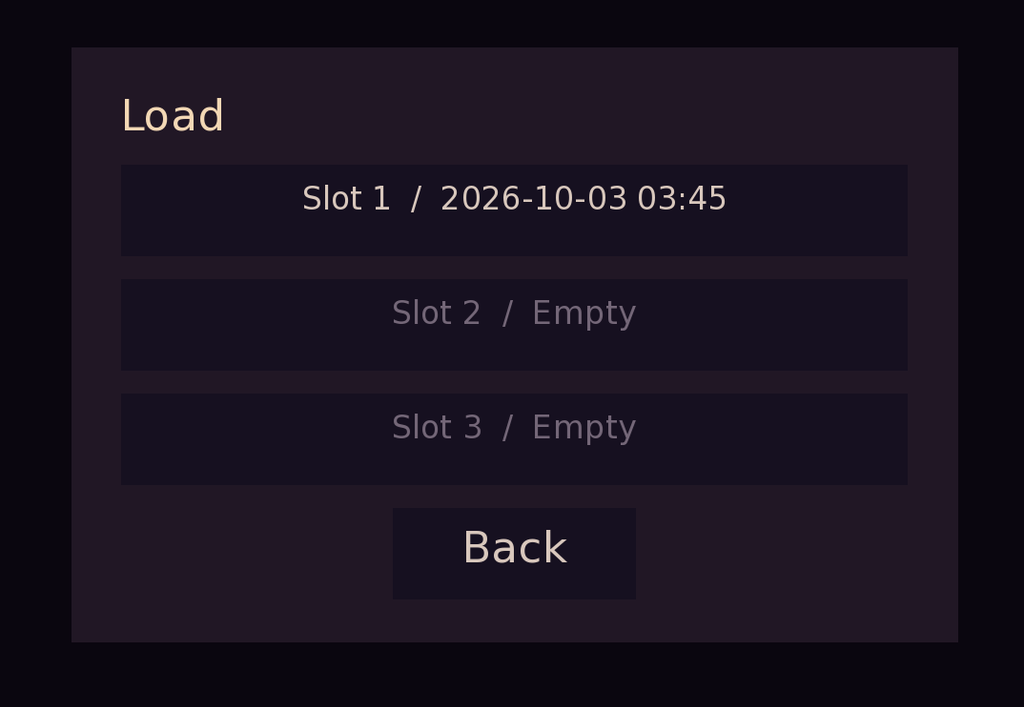
also improved the UI of the game menu to make it feel more complete. Besides starting the game, I also worked on functions such as game settings, volume control, and saving.
Detailed code
style setting_button is title_button:
    xsize 185
    ysize 46
    padding (12, 7)
    selected_background Solid("#493244")
    selected_hover_background Solid("#604057")

style setting_button_text is title_button_text:
    size 22
    selected_color "#ffcf8d"
    selected_hover_color "#ffe1b3"

style setting_slider is bar:
    xsize 390
    ysize 24
    left_bar Solid("#b17a9c")
    right_bar Solid("#503c57")
    thumb Solid("#f3d8b5", xysize=(10, 24))
    thumb_offset 5

screen title_settings():
    modal True
    zorder 100
    key "K_ESCAPE" action Hide("title_settings")
    add Solid("#08050de0")
    frame:
        align (0.5, 0.5)
        xysize (920, 600)
        background Solid("#211725")
        padding (36, 28)
        fixed:
            text "Settings" font TITLE_MENU_FONT size 30 color "#f3d8b5"
            hbox:
                pos (0, 70)
                spacing 68
                vbox:
                    xsize 390
                    spacing 14
                    text "Display" font TITLE_MENU_FONT size 22
                    hbox:
                        spacing 20
                        textbutton "Window" style "setting_button" action Preference("display", "window")
                        textbutton "Fullscreen" style "setting_button" action Preference("display", "fullscreen")
                    text "Text Speed" font TITLE_MENU_FONT size 22
                    bar style "setting_slider" value Preference("text speed")
                    text "Auto-Forward Delay" font TITLE_MENU_FONT size 22
                    bar style "setting_slider" value Preference("auto-forward time")
                    text "Skip Text" font TITLE_MENU_FONT size 22
                    hbox:
                        spacing 20
                        textbutton "Read Only" style "setting_button" action Preference("skip", "seen")
                        textbutton "All Text" style "setting_button" action Preference("skip", "all")
                vbox:
                    xsize 390
                    spacing 14
                    text "Master Volume" font TITLE_MENU_FONT size 22
                    bar style "setting_slider" value Preference("main volume")
                    text "Music Volume" font TITLE_MENU_FONT size 22
                    bar style "setting_slider" value Preference("music volume")
                    text "Sound Volume" font TITLE_MENU_FONT size 22
                    bar style "setting_slider" value Preference("sound volume")
                    textbutton "Mute" style "setting_button" action Preference("all mute", "toggle")
            textbutton "Back":
                style "title_button"
                align (0.5, 1.0)
                action Hide("title_settings")
Notbook
At the same time, I also finished the code for the notebook. The player can open it during the game and check the information that has been recorded.
The main purpose of the notebook is to encourage players to try as many different drinks and recipes as possible. If the player discovers a new recipe by experimenting, or learns a new recipe during the story, it will be added to the notebook automatically. The player can then open the notebook at any time to check the recipes they have already discovered.
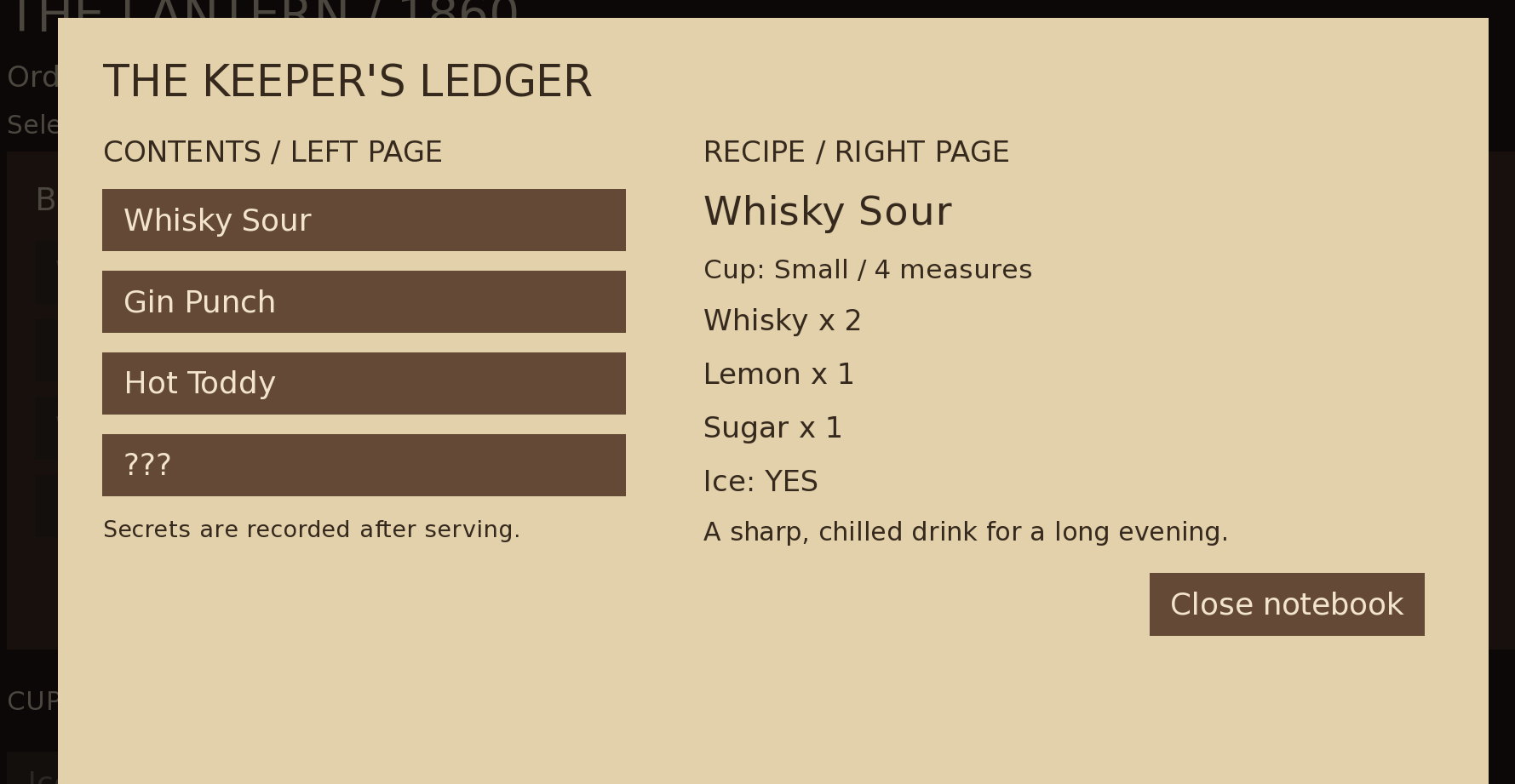
At the moment, most of the art assets I am using are the default assets from Ren’Py. Later, I will try to improve the UI and gradually replace these assets to make the interface closer to the style I originally planned.
Detailed code
init -5 python:
    def record_drink(name, size):
        recipe = recipe_by_name(name)
        if recipe and recipe["hidden"] and size == recipe["cup"] and name not in unlocked_recipes:
            store.unlocked_recipes = unlocked_recipes + [name]
            return True
        return False

screen bar_notebook():
    modal True
    zorder 100
    add Solid("#000000b0")
    key "K_ESCAPE" action Hide("bar_notebook")
    frame:
        background PAPER_PANEL
        align (0.5, 0.5)
        xysize (1120, 610)
        padding (35, 30)
        vbox:
            spacing 20
            text "THE KEEPER'S LEDGER" color PAPER_INK size 34
            hbox:
                spacing 40
                vbox:
                    xsize 430
                    spacing 15
                    text "CONTENTS / LEFT PAGE" color PAPER_INK size 23
                    for index, recipe in enumerate(RECIPES):
                        textbutton (recipe["name"] if not recipe["hidden"] or recipe["name"] in unlocked_recipes else "???"):
                            xsize 410
                            action SetVariable("notebook_selection", index)
                    text "Secrets are recorded after serving." color PAPER_INK size 18
                vbox:
                    xsize 565
                    spacing 14
                    $ selected_recipe = RECIPES[notebook_selection]
                    text "RECIPE / RIGHT PAGE" color PAPER_INK size 23
                    if selected_recipe["hidden"] and selected_recipe["name"] not in unlocked_recipes:
                        text "???" color PAPER_INK size 34
                        text "The ink has faded. A successful experiment may restore this page." color PAPER_INK size 23
                    else:
                        text selected_recipe["name"] color PAPER_INK size 31
                        text ("Cup: " + selected_recipe["cup"] + " / " + str(CUP_CAPACITIES[selected_recipe["cup"]]) + " measures") color PAPER_INK size 21
                        for ingredient, amount in selected_recipe["parts"].items():
                            text (ingredient + " x " + str(amount)) color PAPER_INK size 23
                        text ("Ice: " + ("YES" if selected_recipe["ice"] else "NO")) color PAPER_INK size 23
                        text selected_recipe["note"] color PAPER_INK size 20
            textbutton "Close notebook" action Hide("bar_notebook") xalign 1.0
Use of AI Tools
Google translate
Youdao translate
Chat GPT code debugging.