This week we looked into different UI components and were able to decide on device and input controls for our GDD.
What is game UI?
A game UI is an interface with components that help players navigate, find information, and accomplish goals. There is a large list of game UI components—life bars, coin counters, level maps, etc. Like UI design for mobile apps, video game UI design requires close attention to detail and functionality.
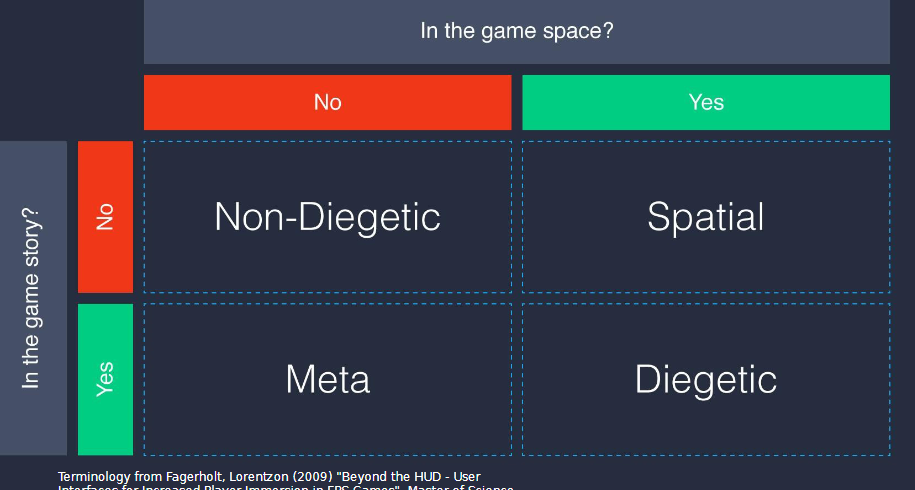
We then began learning the four different types of UI. Examples will be placed below.
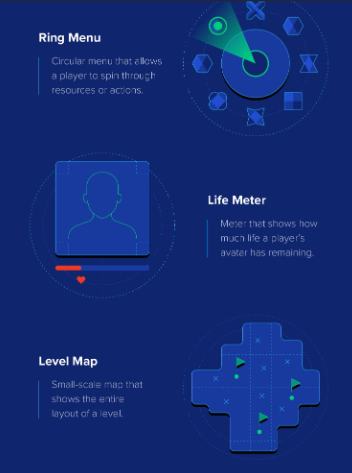
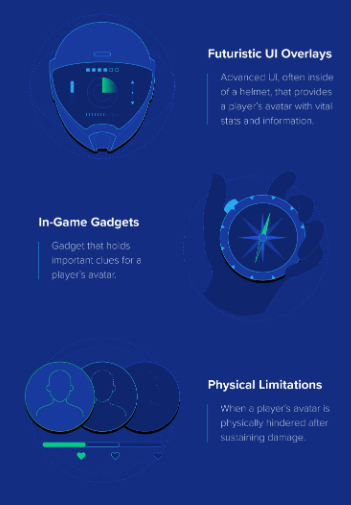
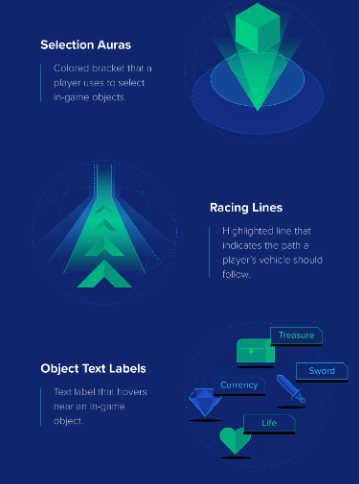
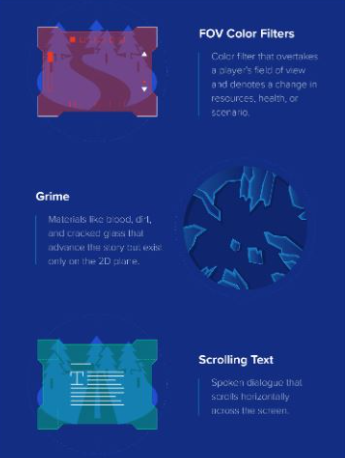
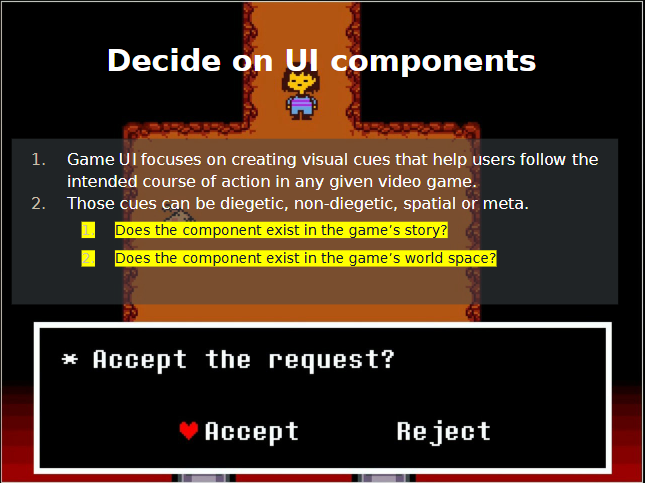
UI can serve both narrative and contextual purposes in a game. For example UI can show both a characters health bar, as well as dialogue which shows the narrative.
With my game I would also say UI exists in both the games story and world space. With the anxiety meter this is the world space, however with components such as picking up objects I’d say this is more narrative driven. I aim for the objects to tell the story as well as text on screen.
Device and Input Controls:
In this session we had to begin to think about what platforms our games would be featured on. My original thoughts were PC, laptop and potentially mobile as many people have access to a laptop and/or PC but an even bigger majority have access to a mobile device.
Points to consider:
- Screen size and image quality, card size and print
- resolution
- • Audio output (headphones, surround sound
- speakers)
- • Play contexts (portability?)
- • Market contexts (e.g., price points, platform
- expectations, where is your playership?)
- • Possibilities for co-operative play
- • Input controls
- • Accessibility (embodied literacy, financial,
- physical, geographical etc.)