16/02/2026-08/03/2026
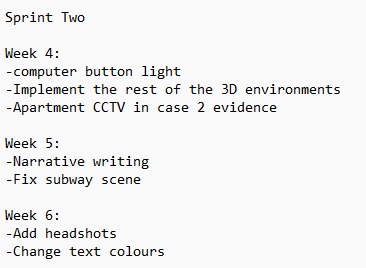
✦•┈๑⋅⋯ Week Four ⋯⋅๑┈•✦
Computer button light
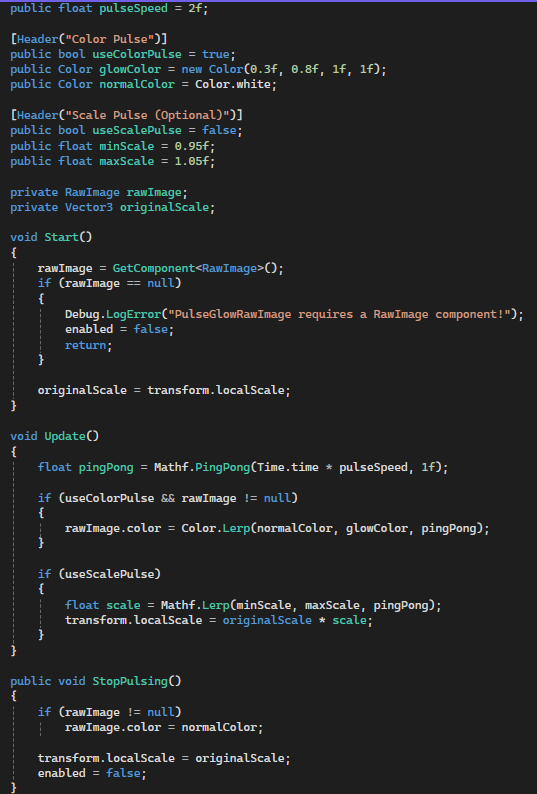
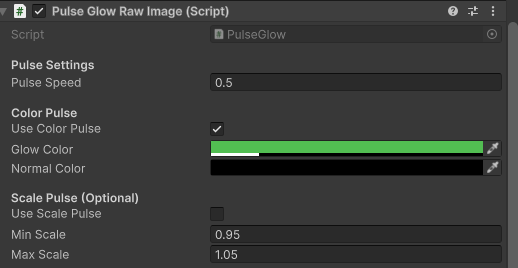
Last week I was unable to add a computer button light, as I ran out of time, so at the beginning of this week I made it my first priority.
This addition was really easy to implement. The script smoothly fades the button between its normal colour and a blue glow on a continuous loop, drawing the player’s eye towards it. Once the player clicks the button, the glow stops and the button returns to normal.
This was a design choice I made to guide the player towards the computer at the start of the scene.
3D Implementation🖥️
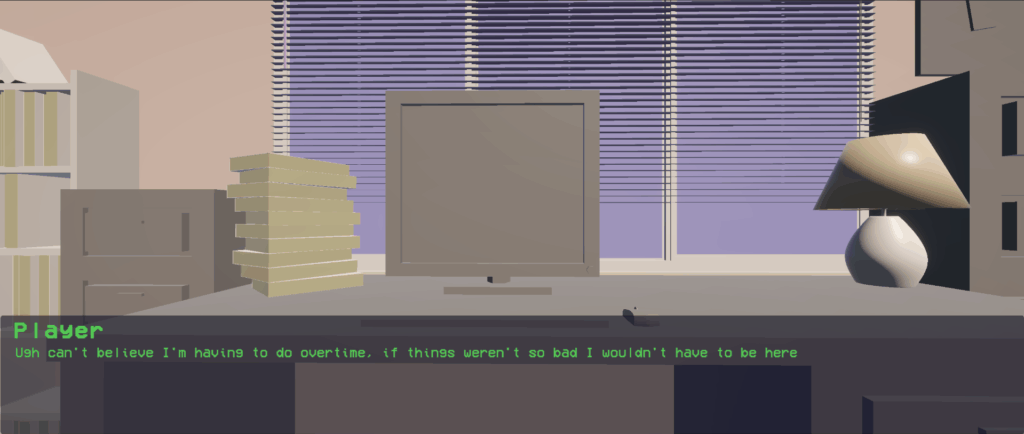
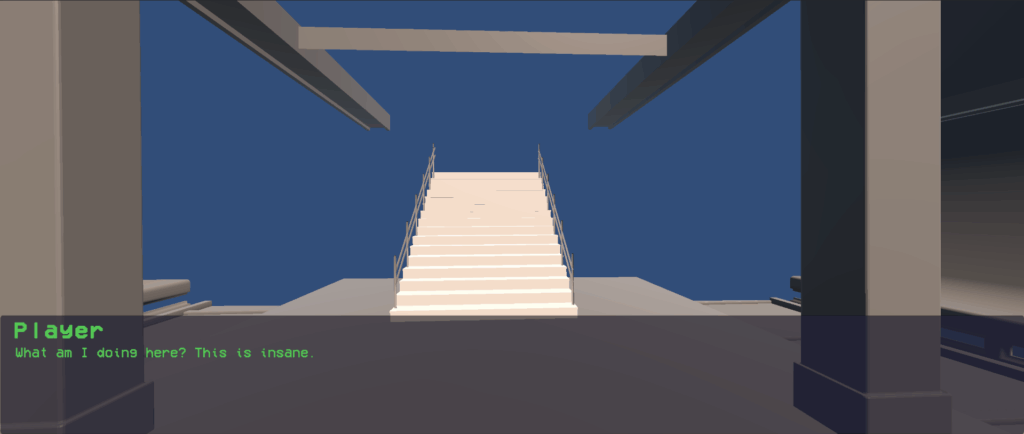
This week I was able to implement the 3D environments Izzy made, the office and the subway. It was a lot of trial-and-error trying to get the placement perfect with the camera but other than that it was a lot easier than anticipated!
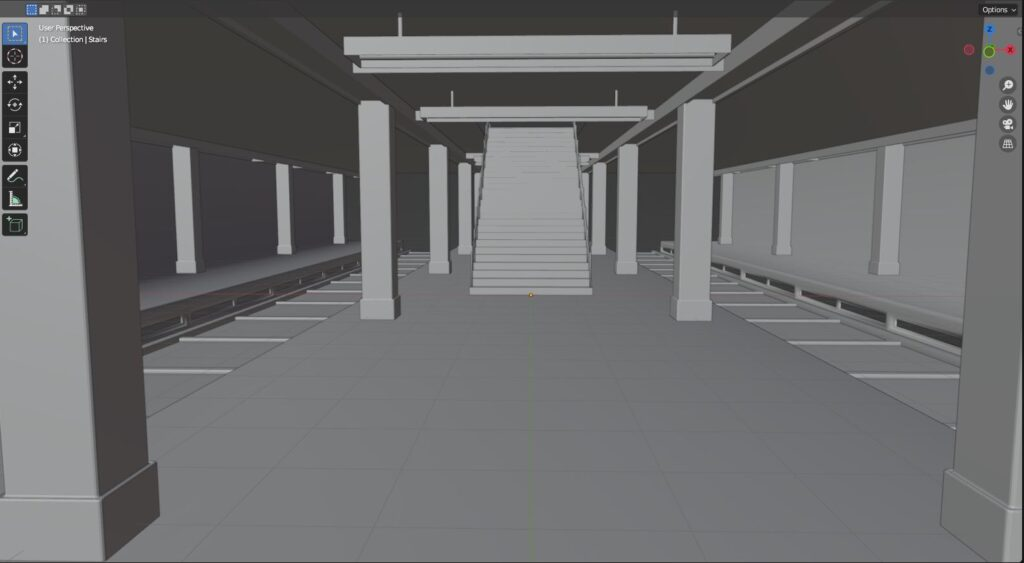
One issue I faced is the subway model. Only parts of the scene will show properly and I’m unsure whether this is a model or camera issue. For now I’ve decided to leave it as it is and complete other tasks, and fix this next week.
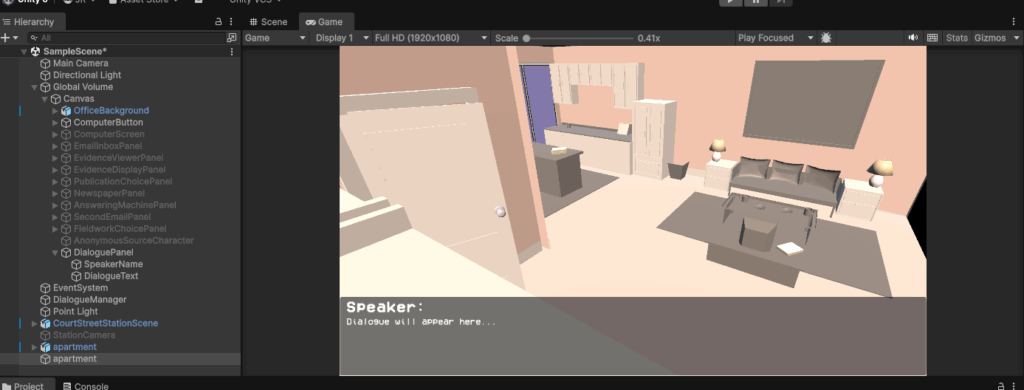
Later this week I then added in the apartment. To begin with it was quite difficult trying to figure out where the camera should be, as it’s supposed to look like CCTV footage. I thought this corner was perfect as it shows all parts of the room. The next step is to make the camera pan side to side and make it look more like CCTV.
Apartment CCTV Texturing📹
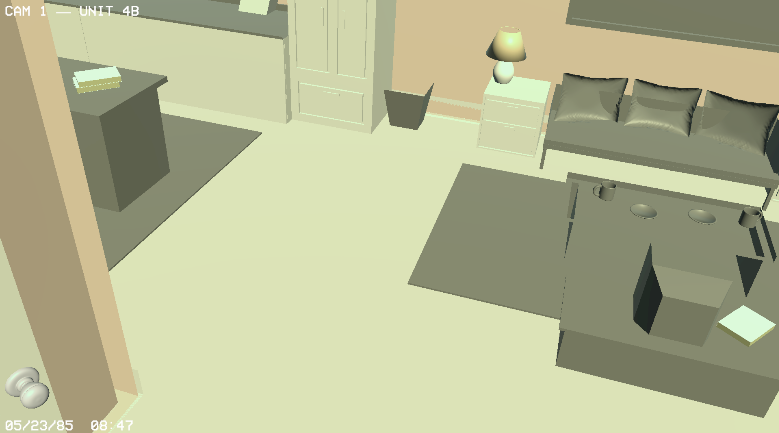
Above is the vision I had for the CCTV footage. I created a texture and added text to show a time and date to make it seem more realistic.
In the end I had to take both of these features out as you could only have one texture shown. This was really annoying as I loved the look of this texture on top, but unfortunately its something I’m unable to resolve.
✦•┈๑⋅⋯ Week Five⋯⋅๑┈•✦
Fixed Subway Scene🚊
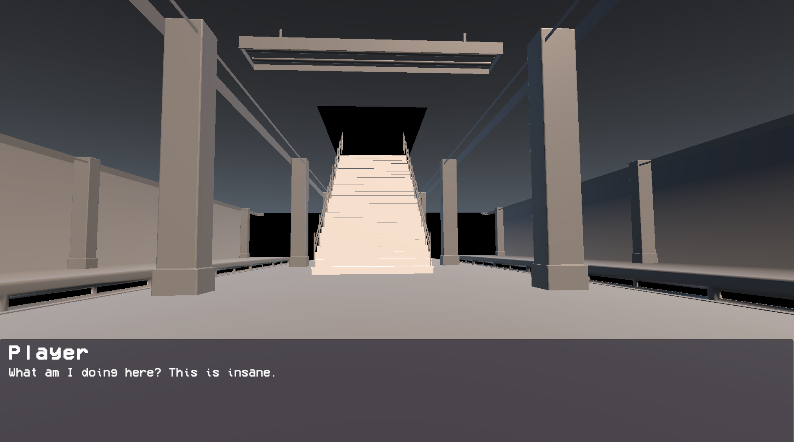
After last weeks error, I managed to fix the subway scene to show properly. The error came from a mix of two things.
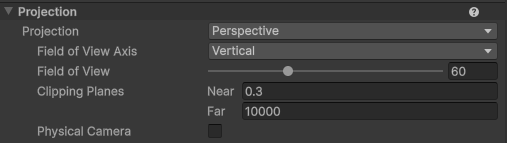
The main issue was the subway camera. The Clipping Planes in the Far section was too low for the whole scene to show. Above is what the camera settings are now.
Another issue was the model itself. I’m unsure why but some components had to be flipped in Blender and then reexported in order to be seen. Luckily it was an easy fix and now it’s working smoothly.
Playtest
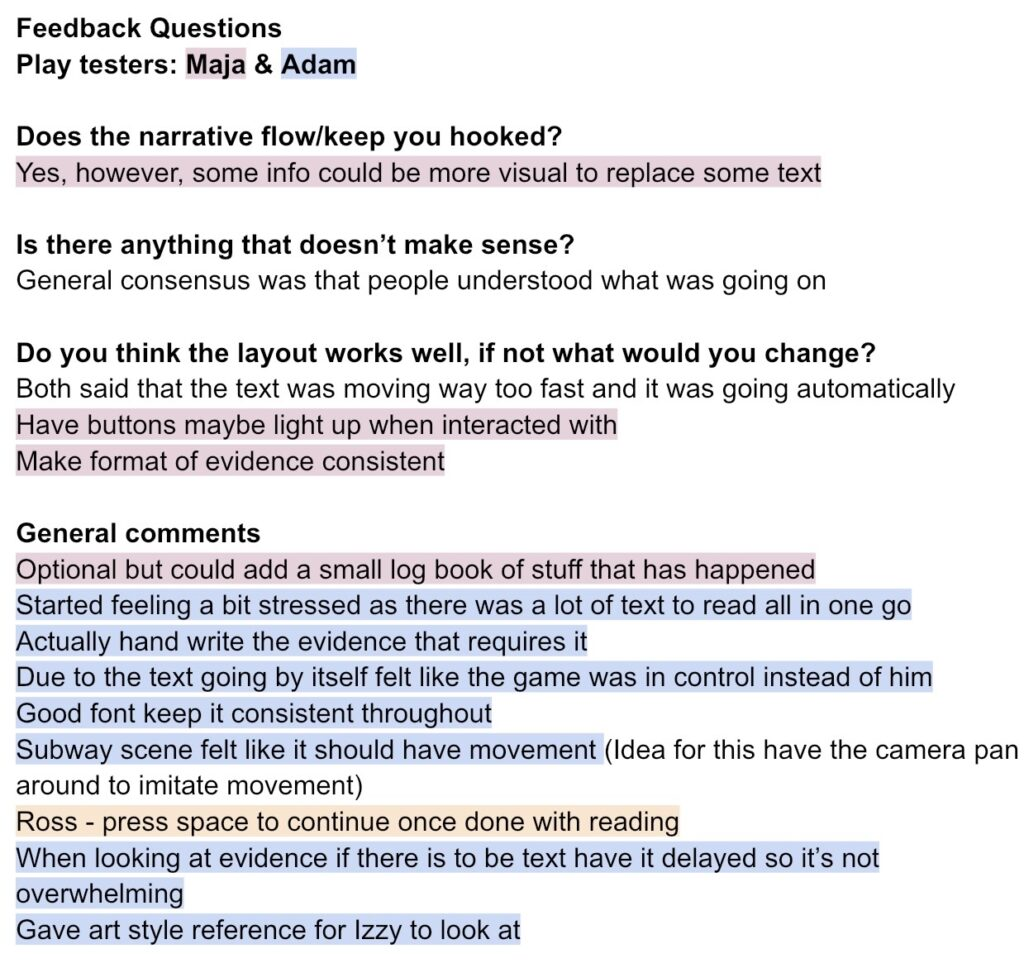
During week 5, Izzy and I had Adam and a friend playtest our game so far. Below is the feedback we received.
Next steps
During the playtest it was quite clear that were quite a few technical issues that needed to be fixed. The text would play on its own and altogether didn’t feel as immersive as it could be. Both testers found it stressful and felt like the game was taking control away from them, so I’ll be replacing that with a manual input system where the player presses space to move forward at their own pace. Alongside that, I want to make the evidence screens less overwhelming by adding a delay to the text appearing, and tidy up the inconsistent formatting across the game.
The UI and overall art style also needs improving. Izzy had a conversation with Adam, where they came to the conclusion that having an old windows style would be perfect. Whilst Izzy creates the new UI I will be fixing the issues on the technical side, listed above. I will also continue writing the narrative so I can begin implementing more gameplay.
New UI📱
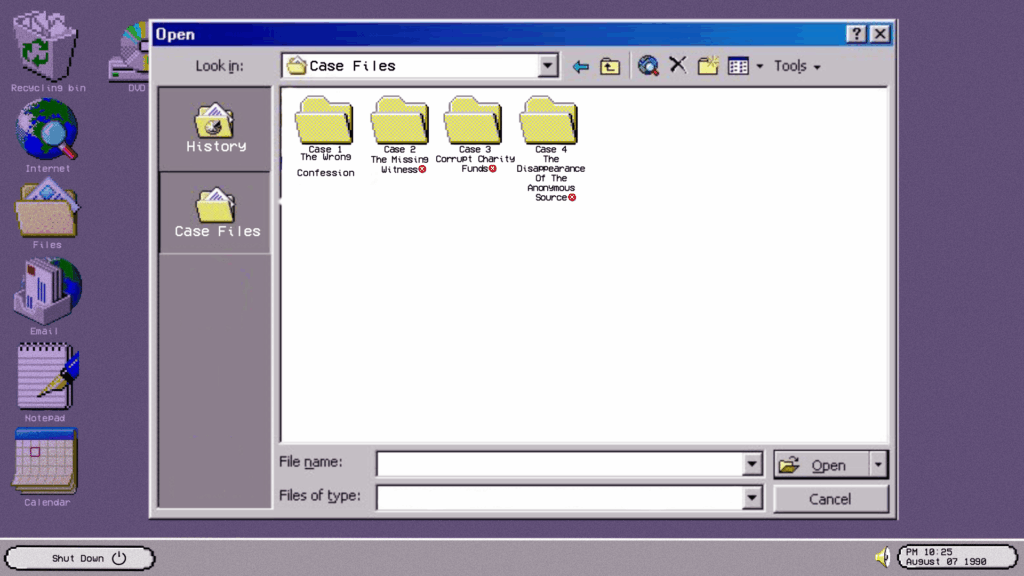
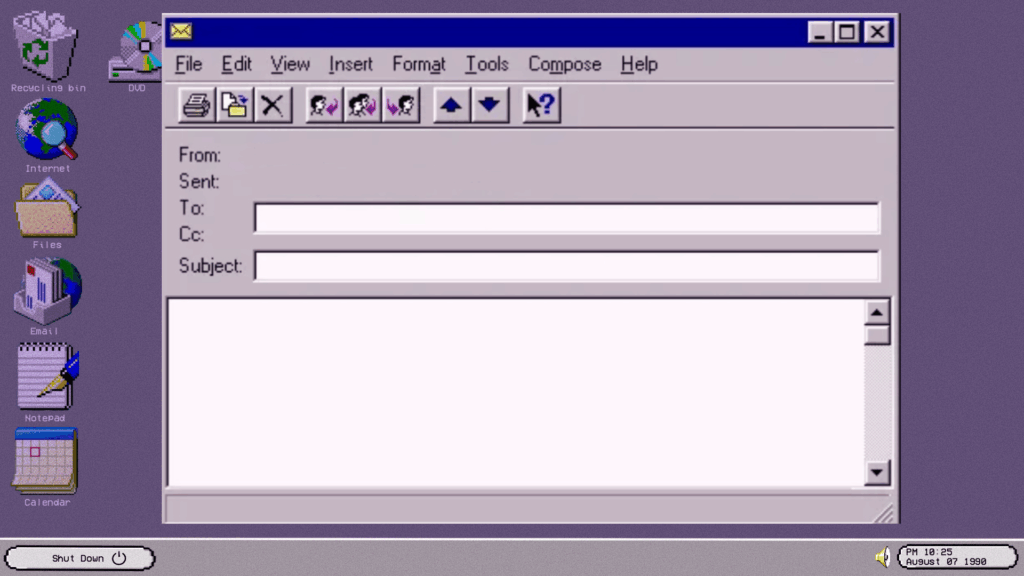
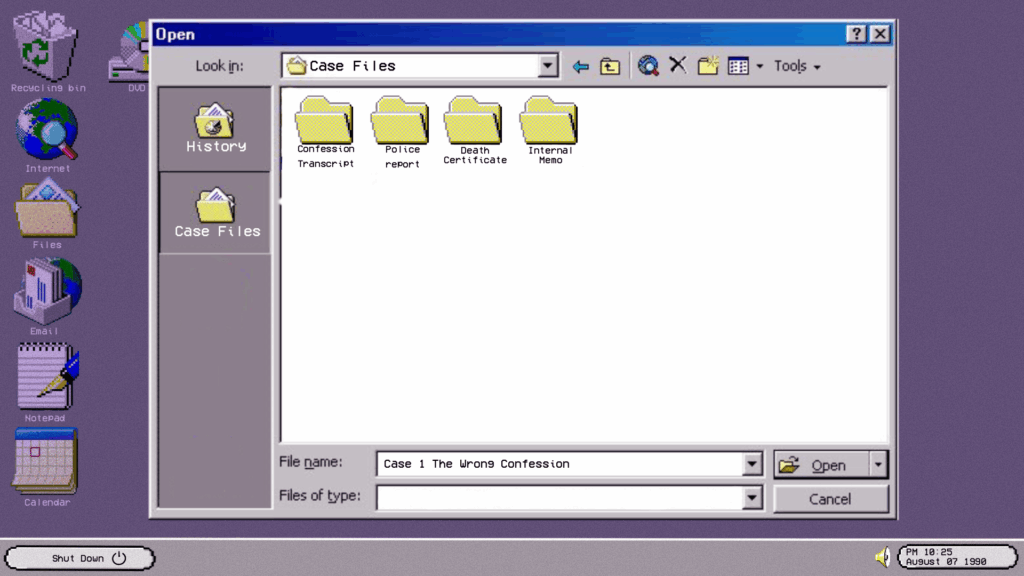
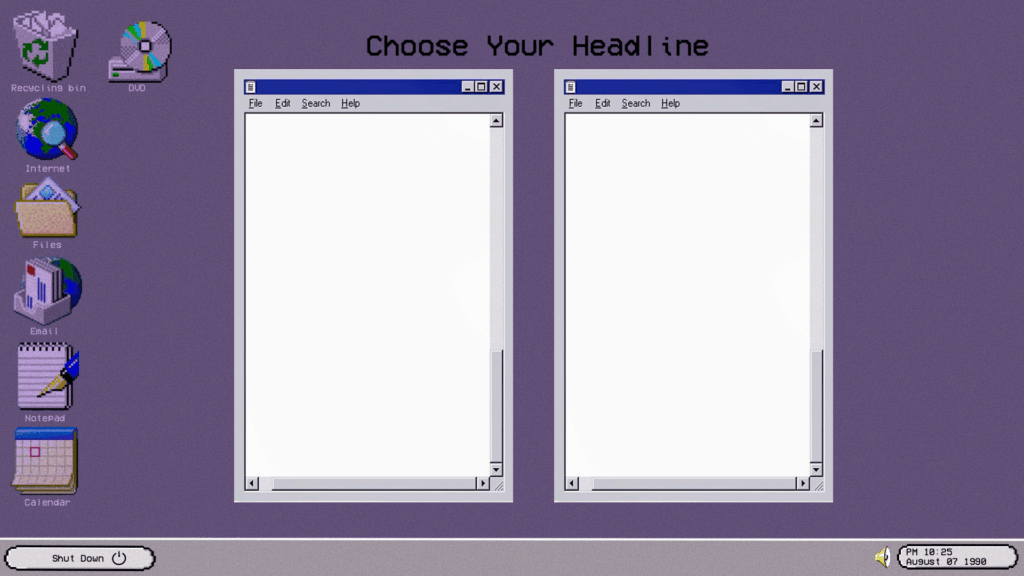
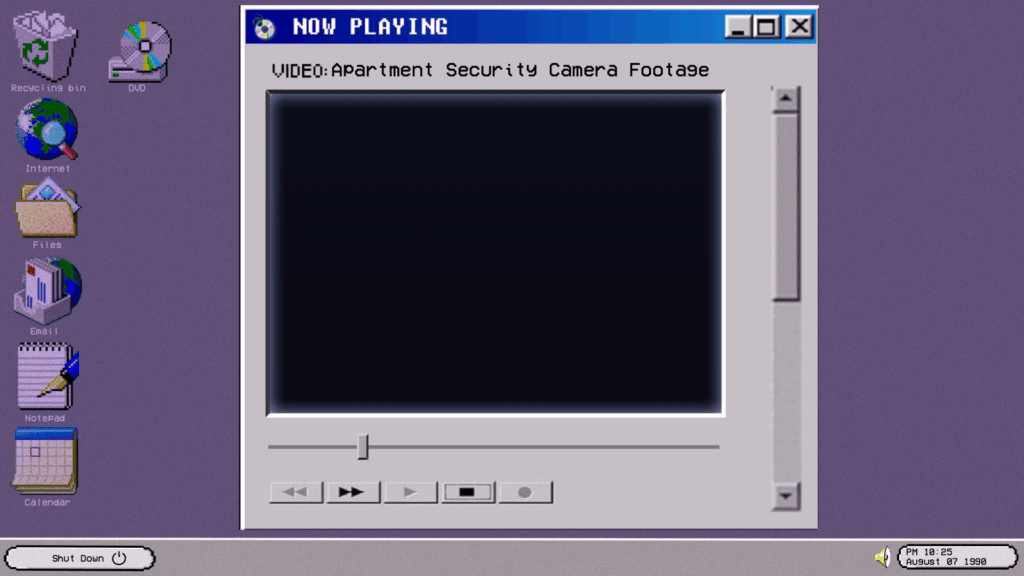
After this weeks feedback from what Maja and Adam gave us, Izzy created some new UI elements such as: a new evidence viewer, email inbox, computer screen, headline choice screen and fieldwork choice. After Izzy made these, she sent them to me to add to the game.
In-game screen recording with new UI
As you can see the game is looking a lot better! I have added in all the new UI (apart from the email UI).
✦•┈๑⋅⋯ Week Six ⋯⋅๑┈•✦
Next week Izzy and I will be attending the Science and Engineering Highfield, so this week I will be writing more of the narrative and including as much as I can in the game for this.
Narrative writing
During the end of last week/ beginning of this week, I managed to write more narrative all the way up to case 4! This means all I have left to do is the ending.
Adding icons and text colour for characters
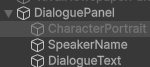
The next step for the game is to add in the headshots that Izzy made. I began by making an image called “CharacterPortrait” under the dialogue panel. I placed this image in the corner of the screen, where I wanted the headshots to appear.
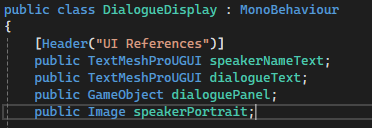
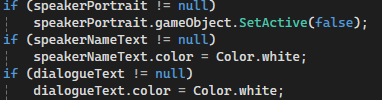

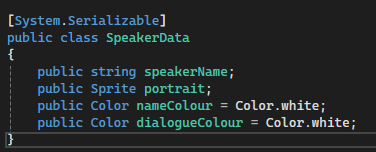
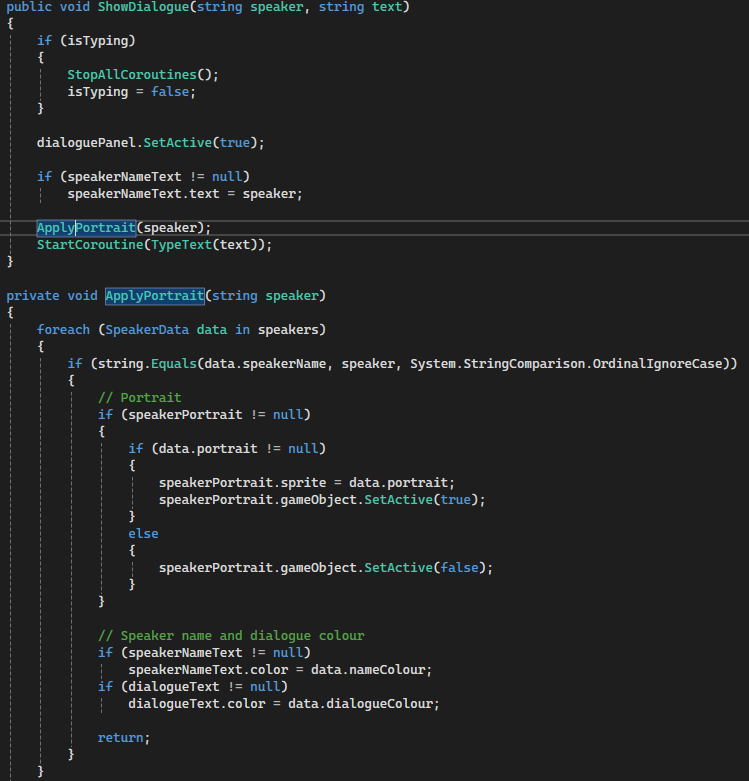
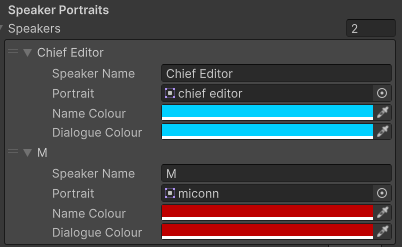
After this step, in my dialogue display script I added all the UI references for the headshots, as well as all the if statements so the game knows when to show it.
When I had done this I could add the speakers on the dialogue display manager. I then dragged the sprites into the portrait section and changed the name / dialogue text colour.
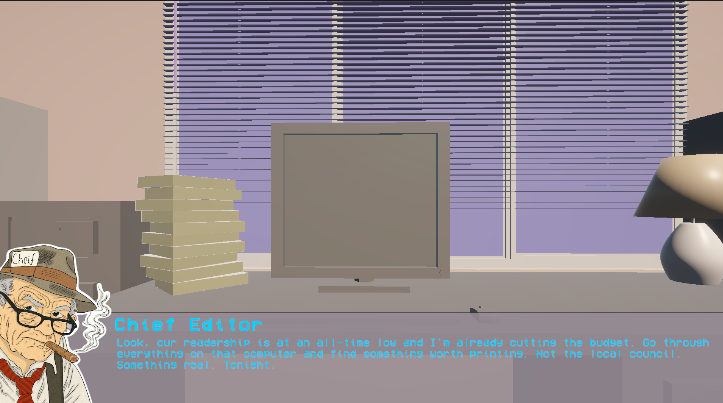
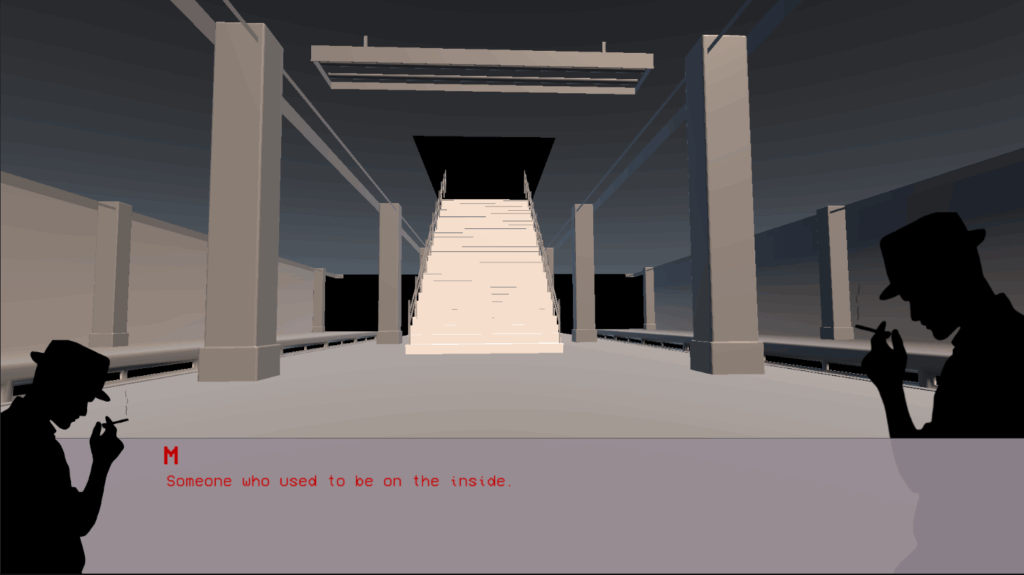
Izzy and I decided on blue for the Chief editor and red for the anonymous source. This was really easy to implement. Above is the final result!
Evidence Hotspots
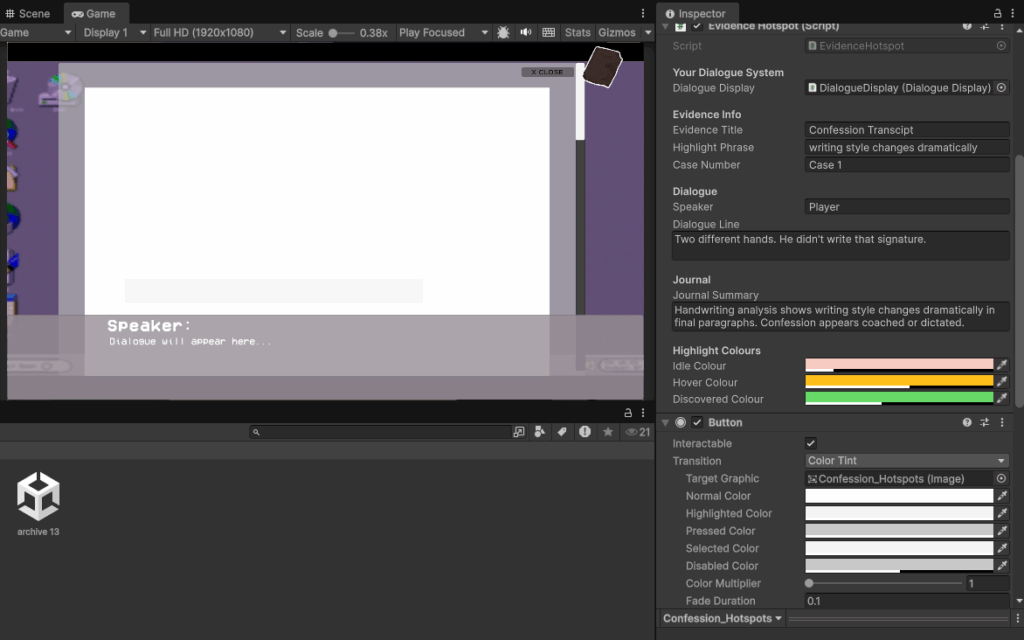
One of the main pieces of feedback we received was that the dialogue was being shown at the same time as the evidence, and it was very distracting. To fix this issue I decided to add a system where you can either find hotspots that will log into a journal and then the dialogue will show, or you can simply close it when its read and move on.
This system required a translucent button to be placed over the most important text within the evidence, where it also has a hover and discovered state.
Journal Implementation
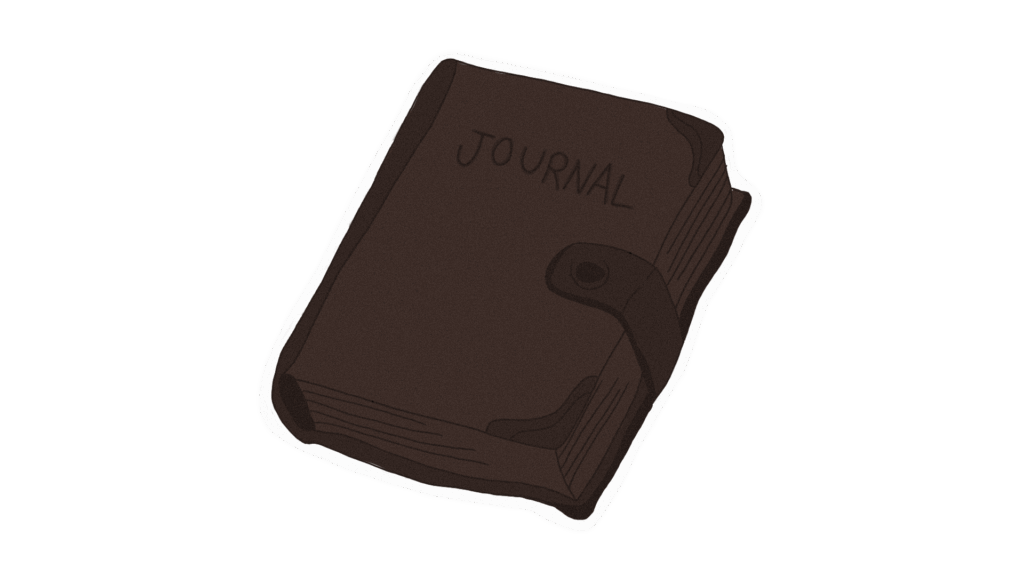
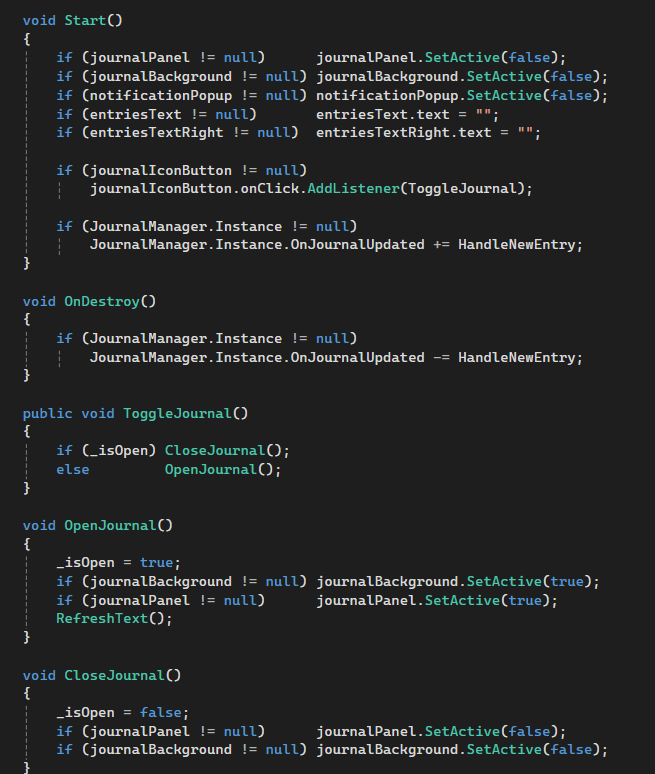
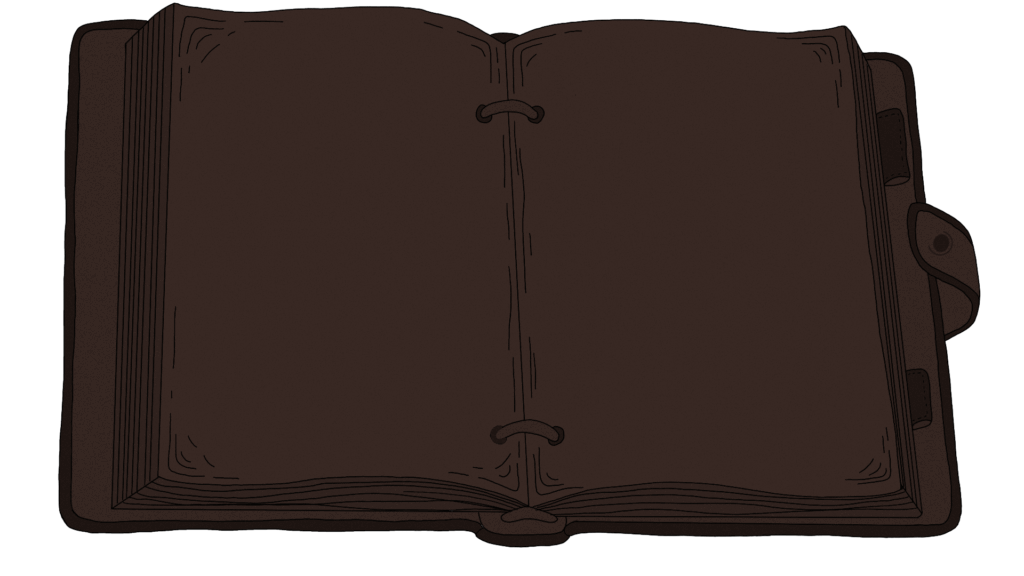
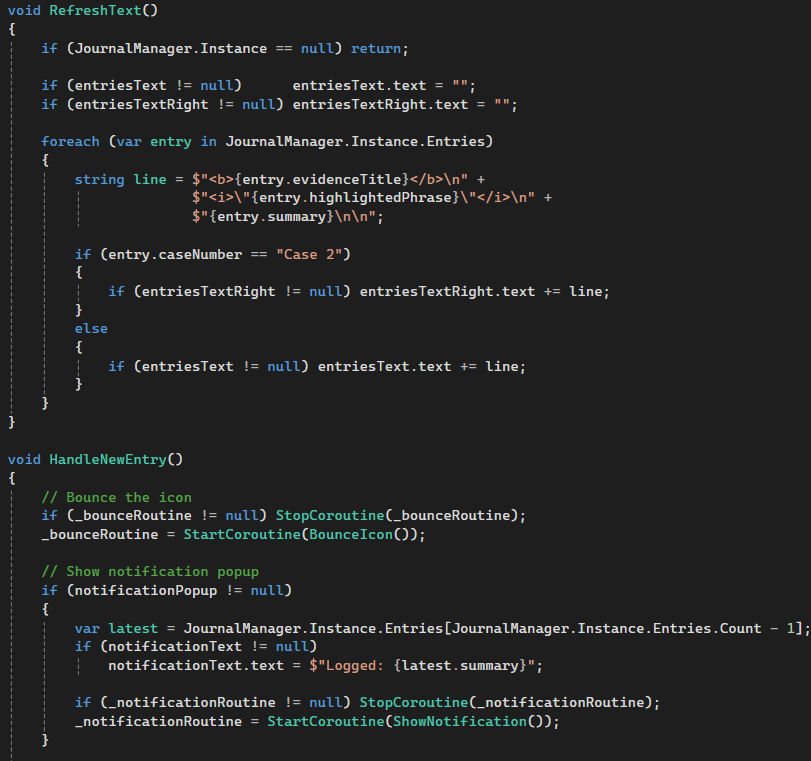
I split the journal into two scripts because I didn’t want a mess of UI code tangled up with the actual game logic. One script just keeps track of all the entries. Whenever a clue gets discovered anywhere in the game, it gets added to a list there. The other script is purely about how the journal looks and behaves on screen. They talk to each other through a simple event, so the moment something new gets logged, the UI knows about it and reacts.
For the little details I added a bounce on the journal icon whenever a new entry comes in. It just scales up and snaps back over half a second, but it makes the whole thing feel a lot more alive. There’s also a small popup in the corner that shows a preview of whatever was just recorded, then fades out after a few seconds.
Reflection
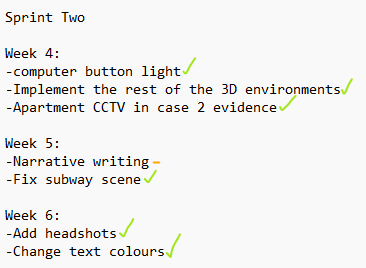
During this sprint I completed all of my tasks and more! in week 5 Izzy and I received some feedback, which set me back a bit with the narrative but I completed it during week 6 instead.
In week 5 I replaced the old UI with newer ones Izzy created, and I was still able to stay on track!