Process:
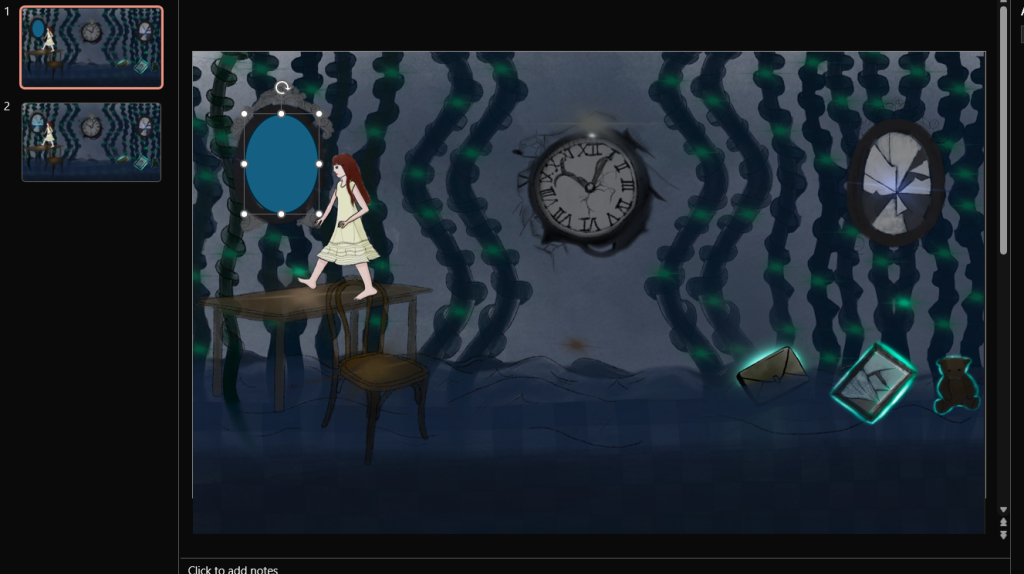
In order for the slides to know when to change I began by adding a shape on the mirror.
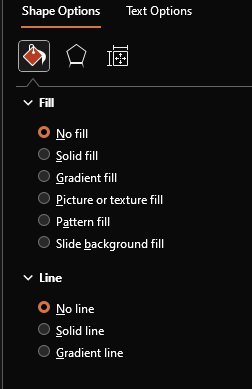
I then right clicked on the shape, scrolled down to option fill and selected no fill and no line so the shape was no longer visible.
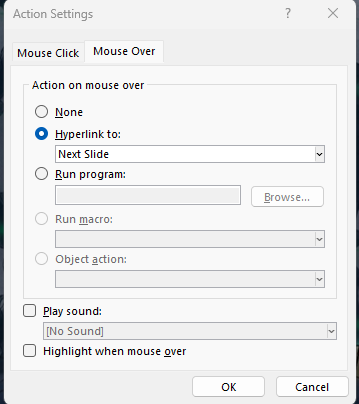
After the shape was made invisible I added an action under the insert heading. For the first slide I needed it to change slides when the mouse was over the shape rather than when clicked so I set the hyperlink to ‘Mouse Over’ and Hyperlink to: Next Slide.
I repeated the same process for the rest of the slides, adding shapes over places where you needed to interact, however some slides required more.
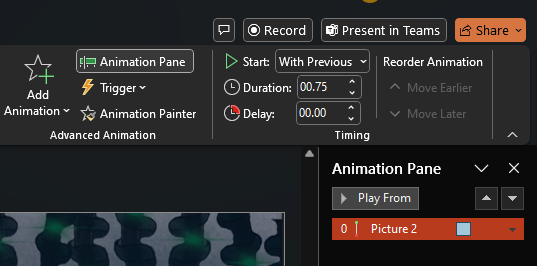
On slide 3 I needed the glass shard from the mirror to fall, meaning I needed to add animation to it. To do this I first added the mirror shard as a separate image and selected the animation heading. Under this I could add any animation I wanted, and I found an animation to make the shard fall under motion paths. I selected the ‘down’ motion path.
For me, the animation was too slow so I lowered the duration to 00.75 seconds, initially making it faster.
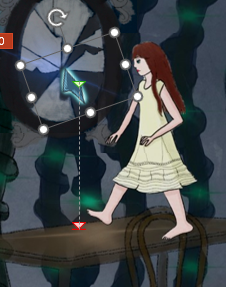
This is where I had set the shard to fall.
For the rest of the slides I repeated the process and experimented with some other animations. Overall I’m happy with how this turned out and is an easy way to show people how the game would work.