Written by Misty
GameLoop
Start Menu
The player begins at the Start Menu and selects Start to begin the game.
↓
Opening
An Opening sequence introduces the background and provides basic gameplay instructions to guide the player.
↓
Clearing Scene
The player enters the first playable area: the Clearing.
Here, the player encounters a Peacock and can interact with it to trigger the first task.
↓
Peacock Minigame
The player must hold down the mouse button to wipe away the dust on the peacock, revealing its original vibrant colours.
↓
Return to the Clearing
After completing the minigame, the player returns to the Clearing scene.
A Peacock Soul Fragment appears. Interacting with it will:
- Unlock the Peacock entry in the Notebook
- Unlock the next area
↓
Lake Scene
The player travels to the Lake. In this area, the player:
- Collect resources
- Feed the deer
- Interact with the deer after feeding it
- Get the Deer Soul Fragment
- Unlock the Deer entry in the Notebook.
↓
Ending
Game over, exit or back to the start menu.
–
Task Allocation
Here are the expected playable core mechanics in two scenes of this game.
| Clearing Scene | Lake Scene | |
| Start Menu & Instruction | Misty developed | NA |
| Item Collection | NA | Misty developed |
| Animal Interaction | Misty developed | Misty developed |
| Animal Puzzle | Ollie developed | NA |
| Get Soulfragement | Misty developed | Misty developed |
| Unlock Notebook Page | Misty developed | Misty developed |
| Ending | NA | Misty developed |
Meanwhile, I’m also in charge of adjusting art assets, animation, the UI system, and character movement. etc
–
Collaboration with Team members
All team members and I update each other on our progress during our weekly group discussions and communicate in real time via the Slack channel.
with Technical Designer Ollie
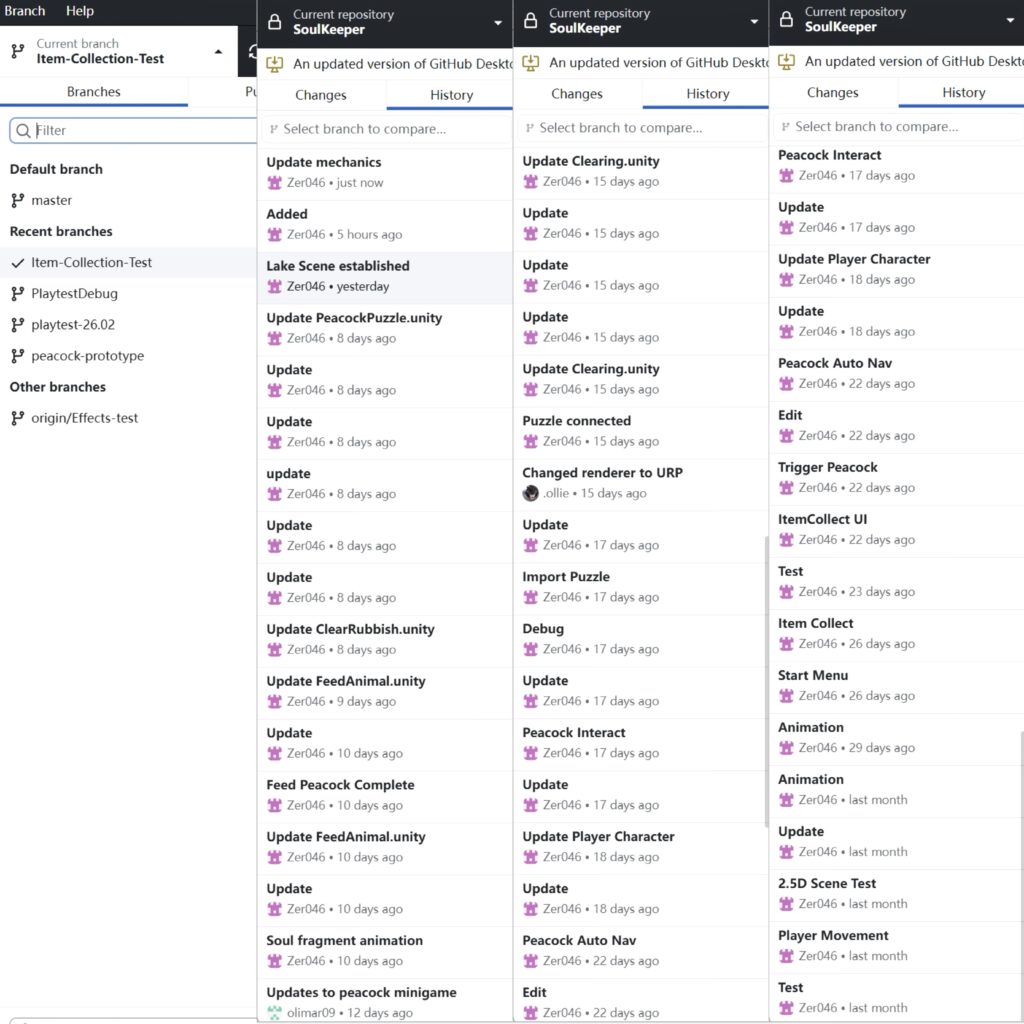
I created a GitHub repository and invited Ollie to join.
I was responsible for developing the main game, and he was in charge of the peacock minigame.
We initially worked on separate branches. Once he had fully developed the minigame, he merged it into my branch, and we coordinated the integration.
“Zer046” is my account.
with Artists, Swan and Lettie
Initially, I helped allocate art tasks to Swan and Lettie and suggested they coordinate their art styles by searching for references together.
Once they had completed the art assets they were responsible for, they would send me the original PNG files via email or the Slack channel.
After downloading them, I imported them into the engine and refined the scenes and animations. I then send them screenshots or videos of the refined work in the engine to seek their feedback on visual improvements.
I would also raise feedback to their work, such as ‘the map colours are too dark’, ‘this asset doesn’t blend well with the others’ or ‘the animation transitions aren’t smooth’, and discuss potential solutions with them.
with World Designer Yulia
At first, Yulia wasn’t entirely clear about her responsibilities and wasn’t used to communicating with the team via Slack. So I started by chatting with her in Chinese on WeChat to explain what she needed to do for the group.
This included researching the world-building, developing the character profiles, and crafting the opening narrative.

After that, we also discussed the sound effect:
Sound, Light and Effects – Misty Zhang
As other team members mentioned that she only messaged me privately, meaning the rest of us couldn’t keep track of her progress, I suggested she post all questions and updates to the Slack channel.
–
First Playtest Development
The first playtesting session was scheduled for Week 5 of development. During the preparation phase in the first four weeks, my main goal was to implement all core gameplay mechanics in the first scene (Clearing) that we intended to evaluate in this initial test.
My development blog for the first playtest are in the following links:
Coding Development: Scene & Camera
Coding Development: Player Character
Coding Development: Animal Auto Navigation
Coding Development: Item System
This stage prioritised creating a playable vertical slice that could demonstrate the complete gameplay loop.
–
First Playtest Outcome
I was able to include a complete game loop of the core mechanics in this playtest. However, there were some tech issues still existing which disturbed the player’s experience.
Here is the feedback we collected during the playtest and the form I organised later, to help myself clarify the issue, the way to improve, and the expected outcome:
First Playtest – 26.02.2026 – Soul Keeper
Based on this, I started to refine mechanics and interaction logic in Week 6:
First Playtest Refinement – Misty Zhang
Coding Development: Draggable Item – Misty Zhang
–
Second Playtest Development
Second Playtest Preparation – Misty Zhang
Sound, Light and Effects – Misty Zhang
–
Leave a Reply to Week 6: Team & Game Design Review – Misty Zhang Cancel reply