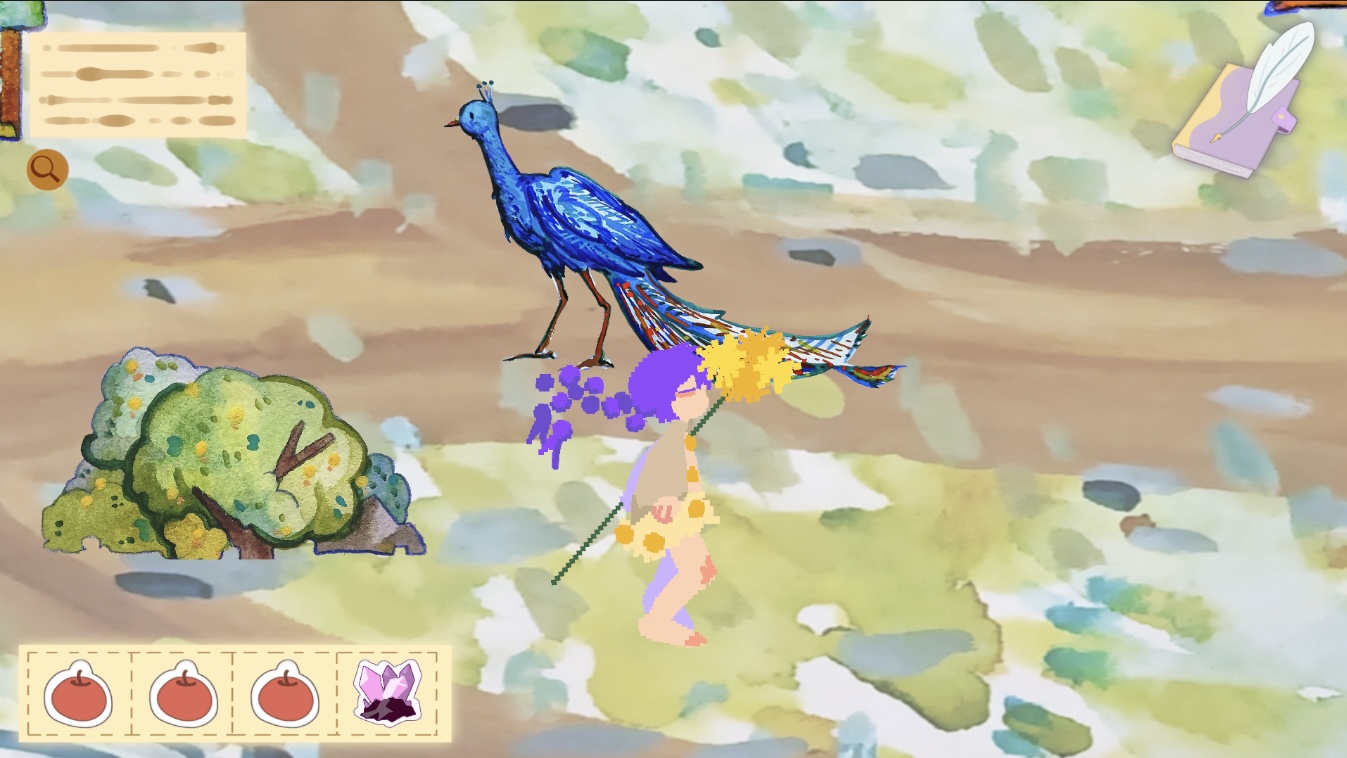
In Soulkeeper, the core characters of the game are animals. Because of this, I wanted them to feel alive, natural, and dynamic rather than static objects in the scene. To achieve this, I implemented an automatic walking system for the animal character, specifically the peacock.
Here’s the tutorial that helps me to achieve this:
Engine Setup
First, under the Ground layer, I added a NavMesh Surface component. This allows the ground to be baked as a walkable navigation area for AI agents.
Next, I selected the peacock object and added a NavMesh Agent component in the Inspector. This component enables the peacock to move intelligently within the baked NavMesh area.
I then opened the Navigation window separately and adjusted the agent’s Radius and Height to appropriate values. These parameters define the peacock’s physical navigation boundaries and collision size. By fine-tuning them, I ensured that the peacock would move naturally within its valid activity range without clipping into obstacles or exceeding walkable areas.

After configuring the NavMesh system, I attached a custom script called PeacockNavAuto to control the peacock’s autonomous wandering behaviour.
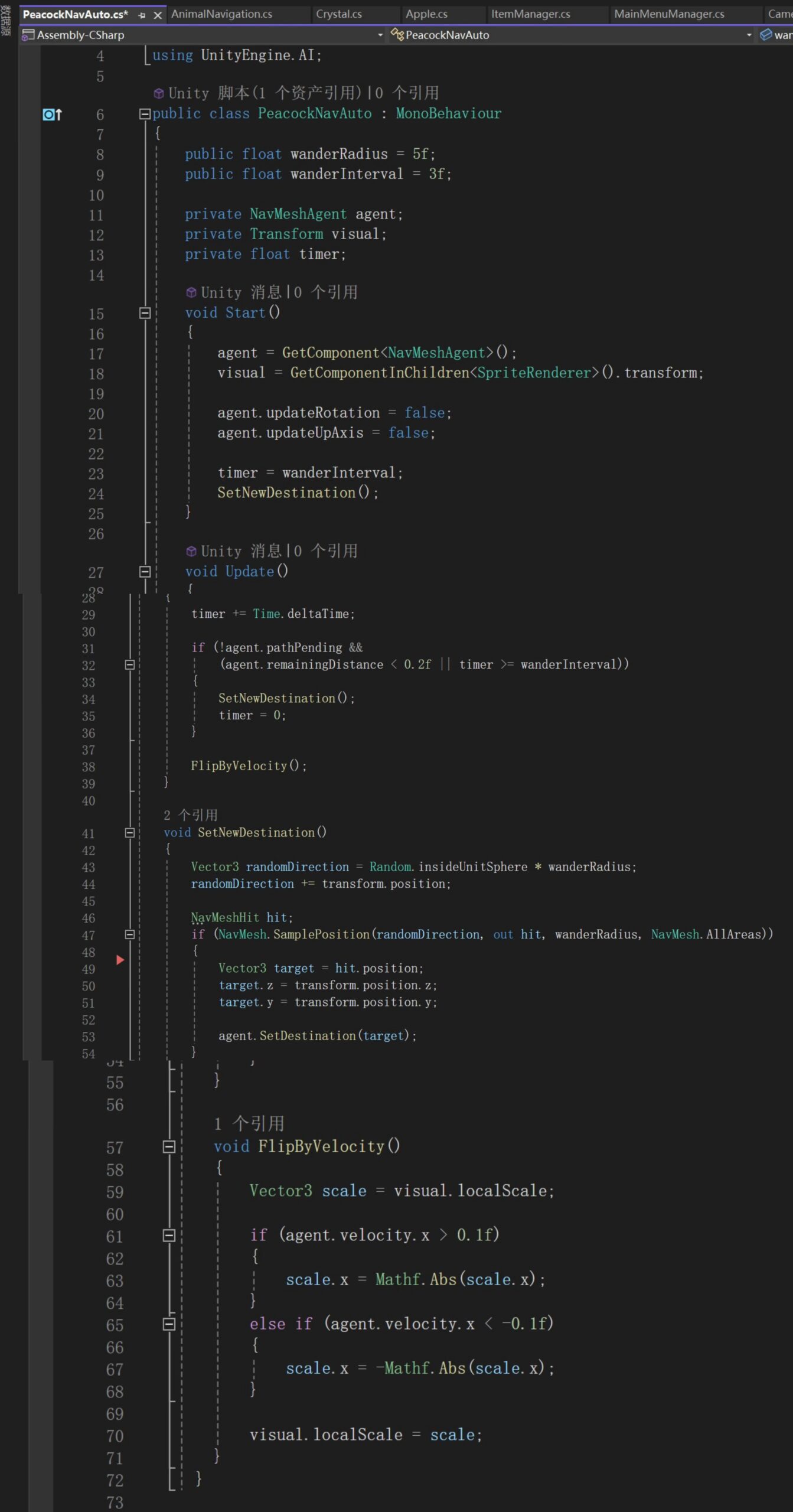
At the top of the script, I included using UnityEngine.AI so that I could use Unity’s NavMesh system. The script defines two public variables: wanderRadius and wanderInterval. The wanderRadius controls how far the peacock is allowed to move from its current position, while wanderInterval determines how often it chooses a new destination. Because they are public, I can easily adjust them in the Inspector to fine-tune the movement behaviour.
I then declared a NavMeshAgent variable to control movement, a Transform visual variable to control the sprite’s facing direction, and a timer to track time between movements.
In the Start() method, the script gets the NavMeshAgent component attached to the peacock and finds the SpriteRenderer in its children. I disabled automatic rotation and vertical axis updates because this is a 2D character, and I don’t want Unity’s 3D rotation system to affect it.
In the Update() method, a timer increases every frame. When the peacock reaches its destination or when the set time interval has passed, it chooses a new random position to walk toward. This keeps the movement feeling natural and continuous.
The SetNewDestination() function generates a random point within a certain radius around the peacock. It then uses NavMesh.SamplePosition() to make sure that the chosen position is actually on a walkable NavMesh area. If the position is valid, the agent moves toward that target. This creates a smooth wandering effect within a limited range.
The FlipByVelocity() function makes the peacock face the direction it is moving. If the velocity on the X-axis is positive, the sprite faces right; if it is negative, the sprite faces left.
Leave a Reply