The video shows shopping car system:
Shopping Car system:
Shopping car blueprint:
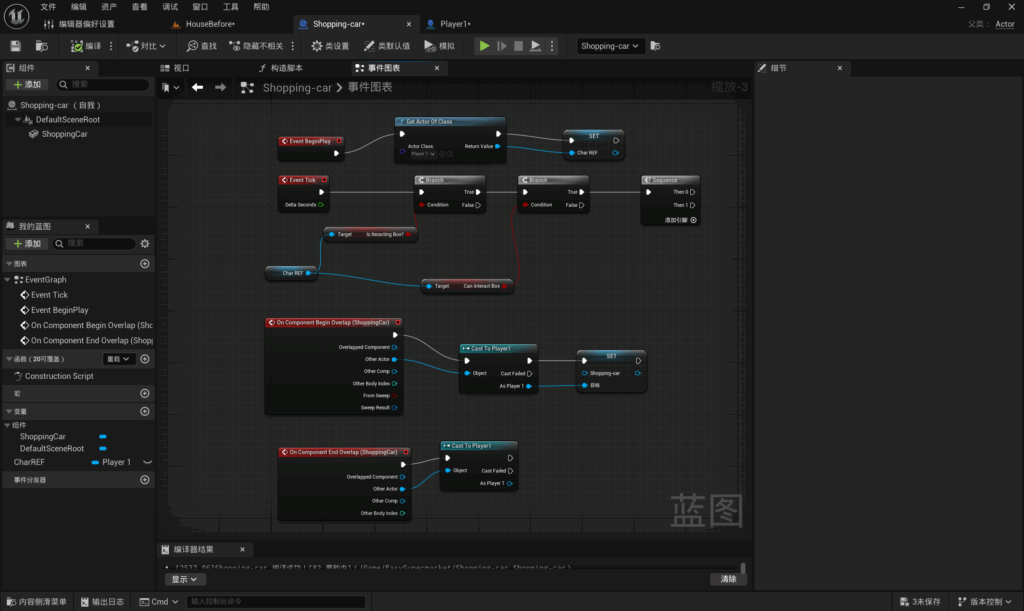
First, this Blueprint command is triggered when the game starts. The player’s collision volume is retrieved and stored in a variable.
The most important part of the Blueprint in this image:
First, cast the actor to the player. When the player enters this collision volume, the Blueprint is triggered, passing the shopping trolley reference to the player so that they can control it.
Player Blueprint:
Players implemented the function to push and pull the shopping trolley by adding to and modifying the blueprint for picking up items.
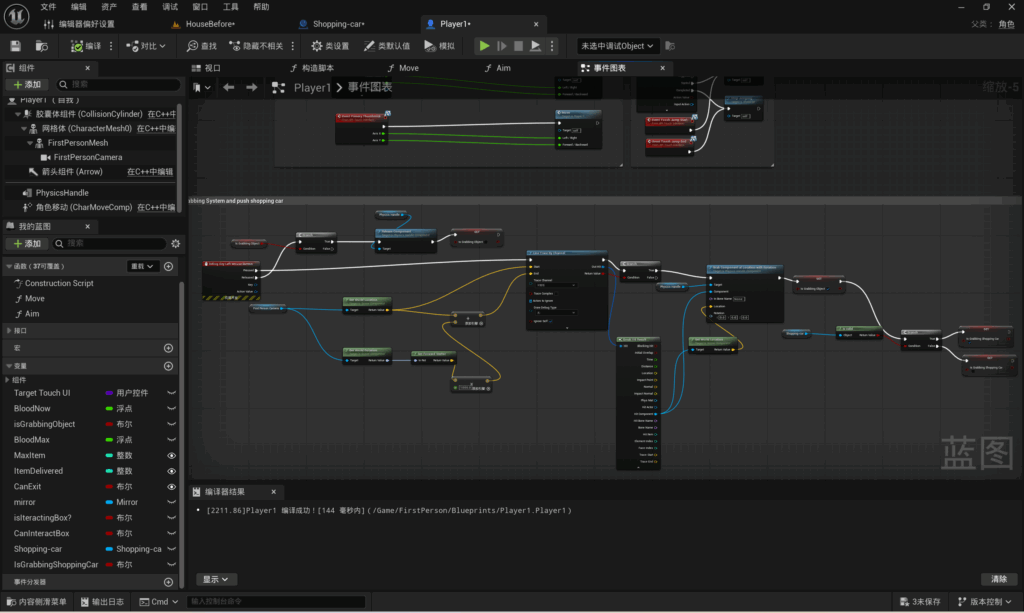
First, make the necessary additions to the blueprint that determines which items the player picks up.
Add a condition after successfully determining whether the player has retrieved an item. The condition is that the shopping basket reference is valid; if this condition is met, the shopping basket can be retrieved; if not, it cannot.
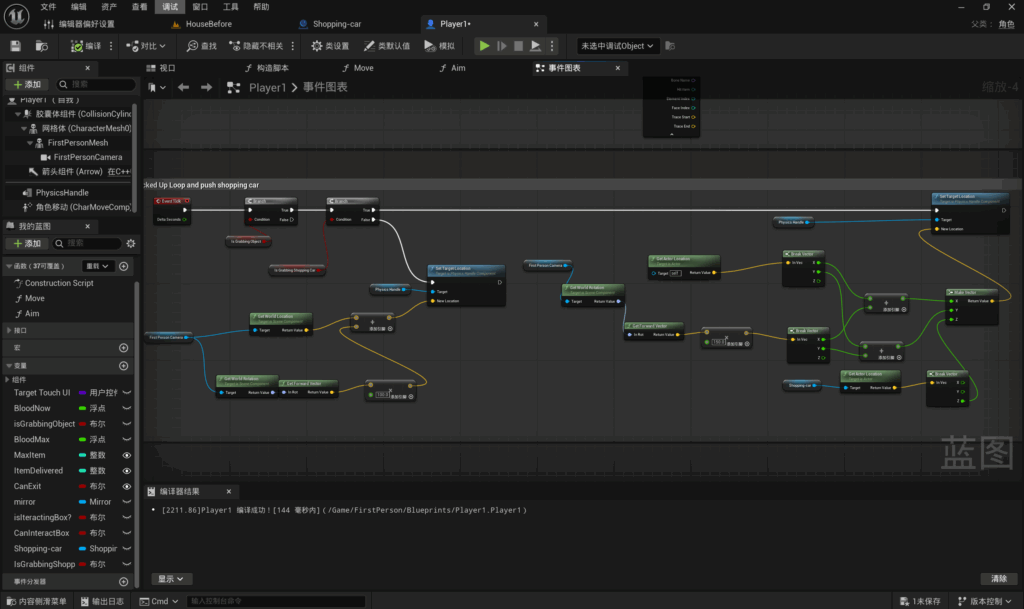
Secondly, I have added a separate section for calculating the target position of shopping trolleys to the blueprint for calculating the target positions of items, in order to distinguish between ordinary items and shopping trolleys.
Firstly, I added a check; when the condition that an item has been picked up is met, a second check is triggered. When the condition that the shopping trolley has been picked up is met, the target position for the shopping trolley is calculated. If the condition is not met, the target position for the original picked-up item is calculated.
The primary purpose of calculating the shopping trolley’s target position is to lock the Z-axis, ensuring that when the player picks it up, the trolley can only move along the X and Y axes and cannot be lifted.
First, I obtain the player’s camera position and multiply it by a distance of 150 to calculate the distance ahead of the player. Once the Actor’s position has been obtained, both values are decomposed into their X, Y and Z components, and only the X and Y values are added together. I then obtain the shopping trolley’s position and set this as the Z value; the resulting X, Y and Z values represent the shopping trolley’s target position.
Problem and Solution:
This is a record of my second attempt at creating this mechanism. Initially, following a tutorial I found, I wanted to add a physics simulation to the shopping trolley and create a Blueprint for the player to push and pull it, so that the trolley could be moved without being lifted.
However, as my player was using the first-person template included with UE5 out of the box, the player’s movement Blueprint was completely different from the tutorial. I tried modifying the default Blueprint, but this resulted in the player being unable to move at all. So I abandoned that approach.
After giving it some thought, I realised I already had a blueprint for the functionality that allows players to pick up items and move around with them. The underlying logic of the shopping trolley feature is similar to this functionality, except that it restricts the player’s movement along the Z-axis. So, I ultimately decided to add to and modify the blueprint for the player’s item-grabbing functionality in order to implement the shopping trolley feature.
Leave a Reply