The video shows the game sound:
Background music:

Setting up the background audio is fairly straightforward. I imported the background music into UE5 and set the volume to 8, which is slightly lower than the volume of the footsteps. I ticked the ‘Loop’ option to ensure the music plays continuously in the environment. Finally, I simply dragged the music into the environment, so players can hear the background music at a consistent volume throughout, with no variations.
The sound of the player’s footsteps:
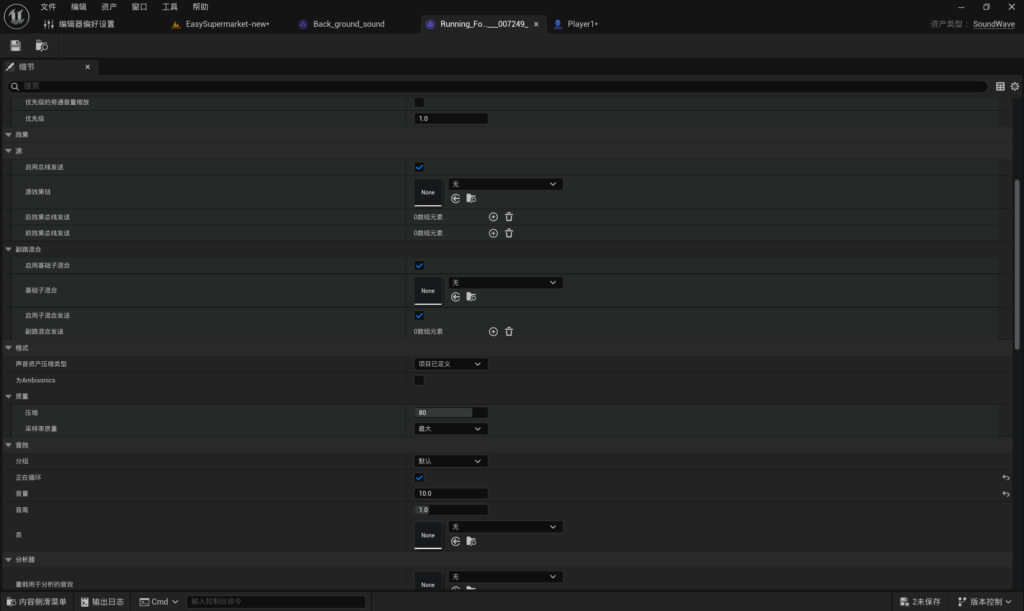
I have set the volume for player footsteps to 10, which is louder than the background music. This ensures that the footsteps are clearer when they are played alongside the background music. Set the audio to loop so that the footsteps do not stop.
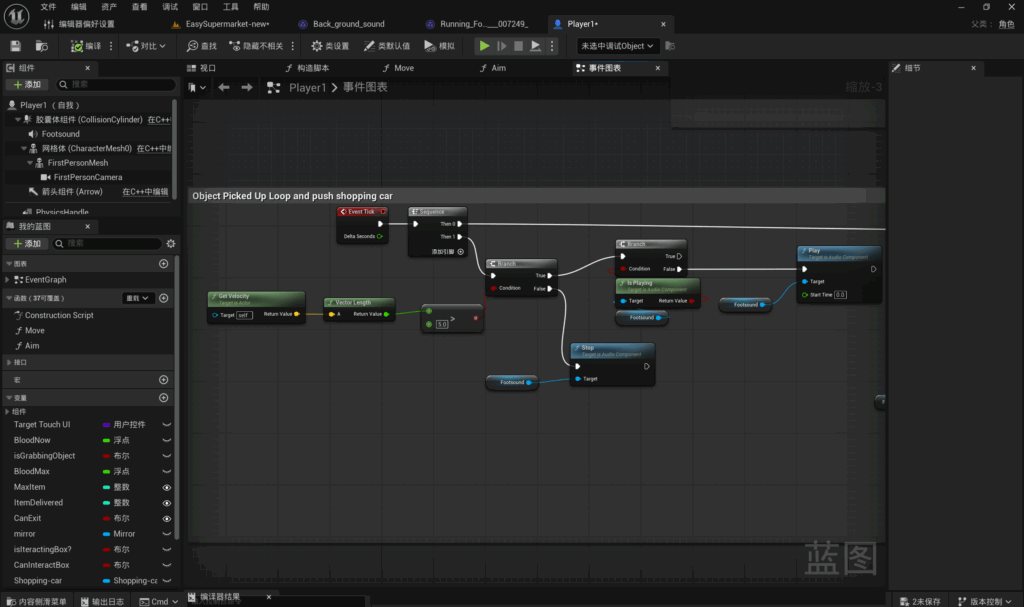
Footstep sounds are bound to the player blueprint. First, add the footstep sound effect to the component. Obtain the sound effect’s Vector, then retrieve the Vector Length. Convert the direction velocity to a numerical value; this value should be greater than 5 (the character may experience slight jitter; setting a threshold provides greater stability). This serves as the condition for the check. When the condition is met, add a check to determine whether the sound effect is currently playing; if it is not, play the footstep sound. When the condition of the value being greater than 5 is no longer met, stop playing the footstep sound effect.
This ensures that footstep sounds play when the player is moving and stop when the player stops moving.
Leave a Reply