Monday:
Game art is not just about making beautiful visuals — it must serve functionality in a game system.
Communication is important:
Artists need to maintain constant communication with level designers, art director and technical artists. Effective communication is the key to the success of assets.
1. Making Assets:
- Start by creating a prototype, then have the programmers and artists validate the gameplay, before moving on to detailed iterations.
- Keep the grey box simple. The simpler the grey box, the faster it can be built and the better its performance.
- Time is limited, so resources must be allocated wisely.
- The software itself isn’t important; as long as it can export files in a standard format that the whole team can use, that’s all that matters.
- When exporting assets, a naming convention must be followed, with names including details such as size, type and material. Naming, formatting and structure must be consistent; file management is crucial.
- Assets are imported on multiple occasions, requiring repeated testing and adjustments. Asset classifications must be clear.
- In the game, it is essential to test the assets’ functionality, performance and compatibility first.
Reflections and summary following the lesson:
Following this lesson, I believe there are several areas for improvement in our group’s project development process.
- The construction of the grey box took far too long, which was primarily due to communication issues; although we had agreed to communicate promptly, team members did not fully understand or receive the information.
- All grey box assets were given default names, making it impossible for me to identify what each asset was.
- The export was not standardised, causing issues with the game engine, resulting in the loss of Blueprint components and setting our progress back.
The root cause of the third issue lies in the first reason. I have explained this on numerous occasions, both online and in person, but the team members have not fully grasped my point, with the result that they continue to use non-standard export formats, leading to problems with the blueprints.
Our team promptly addressed the issues identified above.
However, I believe there are areas where our team has performed well.
Although there have been some minor issues with communication, we have all been actively engaging with one another, and we have not found ourselves in a situation where there was absolutely no communication between team members beforehand.
Furthermore, our grey box underwent several iterations and was only incorporated into the final asset build after thorough testing.
None of the members of our team—from programmers to artists—have used AI in the production process; we have completed all aspects of the game entirely on our own, and we guarantee that there are no AI elements in the game.
Thursday(Playtesting):
Level Design:
- The player’s interaction with the mirror needs to be more obvious.
- The map is too large; it needs to be scaled down.
- The toilet is too inconspicuous; players cannot find it.
We already have a solution for the third feedback: in formal settings, we use signage to guide players.
- Increase the number of NPCs.
- Move the mirror to the bathroom (to be considered).
- A more prominent exit.
My Opinion:
I believe the reason behind the prominent suggestions in this feedback regarding the design of the Magic Sword item or the space is that the colours of the grey boxes are too similar, making it difficult for players to distinguish between different items. I think there is a chance that this issue will disappear once the assets are implemented in the scene.
UI Design:
- The Nervous Bar stands out even more.
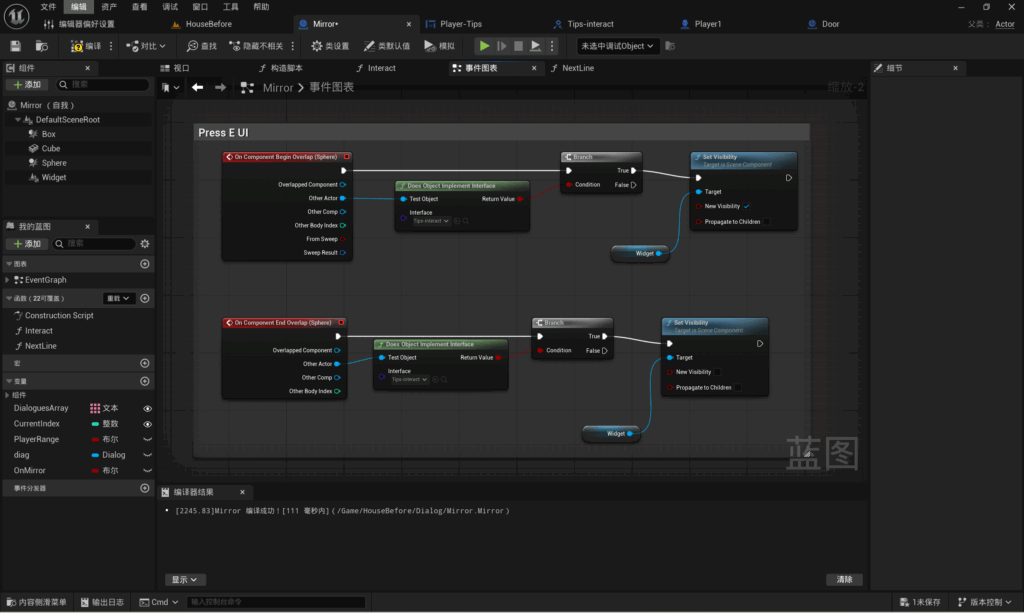
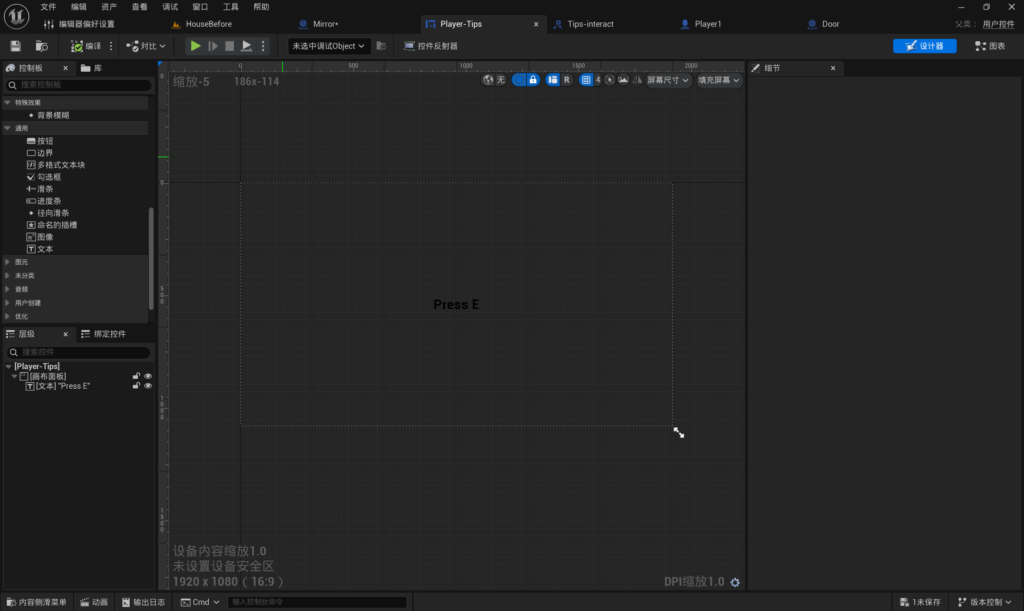
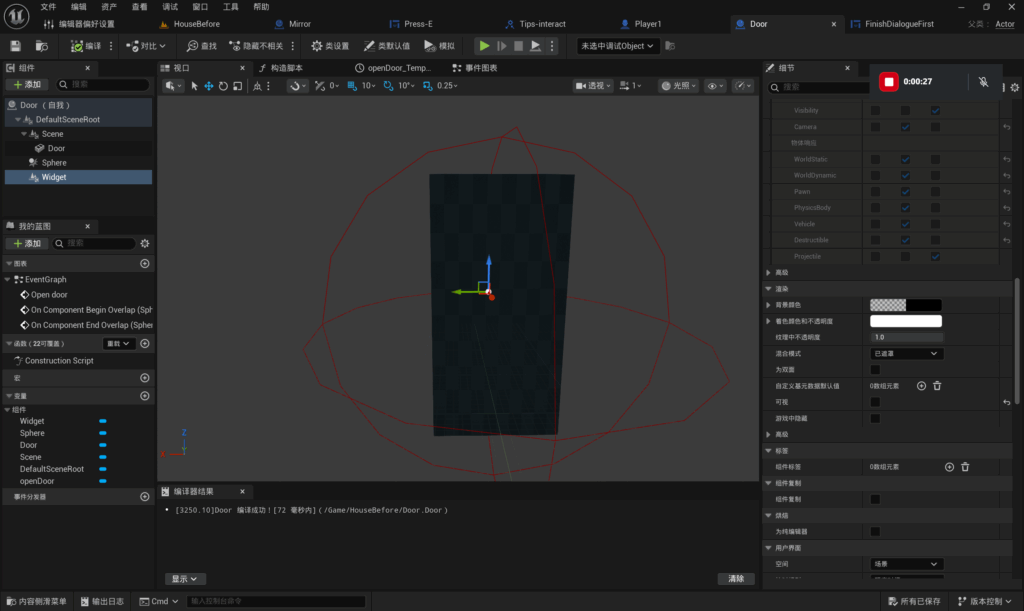
- Add visual cues to interactive items (completed).
Players Feeling:
- Add Running system
Enhance the sense of purpose in the game:
I believe that, as a game defined as a simulator, the aim of Scopophobia should be to allow players to experience the situations faced by those with scopophobia in real life. By employing exaggerated techniques within the game, players can empathise with the condition and gain an understanding of scopophobia through the gameplay.
My Working Progress:
Menu UI:
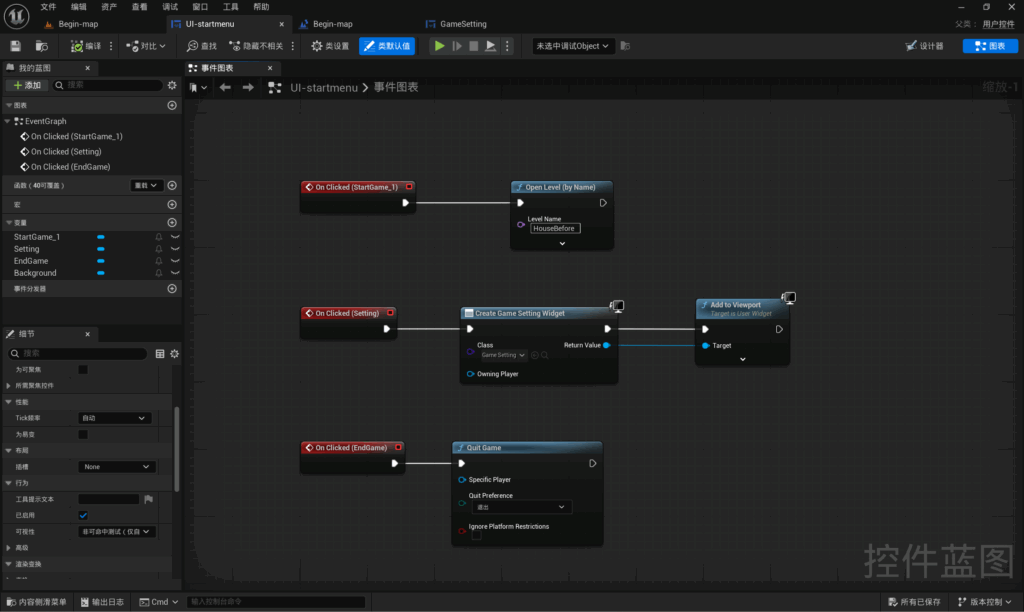
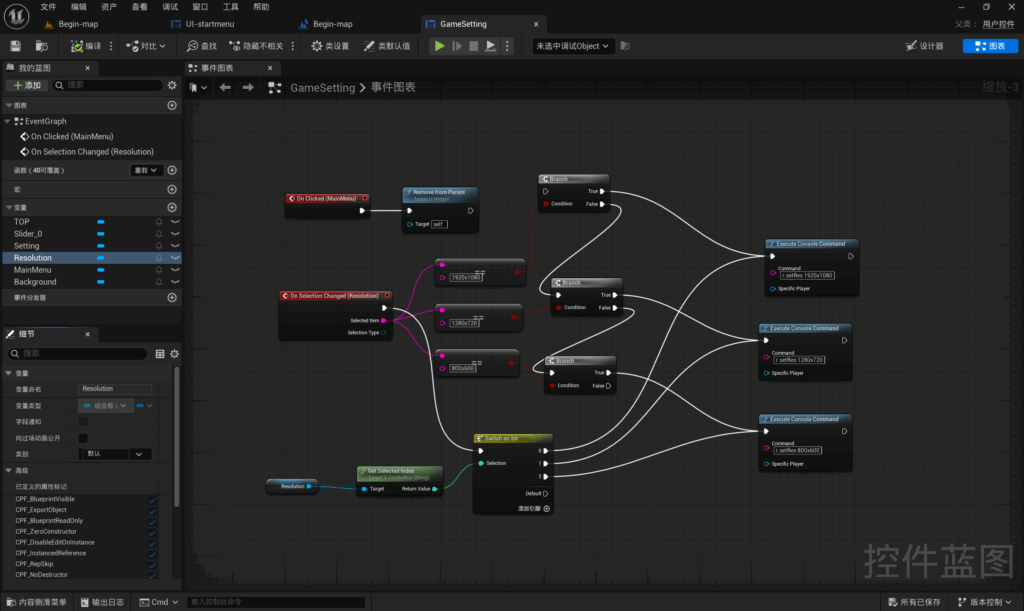
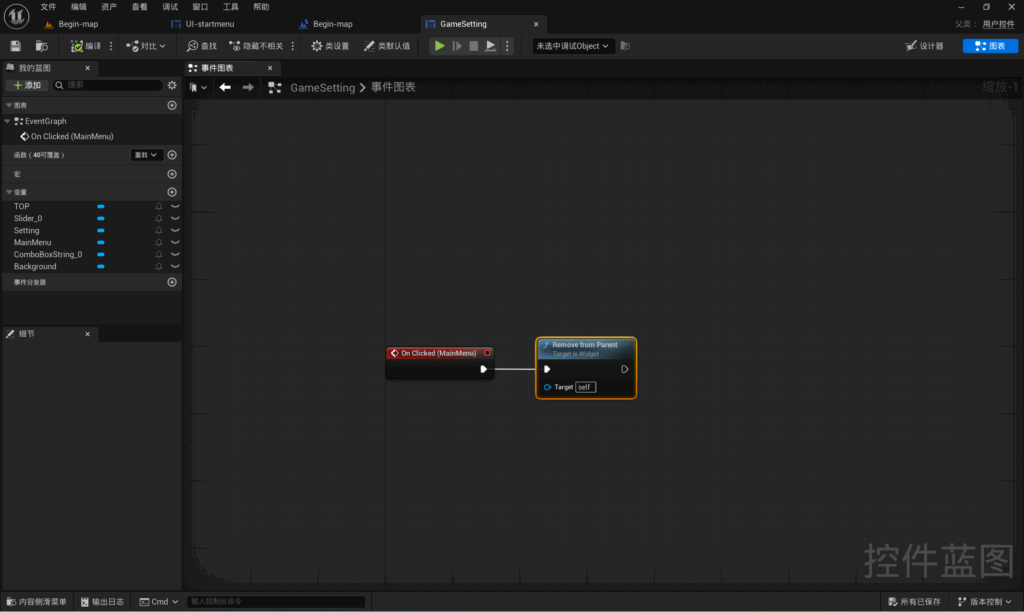
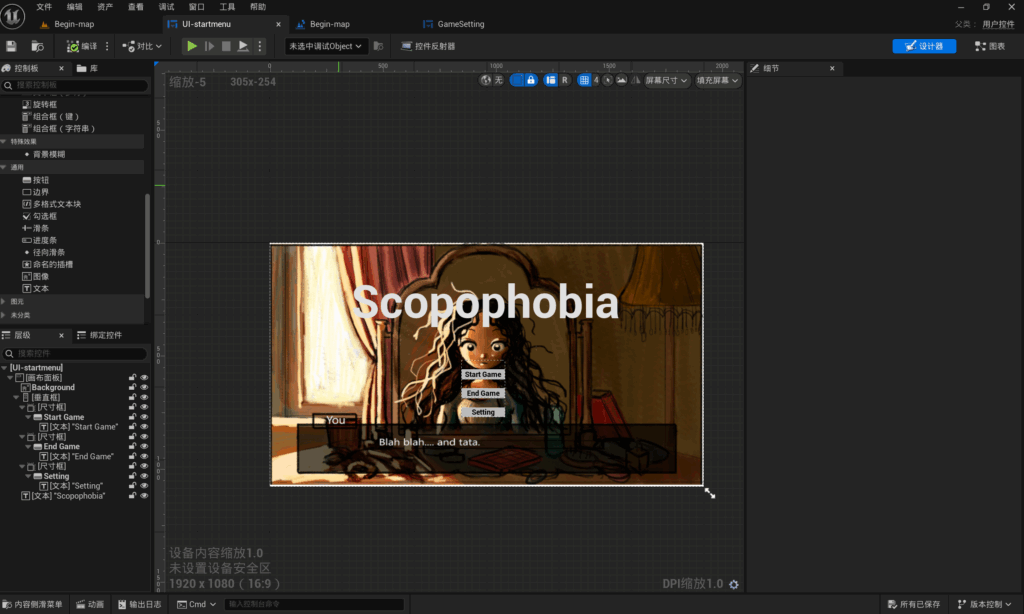
I have implemented the menu interface; when the game starts, players can choose to start the game, exit the game or access the game settings. In the game settings, players can adjust the volume and resolution.


Interact UI:
When players approach an item, a tooltip appears on the item, instructing them on how to interact with it.

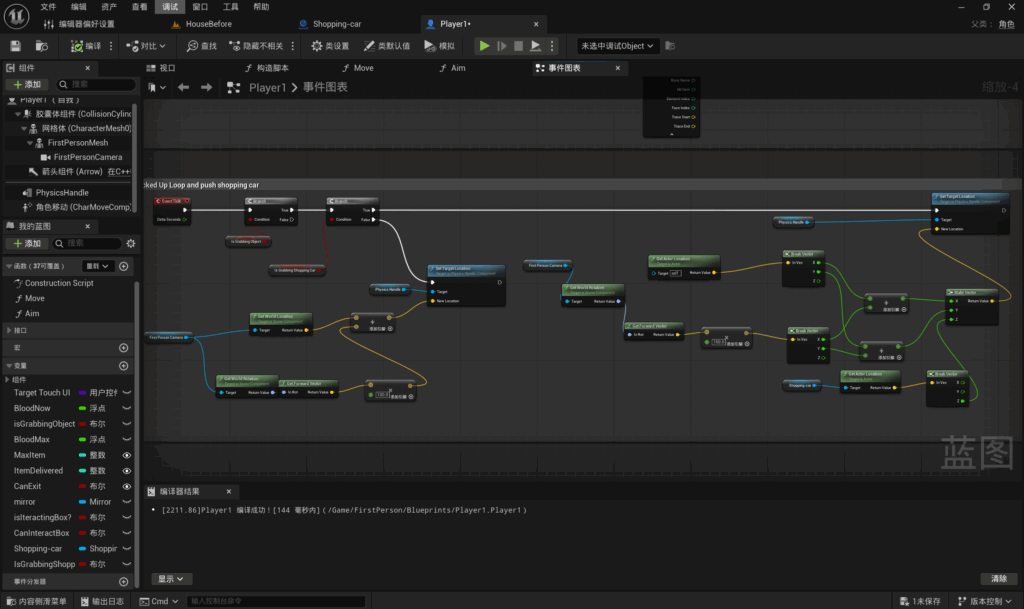
Shopping Car:
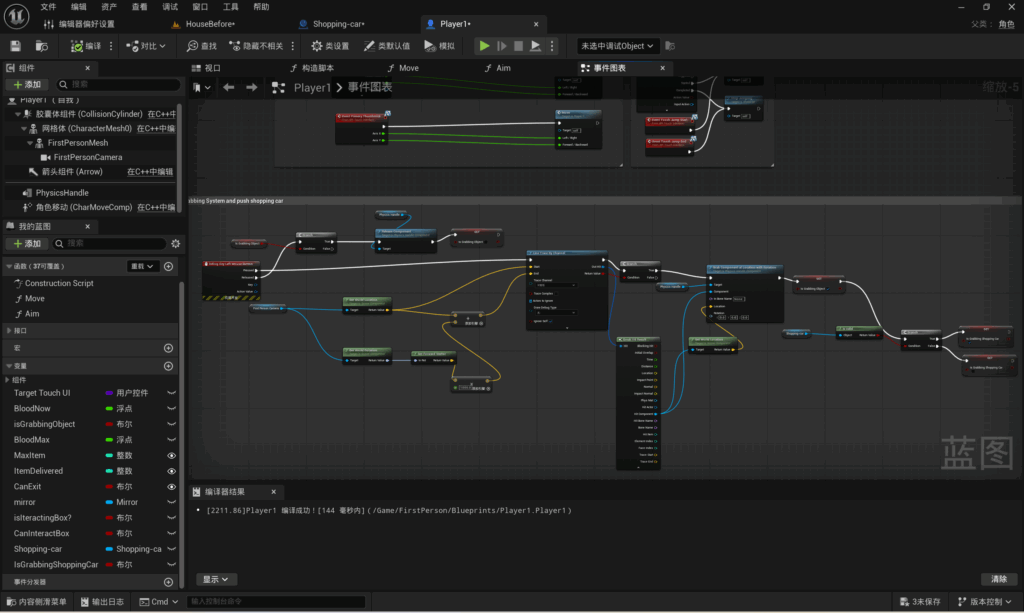
I have implemented the shopping trolley feature; when players interact with the trolley, they can only push or pull it, but cannot lift it up.

Project Management:
I have reviewed all the assets required for the game, attached reference images to each one, and finalised the file formats I need. I have shared the documents with every member of the team to keep everyone up to date with our progress, and have already made arrangements for the work to be carried out after the holidays.
Week 8 Group Communication Report:
I have written this week’s group discussion report, here is the link to our group’s report for this week.
Week 8 Group Working Progress:
I have summarised our team’s progress this week, here is a link to the individual progress reports for each member of our team.
Leave a Reply