The video shows One-Way Door system:
One-Way Door system:
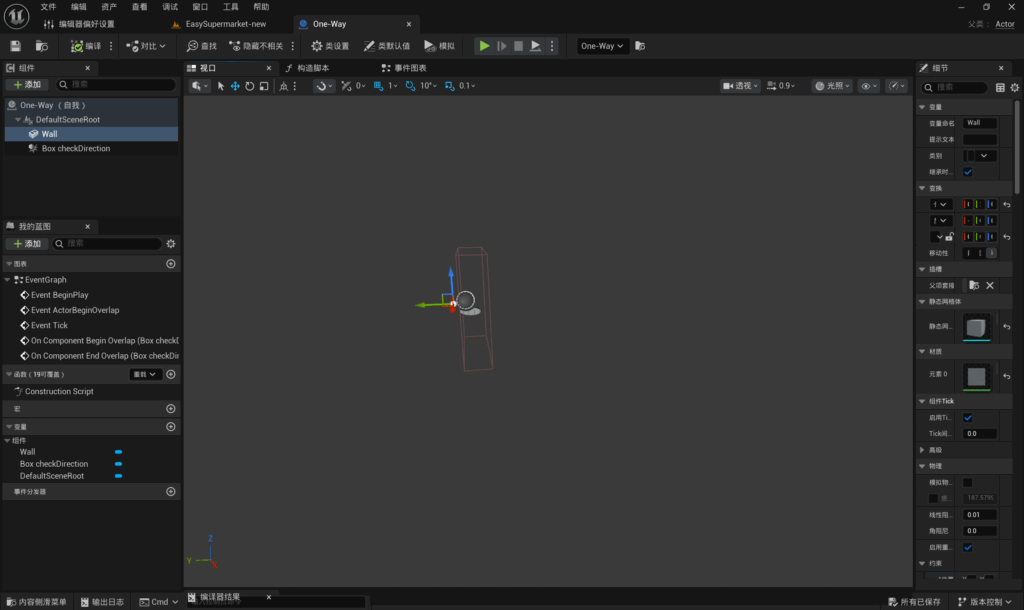
First, I create a new Blueprint class and add a Cube and a Box Collision to the Blueprint’s viewport. I set the Cube and the Box Collision to the same size, with the right-hand face of the Cube touching the left-hand face of the Box Collision. I ensure that both are marked as variables so that they can be dragged into the Blueprint.
As this wall is invisible to the player in the scene, I have deselected the ‘Visible’ option for the wall’s Cube. This means the wall still exists in the scene but remains invisible to the player.
Blueprint of One-Way Door:
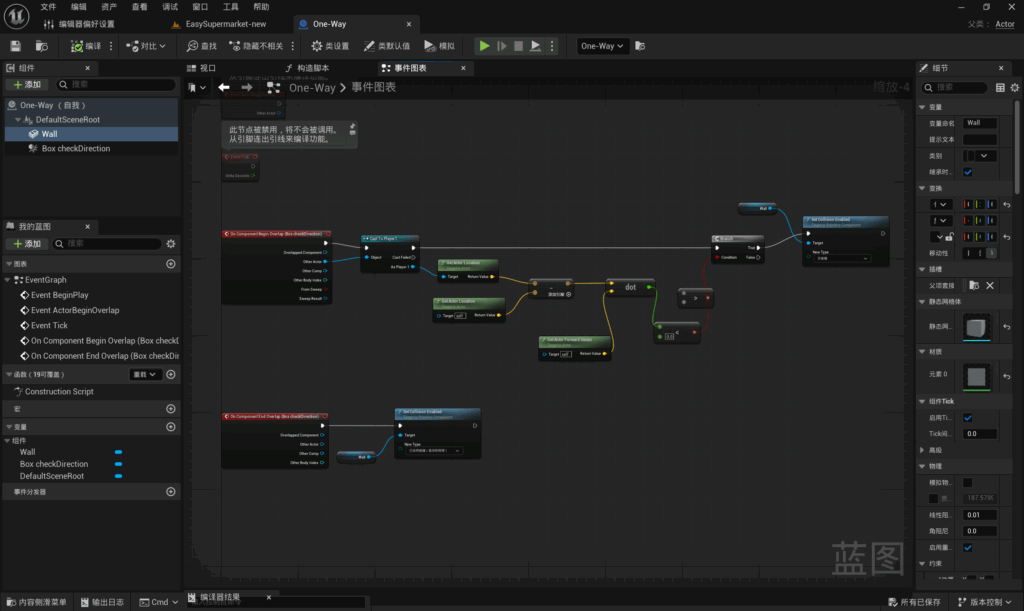
‘Wall’ refers to an actual wall, whilst ‘Box Collision’ refers to the collision box used to detect the player.
The basic approach is as follows: when the player enters the Box Collision, the system detects the player and retrieves the player’s position and the wall’s position. The player’s position is subtracted from the wall’s position to obtain a direction vector pointing from the wall towards the player. The direction directly in front of the wall is then determined: if the dot product is greater than 0, the player is directly in front; if it is less than 0, the player is behind the wall. These are the conditions for the determination. If the conditions are met, the collision volume is set to zero, allowing the player to pass through.
Re-enable the Wall’s collision volume once the player has left the Box Collision. Ensure that this system can be triggered repeatedly.
Leave a Reply