The video shows NPC animation:
NPC Animation:
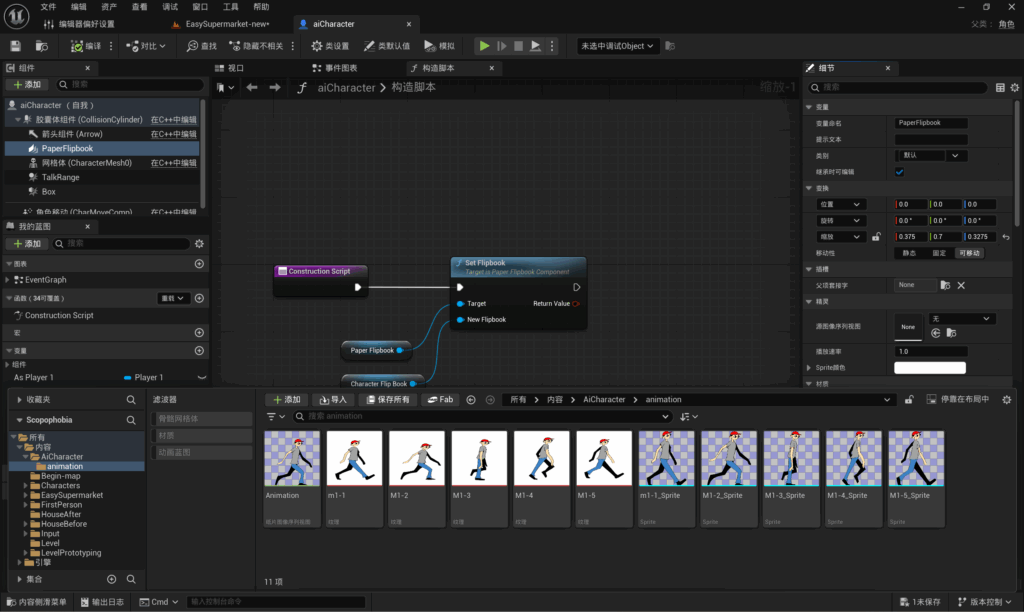
I obtained all the individual frames required for the NPC animations from Lee, ensuring that each frame had a transparent background. Lee created a total of five frames for each NPC, and I imported all five images into a folder named ‘animation’ within UE5.
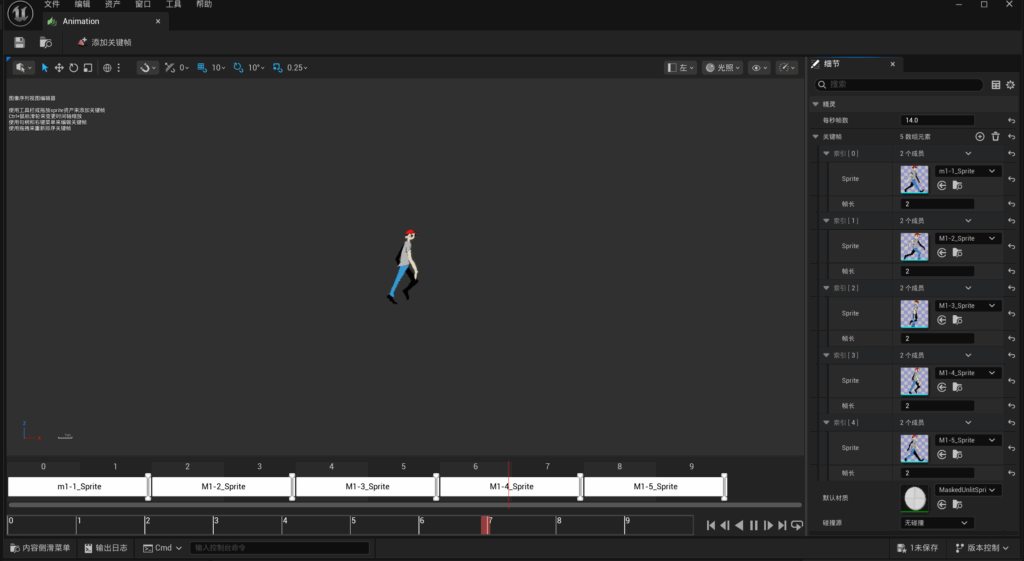
Next, select five images and choose ‘Create Sprite’; the five images will then be converted from assets into sprites. Select the five sprites again and choose ‘Create Flipbook’; the images will automatically become an animation.
The default frame rate for the animation is 15 frames, with each image representing one frame. As this default setting caused the NPC’s walking animation to be too fast, I adjusted it to 14 frames, with each image representing two frames.
Blueprint of NPC animation:
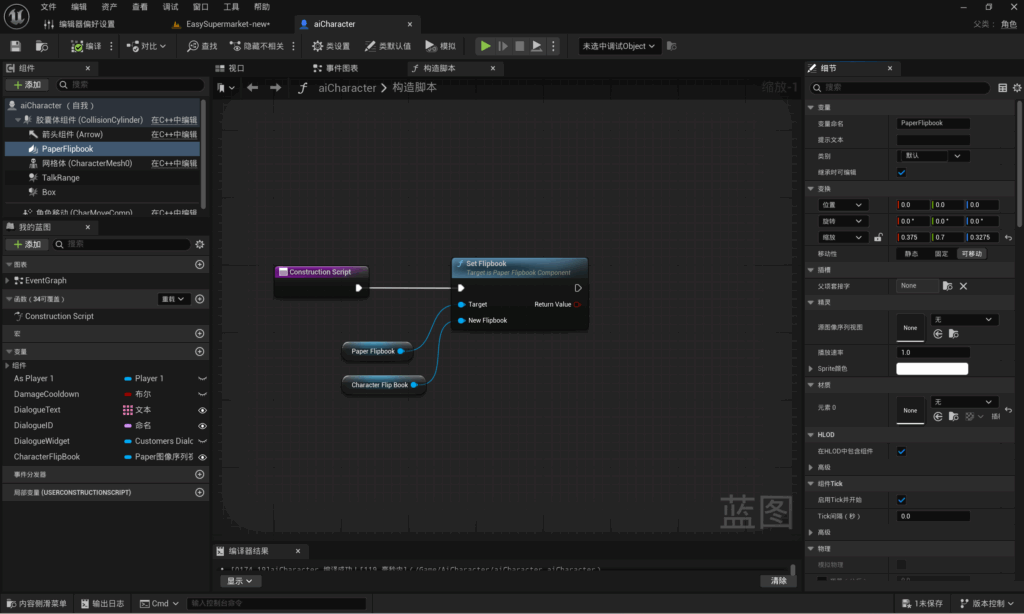
Since all NPCs in the game share the same blueprint, if I were to set the NPC’s appearance directly, all NPCs in the scene would have the same appearance. That is why I used a constructor script. My approach to the blueprint is as follows: first, I add a variable named ‘Character Flip Book’ with the variable type set to ‘Flipbook’. I then add a PaperFlipbook component. Next, within the constructor script, I set the FlipBook, retrieve the PaperFlipBook component and set it as the target. Finally, I retrieve the newly added variable and set it as the new FlipBook.
After applying this blueprint, I can click on an NPC in the scene to change its appearance directly in the Details panel, and the same blueprint can use different appearances.
Problems and Solutions:
NPC animations and the NPC tracking and patrol system are interconnected. When creating the NPC tracking and patrol system, I used the default character rig in UE5. Consequently, once the NPC animations were complete, I encountered an issue where the 2D animations did not align correctly with the 3D rig.
As the static mesh component cannot be deleted, I unchecked the ‘Visible’ option for the static mesh to hide it. Although the 2D animation and 3D model still exist simultaneously, the player can only see the 2D character.
Leave a Reply