1.Tools/Engine
unity
I chose unity as the production engine, firstly because I have experience in making games using this engine, so it’s better to get started. Secondly unity is suitable for 3D game development.
2.Platform Constraints
PC
Switch
3.Control Mapping
Keyboard + Mouse
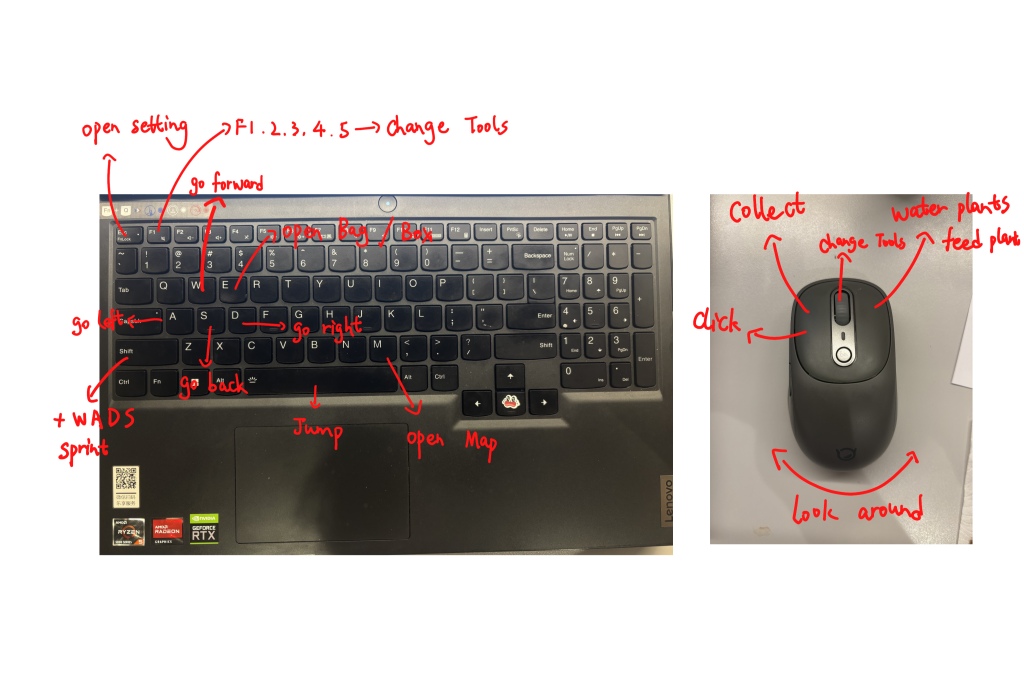
Keyboard:
W: Go forward
A: Go left
D: Go right
S: Go backward
Space: Jump
E: Open Bag/Box
M: Open map
Shift + W/A/D/S: sprint
Esc: Open Setting
F1/F2/F3/F4/F5/F6: Change tools
Mouse:
Move mouse: Look around
Left side: Collect/click
Right side: Water/feed plants
Track roller: Change tools
Leave a Reply