The video shows increase and decrease nervous:
Nervous bar UI:
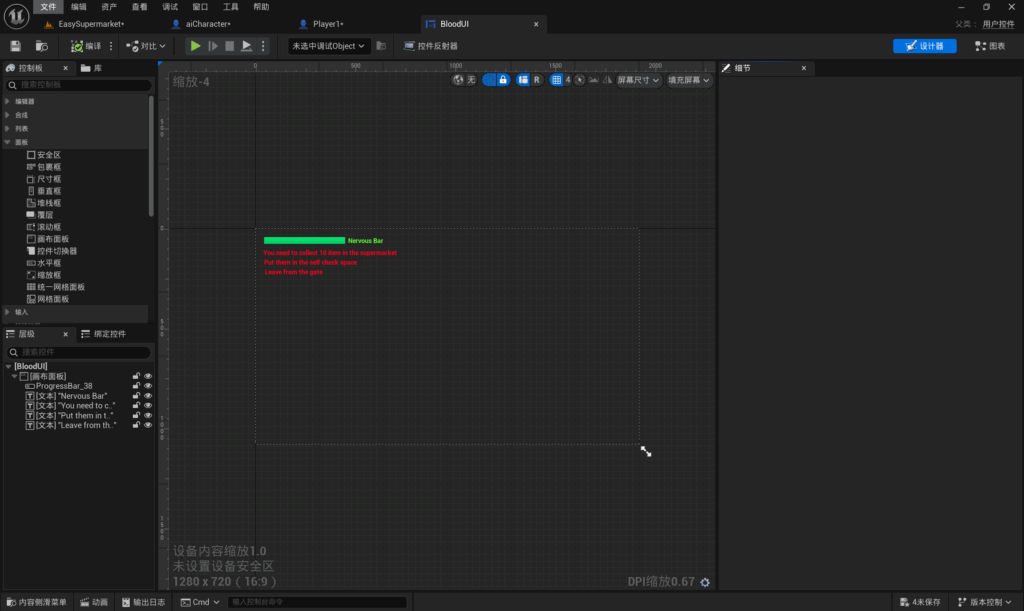
First create a blueprint of the control, in this blueprint you can design the nervous ba.
Add a canvas panel, and then add a progress bar under the canvas panel that can change as values are added or subtracted.Create another text in the Canvas panel labelled with the name of the progress bar.
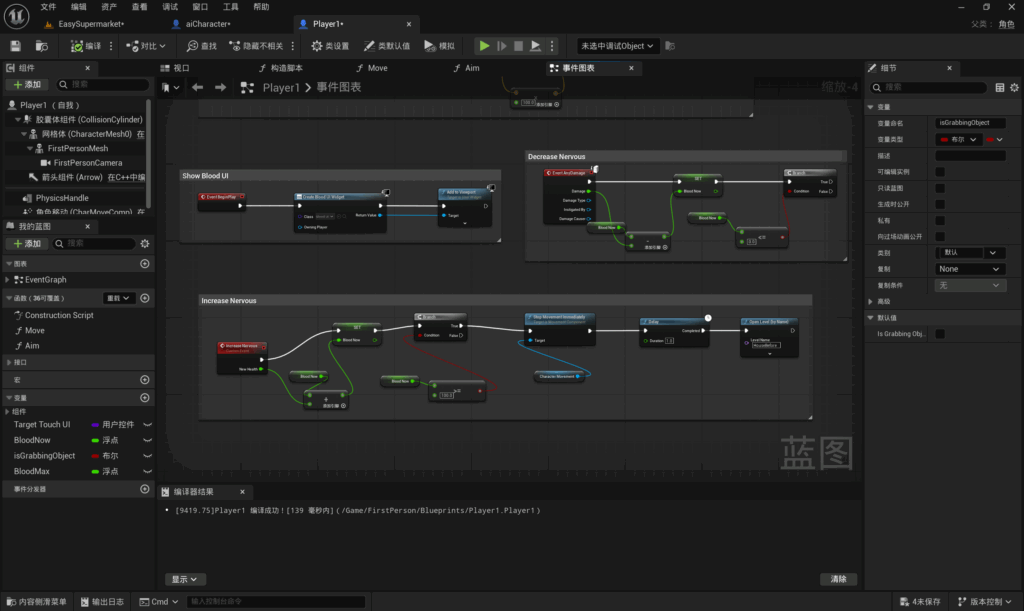
When the event starts, create a new control, select the space blueprint you just set up, add it to the viewport, and the UI will be displayed on the screen.
I put the progress bar in the top left corner of the canvas panel, and this progress bar will always be displayed in the top left corner of the screen during gameplay.
Nervouse decrease:
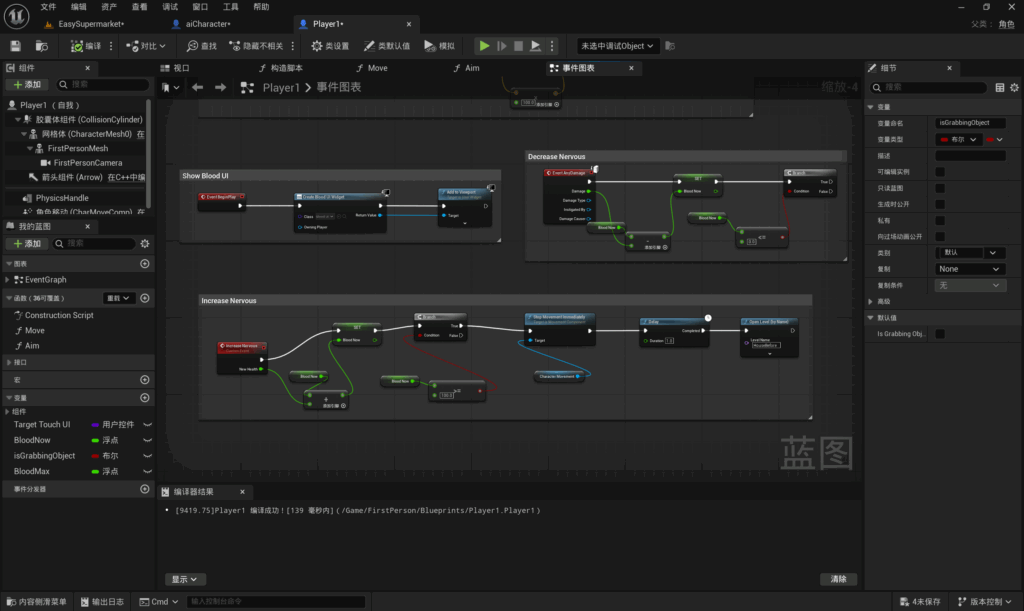
Firstly add two variables, blood now and blood max, which represent the present and maximum nervous values respectively.The type is set to floating point.
Events start triggering when a player takes damage. Get blood now , create subtraction operation , set blood now. is to connect two blood now with subtraction operation to get the new blood now.
Create another branch to get blood now and satisfy this condition. when bllod now is less than or equal to 0.
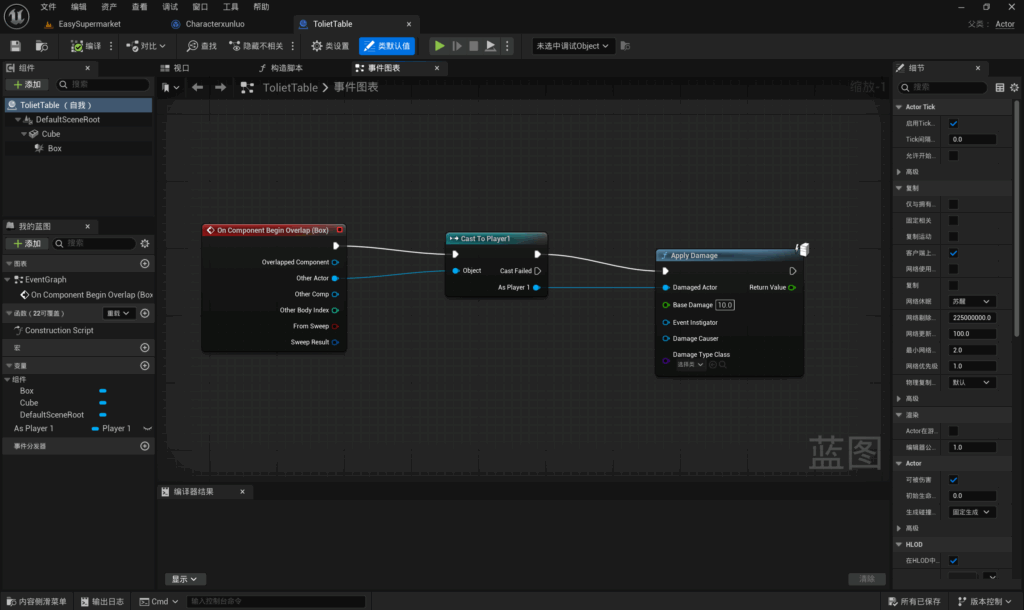
I added a collision volume to the rectangle, when the player overlaps with the collision volume it triggers an event that transforms the actor into a player, so that the event only takes effect on the player, and after that the player takes damage, which I set to a value of 10.
Nervous increase:
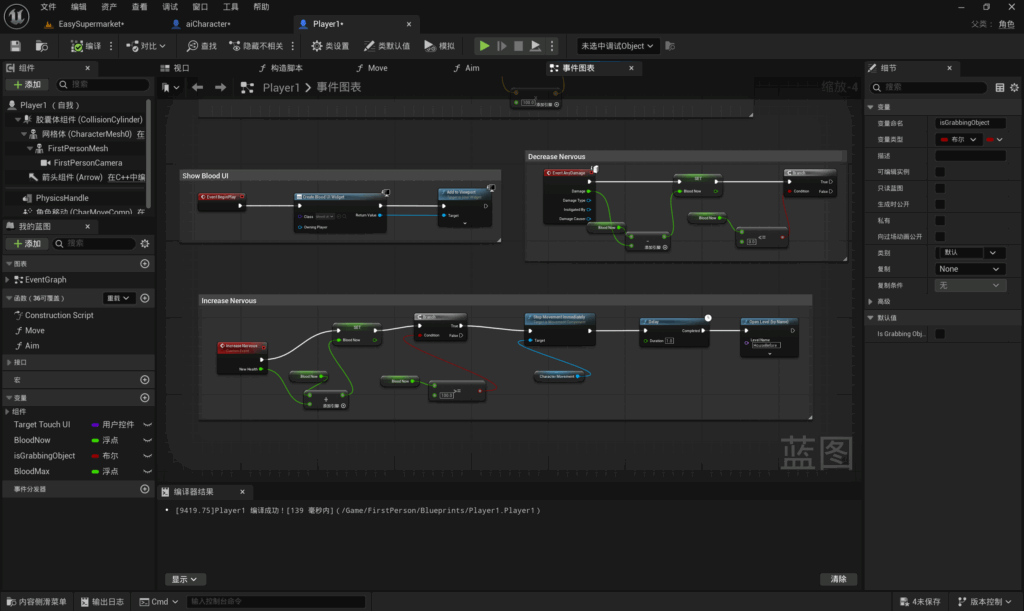
The idea of this is the same as decrease nervous. First create an event called Increase nervous, get blood now, create an addition operation, set a blood now, and connect the two bloods with the addition operation.
Get blood now, Satisfy this condition when blood now is greater than or equal to 100.
When blood is greater than or equal to 100 the game fails, so I create stop player movement, delay 1 second and jump back to the initial room. I combined my knowledge from previous level jumps.
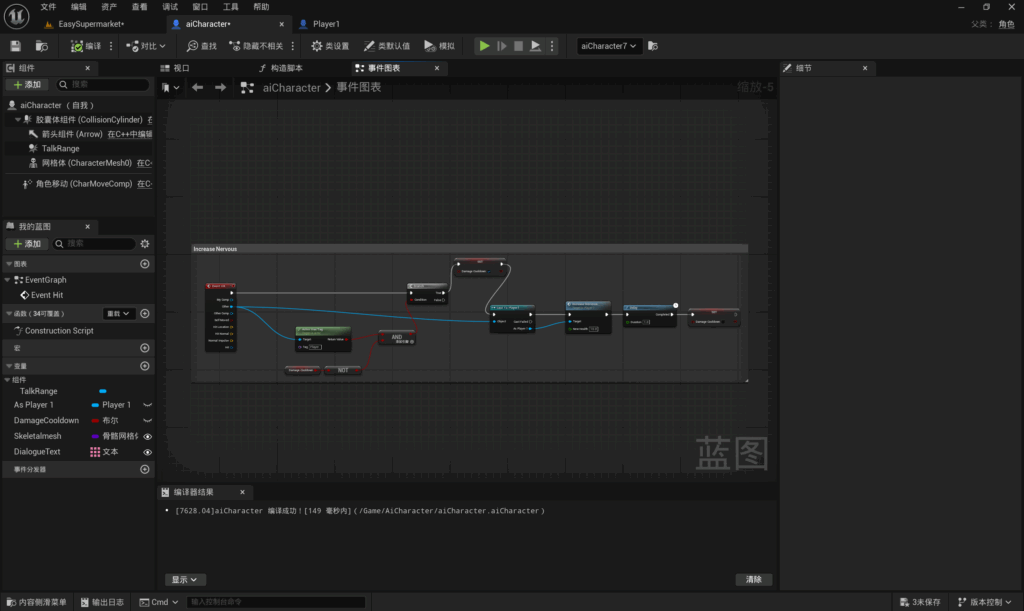
I created event hit, which is triggered when the player touches the NPC’s collision volume.
I created a tag named player that satisfies this condition when the player is not on cool down.
Set setting cooling to prevent being triggered multiple times. Convert other actor to player. add increase nervous to a value of 10, growing the nervous value by 10 at a time. Ship a delay that restores the trigger state after a 1 second delay.
Leave a Reply