The video shows character dialogue system:
Character Dialogue System:
Dialogue UI:
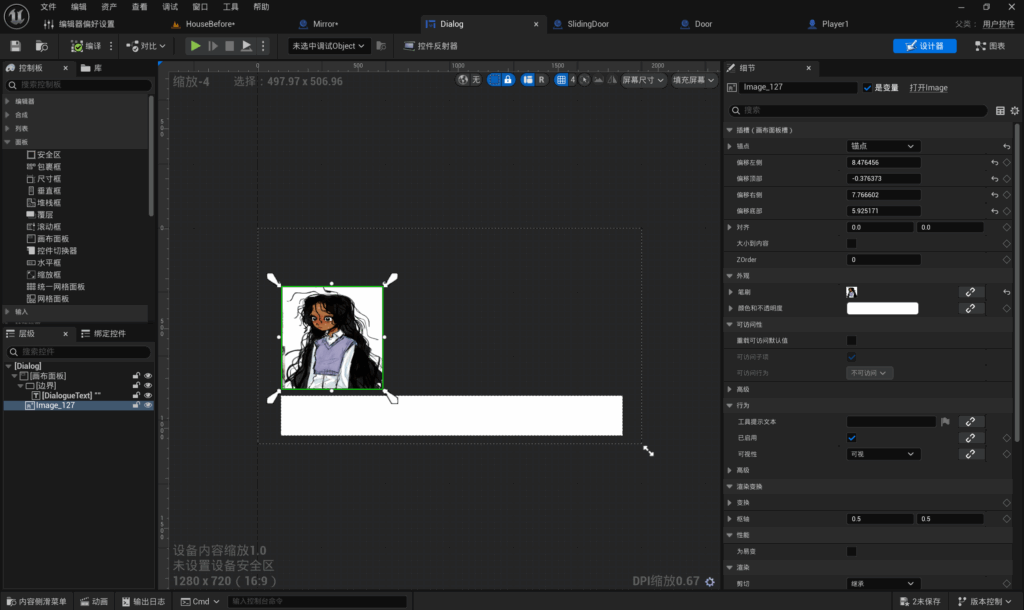
I began by crafting a dialogue UI. I created a canvas panel, which serves as the display screen; all added content must reside within its boundaries. I added a border as the parent element, followed by a text component where all text will be displayed. Finally, I placed a character image above the border. This constitutes a very classic dialogue UI.
Show UI blueprint:
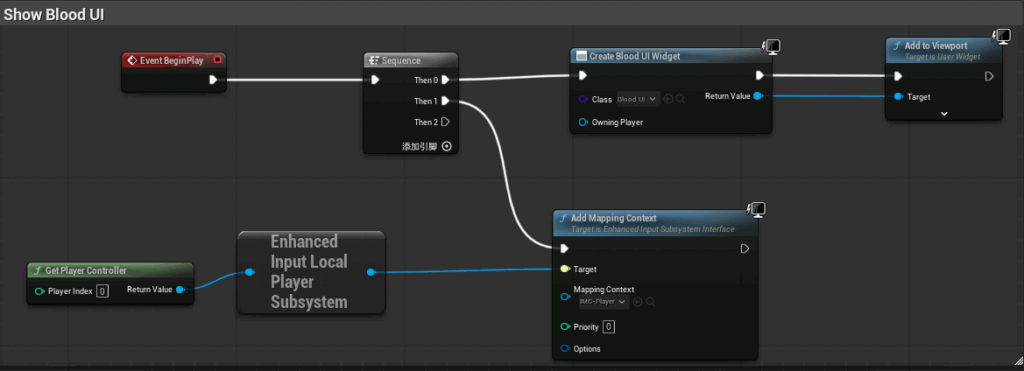
My blueprint concept is as follows: Upon the game commencing execution, this event shall be triggered. Add a mapping context, designating the player as the mapping context. Acquire the player controller, augmenting input to the local player system as the target of the mapping context.
Detect player proximity:
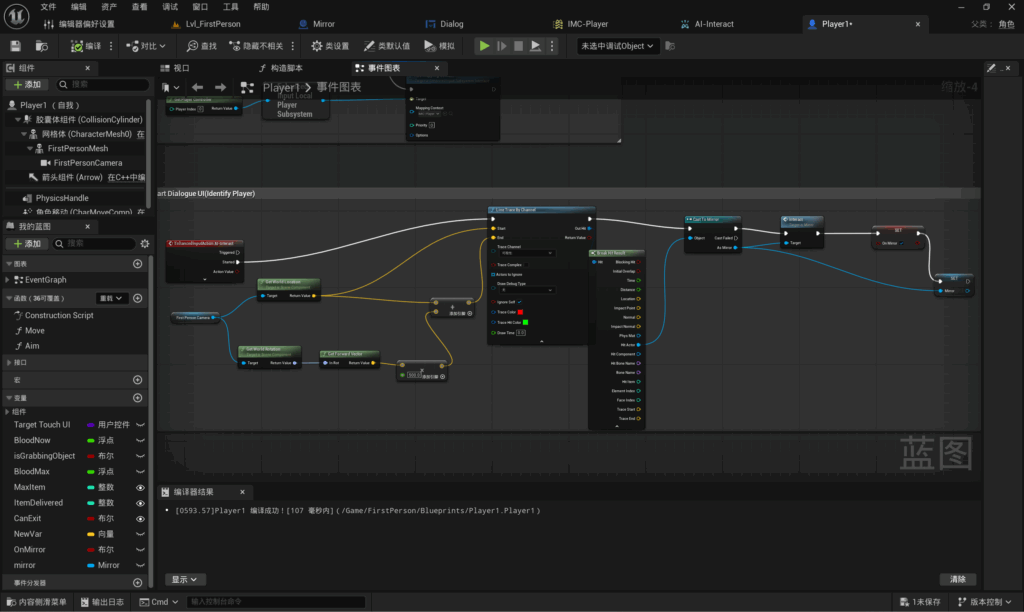
My blueprint approach: As my game is first-person, I first acquire the first-person camera, obtaining the world location, world rotation, and forward vector. The forward vector is multiplied by 500, where 500 represents the detection range. The sum of the world location and forward vector yields the final detection distance. Subsequently, I configure line tracing by channel to detect hit objects. The hit actor is converted into a mirror (an item requiring player interaction). Finally, the interaction is invoked.
Dialogue change to next line:
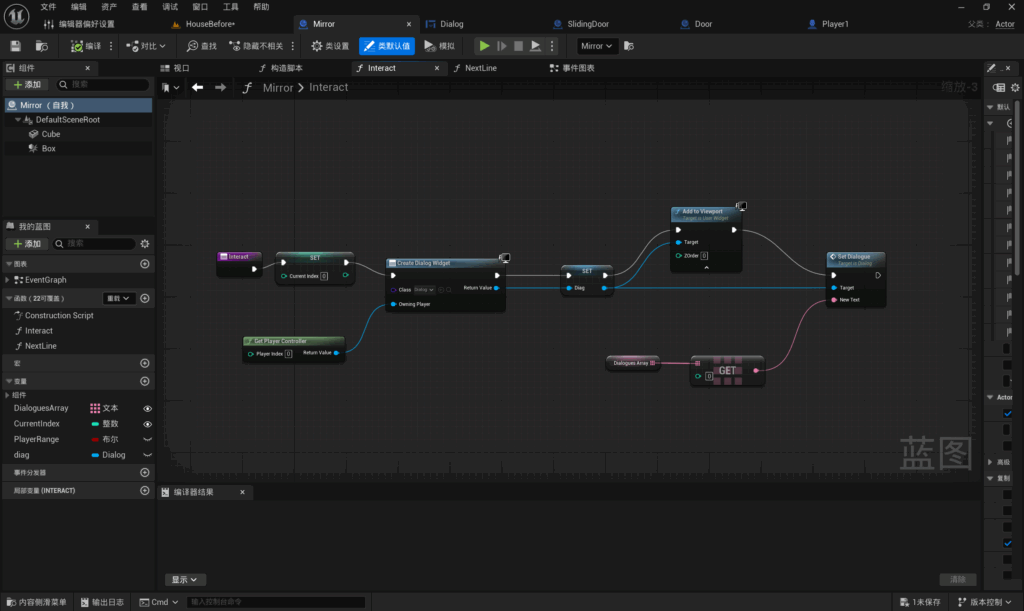
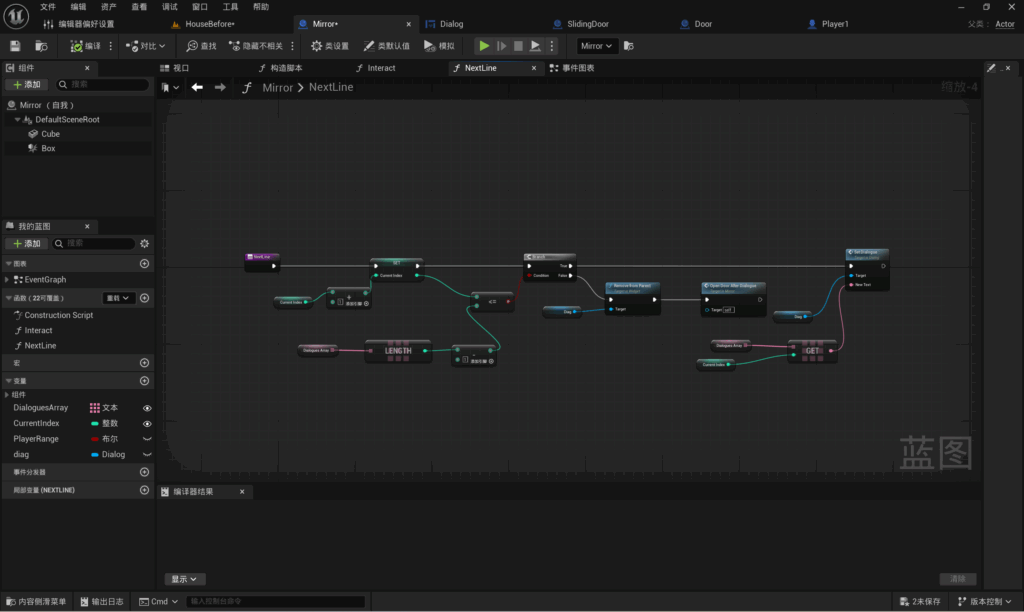
First, create a new function named Nextline. Establish a variable called current index. Obtain the current index and increment it to derive a new current index. Create a text variable. Retrieve this variable and decrement it. When the current index is less than or equal to the text variable, the condition is satisfied. Upon satisfying the condition, the dialogue concludes and disappears.
I wish to implement automatic door opening upon completion of the text. Therefore, the function to open the door after the UI disappears.
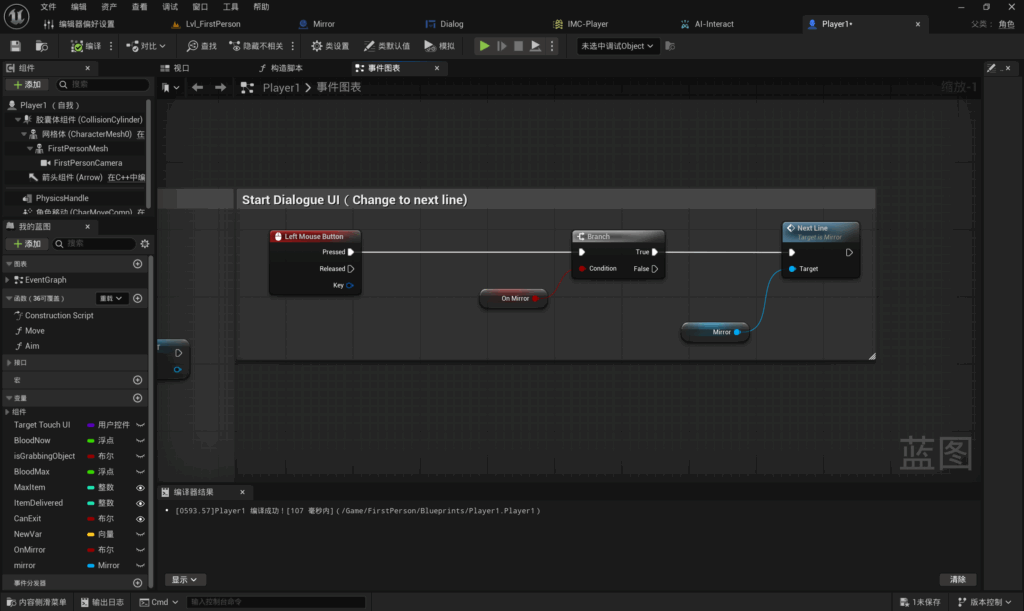
I have created an event triggered by the left mouse button. Upon satisfying the “on mirror” condition, Nextline will be displayed.
Open the door:
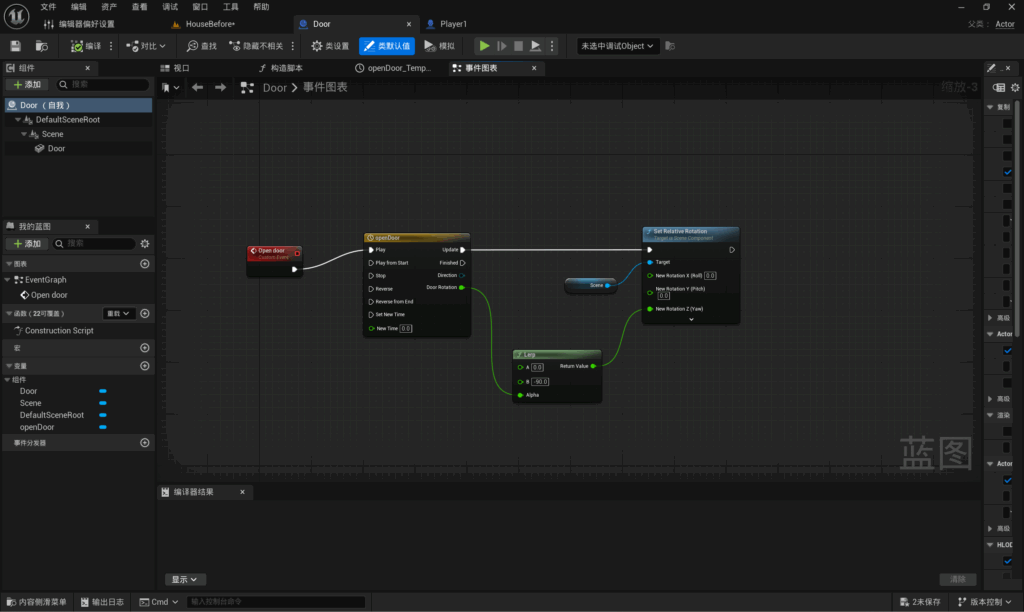
I created a custom event named “open door”. After adding a timeline, I set up a lerp function to return to the position of the revolving door in the viewport. Once the rotation angle and coordinates were determined, these values were populated into the lerp function. This position was then designated as the new location.
Aim of open door:
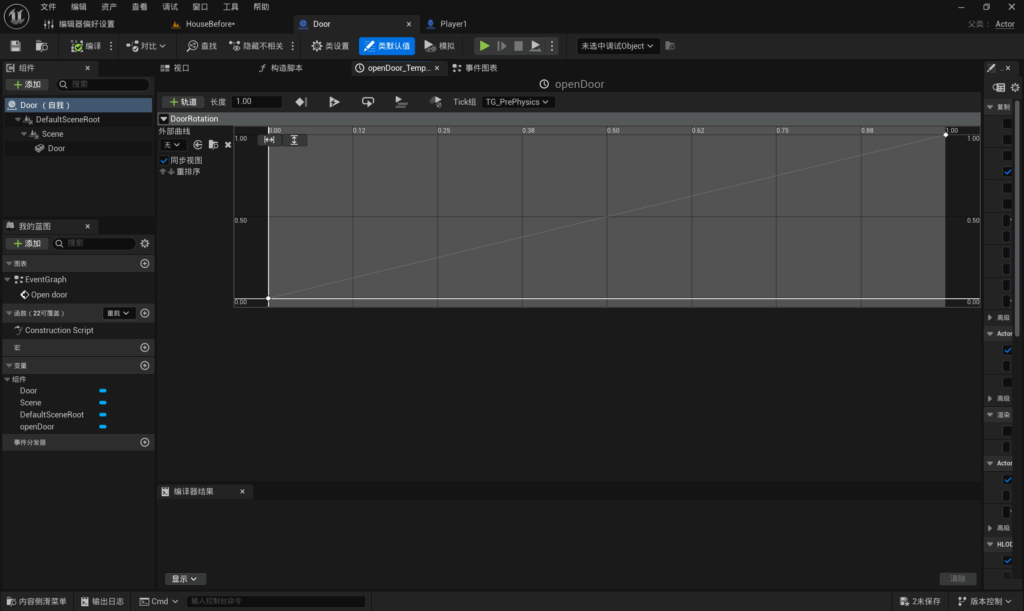
This method is identical to the sliding door technique. Set the duration to one second, with the starting point coordinates at (0, 0) and the ending point coordinates at (1, 1).
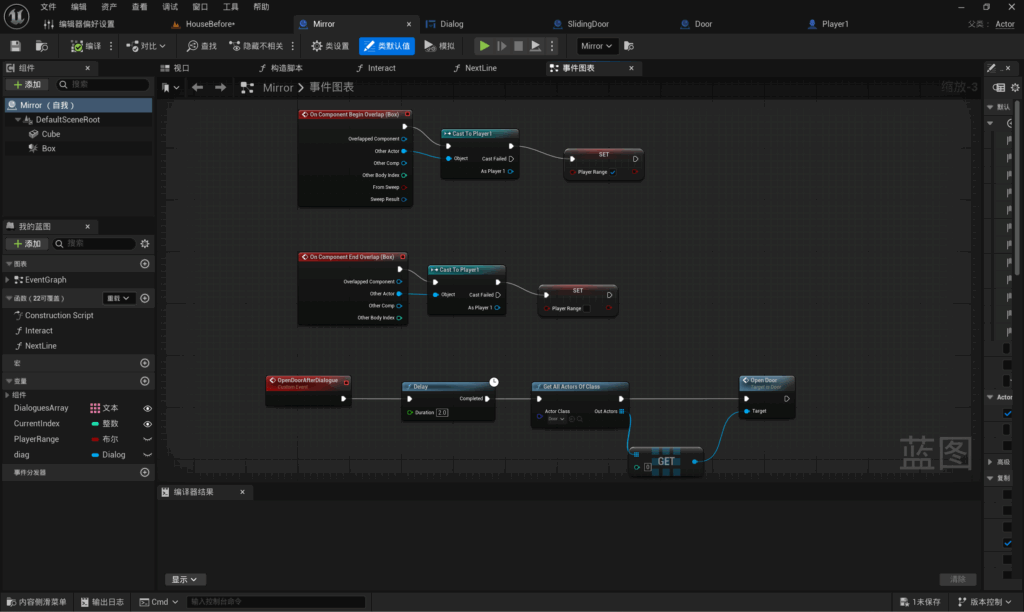
Create a custom event named “opendoorafterdialogue”. I have set a delay of 2 seconds to allow the player time to react. Subsequently, configure “get all actors of class”, selecting “door” as the actor type, and finally execute “open door”.
Set text content:
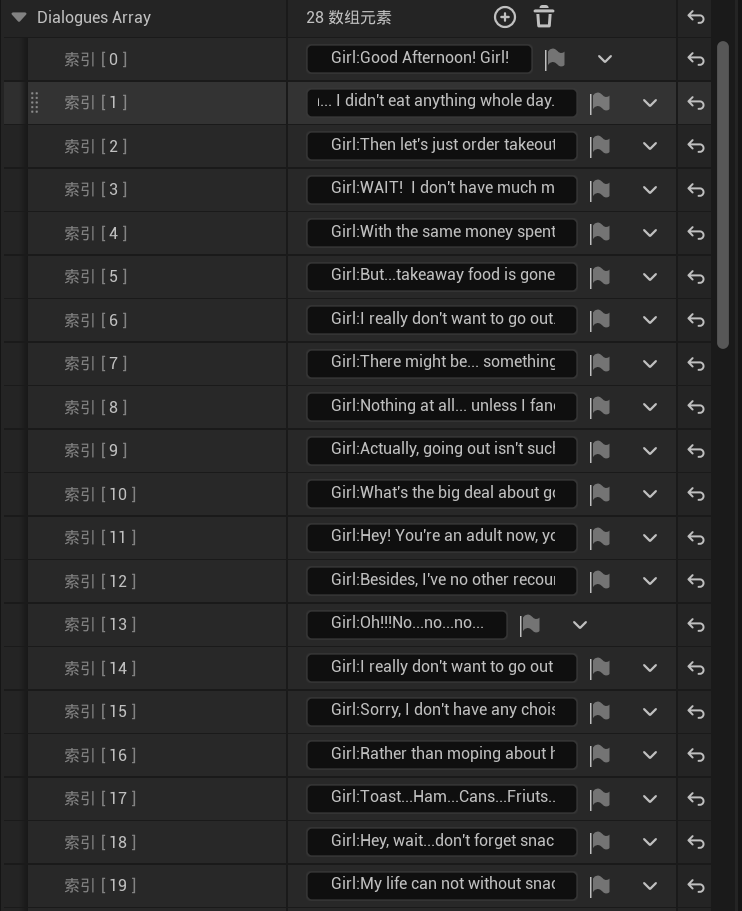
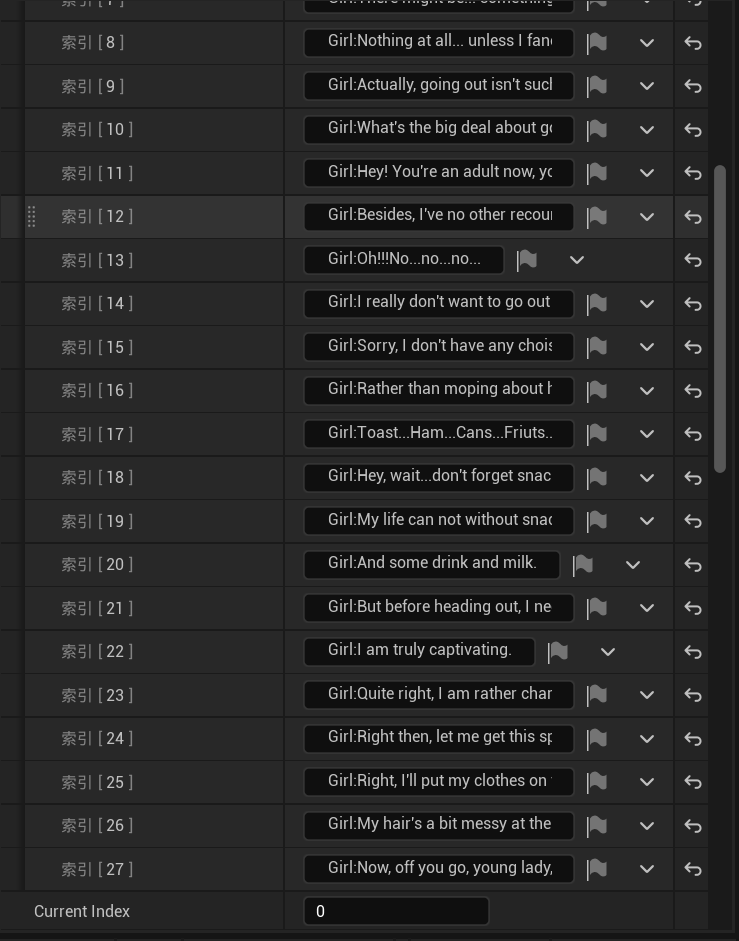
By clicking on the mirror within the scene (the interactive object I require), I can add textual content within the detail viewport. Each sentence constitutes a separate line of text, with a total of 27 lines added.
Leave a Reply