The video shows customers dialogue system:
Customers Dialogue System:
All the NPCs in the scene share the same blueprint, so using the standard method would result in every NPC having the same dialogue. I have therefore added variables; although we are still using a single blueprint, each NPC can now trigger different dialogue.
Customers Dialogue Text:
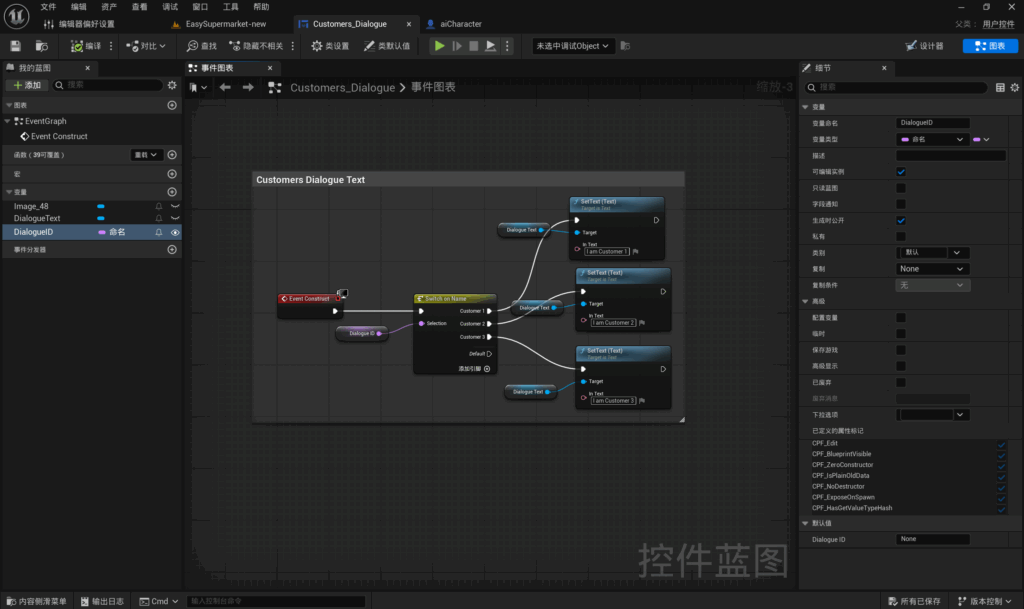
First, create a user control. Within the user control, add a UI image for the dialogue box, then add a text field named ‘DialogueText’ and tick the ‘Is Variable’ box. This variable will appear in the event diagram. In the event diagram, add another variable named ‘DialogueID’ with the type set to ‘Name’.
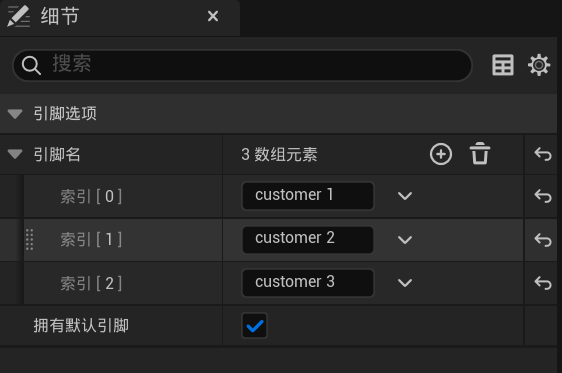
My approach in Blueprint is as follows: the UI is triggered automatically. I retrieve the DialogueID. I have currently named the three NPCs ‘customer
1’, ‘customer 2’ and ‘customer 3’. I then use these names to determine which text content to trigger. In Blueprint, I can set the text directly within the Blueprint itself.
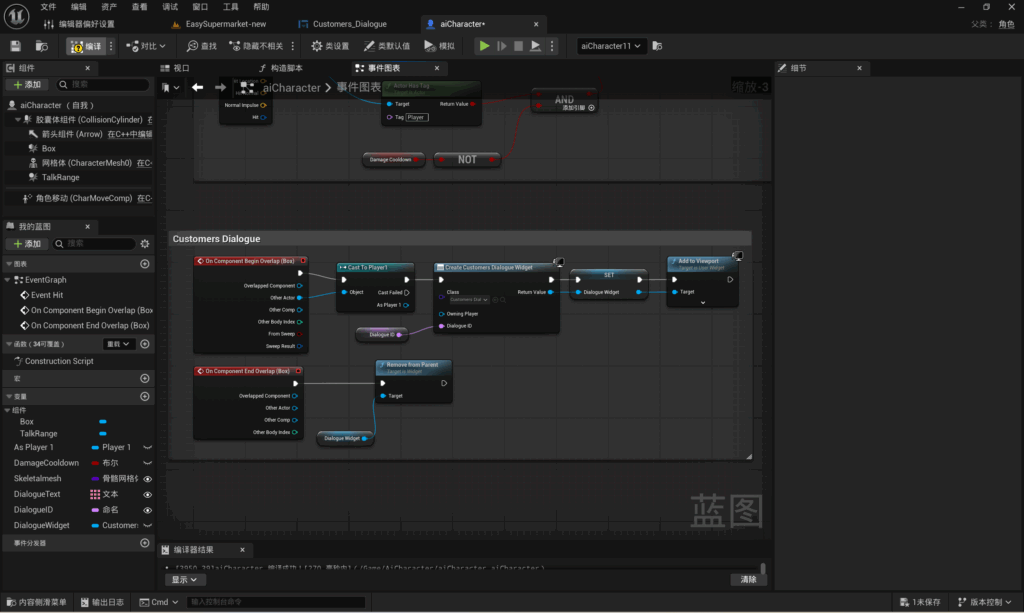
The UI is created when the player collides with the NPC’s collision volume. The `DialogueID` variable is passed to the newly created UI, which identifies the NPC’s ID and triggers the corresponding text to be displayed in the viewport. The UI is removed when the player leaves the collision volume.
Leave a Reply